
1. Important Safety Information
Before using the ZIPRO One S Exercise Bike, please read and understand all instructions in this manual. Keep this manual for future reference. Failure to follow these instructions may result in injury or damage to the product.
- Consult your physician before starting any exercise program.
- Ensure all parts are correctly assembled and tightened before each use.
- Place the exercise bike on a flat, stable surface.
- Keep children and pets away from the equipment during use.
- Do not exceed the maximum user weight of 110 kg (242 lbs).
- Wear appropriate exercise clothing and footwear.
- Stop exercising immediately if you feel faint, dizzy, or experience pain.
2. Product Overview
The ZIPRO One S is a compact and portable exercise bike designed for home cardio training. It features a silent magnetic resistance system, an LCD display for tracking workout data, and an adjustable saddle for ergonomic comfort.

Image: The ZIPRO One S Exercise Bike shown in a living room setting, highlighting its compact dimensions of 897mm (length) x 435mm (width) x 1100mm (height).
Key Features:
- 8-Level Magnetic Resistance: Manually adjustable for varied workout intensity.
- LCD Display: Tracks time, distance, calories burned, and pulse.
- Adjustable Saddle: Height adjustable from 65-80 cm (from floor) and 55-75 cm (from pedals) for optimal user comfort.
- Smartphone Holder: Integrated into the console for convenience during workouts.
- Compact Design: Ideal for small spaces, with integrated transport wheels for easy relocation.
- Silent Operation: Magnetic resistance mechanism ensures quiet workouts.
- Sturdy Construction: Made from metal, plastic, and polyethylene with alloy steel handlebars.
3. Setup and Assembly
The ZIPRO One S Exercise Bike is designed for straightforward assembly, typically taking 30-40 minutes. All necessary tools are included.
Assembly Steps:
- Assemble the Front and Rear Supports: Attach the stabilizer bars to the main frame using the provided bolts and washers. Ensure they are securely fastened.
- Assemble the Handlebar Telescope: Insert the handlebar post into the main frame. Adjust to the desired height and secure with the adjustment knob.
- Assemble the Handlebar: Attach the handlebar assembly to the handlebar post. Connect any necessary sensor cables for the display.
- Assemble the Saddle: Mount the saddle onto the seat post. Insert the seat post into the main frame and adjust its height and position, then secure it.
- Assemble the Pedals: Attach the right pedal (marked 'R') to the right crank arm and the left pedal (marked 'L') to the left crank arm. Note that the left pedal has a reverse thread. Tighten firmly.
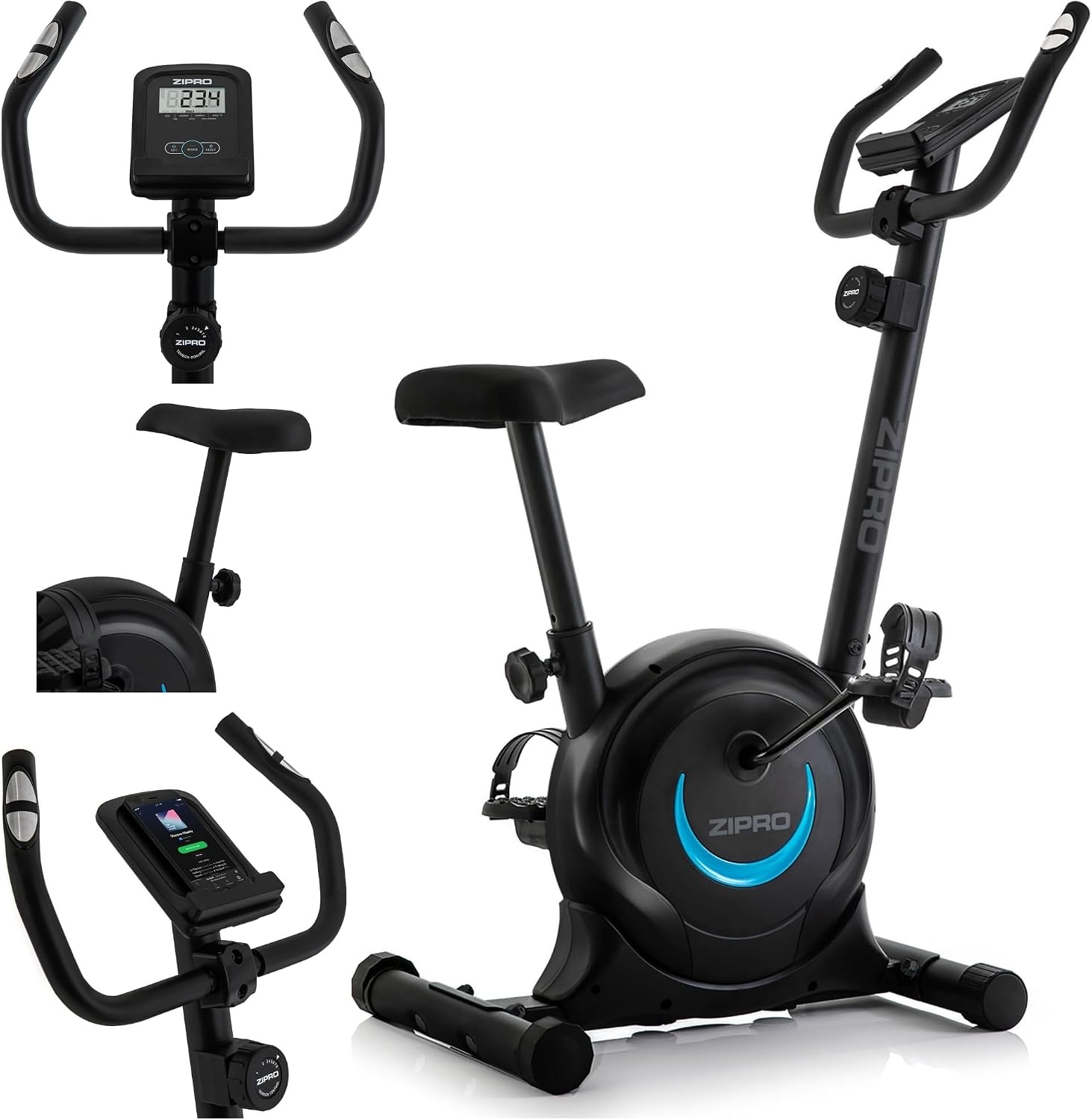
Image: An exploded view showing various components of the ZIPRO One S Exercise Bike, including the display, saddle, and phone holder, illustrating parts for assembly.
Saddle Adjustment:
The saddle height can be adjusted to ensure an ergonomic and comfortable riding position. Loosen the adjustment knob below the saddle, move the saddle to the desired height, and then firmly tighten the knob.
- Saddle height from floor: 65 cm to 80 cm
- Saddle height from pedals: 55 cm to 75 cm

Image: A user demonstrating the saddle height adjustment on the ZIPRO One S Exercise Bike, with arrows indicating the adjustable range.
4. Operating Instructions
Resistance Adjustment:
The ZIPRO One S features 8 levels of magnetic resistance. To adjust the resistance, turn the tension control knob located below the handlebars. Turn clockwise for higher resistance and counter-clockwise for lower resistance.

Image: A close-up view of the manual tension control knob on the ZIPRO One S Exercise Bike, showing the 8 resistance levels.
Using the LCD Display:
The integrated LCD display provides real-time feedback on your workout. It typically requires 2x AAA batteries (not included).

Image: A detailed view of the LCD display and handlebars, showing the display interface and pulse sensors.
- MODE Button: Press to cycle through different display functions: Time, Distance, Calories, Pulse, Speed.
- SCAN Function: When 'SCAN' is active, the display will automatically cycle through all functions every few seconds, allowing hands-free monitoring.
- RESET Button: Press and hold to clear all workout data.
- SET Button: Used to set target values for time, distance, or calories. An alarm will sound when the target is reached.
- Pulse Sensors: Grip the sensors on the handlebars to measure your heart rate. Your pulse will be displayed on the LCD screen.

Image: A diagram illustrating the various functions of the LCD display, including heart rate monitoring, battery requirement, and tracked metrics like time, distance, calories, and speed.
Using the Smartphone Holder:
A dedicated holder is integrated into the console, allowing you to place your smartphone or tablet for entertainment or tracking during your workout.

Image: A close-up of the integrated smartphone holder on the exercise bike's console, with a phone placed in it.
5. Maintenance
Regular maintenance ensures the longevity and safe operation of your ZIPRO One S Exercise Bike.
- Cleaning: Wipe down the bike with a damp cloth after each use to remove sweat and dust. Do not use abrasive cleaners.
- Check Connections: Periodically check all bolts, nuts, and moving parts to ensure they are securely tightened. Tighten if necessary.
- Lubrication: The magnetic resistance system is generally maintenance-free. If you notice any squeaking from moving parts (e.g., pedals), apply a small amount of silicone-based lubricant.
- Storage: Store the bike in a dry, cool place away from direct sunlight and moisture. Use the integrated transport wheels to move the bike easily.

Image: A woman demonstrating the ease of moving the ZIPRO One S Exercise Bike using its integrated transport wheels, highlighting its space-saving feature.
6. Troubleshooting
If you encounter any issues with your ZIPRO One S Exercise Bike, refer to the following common solutions:
| Problem | Possible Cause | Solution |
|---|---|---|
| LCD display not working | Dead batteries, loose connection | Replace AAA batteries. Check cable connections to the display. |
| No resistance or inconsistent resistance | Resistance cable disconnected or damaged, internal mechanism issue | Check if the resistance cable is properly connected. Ensure the tension knob is functioning. If the problem persists, contact customer support. |
| Squeaking or grinding noise | Loose parts, lack of lubrication, internal friction | Check and tighten all bolts and nuts. Apply silicone lubricant to moving parts if accessible. |
| Unstable during use | Uneven floor, loose stabilizer feet | Ensure the bike is on a flat surface. Adjust the leveling feet on the stabilizer bars to eliminate wobbling. |
If these solutions do not resolve the issue, please contact ZIPRO customer support.
7. Specifications
| Specification | Detail |
|---|---|
| Brand | ZIPRO |
| Model Name | One S |
| Model Number | 5304084 |
| Color | Black-Blue |
| Resistance Mechanism | Magnetic |
| Number of Resistance Levels | 8 |
| Drive System | Belt |
| Power Source | Pedal powered (non-electric) |
| Material | Metal, Plastic, Polyethylene (Handle: Alloy Steel) |
| Item Weight | 16.5 kg (16500 Grams) |
| Maximum Recommended Weight | 110 kg (110000 Grams) |
| Product Dimensions (L x W x H) | 89.7 cm x 43.5 cm x 110 cm |
| Saddle Height (Min/Max from floor) | 650 mm / 800 mm |
| Recommended Use | Indoor |

Image: A side profile of the ZIPRO One S Exercise Bike, clearly indicating its height (110 cm) and length (89 cm).
8. Warranty and Support
Warranty Information:
The ZIPRO One S Exercise Bike comes with a 2-year manufacturer warranty. This warranty covers defects in materials and workmanship under normal use. Please retain your proof of purchase for warranty claims.
Customer Support:
For any questions, technical assistance, or warranty claims, please contact ZIPRO customer support through their official website or the retailer where the product was purchased. Please have your model number (One S) and proof of purchase ready when contacting support.
Online Support: Visit the official ZIPRO website for FAQs, product registration, and contact forms.
Email Support: Refer to your purchase documentation for specific email contact information.


