
1. Important Safety Information
Please read and understand all safety instructions before operating the ONEVAN Cordless Snow Shovel. Failure to follow these instructions may result in electric shock, fire, and/or serious personal injury.
- Always wear appropriate footwear when using this product to ensure stable footing on snowy or icy surfaces.
- Use gloves when handling the product to protect your hands from sharp or heavy parts and to maintain a secure grip.
- Always use both the power switch and security switch simultaneously to activate the product. This dual-switch design prevents accidental activation.
- Always store the product and its batteries in a cool, dry place, away from direct sunlight, heat sources, and out of reach of children and pets.
- Ensure the work area is clear of debris, rocks, or other objects that could be thrown by the snow shovel.
- Do not operate the snow shovel in heavy rain or wet conditions that could lead to electrical hazards.
- Keep bystanders, especially children and pets, at a safe distance from the operating area.
- Before cleaning, servicing, or storing the unit, always remove the battery pack.
2. Product Overview
The ONEVAN Cordless Snow Shovel is a powerful and efficient tool designed for quick snow removal from driveways, sidewalks, patios, and decks. It features a robust 21V motor and comes with two 6.0Ah lithium-ion batteries for extended operation.

Figure 2.1: Complete ONEVAN Cordless Snow Shovel system, including the main unit, two 21V 6.0Ah lithium-ion batteries, and the battery charger.
Key Features:
- Powerful Battery System: Equipped with a 21V motor and two 6.0Ah lithium-ion batteries, providing continuous operation for over 20 minutes and capable of throwing snow up to 26 feet.
- Ergonomic Design: Features an adjustable handle and telescopic pole, allowing comfortable operation without excessive bending.
- Dual Security Switch: Incorporates a safety switch to prevent accidental activation, requiring simultaneous pressing of the power and security switches.
- Easy Assembly & Portability: Designed for quick assembly and disassembly, making it easy to carry and store.
- Wide Application: Clears snow up to 12 inches wide and 5.9 inches deep, suitable for various surfaces like driveways, steps, patios, and sidewalks.

Figure 2.2: The snow shovel clearing a path, illustrating its effective clearing width of 12 inches and a maximum clearing depth of 6 inches.

Figure 2.3: A user operates the snow shovel, demonstrating its ability to throw snow up to 26 feet away, clearing paths effectively.

Figure 2.4: A close-up view of the adjustable handle, highlighting its design for comfortable and efficient operation, allowing users to customize the length.
3. Setup and Assembly
The ONEVAN Cordless Snow Shovel is designed for quick and easy assembly. Follow these steps to prepare your snow shovel for use:
- Unpack Components: Carefully remove all components from the packaging. Verify that all parts listed in the packing list are present.
- Attach Handle Assembly: Connect the upper handle assembly to the main shaft. Ensure the locking mechanisms click into place securely.
- Adjust Telescopic Pole: Extend the telescopic pole to your desired operating height. Secure it by tightening the quick-release clamp.
- Adjust Auxiliary Handle: Position the adjustable auxiliary handle for comfortable grip and control. Tighten its clamp to secure.
- Charge Batteries: Before first use, fully charge both 21V 6.0Ah lithium-ion batteries using the provided charger. Insert the battery into the charger, and wait for the indicator light to show a full charge.
- Install Batteries: Once charged, slide the batteries into the battery compartments on the snow shovel until they click securely into place. Ensure a firm connection.
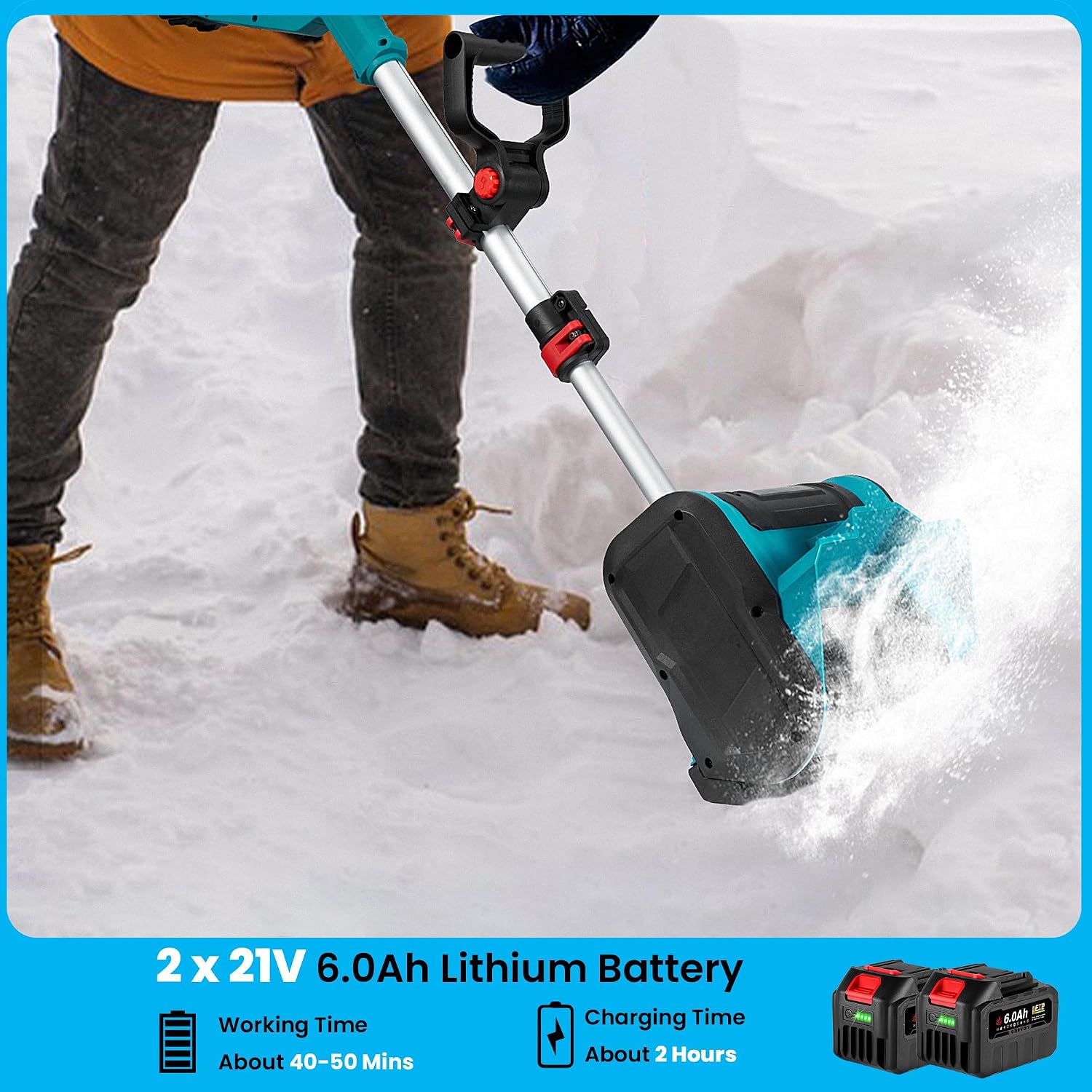
Figure 3.1: Battery working time of approximately 40-50 minutes and charging time of about 2 hours for the two 21V 6.0Ah lithium batteries.
4. Operating Instructions
Follow these steps for safe and effective operation of your ONEVAN Cordless Snow Shovel:
- Pre-Operation Check: Ensure batteries are fully charged and securely installed. Check that all connections and clamps are tight. Clear the area of any objects that could interfere with operation.
- Starting the Unit: To start the snow shovel, simultaneously press and hold the security switch (usually a small button or lever) and then squeeze the main power trigger. Release the security switch once the motor starts.
- Snow Clearing Technique:
- Push the snow shovel forward at a steady, comfortable pace. Do not force the unit into deep or heavy snow.
- For optimal performance, clear snow in overlapping passes.
- Adjust your angle and speed based on snow depth and density.
- Direct the snow discharge away from people, windows, and other objects.
- Stopping the Unit: Release the main power trigger to stop the motor. The unit will cease operation immediately.
- Battery Management: If the unit's power decreases, replace the batteries with a freshly charged pair.

Figure 4.1: The powerful brushless motor ensures efficient and high-speed snow removal.
5. Maintenance
Regular maintenance ensures the longevity and optimal performance of your snow shovel.
- Cleaning: After each use, remove the battery and clean the snow shovel. Use a damp cloth to wipe down the exterior. Remove any snow, ice, or debris from the auger and discharge chute. Do not use harsh chemicals or abrasive cleaners.
- Battery Care:
- Always store batteries in a cool, dry place.
- Do not store batteries in a discharged state for extended periods. Charge them fully before storage.
- Avoid exposing batteries to extreme temperatures.
- Blade Inspection: Periodically inspect the auger blade for wear or damage. Replace if necessary.
- Storage: When not in use, store the snow shovel in a dry, protected area. You may disassemble it for more compact storage.
6. Troubleshooting
This section addresses common issues you might encounter with your snow shovel.
| Problem | Possible Cause | Solution |
|---|---|---|
| Unit does not start. | Battery not charged or improperly installed. Security switch not engaged. | Ensure batteries are fully charged and clicked into place. Press the security switch and power trigger simultaneously. |
| Reduced snow throwing distance/power. | Low battery charge. Wet/heavy snow. Auger clogged. | Recharge or replace batteries. Take smaller passes. Remove battery, then clear auger of debris. |
| Unit stops during operation. | Overload protection activated. Battery depleted. | Release trigger, wait a few seconds, then restart. Reduce load. Replace with charged battery. |
7. Specifications
| Attribute | Detail |
|---|---|
| Brand | ONEVAN |
| Model Number | Cordless Snow Shovel |
| Max Voltage | 21V |
| Battery Capacity | 6.0Ah Lithium Battery (2 included) |
| Speed | 0-2000r/min |
| Power | 600 watts |
| Spray Distance | 26 ft (7.9 meters) |
| Snow Removal Width | 12 inch (30.5 cm) |
| Snow Removal Thickness | 5.9 inch (15 cm) |
| Handle Length | 37.4 inch - 51.1 inch (95 cm - 130 cm) |
| Product Dimensions | 10D x 13W x 37H Centimetres (approx. 3.9D x 5.1W x 14.6H inches) |
| Item Weight | 6.35 kg (approx. 14 lbs) |
| Engine Type | Electric (Brushless Motor) |
| Colour | Blue |

Figure 7.1: The snow shovel is compact and lightweight, weighing approximately 14 pounds, enhancing portability.
8. Warranty and Support
For warranty information, technical support, or replacement parts, please contact ONEVAN customer service. Keep your purchase receipt as proof of purchase.
Visit the official ONEVAN store for more information: ONEVAN Store