1. Introduction
Thank you for choosing the Audiocrazy Portable AM/FM Radio with Bluetooth. This device offers versatile listening options, including traditional AM/FM radio, Bluetooth streaming, and multiple power supply methods. It features a clear digital LCD display, alarm clock, and sleep timer functions, making it suitable for various indoor and outdoor environments.

Figure 1: Front view of the Audiocrazy Portable AM/FM Radio.
2. Safety Information
- Do not expose the device to rain, moisture, or extreme temperatures.
- Avoid dropping or subjecting the device to strong impacts.
- Do not disassemble or attempt to repair the device yourself. Refer to qualified service personnel.
- Keep out of reach of children.
- Use only the specified power adapter and battery types.
3. Product Overview
The Audiocrazy Portable Radio combines multiple functionalities in one compact unit.

Figure 2: Key features of the radio including AM/FM, Alarm Clock, Bluetooth, Sleep Timer, and multiple power options.
Controls and Display:
- LCD Display: Shows time, frequency, mode, and battery status. Features a backlight for low-light visibility.
- Volume Knob: Adjusts audio output level.
- Tuning Knob: Used for manual station tuning.
- Mode Switch (FM/BT/AM/CLOCK): Selects the operating mode.
- ALL/SET/TIME/SET Button: For setting time and alarm.
- BT /II/PP Button: Bluetooth pairing, Play/Pause.
- SNOOZE Button: Snooze alarm.
- HOUR / MIN Buttons: Adjust hour and minute settings.
- Telescopic Antenna: For FM and AM reception.

Figure 3: Detailed view of the radio's user-friendly controls and large LCD display.
4. Setup
4.1 Power Supply Options
Your Audiocrazy radio offers three convenient ways to power the device:
- Built-in Rechargeable Battery: The radio comes with an 1800mAh built-in lithium-ion battery. Connect the included AC adapter to charge the battery. A full charge provides up to 10 hours of use.
- AC Power: For continuous use indoors, connect the included AC adapter directly to a wall outlet.
- 4*D Cell Batteries (Not Included): For extended portable use, insert four (4) D-cell batteries into the battery compartment on the back of the unit. Ensure correct polarity.

Figure 4: Illustration of the three power supply methods for the radio.
4.2 Antenna Setup
For optimal FM and AM reception, extend the telescopic antenna fully. Adjust its direction for the best signal clarity.
5. Operating Instructions
5.1 Power On/Off and Volume Control
Rotate the VOLUME knob clockwise to turn the radio on and increase the volume. Rotate counter-clockwise to decrease volume and turn the radio off.
5.2 AM/FM Radio Tuning
Slide the mode switch to FM or AM. Extend the telescopic antenna. Rotate the TUNING knob to find your desired station. The digital display will show the frequency.

Figure 5: The radio's telescopic antenna helps achieve strong and clear reception.
The radio features updated DSP technology for strong and stable reception across AM (520-1710kHz) and FM (87-108MHz) bands.
Video 1: Demonstrates the automatic search function and strong reception capabilities of the radio.
5.3 Bluetooth Pairing
Slide the mode switch to BT. The display will show "bt" and the radio will enter pairing mode. On your Bluetooth-enabled device (e.g., smartphone), search for "Audiocrazy Radio" and select it to connect. Once connected, you can stream audio wirelessly.
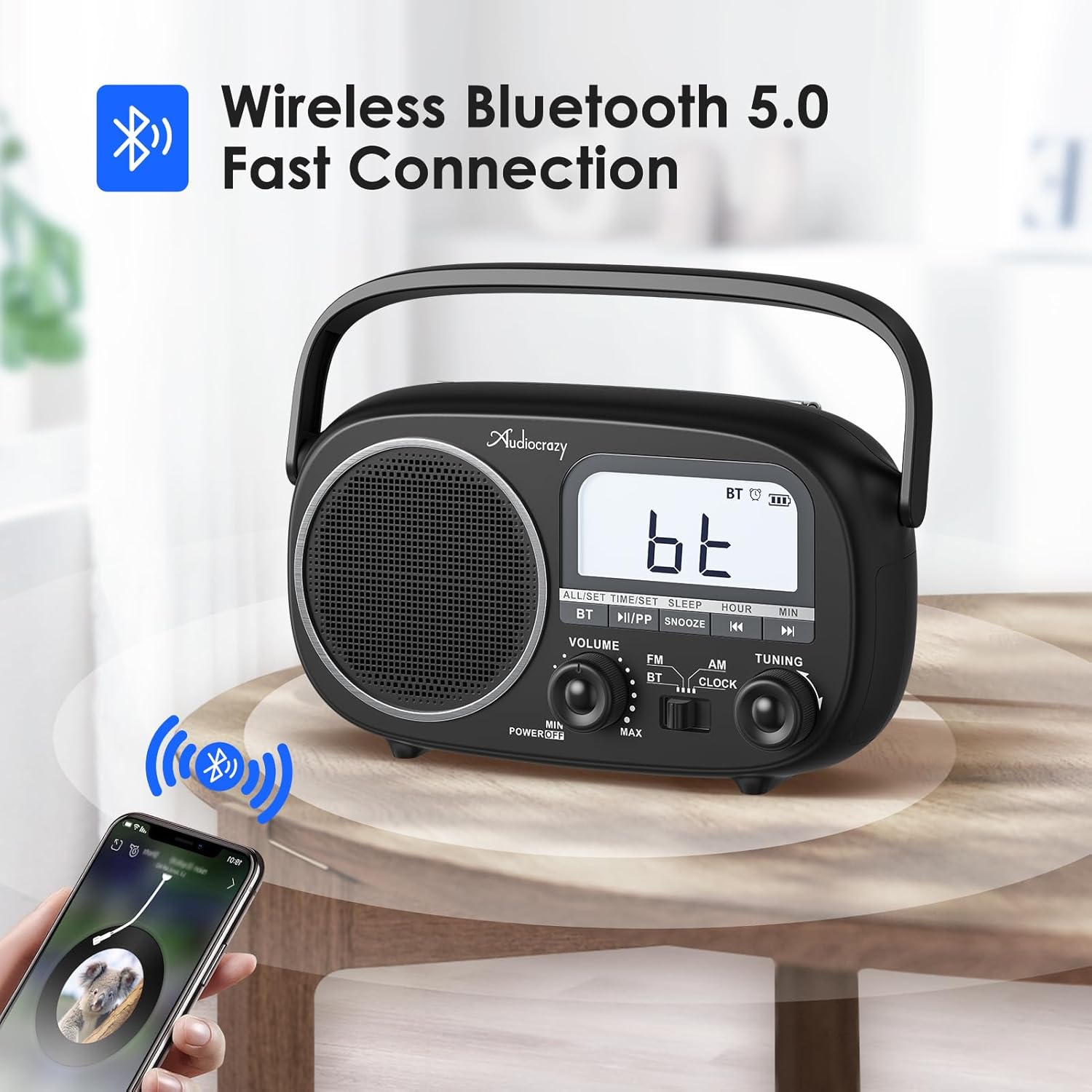
Figure 6: The radio in Bluetooth mode, ready for pairing with a mobile device.
5.4 Setting Time and Alarm
Slide the mode switch to CLOCK.
- To Set Time: Press and hold the ALL/SET/TIME/SET button until the hour digits flash. Use the HOUR and MIN buttons to adjust. Press ALL/SET/TIME/SET again to confirm. You can switch between 12H/24H format by pressing the ALL/SET/TIME/SET button briefly when the time is displayed.
- To Set Alarm: Press the ALL/SET/TIME/SET button once (short press) to enter alarm setting mode. The alarm icon will flash. Use the HOUR and MIN buttons to set the alarm time. Press ALL/SET/TIME/SET again to confirm. To activate/deactivate the alarm, press the ALL/SET/TIME/SET button briefly when the alarm time is displayed.
- Snooze Function: When the alarm sounds, press the SNOOZE button to temporarily silence it. The alarm will sound again after a few minutes.

Figure 7: The radio supports both alarm clock and sleep timer functions.
5.5 Sleep Timer
The radio features an auto-off timer (0-90 minutes). To set the sleep timer, press the SLEEP button repeatedly to cycle through the available timer durations. The radio will automatically turn off after the selected time.
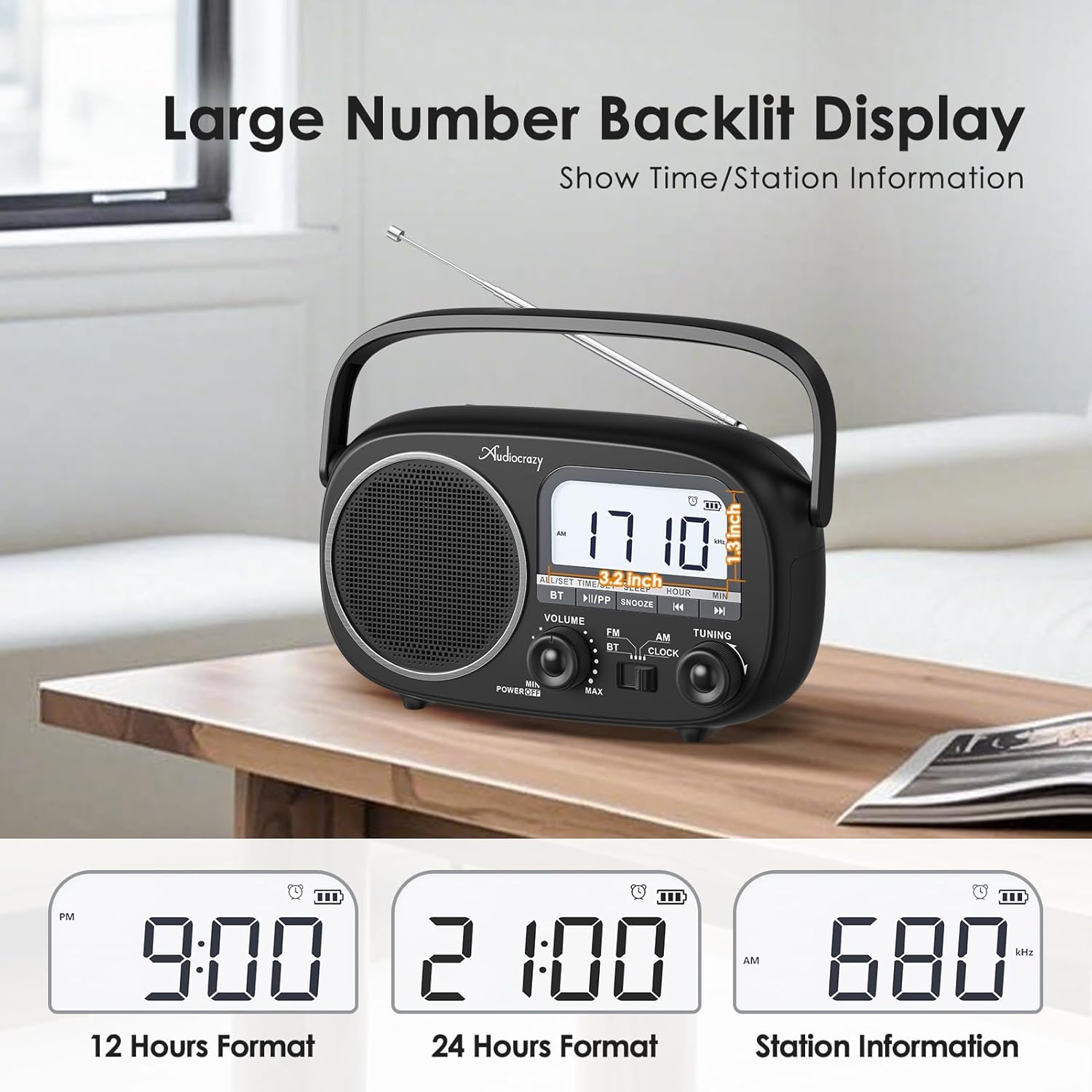
Figure 8: The clear LCD display shows time in 12H/24H format and radio station information.
6. Maintenance
- Cleaning: Wipe the radio with a soft, dry cloth. Do not use abrasive cleaners or solvents.
- Battery Care: If using D-cell batteries, remove them if the radio will not be used for an extended period to prevent leakage. For the built-in rechargeable battery, charge it regularly to maintain its lifespan.
- Storage: Store the radio in a cool, dry place away from direct sunlight and extreme temperatures.
7. Troubleshooting
| Problem | Possible Cause | Solution |
|---|---|---|
| No power | Batteries are dead or incorrectly inserted; AC adapter not connected or faulty. | Replace D-cell batteries, check polarity. Ensure AC adapter is securely plugged in. Charge built-in battery. |
| Poor radio reception | Antenna not extended; weak signal area; interference. | Fully extend and adjust the telescopic antenna. Move the radio to a location with better signal. Move away from other electronic devices. |
| Bluetooth not connecting | Radio not in BT mode; device too far; previously paired device connected. | Ensure radio is in BT mode. Move Bluetooth device closer to the radio. Disconnect from other Bluetooth devices. |
| No sound | Volume too low; mute activated (if applicable); faulty speaker. | Increase volume. Check if any mute function is active. If problem persists, contact support. |
8. Specifications
- Brand: Audiocrazy
- Model Number: 42062bcb-2c81-41f9-abbd-3beac60ee015
- Product Dimensions: 9.4 x 2.95 x 6.93 inches
- Item Weight: 2.29 pounds
- Power Source: AC Power / DC Battery (4*D Cell) / Built-in 1800mAh Rechargeable Battery
- Tuner Technology: AM/FM
- Radio Bands Supported: AM (520-1710kHz), FM (87-108MHz)
- Connectivity Technology: Bluetooth 5.0
- Included Components: Radio, Owner's Manual, Power Adapter
9. Warranty and Support
Audiocrazy products typically come with a 12-month warranty from the date of purchase. This warranty covers manufacturing defects and workmanship under normal use.
For technical support, warranty claims, or any questions regarding your Audiocrazy Portable Radio, please contact our customer service team. Refer to the contact information provided on the product packaging or the official Audiocrazy website.
Please have your model number (42062bcb-2c81-41f9-abbd-3beac60ee015) and purchase date ready when contacting support.