
1. Product Overview
This manual provides detailed instructions for the Retevis RA27 Marine VHF Radio and the Retevis RM22 Handheld Marine Radio, designed for reliable communication in marine environments. The RA27 is a fixed-mount radio with advanced features like built-in GPS and DSC distress calling, while the RM22 is a compact, waterproof, and floating handheld unit.
Key Features:
- RA27: Built-in GPS for location sharing, DSC distress alarm for emergency signaling, NOAA weather alerts for severe weather updates.
- RM22: Long-range communication capability, IP67 waterproof and floating design with flashing indicator light for easy retrieval, 2200mAh battery for extended use, Dual/Tri-watch functions for monitoring multiple channels.
Package Contents:
The package includes the following components:
- 1x Retevis RA27 Marine Radio
- 1x Handheld Microphone (for RA27)
- 1x Mounting Bracket (for RA27)
- 1x DC Power Cable (for RA27)
- 1x GPS Antenna (for RA27)
- 1x Retevis RM22 Marine Radio
- 1x Battery (for RM22)
- 1x Belt Clip (for RM22)
- 1x Charge Base (for RM22)
- 1x Charger Cable (for RM22)
2. Setup and Installation
2.1 Retevis RA27 Installation
The RA27 is designed for fixed mounting on your vessel. Ensure a secure location that allows for clear display visibility and easy access to controls.
- Mounting: Use the provided mounting bracket to secure the RA27. Consider the dimensions for proper placement.
- Power Connection: Connect the DC Power Cable to a suitable 12V DC power source on your boat. Ensure correct polarity.
- GPS Antenna: Connect the external GPS antenna to the designated port on the RA27. Position the antenna with a clear view of the sky for optimal satellite reception. The RA27 features built-in GPS capabilities and supports external GPS devices for enhanced accuracy.

Image: Retevis RA27 dimensions and easy installation guide. This image illustrates the physical dimensions of the RA27 unit and its mounting bracket, highlighting its compact design for easy installation on a vessel.

Image: Retevis RA27 with built-in and external GPS support. This image shows the RA27 radio connected to an external GPS antenna, emphasizing its built-in GPS functionality and the option for external GPS connectivity.
2.2 Retevis RM22 Preparation
- Battery Installation: Insert the provided 2200mAh battery into the RM22, ensuring it clicks securely into place.
- Charging: Place the RM22 into the charge base and connect the charger cable to a power source. The charging indicator will illuminate. A full charge ensures optimal operating time.
- Belt Clip: Attach the belt clip to the back of the RM22 for convenient carrying.
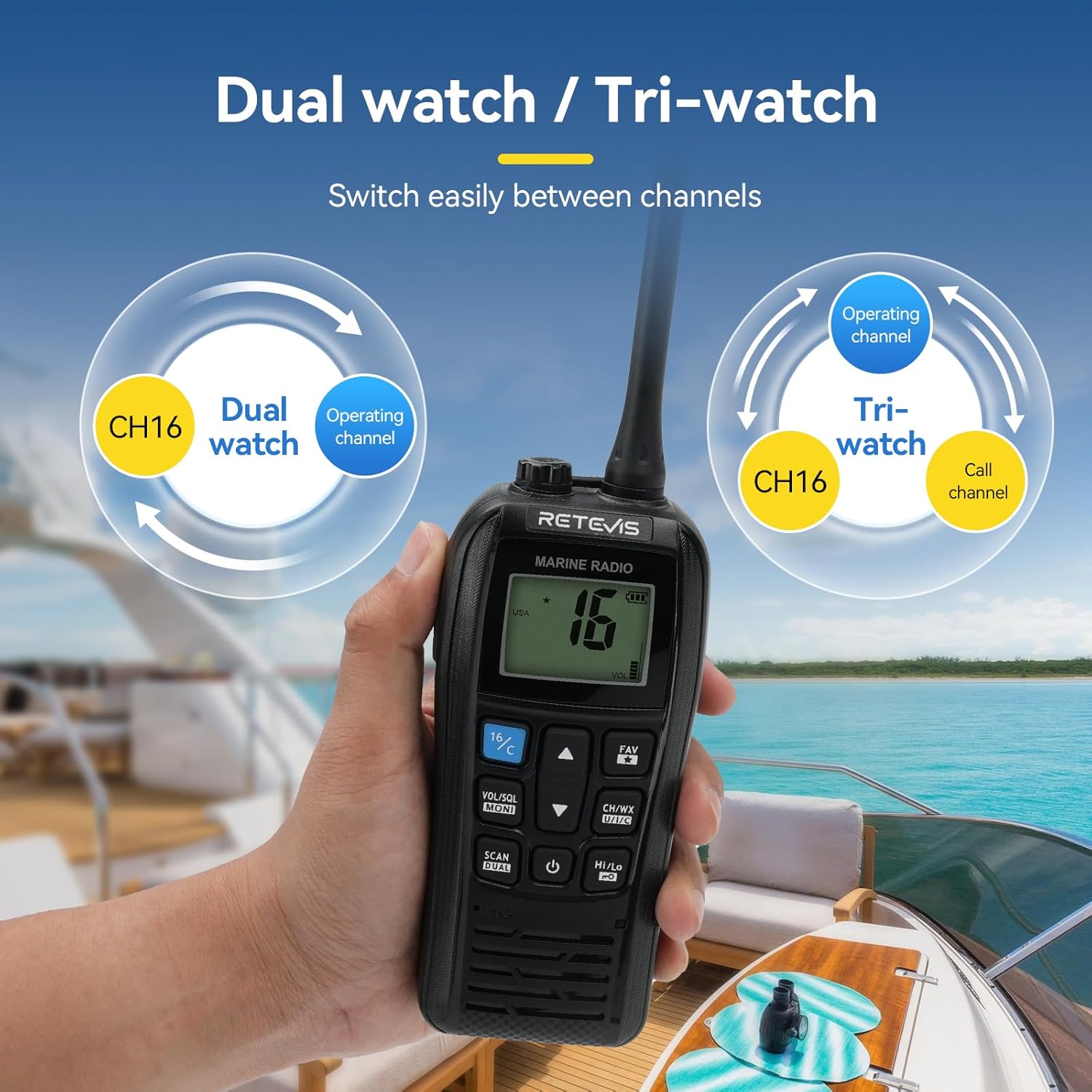
Image: Retevis RM22 with 2200mAh battery for extended use. This image highlights the RM22's 2200mAh battery, indicating its capacity for a full day of operation in various maritime activities.
3. Operating Instructions
3.1 General Operation (RA27 & RM22)
- Power On/Off: Press and hold the power button (usually marked with a power symbol) to turn the radio on or off.
- Volume Adjustment: Rotate the volume knob or use the volume up/down buttons to adjust the audio output level.
- Squelch Control: Adjust the squelch level to eliminate background noise when no signal is present.
- Channel Selection: Use the CH/WX or channel up/down buttons to navigate through available marine channels. Channel 16 is the international distress, safety, and calling frequency.
- Scan Function: Activate the scan feature to automatically cycle through active channels.
- High/Low Power: Switch between high and low transmission power settings as needed to conserve battery or reduce interference.
3.2 Retevis RA27 Specific Functions
- DSC Distress Alarm: In an emergency, press the dedicated red DISTRESS button (often under a protective cover) to send a distress signal with your current coordinates to nearby ships or the coastguard. This function is critical for maritime safety.

Image: Retevis RA27 DSC distress call function. This image highlights the dedicated red distress button on the RA27, indicating its one-click functionality for sending a distress signal in emergencies.
- NOAA Weather Alerts: The RA27 can automatically connect and alert you to severe weather updates and risks, providing crucial information for safe navigation.
- GPS Functionality: The built-in GPS allows you to view your current latitude, longitude, and time. You can also manually enter coordinates and send your location information to other team members or connect with other GPS devices.
3.3 Retevis RM22 Specific Functions
- IP67 Waterproof & Floating: The RM22 is designed to be resistant to salt water and will float if dropped into the water. A flashing indicator light activates upon contact with water, making it easy to locate and retrieve.
- Long Distance Communication: The RM22 provides a strong ability to achieve long-range conversations, ensuring clear communication even far from shore.
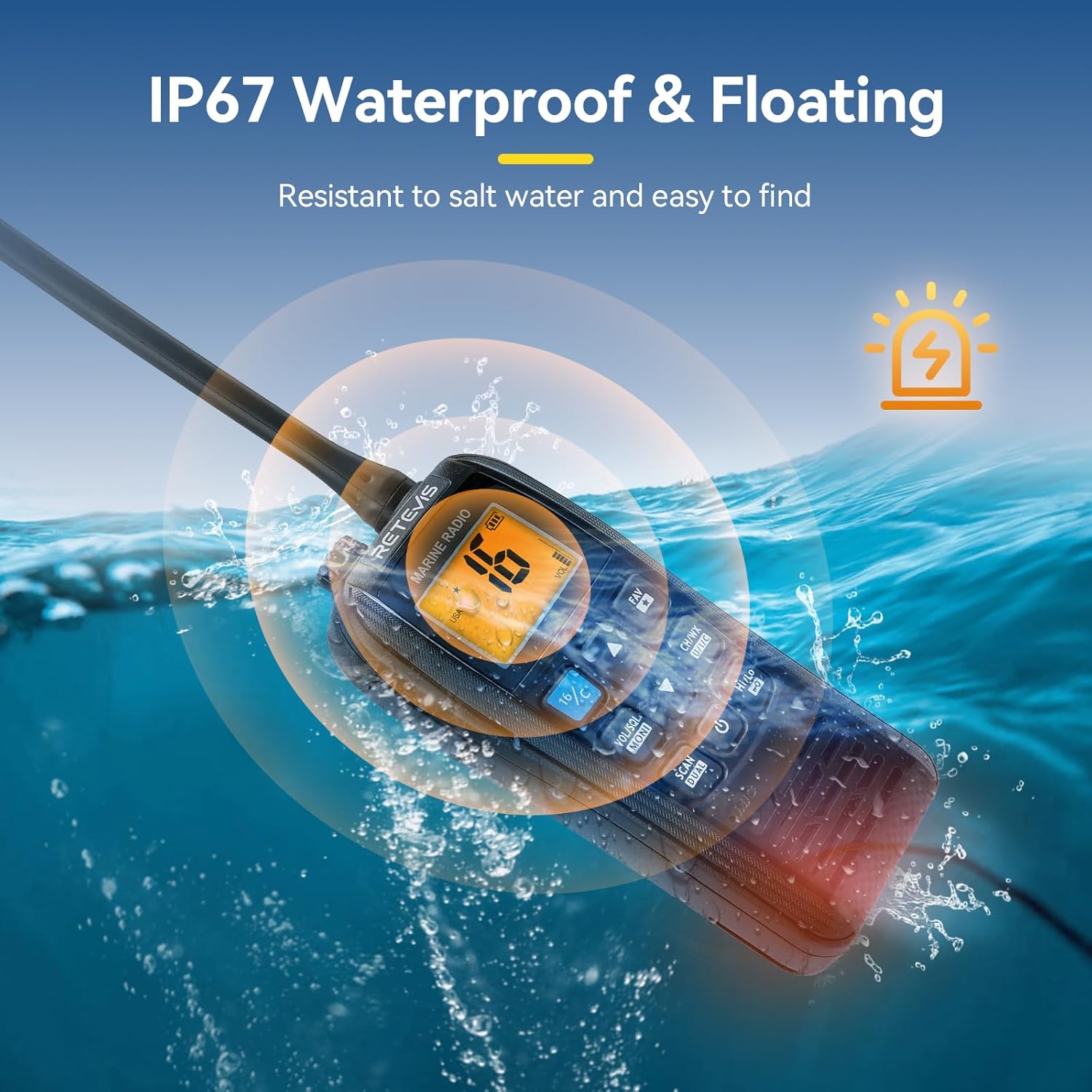
Image: Retevis RM22 long distance marine radio. This image depicts the RM22 handheld radio in a marine setting, illustrating its capability for smooth and long-distance communication on the sea.
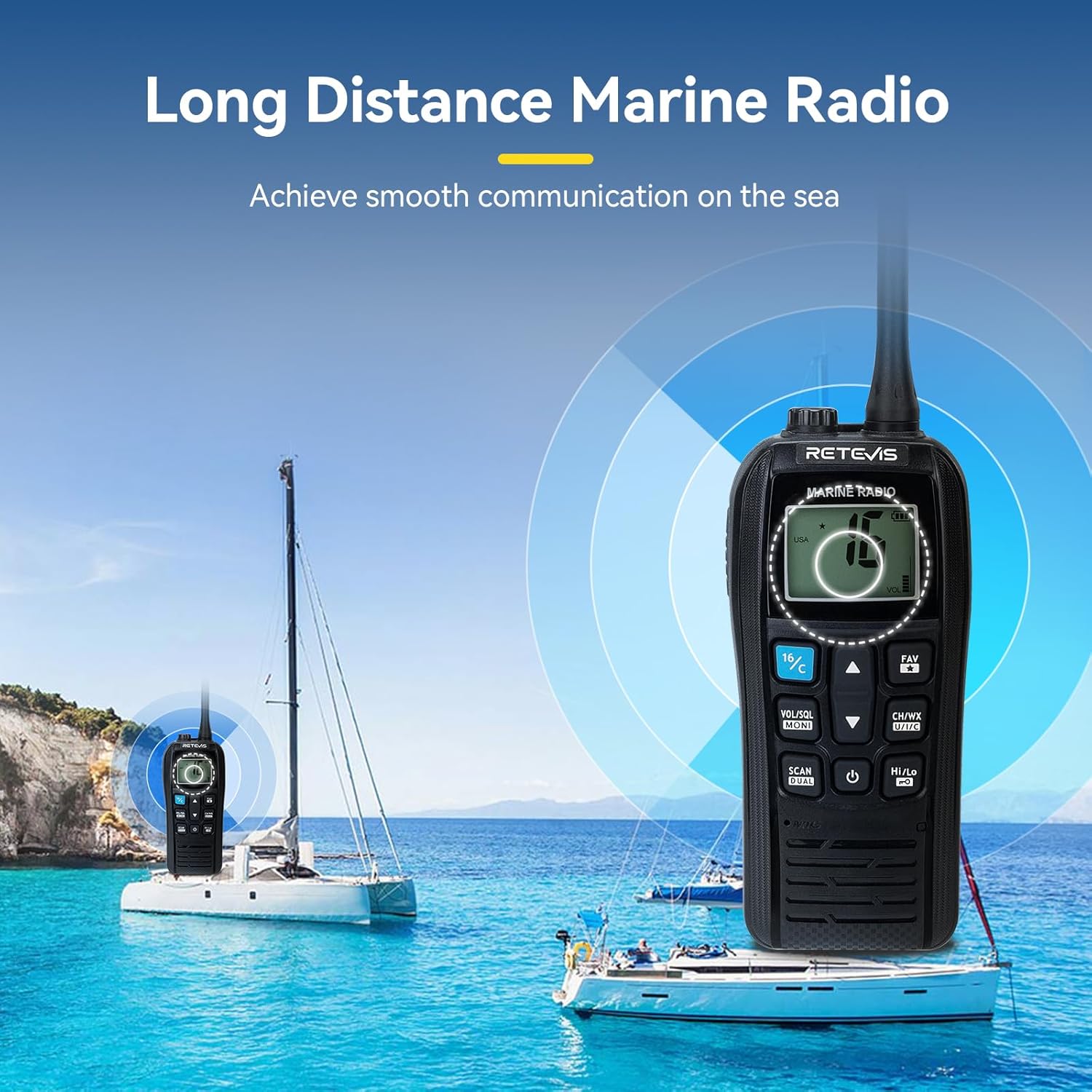
Image: Retevis RM22 IP67 waterproof and floating feature. This image shows the RM22 floating in water with a flashing light, demonstrating its IP67 waterproof rating and ability to float for easy retrieval.
- Dual Watch / Tri-watch: Easily switch between channels to monitor Channel 16 (distress/calling) and an operating channel (Dual Watch), or Channel 16, an operating channel, and a call channel (Tri-watch).

Image: Retevis RM22 Dual watch and Tri-watch functions. This image visually explains the Dual watch and Tri-watch modes, showing how the RM22 can easily switch between monitoring different channels.
4. Maintenance
Proper maintenance ensures the longevity and optimal performance of your Retevis marine radios.
- Cleaning: Regularly wipe down the radios with a soft, damp cloth. For salt residue, use fresh water and dry thoroughly. Do not use harsh chemicals or abrasive cleaners.
- Battery Care (RM22): To maximize battery life, avoid fully discharging the battery frequently. Store the radio in a cool, dry place when not in use. If storing for extended periods, charge the battery to about 50% capacity.
- Waterproofing: While the RM22 is IP67 waterproof, and the RA27 is designed for marine environments, always ensure all port covers and battery compartments are securely sealed before exposure to water.
- Connections: Periodically check all cable connections (power, GPS antenna, microphone) for corrosion or damage. Clean contacts if necessary.

Image: Retevis RA27 IP67 vibration drainage feature. This image illustrates the RA27's IP67 rating, indicating its resistance to water and suggesting its durability in marine conditions, which aids in maintenance.
5. Troubleshooting
If you encounter issues with your Retevis marine radios, refer to the following common problems and solutions:
- No Power:
- RA27: Check DC power cable connection and vessel's power source. Ensure fuses are intact.
- RM22: Ensure battery is properly installed and charged. Try charging the battery for at least 2 hours.
- No Signal/Poor Reception:
- Check antenna connection (RA27).
- Ensure you are on an active channel.
- Adjust squelch level.
- Ensure no large obstructions are blocking the signal path.
- No Audio/Distorted Audio:
- Adjust volume level.
- Check microphone connection (RA27).
- Ensure squelch is not set too high.
- GPS Not Acquiring Signal (RA27):
- Ensure GPS antenna has a clear view of the sky.
- Check GPS antenna connection.
- RM22 Not Floating/Flashing:
- Ensure battery compartment is securely sealed.
- Check for any physical damage to the casing.
If problems persist after attempting these solutions, please contact Retevis customer support.
6. Specifications
| Feature | Specification |
|---|---|
| Brand | Retevis |
| Model Numbers | RA27, RM22 |
| Color | Black |
| Number of Channels | 128 |
| Special Feature | Long Range |
| Frequency Range | 136-174 MHz |
| Tuner Technology | VHF |
| Water Resistance Level | Waterproof (IP67 for RM22) |
| RM22 Battery Capacity | 2200mAh |
| RA27 GPS | Built-in GPS, supports external GPS |
| RA27 Distress Function | DSC Distress Alarm |
| RA27 Weather Alerts | NOAA Weather Alerts |
7. Warranty and Support
Warranty Information:
For detailed warranty information regarding your Retevis RA27 and RM22 marine radios, please refer to the warranty card included with your product or visit the official Retevis website. Standard warranty terms typically cover manufacturing defects for a specified period from the date of purchase.
Customer Support:
If you require technical assistance, have questions about product operation, or need to report a defect, please contact Retevis customer support. You can find contact details on the official Retevis website or through the seller's information where you purchased the product.
For more information and to explore other Retevis products, please visit the Retevis Store on Amazon.