
1. Introduction
Thank you for choosing the chefess WIFI Sous Vide Machine. This 1100-watt immersion circulator is designed to provide precise temperature control for sous vide cooking, ensuring consistent and delicious results. With its intuitive touch display and smart app connectivity, you can easily manage your cooking from anywhere. Please read this manual thoroughly before use to ensure safe and optimal operation.

Image 1.1: The chefess WIFI Sous Vide Machine, showcasing its design and potential culinary results.
2. Safety Information
To prevent injury or damage, always observe basic safety precautions when using electrical appliances. This appliance is for household use only.
2.1 General Safety
- Read all instructions before operating the appliance.
- Keep the appliance out of reach of children.
- Always place the appliance on a stable, heat-resistant surface.
- Do not operate the appliance if it has been damaged in any way.
- Avoid touching hot surfaces. Use handles or knobs.
2.2 Electrical Safety
- Ensure the voltage indicated on the appliance matches your local power supply before connecting.
- Do not immerse the electrical components of the appliance in water or other liquids.
- Always unplug the appliance from the outlet when not in use and before cleaning.
- Do not operate any appliance with a damaged cord or plug.
2.3 Water and Food Safety
- Never operate the sous vide machine without sufficient water in the cooking vessel.
- Ensure the water level is always between the MIN and MAX indicators on the circulator.
- Always use food-grade, heat-safe bags for sous vide cooking.
- Follow proper food handling and cooking temperatures to ensure food safety.
3. Package Contents
Verify that all items are present and in good condition upon unpacking.
- 1 x chefess WIFI Sous Vide Machine (Model sj-s016)
- 1 x User Manual
4. Setup
Follow these steps to set up your sous vide machine for cooking.
- Choose a Suitable Container: Select a heat-safe pot or container large enough to hold your food and the sous vide machine.
- Attach the Sous Vide Machine: Securely attach the sous vide machine to the side of your chosen container using the adjustable clamp. Ensure it is stable.
- Fill with Water: Fill the container with water. Ensure the water level is between the MIN and MAX indicators on the sous vide machine. Do not overfill, especially if adding food later.
- Plug In: Connect the power cord to a grounded electrical outlet. The display will illuminate.

Image 4.1: The sous vide machine attached to a cooking vessel, demonstrating the adjustable clamp.
Video 4.1: Demonstration of attaching the sous vide machine to a pot and ensuring proper water level (0:00-0:01, 0:20-0:25).
5. Operating Instructions
Your chefess Sous Vide Machine offers both manual control and smart app functionality.
5.1 Manual Control
Use the touch display on the device to set temperature and time.
- Power On: Press the power button (⏻) to turn on the device.
- Set Temperature: Use the up (▲) and down (▼) arrows to adjust the target temperature. Long press for faster adjustments. The temperature range is 25°C to 95°C (77°F to 203°F).
- Set Time: Use the time adjustment buttons to set the desired cooking duration.
- Start Cooking: Once temperature and time are set, the device will begin heating the water.

Image 5.1: The precise time and temperature display of the sous vide machine.
Video 5.1: Demonstration of setting temperature and time using the intuitive touch display (0:01-0:04, 0:25-0:32).
5.2 App Control (2.4GHz WiFi)
Control and monitor your sous vide cooking remotely using the dedicated app.
- Download the App: Search for the 'chefess' app (or specified app name in product packaging) on your smartphone's app store and install it.
- Connect to WiFi: Ensure your smartphone is connected to a 2.4GHz WiFi network. The sous vide machine supports 2.4GHz WiFi only.
- Pair Device: Open the app, follow the on-screen instructions to add a new device. The WiFi icon on the sous vide machine will flash during pairing.
- Select Recipe or Custom Settings: Browse the extensive recipe library within the app or manually set your desired temperature and time.
- Start Cooking: Initiate the cooking process directly from the app. You can monitor the status and adjust settings remotely.
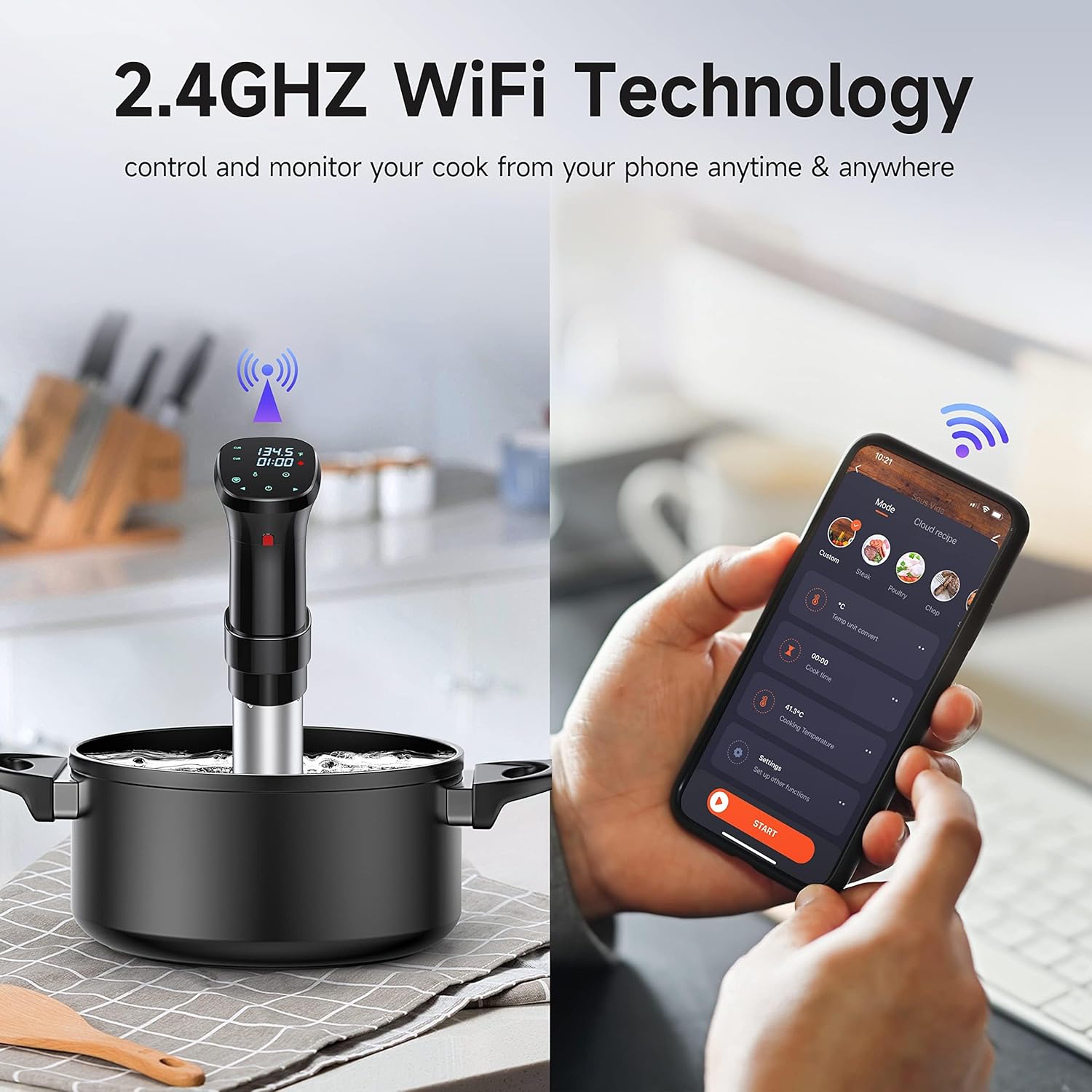
Image 5.2: The sous vide machine connected to a smartphone via 2.4GHz WiFi.
Video 5.2: Steps for connecting the device to the app and utilizing app control for recipes and settings (0:32-0:45).
5.3 Cooking Process
- Prepare Food: Season your food and place it in a vacuum-sealable bag. Remove as much air as possible before sealing.
- Place Food in Water Bath: Once the water reaches the target temperature, carefully submerge the sealed food bag into the water. Ensure the bag is fully immersed.
- Monitor Status: The device features smart status lights: Red (heating), Blue (holding temperature), Green (cooking complete). Sound alerts will also notify you upon completion.
- Completion: Once the cooking cycle is complete, carefully remove the food bag from the water bath.
- Finishing (Optional): For certain foods like steak, a quick sear in a hot pan after sous vide cooking can enhance flavor and texture.
Video 5.3: Demonstration of seasoning and vacuum sealing food for sous vide cooking (0:04-0:16).
Video 5.4: Placing sealed food into the water bath for cooking (0:16-0:20).

Image 5.3: The sous vide machine operates quietly, featuring dry boil protection, leakage protection, and IPX7 waterproofing.
Video 5.5: The indicator light turning blue upon completion and removing food from the water bath (0:49-0:54).
Video 5.6: Optional searing of a cooked steak after sous vide preparation (1:02-1:16).
6. Maintenance
Regular cleaning ensures the longevity and optimal performance of your sous vide machine.
- Unplug and Cool: Always unplug the appliance and allow it to cool completely before cleaning.
- Disassemble: Carefully detach the stainless steel sleeve from the main unit.
- Clean Components: Rinse the stainless steel sleeve and the heating element/circulator assembly under running water. Use a soft brush if necessary to remove any food particles or mineral deposits. Do not use abrasive cleaners.
- Wipe Main Unit: Wipe the main unit (top part with display) with a damp cloth. Do not immerse it in water.
- Dry Thoroughly: Ensure all parts are completely dry before reassembling or storing.
Video 6.1: Demonstration of disassembling and cleaning the sous vide machine components (0:54-1:02).
7. Troubleshooting
If you encounter issues with your sous vide machine, refer to the following common problems and solutions.
| Problem | Possible Cause | Solution |
|---|---|---|
| Device does not power on. | Not plugged in; power outlet issue; device fault. | Ensure the power cord is securely plugged into a working outlet. Try a different outlet. If the issue persists, contact customer support. |
| Temperature is not stable or accurate. | Insufficient water; circulator blocked; large volume of cold water added. | Check water level is between MIN/MAX. Ensure the circulator is not blocked by food bags or container walls. Allow more time for temperature stabilization if starting with very cold water. |
| WiFi connection fails. | Incorrect WiFi band; weak signal; incorrect password. | Ensure your router is broadcasting a 2.4GHz WiFi signal and your phone is connected to it. Move the device closer to the router. Double-check the WiFi password. Reset the device and try pairing again. |
| App is unresponsive or crashes. | App bug; outdated app version; phone operating system issue. | Close and restart the app. Check for app updates in your app store. Restart your smartphone. |
For issues not listed here, or if solutions do not resolve the problem, please contact chefess customer support.
8. Specifications
Key technical details of the chefess WIFI Sous Vide Machine.
| Feature | Detail |
|---|---|
| Model Number | sj-s016 |
| Wattage | 1100 Watts |
| Voltage | 120 Volts |
| Control Method | App, Touch |
| Temperature Range | 25°C to 95°C (77°F to 203°F) |
| Item Weight | 3.16 pounds |
| WiFi Connectivity | 2.4GHz |

Image 8.1: The 1100W heating element and 360° water circulation system for even heating.
9. Warranty and Support
The chefess WIFI Sous Vide Machine comes with a standard manufacturer's warranty. Please refer to the warranty card included in your package for specific terms and conditions.
For technical assistance, troubleshooting, or warranty claims, please contact chefess customer support through the contact information provided on the product packaging or the official chefess website.