
1. Introduction and Overview
The MRYTKY S1 Bone Conduction Headphones offer an open-ear design for comfortable listening while maintaining environmental awareness. These wireless headphones utilize Bluetooth 5.4 technology, providing a stable connection and high-quality audio. Designed for active lifestyles, they feature a secure fit, long battery life, and IPX5 waterproofing, making them suitable for various outdoor sports and daily use.

Figure 1.1: MRYTKY S1 Bone Conduction Headphones, showcasing their sleek, lightweight design.
2. Product Features
- Open-Ear Comfort: Designed to transmit audio through cheekbones, avoiding ear canal blockage and ensuring comfort during prolonged use.
- Stereo Sound Quality: Equipped with high-quality 16mm speaker driver units for clear and rich audio, complemented by a built-in microphone for clear call quality.
- Secure Fit: Features a wraparound titanium frame that is flexible and ensures the headphones remain stable during vigorous activities.
- Extended Battery Life: Provides up to 10 hours of music playback on a single charge, with fast charging capabilities (1.5 hours for full charge).
- Bluetooth 5.4 Technology: Offers seamless pairing and enhanced connection stability for reliable wireless performance.
- IPX5 Waterproof: Resistant to sweat and light rain, making them ideal for sports and outdoor activities in various weather conditions.

Figure 2.1: Visual representation of key features including 10-hour battery life, Bluetooth 5.4, 1.5-hour charging, immersive sound, and IPX5 waterproof rating.

Figure 2.2: Demonstrates the secure fit in ear, portability, and flexible titanium alloy construction.

Figure 2.3: An exploded view highlighting the 16mm vibrator unit for incredible audio experience.
3. What's in the Box
Upon opening your MRYTKY S1 Bone Conduction Headphones package, you should find the following items:
- Bone Conduction Headset x 1
- Type-C Charging Cable x 1
- Instruction Manual x 1
- Silicone Adjustable Rope x 1
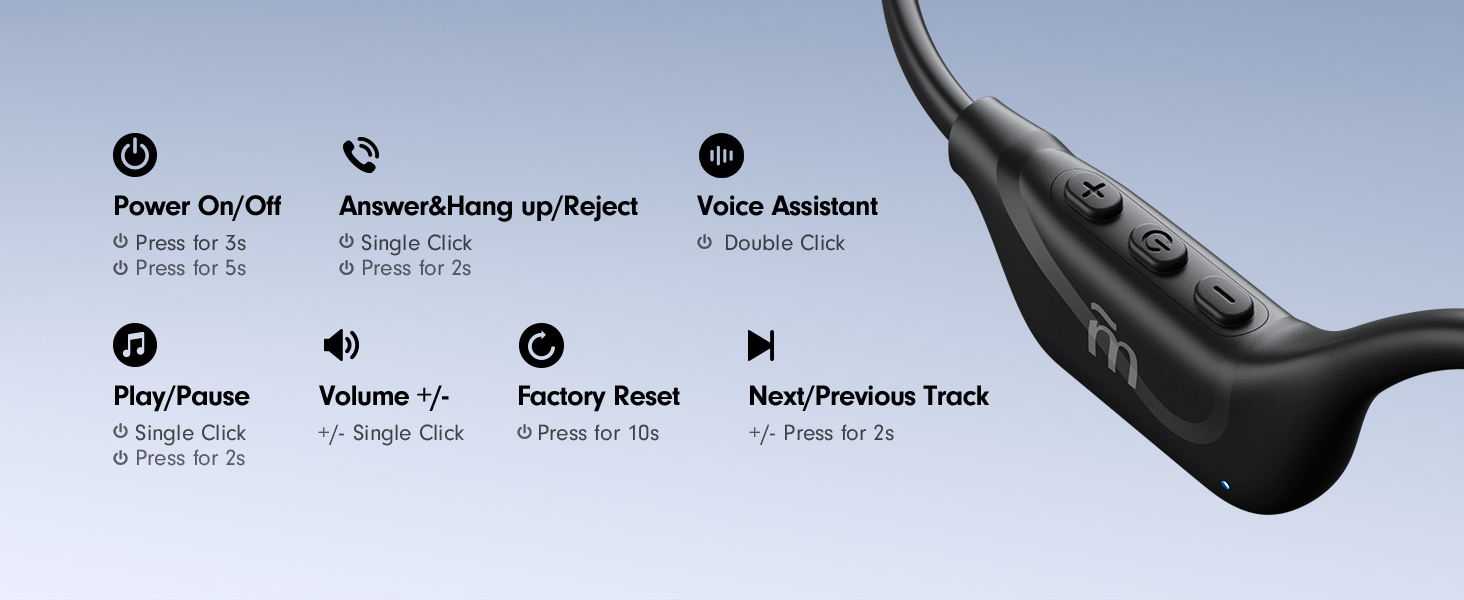
Figure 3.1: All items included in the MRYTKY S1 Bone Conduction Headphones retail package.
4. Setup
4.1 Initial Charging
Before first use, fully charge your MRYTKY S1 headphones. Connect the provided Type-C charging cable to the charging port on the headphones and plug the other end into a compatible USB power source. A full charge takes approximately 1.5 hours.
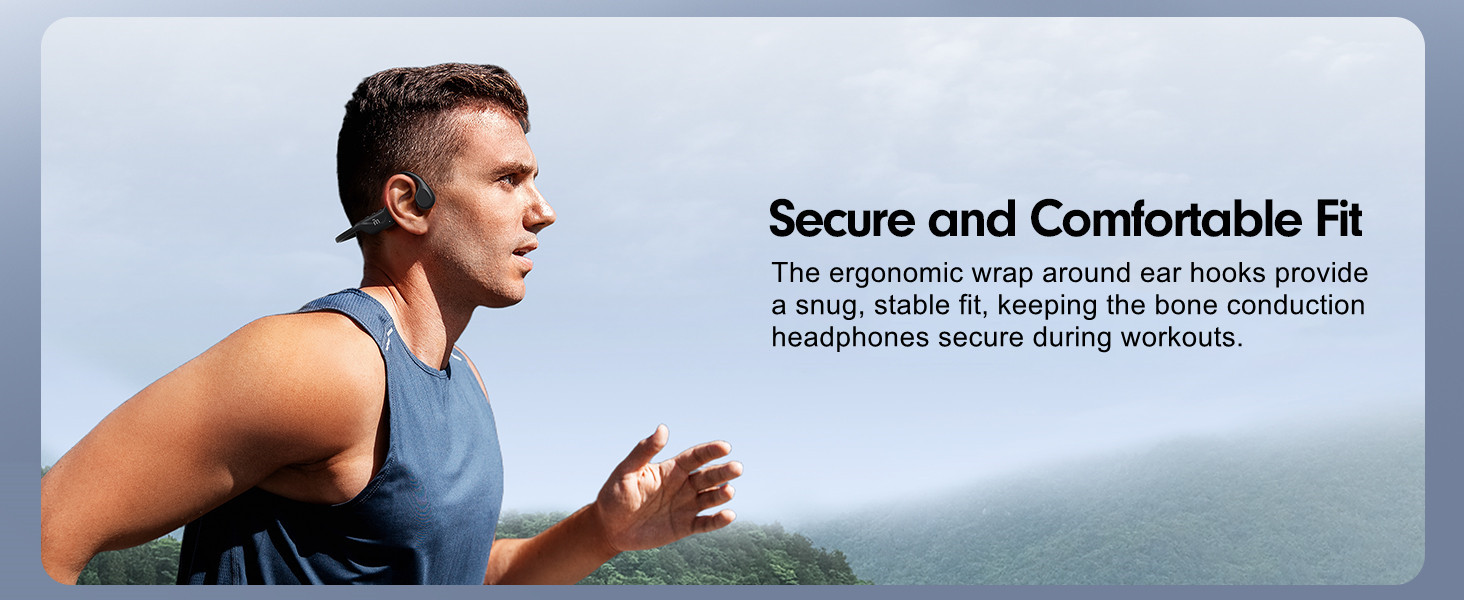
Figure 4.1: Illustration of the charging process and battery life indicators.
4.2 Wearing the Headphones
For optimal sound and comfort, ensure the headphones are worn correctly:
- Gently pull the headphones open with your hands to create enough space.
- Hang the ear hooks over your ears, ensuring the transducers rest on your cheekbones, just in front of your ears.
- Adjust the headband by twisting for comfort and security. You may use the included silicone adjustable rope for a more snug fit if needed.

Figure 4.2: Step-by-step guide for wearing the MRYTKY S1 headphones.
4.3 Bluetooth Pairing
To pair your headphones with a device:
- Ensure the headphones are charged and powered off.
- Press and hold the Power button for 5 seconds until the LED indicator flashes blue and red, indicating pairing mode.
- On your device (smartphone, tablet, computer), enable Bluetooth and search for available devices.
- Select "MRYTKY Open S1" from the list of found devices.
- Once connected, the LED indicator will turn solid blue, and you will hear a voice prompt "Connection Successful".
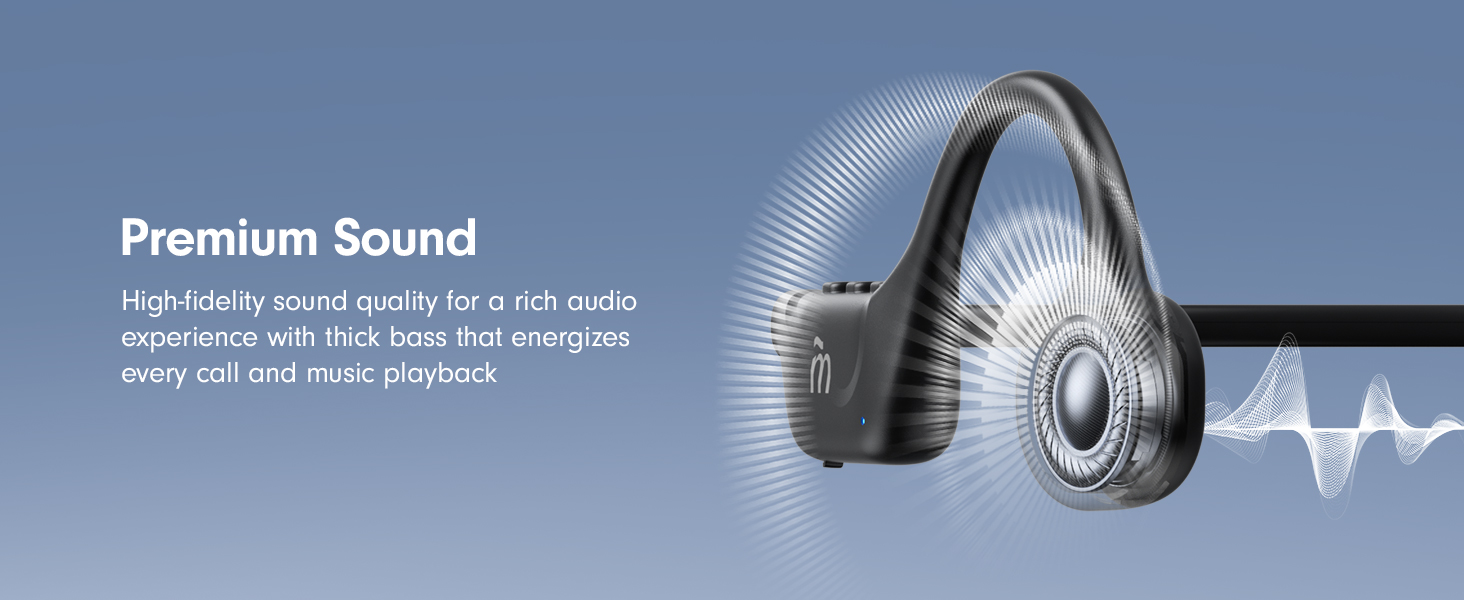
Figure 4.3: Illustrates the Bluetooth 5.4 smart connection process with a mobile device.
5. Operating Instructions
The MRYTKY S1 headphones feature intuitive button controls located on the right side. Refer to the diagram below for specific functions:
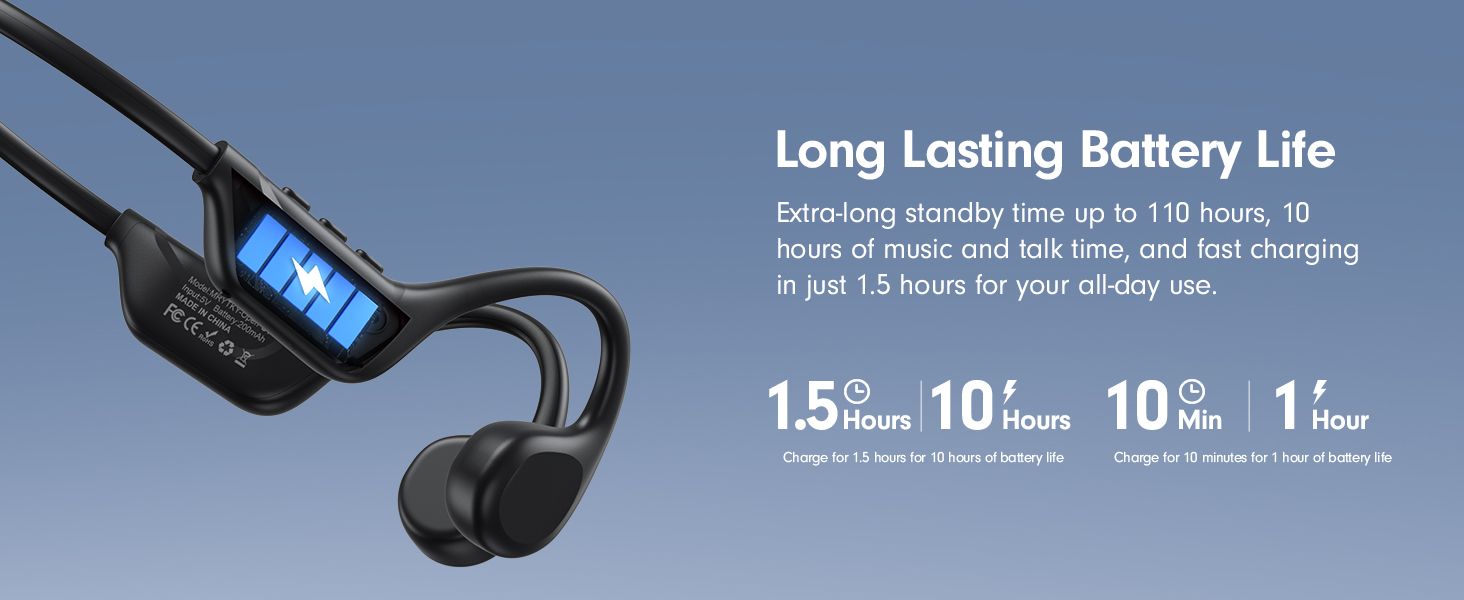
Figure 5.1: Detailed overview of the control buttons and their corresponding functions.
| Function | Action |
|---|---|
| Power On | Press for 3 seconds |
| Power Off | Press for 5 seconds |
| Answer/Hang up/Reject Call | Single Click (Answer/Hang up), Press for 2 seconds (Reject) |
| Voice Assistant | Double Click |
| Play/Pause Music | Single Click |
| Volume +/- | Single Click (+/-) |
| Next/Previous Track | Press for 2 seconds (+/-) |
| Factory Reset | Press for 10 seconds |
6. Maintenance
To ensure the longevity and optimal performance of your MRYTKY S1 headphones, follow these maintenance guidelines:
- Cleaning: Wipe the headphones with a soft, damp cloth after each use, especially after workouts, to remove sweat and dirt. Do not use harsh chemicals or abrasive cleaners.
- Storage: Store the headphones in a cool, dry place away from direct sunlight and extreme temperatures. Avoid placing heavy objects on them.
- Water Resistance: While IPX5 waterproof, meaning they can withstand sweat and light rain, do not submerge the headphones in water or expose them to strong jets of water. Ensure the charging port cover is securely closed when not charging.
- Charging: Use only the provided Type-C charging cable. Avoid overcharging by disconnecting once fully charged.
7. Troubleshooting
If you encounter issues with your MRYTKY S1 headphones, try the following solutions:
- Headphones won't turn on: Ensure the headphones are fully charged. Connect them to the charger and wait a few minutes before attempting to power on again.
- Cannot pair with device:
- Make sure Bluetooth is enabled on your device.
- Ensure the headphones are in pairing mode (LED flashing blue/red).
- Move the headphones closer to your device.
- Forget/remove "MRYTKY Open S1" from your device's Bluetooth list and try pairing again.
- Restart both the headphones and your device.
- No sound or low volume:
- Increase the volume on both the headphones and your connected device.
- Ensure the headphones are properly positioned on your cheekbones.
- Check if the headphones are connected to the correct audio output on your device.
- Try playing different audio files or apps.
- Connection drops frequently:
- Ensure there are no obstacles between the headphones and your device.
- Move closer to your device (Bluetooth range is approximately 33 feet).
- Avoid areas with strong Wi-Fi or other wireless interference.
- Perform a factory reset on the headphones (Press for 10 seconds).
8. Specifications
| Specification | Detail |
|---|---|
| Model Name | S1 |
| Brand | MRYTKY |
| Connectivity Technology | Wireless (Bluetooth) |
| Bluetooth Version | 5.4 |
| Bluetooth Range | 33 Feet |
| Audio Driver Type | Bone Conduction Driver |
| Frequency Range | 20Hz - 20,000Hz |
| Impedance | 8 Ohm |
| Sensitivity | 3 dB |
| Battery Life | 10 Hours |
| Charging Time | 1.5 Hours |
| Water Resistance Level | IPX5 (Waterproof) |
| Item Weight | 1 Ounces |
| Material | Plastic |
| Ear Placement | Open Ear |
| Control Type | Button Control / Touch |
| UPC | 767791241943 |
9. Warranty and Support
MRYTKY products are manufactured with high-quality standards. For specific warranty details and support, please refer to the warranty card included in your product packaging or visit the official MRYTKY website. Keep your purchase receipt as proof of purchase for any warranty claims.
For technical assistance or customer service inquiries, please contact MRYTKY customer support through the contact information provided in your product documentation or on their official website.