1. Introduction
Welcome to your new BOZHUORUI Magnetic Folio Case, specifically designed for the 6-inch Boox Go 6 e-Reader. This manual provides essential information for the proper installation, operation, and care of your case to ensure optimal protection and functionality for your device.

Image 1.1: The BOZHUORUI Magnetic Folio Case in Cowboy Grey, designed for the Boox Go 6 e-Reader.
2. Product Features
- Custom Fit: Precisely engineered for the 6-inch Boox Go 6 e-Reader (2024 Released), ensuring a snug and secure fit.
- Magnetic Adsorption: Features strong built-in magnets that securely attach your e-Reader to the case's back panel.
- Auto Sleep/Wake Function: Automatically activates or deactivates your device's screen when the cover is opened or closed, preserving battery life.
- Thin & Lightweight Design: Offers robust protection without adding unnecessary bulk or weight to your e-Reader.
- Premium Materials: Constructed from durable faux leather for the exterior and a soft, non-scratch microfiber lining for the interior.

Image 2.1: Detail of the case's premium faux leather exterior and soft fiber interior.
3. Setup and Installation
Follow these steps to properly install your Boox Go 6 e-Reader into the BOZHUORUI Magnetic Folio Case:
- Ensure your Boox Go 6 e-Reader is clean and free of dust or debris.
- Align the back of your Boox Go 6 e-Reader with the magnetic back panel of the case.
- Gently place the e-Reader onto the case. The strong built-in magnets will automatically snap the device into place.
- Verify that the e-Reader is centered and securely held by the magnets, with all edges properly aligned within the case for comprehensive protection.

Image 3.1: Illustrating the strong magnetic adsorption feature during device installation.
4. Operating Instructions
The BOZHUORUI Magnetic Folio Case is designed for intuitive use:
- Opening the Case: Simply lift the front cover to access your Boox Go 6 e-Reader. The integrated auto sleep/wake function will automatically turn on your device's screen.
- Closing the Case: Close the front cover over your e-Reader. The auto sleep/wake function will automatically put your device to sleep, helping to conserve battery life.
- Magnetic Adhesion: The strong magnetic connection ensures your e-Reader remains securely in place within the case during handling and transport.
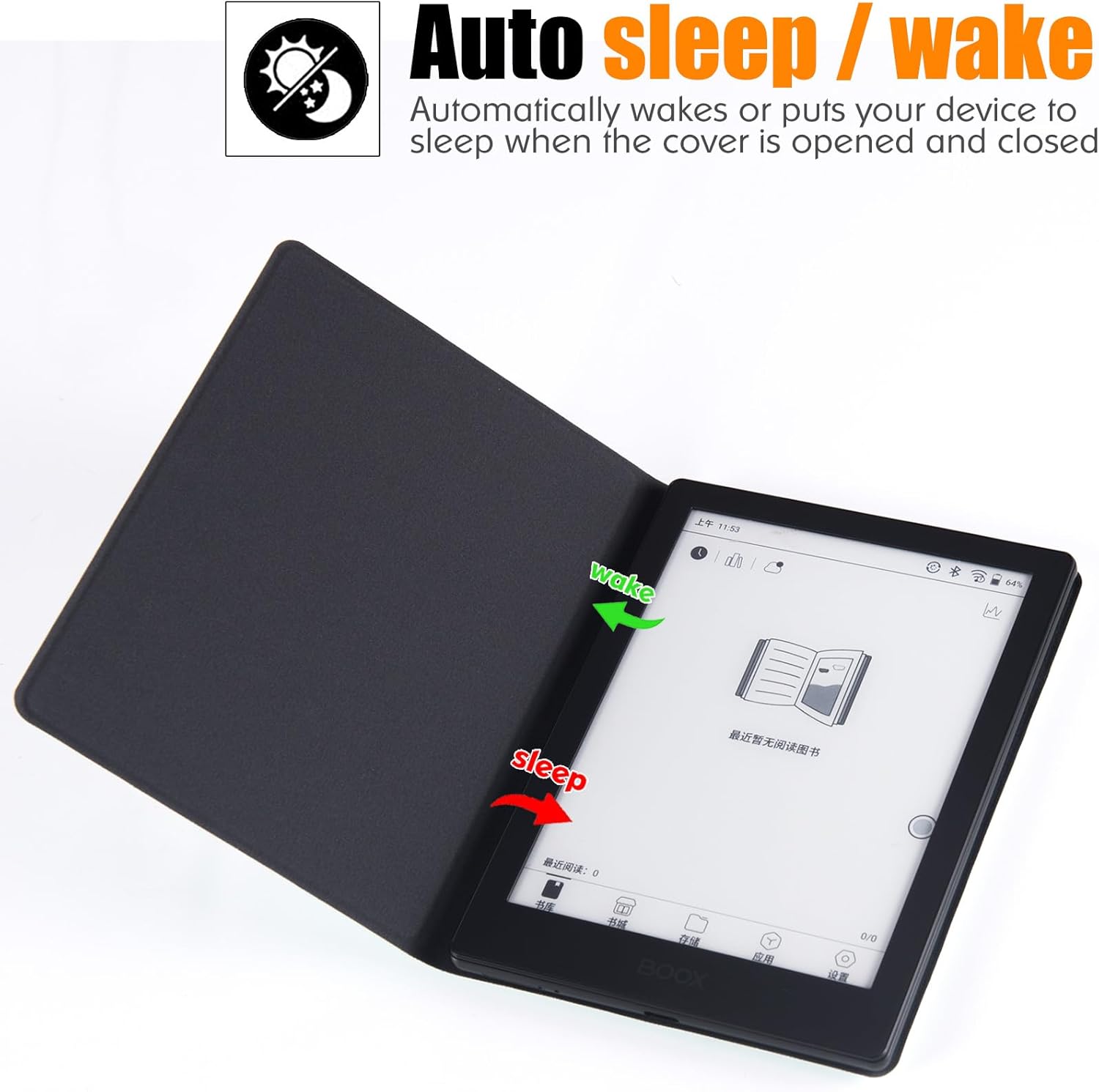
Image 4.1: Visual representation of the auto sleep/wake functionality.

Image 4.2: The case in 'Book Folio Design' with the e-Reader inside.
5. Maintenance and Care
To maintain the appearance and longevity of your BOZHUORUI case, please follow these care guidelines:
- Cleaning the Exterior: Use a soft, dry, lint-free cloth to gently wipe the faux leather exterior. For minor smudges or dirt, a slightly damp cloth can be used, followed immediately by drying with a clean, dry cloth. Avoid using harsh chemicals, solvents, or abrasive cleaners, as these can damage the material.
- Cleaning the Interior: The soft microfiber interior helps protect your e-Reader's screen. Keep it free from dust and debris by gently wiping it with a dry, soft cloth.
- Storage: When not in use, store the case in a clean, dry environment away from direct sunlight and extreme temperatures.
- Avoid Sharp Objects: Prevent contact with sharp objects that could scratch or puncture the case material.
6. Troubleshooting
If you encounter any issues with your BOZHUORUI Magnetic Folio Case, consider the following:
- Device Not Attaching Securely: Ensure your Boox Go 6 e-Reader is correctly aligned with the magnetic back panel of the case. Remove any foreign objects or debris that might be between the device and the case, which could interfere with the magnetic connection.
- Auto Sleep/Wake Not Functioning: Verify that the e-Reader is properly seated and fully aligned within the case. Ensure the front cover is completely closing and making full contact with the device. If the issue persists, check your Boox Go 6 e-Reader's system settings to confirm that the auto sleep/wake functionality is enabled.
7. Specifications
| Product Dimensions | 5.91 x 4.41 x 0.43 inches |
| Item Weight | 3.81 ounces |
| Model Number | GO6-DYCX |
| Compatible Devices | Boox Go 6 E-Readers, Boox Poke5 E-Readers, Boox Poke5S E-Readers, Boox Poke6 E-Readers, Boox Poke6s E-Readers |
| Material | Premium Faux Leather (exterior), Soft Microfiber (interior) |
| Special Features | Auto Sleep/Wake, Magnetic Adsorption, Slim Fit |
| Color (This Variant) | Cowboy Grey |
| What's in the Box | BOZHUORUI Magnetic Case for 6" Boox Go 6 |
8. Warranty and Support
For product support, warranty inquiries, or further assistance, please contact BOZHUORUI customer service through their official website or the retailer from whom you purchased this product. Please retain your proof of purchase for any warranty claims.