1. Introduction
The Aluratek Streamcast Pro Wireless HDMI Transmitter and Receiver Streaming Kit (AWHTR01F) provides a cable-free solution for transmitting video and audio signals. This kit allows you to wirelessly mirror content from an HDMI-enabled laptop, desktop, or other HDMI devices to an HDTV, projector, or monitor. It operates on a plug-and-play basis, requiring no network setup or software installations.
2. Package Contents
Please verify that all items are present in your package:
- Streamcast Transmitter
- Streamcast Receiver
- USB-C to USB-A Cable

Image: The Aluratek Streamcast Pro Wireless HDMI Transmitter and Receiver Kit, showing both the transmitter and receiver units.
3. Setup Instructions
Follow these steps to set up your Aluratek Streamcast Pro:
- Connect the Transmitter: Plug the Streamcast Transmitter into the HDMI port of your source device (e.g., laptop, desktop, AV source). Ensure the device has a functional HDMI output port.
- Connect the Receiver: Plug the Streamcast Receiver into an available HDMI port on your display device (e.g., HDTV, projector, monitor).
- Power Connection: Connect the provided USB-C to USB-A cable to the power input on both the Transmitter and Receiver units, and then connect the USB-A end to a USB power source (e.g., a USB port on your device or a USB wall adapter, not included). This ensures stable operation.
- Power On: Power on both your source device and your display device.
- Select Input: On your display device, select the correct HDMI input source to which the Streamcast Receiver is connected.
The system is designed for plug-and-play operation, meaning no Wi-Fi connection, Bluetooth pairing, or software installation is required for basic functionality.
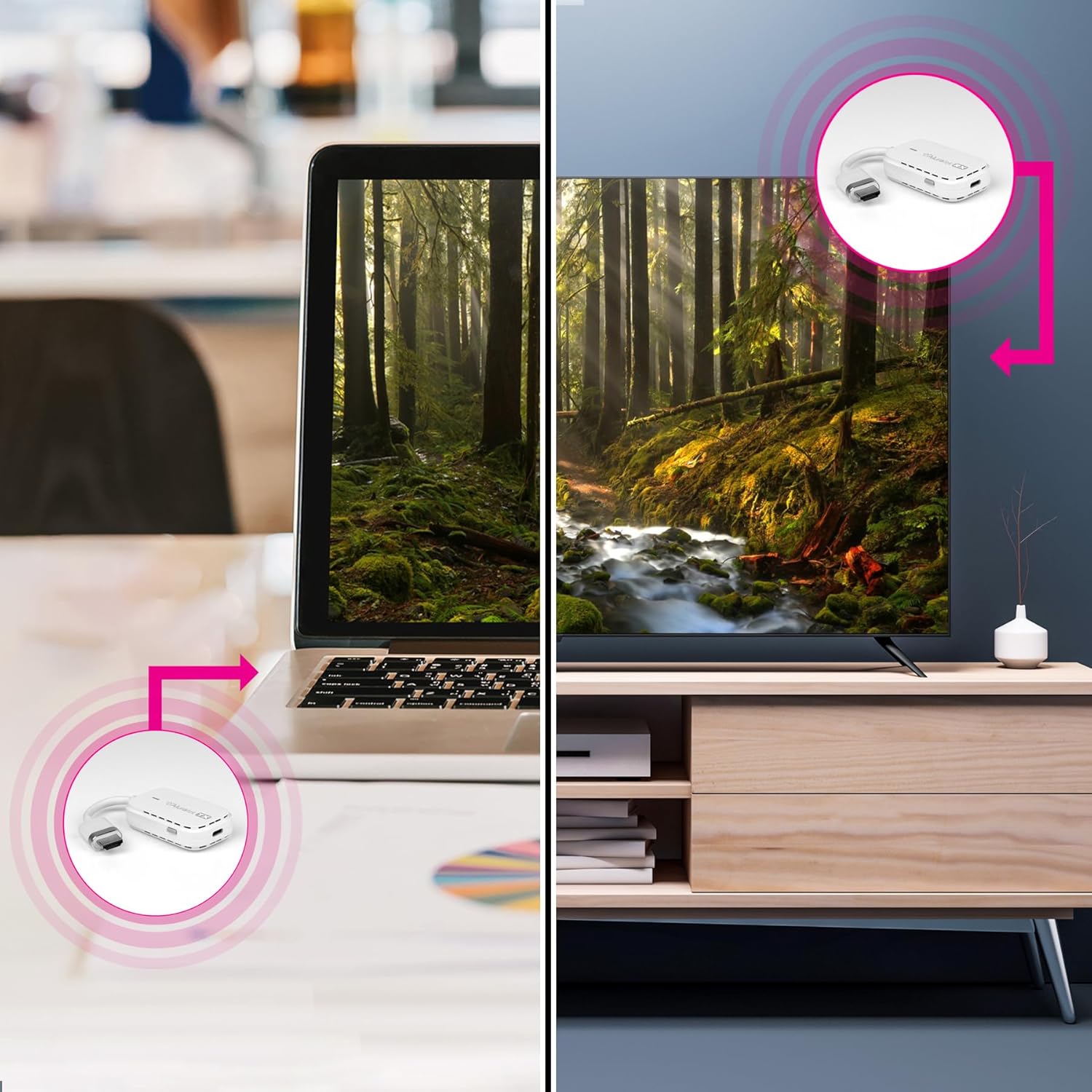
Image: A visual representation of the setup process, illustrating the connection of the transmitter to a laptop and the receiver to a television.
4. Operating Instructions
Once the setup is complete, the Streamcast Pro will automatically begin mirroring your source device's display to your connected HDTV, projector, or monitor.
- Automatic Connection: The transmitter and receiver are pre-paired and should connect automatically.
- Content Streaming: Any content displayed on your source device's screen, including videos, presentations, or applications, will be wirelessly streamed to the connected display.
- Resolution: The system supports streaming in 1080P resolution.
- Range: The wireless transmission distance supports up to 100 feet (30 meters) in an open environment. Performance may vary based on environmental factors such as walls and interference.

Image: A laptop displaying a video, with the Streamcast Pro transmitter connected, wirelessly transmitting the video to a television.
5. Maintenance
To ensure the longevity and optimal performance of your Aluratek Streamcast Pro, please observe the following maintenance guidelines:
- Cleaning: Use a soft, dry cloth to clean the devices. Avoid liquid cleaners or solvents.
- Storage: Store the kit in a cool, dry place away from direct sunlight and extreme temperatures.
- Handling: Handle the units with care to prevent physical damage. Avoid dropping or subjecting them to strong impacts.
- Ventilation: Ensure the ventilation slots on the units are not obstructed during operation to prevent overheating.
6. Troubleshooting
If you encounter issues with your Streamcast Pro, refer to the following common troubleshooting steps:
- No Signal on Display:
- Ensure both the transmitter and receiver are securely connected to their respective HDMI ports.
- Verify that both units are receiving power via the USB-C to USB-A cable.
- Check that your display device is set to the correct HDMI input source.
- Try restarting both the source device and the display device.
- Poor Video/Audio Quality or Intermittent Connection:
- Ensure the transmitter and receiver are within the recommended operating range (up to 100ft/30m).
- Minimize obstructions (walls, furniture) between the transmitter and receiver.
- Check for potential sources of wireless interference (e.g., other wireless devices, microwaves).
- Ensure the USB power source provides sufficient power to both units.
- No Audio:
- Verify that the audio output on your source device is not muted or set to a very low volume.
- Check the audio settings on your display device.
If problems persist, please contact Aluratek technical support.
7. Specifications
| Feature | Detail |
|---|---|
| Model Number | AWHTR01F |
| Connectivity Technology | Wireless HDMI |
| Connector Type | HDMI |
| Resolution | 1080p |
| Wireless Range | Up to 100ft (30m) |
| Product Dimensions | 4 x 2 x 1.25 inches |
| Item Weight | 6 ounces |
| Color | White |
| Special Features | Lightweight, No Programming Required, Plug-N-Play |
8. Warranty Information
The Aluratek Streamcast Pro Wireless HDMI Transmitter and Receiver Streaming Kit (AWHTR01F) comes with a 1-Year Limited Warranty from the date of purchase. This warranty covers defects in materials and workmanship under normal use.
For warranty claims or further details, please refer to the official Aluratek website or contact customer support.
9. Technical Support
For technical assistance or inquiries regarding your Aluratek Streamcast Pro, free local technical support is available in the USA.
Please visit the official Aluratek website for contact information and support resources.
Manufacturer: Aluratek


