
Product Overview
The SCANGRIP SLIM is a rechargeable LED work light featuring an ultra-thin design and a 100% foldable body. This versatile 3-in-1 light is engineered to provide optimal illumination in various situations, functioning as a work light, an inspection light, and a compact flashlight.
- 3-in-1 Design: Features an ultra-thin head (ø9mm) and a 100% foldable body, allowing it to reach tight spaces. Weighs 205g.
- Powerful Illumination: Equipped with 20 adjustable LEDs offering 3 light levels up to 500lm, plus a 100lm flashlight spot. Provides 5700K light with a CRI>80.
- Enhanced Versatility: Includes an integrated magnet and hook for flexible positioning. When open, it provides diffused light; when closed, it acts as a compact flashlight with a firm grip.
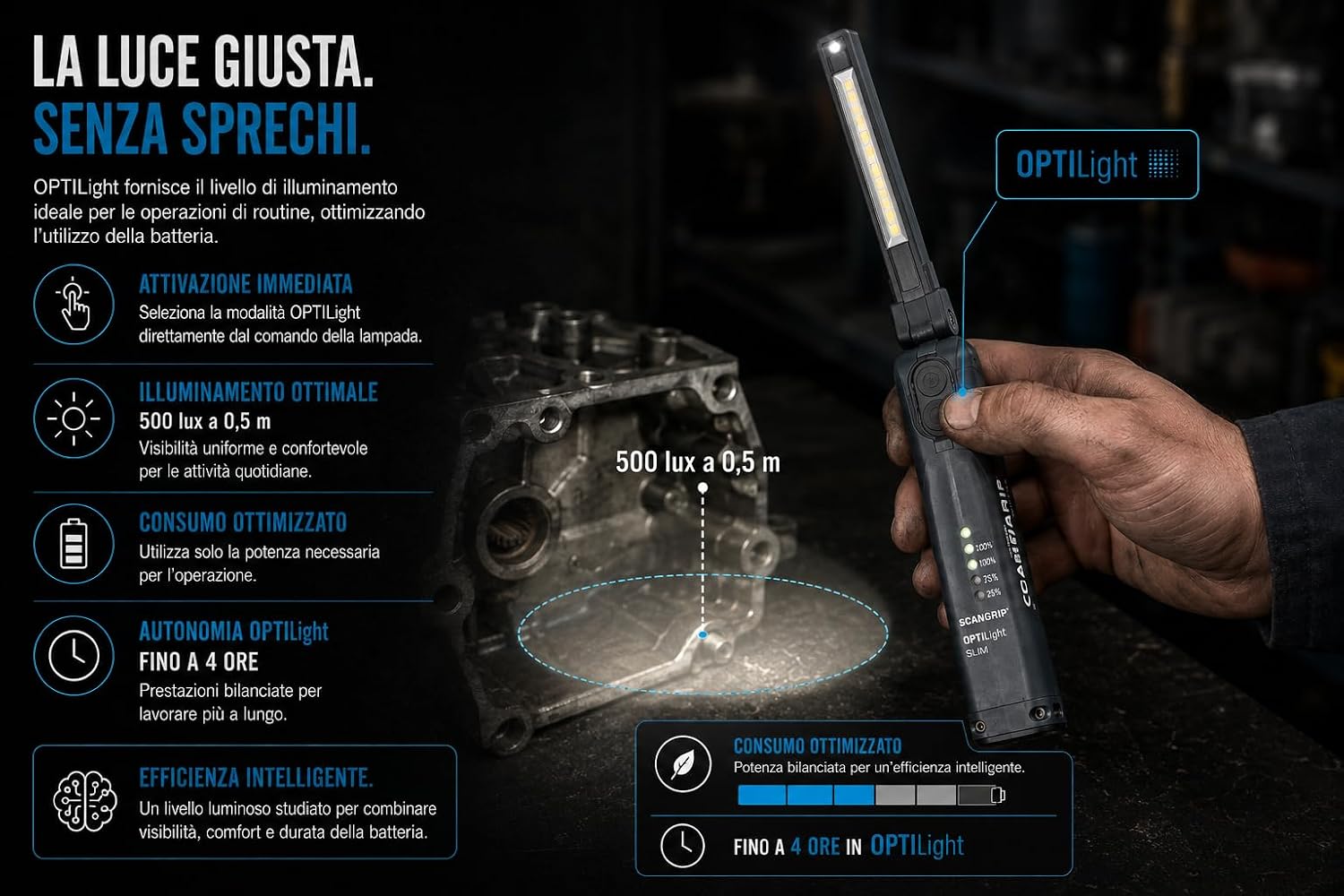
- Extended Battery Life: Powered by a 2600mAh USB-C rechargeable battery, fully charging in 3.5 hours. Offers up to 27 hours of use or 4 hours in OPTILight mode (500 lux at 0.5m).
- Robust Construction: Rated IP30 and IK07 for impact resistance. Withstands drops from 2 meters and operates in harsh climates (-10°C to +40°C). A 1-meter USB-C cable is included.

Setup
Charging the Battery
- Locate the USB-C charging port on the device.
- Connect the included 1-meter USB-C cable to the charging port and a suitable USB power adapter (not included).
- The battery indicator lights will illuminate to show charging progress. A full charge takes approximately 3.5 hours.

Initial Use
Before first use, ensure the device is fully charged. Unfold the lamp head to your desired position for operation.
Operating Instructions
Power On/Off and Light Modes
- Press the power button to turn the main light on.
- Press the power button repeatedly to cycle through the three main light intensity levels (Level 1, Level 2, Level 3).
- To activate the 100lm spot light at the top, press and hold the power button for 2 seconds.
- To turn off the light, cycle through all modes or press and hold the power button when the desired mode is active.

OPTILight Function
The OPTILight mode provides an optimized illumination level for routine tasks, balancing brightness and battery usage. This mode delivers 500 lux at 0.5 meters for up to 4 hours.
Positioning the Work Light
- Folding Body: The lamp head can be folded and angled up to 100% to direct light precisely where needed.
- Integrated Magnet: Use the strong integrated magnet on the base to securely attach the light to metallic surfaces, such as vehicle chassis or metal shelving.
- Integrated Hook: For non-metallic surfaces or when hanging is preferred, extend the integrated hook to suspend the light.

Maintenance
Cleaning
Wipe the lamp body and lens with a soft, damp cloth. Do not use harsh chemicals or abrasive cleaners, as these may damage the surface or lens.
Battery Care and Storage
- To prolong battery life, recharge the device regularly, even if not in frequent use.
- Store the work light in a cool, dry place away from direct sunlight and extreme temperatures.
Troubleshooting
Light Not Turning On
- Check the battery level. If low, connect the USB-C charging cable and allow it to charge.
- Ensure the power button is pressed firmly.
Light is Dim
- The battery may be low. Recharge the device fully.
- Ensure the light is not in a lower power mode. Cycle through the light modes to increase brightness.
Charging Issues
- Verify that the USB-C cable is securely connected to both the lamp and the power source.
- Try using a different USB-C cable or power adapter to rule out a faulty accessory.
Specifications
| Feature | Detail |
|---|---|
| Manufacturer | Scangrip |
| Brand | Scangrip |
| Model | SLIM FOR LIFE |
| Item Model Number | 03.6211 |
| Manufacturer Part Number | 03.6211 |
| Item Weight | 210 g |
| Product Dimensions | 16.6 x 4.6 x 2.9 cm |
| Battery Capacity | 2600 mAh |
| Charging Time | 3.5 hours (USB-C) |
| Main Light Output | Up to 500 lm (3 levels) |
| Spot Light Output | 100 lm |
| Color Temperature | 5700K (CRI>80) |
| Durability Rating | IP30, IK07 |
| Operating Temperature | -10°C to +40°C |
| ASIN | B0DJFKS5YD |
| Available on Amazon.it from | October 3, 2024 |
What's in the Box
- Scangrip Slim LED Work Light
- 1-meter USB-C Charging Cable
Warranty Information
This product is covered by the manufacturer's warranty. For detailed information regarding warranty terms, conditions, and duration, please refer to the documentation included with your purchase or visit the official Scangrip website. Please retain your proof of purchase for any warranty claims.
Customer Support
For technical assistance, troubleshooting not covered in this manual, or general inquiries about your Scangrip Slim LED Work Light, please contact Scangrip customer service. Contact details can typically be found on the official Scangrip website or on your product packaging.
You may also find additional resources and FAQs on the Scangrip official website.