
Introduction
The Music Sound VERTICAL Bluetooth Speaker is a portable and versatile audio device designed for high-quality music playback. Featuring a compact design, lightweight construction, and a comfortable elastic lanyard, it is ideal for both indoor and outdoor use. With 5 watts of power and up to 4 hours of playtime, this speaker ensures extended enjoyment of your favorite playlists. It offers broad compatibility through Micro SD, USB, USB-C, and AUX cable connections, providing maximum flexibility. The soft fabric finishes complement a product built for convenience and performance.
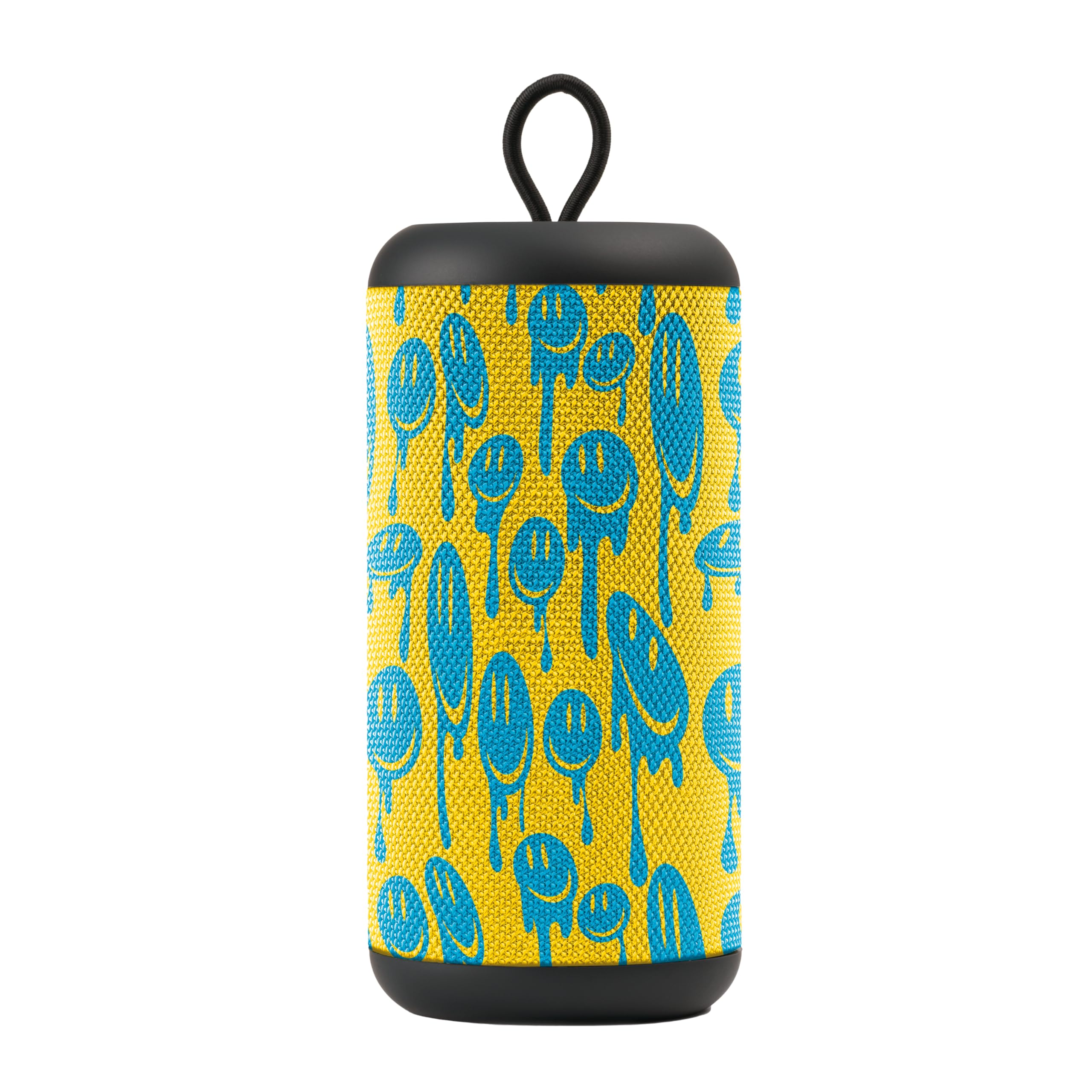
Image: Front view of the Music Sound VERTICAL Bluetooth Speaker, showcasing its yellow and blue design with a black lanyard.
Package Contents
Please check the box for the following items:
- Music Sound VERTICAL Bluetooth Speaker
- USB-C Charging Cable
- Instruction Manual
Product Overview
Familiarize yourself with the speaker's controls and ports for optimal use.

Image: Close-up view of the speaker's control panel and connectivity ports. Visible elements include the microphone, LED indicator, volume up/next track button, mode/play/pause button, volume down/previous track button, and a flap covering the USB, Micro SD, USB-C, and AUX ports.
Controls and Indicators:
- MIC: Microphone for hands-free calls.
- LED: Indicator light for power, charging, and Bluetooth status.
- ▲ (Up Arrow): Volume Up / Next Track.
- M (Mode): Power On/Off / Play/Pause / Mode Selection (Bluetooth, USB, Micro SD, AUX).
- ▼ (Down Arrow): Volume Down / Previous Track.
Connectivity Ports (under protective flap):
- USB-A Port: For USB drive playback.
- Micro SD Card Slot: For Micro SD card playback.
- USB-C Port: For charging the speaker.
- AUX Port: For wired audio input using a 3.5mm audio cable.

Image: The speaker with its protective flap open, revealing the USB-A, Micro SD, USB-C, and AUX ports, highlighting its wide range of compatibility.
Setup
1. Charging the Speaker
- Connect the supplied USB-C charging cable to the USB-C port on the speaker.
- Connect the other end of the cable to a USB power adapter (not included) or a computer's USB port.
- The LED indicator will illuminate during charging and turn off once fully charged.
- A full charge takes approximately 2-3 hours.
2. Powering On/Off
- To Power On: Press and hold the 'M' (Mode) button for 2-3 seconds until you hear an audible prompt and the LED indicator lights up.
- To Power Off: Press and hold the 'M' (Mode) button for 2-3 seconds until you hear an audible prompt and the LED indicator turns off.
3. Bluetooth Pairing
- Ensure the speaker is powered on and in Bluetooth mode (the LED indicator will flash rapidly). If not, short press the 'M' button to cycle through modes until Bluetooth mode is active.
- Enable Bluetooth on your smartphone, tablet, or other audio device.
- Search for available Bluetooth devices and select "Music Sound VERTICAL" from the list.
- Once paired, the LED indicator will stop flashing and remain solid, and you will hear a confirmation sound.
- The speaker will automatically attempt to reconnect to the last paired device when powered on.
Operating Instructions
1. Music Playback
- Bluetooth Mode: After successful pairing, start playing music on your connected device.
- USB/Micro SD Mode: Insert a USB drive or Micro SD card into the corresponding port. The speaker will automatically switch to the respective mode and begin playing audio files. If not, short press the 'M' button to cycle modes.
- AUX Mode: Connect a 3.5mm audio cable from your audio source to the speaker's AUX port. The speaker will automatically switch to AUX mode. If not, short press the 'M' button to cycle modes.
2. Controls
- Play/Pause: Short press the 'M' button.
- Volume Up: Short press the '▲' button.
- Volume Down: Short press the '▼' button.
- Next Track: Long press the '▲' button.
- Previous Track: Long press the '▼' button.
- Change Mode: Short press the 'M' button to cycle between Bluetooth, USB, Micro SD, and AUX modes.
3. Call Management (in Bluetooth Mode)
- Answer Call: Short press the 'M' button.
- End Call: Short press the 'M' button during a call.
- Reject Call: Long press the 'M' button.
Maintenance
Proper care ensures the longevity of your speaker.
- Cleaning: Use a soft, dry cloth to clean the speaker's surface. Do not use abrasive cleaners, alcohol, or chemical solvents.
- Storage: Store the speaker in a cool, dry place away from direct sunlight and extreme temperatures.
- Water Resistance: This speaker is NOT waterproof. Avoid exposure to water or excessive moisture.
- Battery Care: To preserve battery life, fully charge the speaker before long periods of inactivity.
Troubleshooting
If you encounter issues, refer to the following solutions:
| Problem | Solution |
|---|---|
| Speaker does not power on. | Ensure the speaker is charged. Connect it to a power source using the USB-C cable. |
| Cannot pair via Bluetooth. | Make sure the speaker is in Bluetooth pairing mode (flashing LED). Disable and re-enable Bluetooth on your device. Move the speaker closer to your device. |
| No sound. | Check the volume levels on both the speaker and your connected device. Ensure the correct input mode (Bluetooth, USB, Micro SD, AUX) is selected. |
| Poor sound quality. | Ensure the speaker is within Bluetooth range. Try moving away from obstacles or other wireless devices that may cause interference. Check the audio source quality. |
| Speaker not charging. | Verify the USB-C cable is properly connected to both the speaker and the power source. Try a different USB-C cable or power adapter. |
Specifications
Detailed technical specifications for the Music Sound VERTICAL Bluetooth Speaker:
| Feature | Detail |
|---|---|
| Model Name | BTSPKMSVERTICAL244 |
| Brand | Music Sound |
| Connectivity Technology | Bluetooth 5.0, AUX, USB, USB-C |
| Speaker Type | Portable Tower Speaker |
| Output Power | 5 Watts |
| Playtime | Up to 4 hours |
| Power Source | Battery Powered (1 Lithium-ion battery included) |
| Control Method | Tactile Buttons |
| Audio Output Mode | Mono |
| Product Dimensions (L x W x H) | 7 x 7 x 16 cm (2.76 x 2.76 x 6.3 inches) |
| Weight | 380 grams (0.84 lbs) |
| Color | Yellow/Blue |
| Waterproof | No |
| Compatible Devices | Smartphone, Tablet, Laptop, MP3 Player |
Warranty and Support
Information regarding product warranty and software updates is not available in the provided data. For warranty details, technical support, or service inquiries, please refer to the documentation included with your purchase or contact Music Sound customer service directly.