
1. Introduction
This manual provides essential information for the proper use and maintenance of your Yuwell YHW-5 Infrared Thermometer. Please read these instructions carefully before using the device to ensure accurate readings and safe operation. The Yuwell YHW-5 is designed for non-contact temperature measurement, offering a quick and reliable method for monitoring body temperature, especially suitable for children.
2. Safety Information
- Do not immerse the thermometer in water or other liquids.
- Keep the device away from direct sunlight, dust, and extreme temperatures.
- Do not drop the thermometer or subject it to strong impact.
- This device is not intended to replace a consultation with a medical professional. Always consult a doctor for diagnosis and treatment.
- Keep out of reach of children and pets.
- Use only the specified battery type.
3. Product Overview
The Yuwell YHW-5 Infrared Thermometer is a compact and user-friendly device featuring an ultra-clear digital display for easy reading. It is designed for quick, one-button temperature measurement.
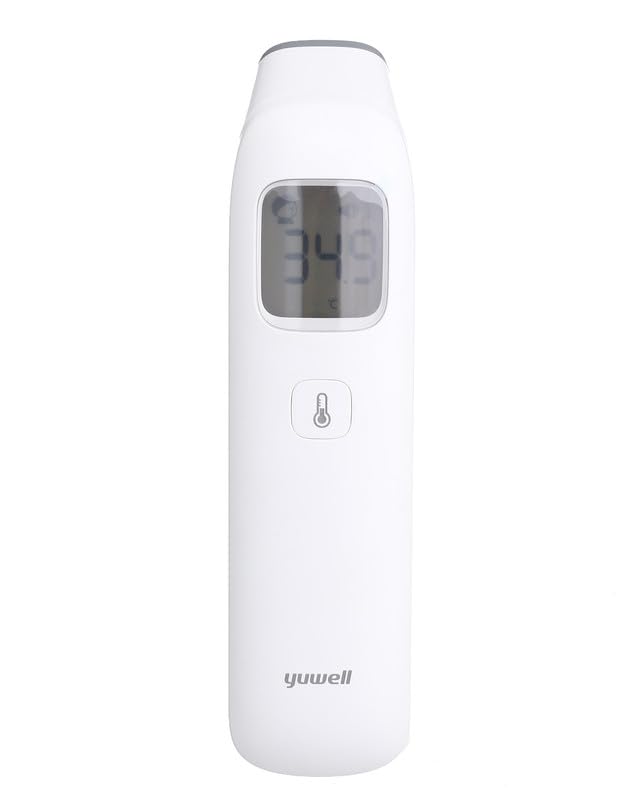
Figure 3.1: Front view of the Yuwell YHW-5 Infrared Thermometer, showing the digital display and main measurement button.
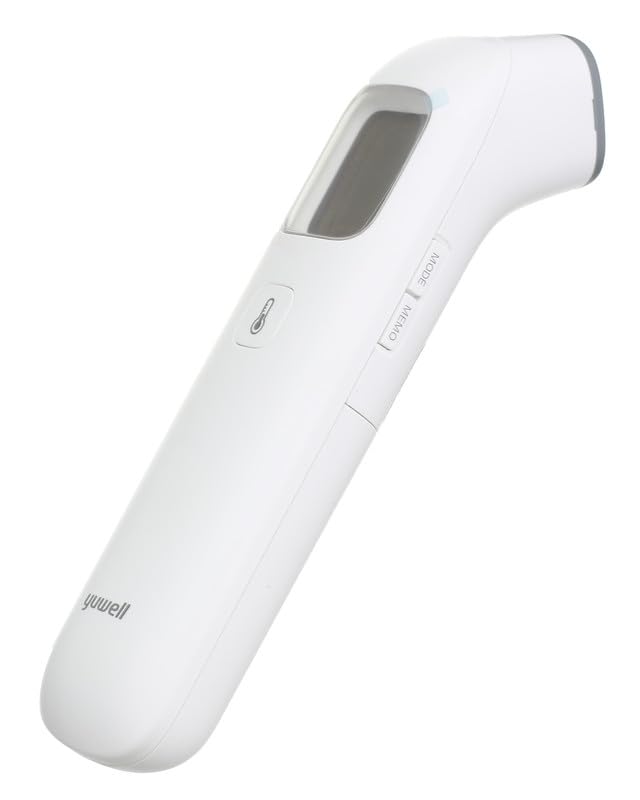
Figure 3.2: Side view of the thermometer, highlighting the 'MODE' and 'MEMO' buttons for function selection and memory recall.
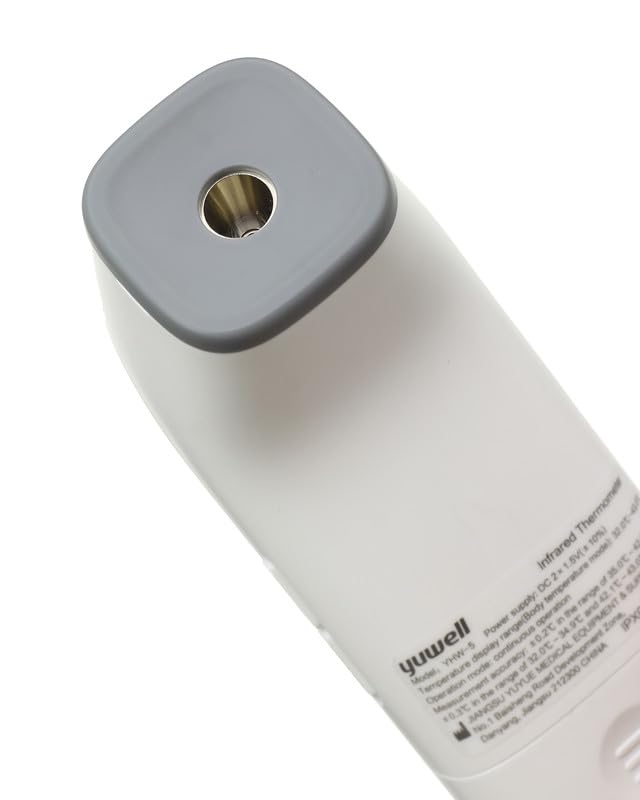
Figure 3.3: Close-up of the infrared sensor at the top of the device, which is used for non-contact temperature readings.
4. Setup
4.1 Battery Installation
- Locate the battery compartment cover, usually on the back or bottom of the device.
- Slide or unclip the cover to open the compartment.
- Insert the required batteries (typically AAA or AA, refer to the compartment markings) ensuring correct polarity (+ and -).
- Close the battery compartment cover securely.
4.2 Initial Power-On
After installing batteries, press the main power button. The device should power on, display a self-test sequence, and then be ready for measurement.
5. Operating Instructions
5.1 Taking a Temperature Reading
- Ensure the thermometer is clean and dry.
- Turn on the thermometer by pressing the power button.
- Point the infrared sensor towards the center of the forehead, maintaining a distance of approximately 1-5 cm (0.4-2 inches). Ensure there is no hair, sweat, or cosmetics obstructing the measurement area.
- Press the measurement button (often the same as the power button or a dedicated trigger).
- The temperature reading will appear on the digital display within a few seconds.
- The device may feature color-coded fever alerts, where the display backlight changes color (e.g., green for normal, yellow for elevated, red for fever) to indicate temperature status.
5.2 Memory Function
The Yuwell YHW-5 includes a memory feature to track temperature changes over time. To access stored readings, press the 'MEMO' button (refer to Figure 3.2). Repeated presses will cycle through previous measurements.
6. Maintenance and Cleaning
6.1 Cleaning the Thermometer
- Wipe the thermometer body with a soft, slightly damp cloth.
- For the sensor lens, use a cotton swab lightly moistened with alcohol. Gently wipe the lens to remove any residue.
- Do not use abrasive cleaning agents or immerse the device in water.
- Ensure the thermometer is completely dry before storage or next use.
6.2 Storage
Store the thermometer in a cool, dry place, away from direct sunlight and extreme temperatures. Use the included protective lid to keep the sensor clean and protected when not in use.
7. Troubleshooting
- No Power: Check battery installation and ensure batteries are not depleted. Replace if necessary.
- Inaccurate Readings: Ensure the sensor is clean and unobstructed. Verify the measurement distance is correct. Avoid taking measurements immediately after physical activity or in extreme environmental conditions.
- Error Message on Display: Refer to the specific error code (if any) in the full product manual or contact customer support. Often, an error indicates an environmental condition (too hot/cold) or a measurement issue.
8. Specifications
- Model: YHW-5
- Manufacturer: Yuwell
- Measurement Type: Infrared, Non-Contact
- Special Features: Ultra Clear Screen, Fever Alerts, Memory Function
- Color: White
- Included Components: Lid
- Unit Count: 1.0 Piece
- Package Dimensions: 16 x 16 x 6 cm
- Weight: 100 g
9. Warranty and Support
For warranty information and customer support, please refer to the documentation included with your purchase or contact the retailer/manufacturer directly. Keep your purchase receipt as proof of purchase.


