1. Introduction
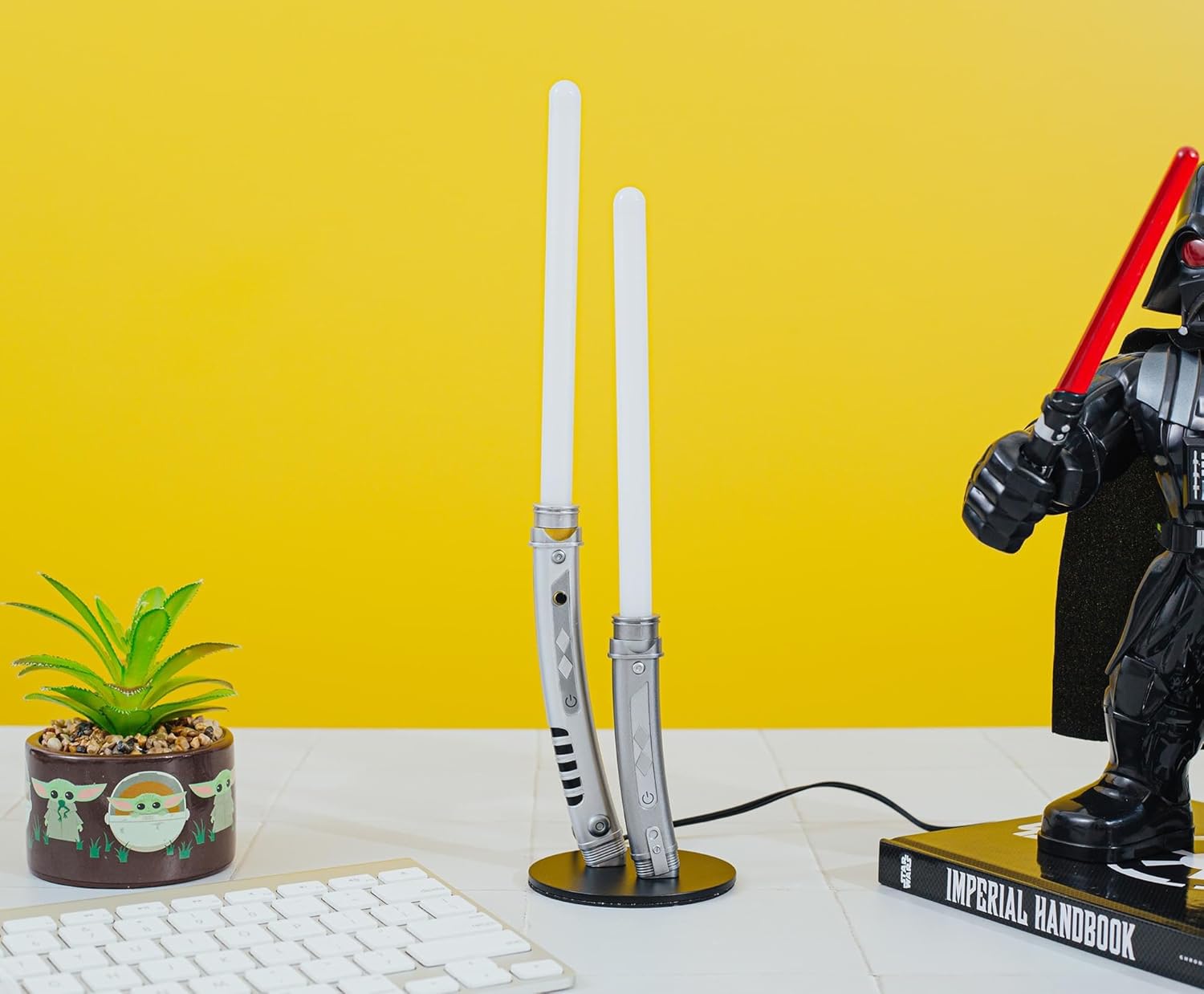
Thank you for purchasing the Ukonic Star Wars Ahsoka Tano Dual Lightsabers Mini LED Mood Light. This product is designed to provide ambient lighting and serve as a decorative item, inspired by the iconic lightsabers of Ahsoka Tano. It features a USB-powered LED display and is suitable for indoor use.
Key features include:
- Faithfully crafted design replicating Ahsoka Tano's dual white lightsabers.
- Approximately 12 inches tall, ideal for desks, shelves, or nightstands.
- USB-powered operation with a convenient on/off switch on the hilt.
- Illuminated by a long-lasting LED bulb.
- Stable base for secure display.
2. Safety Instructions
Please read and understand all safety instructions before use. Failure to follow these instructions may result in electric shock, fire, or serious injury.
- This light is not suitable for children under 10 years old.
- This is not a toy and not intended for use as a night light.
- This is a static light with no moving parts or parts that adjust.
- For dry locations only.
- CAUTION! RISK OF FIRE! Do not place the table light in direct proximity to naked flames or other sources of heat.
- Do not place anything close on top of the table light to avoid risk of ignition.
- Do not use optical devices such as a lens to look directly into the light.
- Do not attempt to repair this table light or power cord yourself. Unauthorized repairs may cause considerable danger.
- Ensure the USB cable is not damaged or frayed. If damaged, discontinue use immediately.
- This device complies with Part 15 of the FCC Rules. Operation is subject to the following two conditions: (1) This device may not cause harmful interference, and (2) This device must accept any interference received, including interference that may cause undesired operation.
3. Setup
The Ahsoka Tano Dual Lightsabers Mini LED Mood Light requires minimal assembly.
- Carefully unbox all components: the lightsaber blades, the hilt base, and the USB power cable.
- Insert the lightsaber blades into the designated slots on the hilt base. Ensure they are securely seated.
- Place the assembled mood light on a flat, stable, and dry surface.
- Connect the small end of the provided USB power cable into the port located on the base of the mood light.
- Plug the USB-A end of the cable into a suitable USB power supply (e.g., computer USB port, power bank, or wall adapter - not included) that provides DC 5V 1A.


4. Operation
Once the mood light is properly set up and connected to a power source:
- Locate the on/off switch on the hilt of one of the lightsabers.
- Press the switch to turn the light on.
- Press the switch again to turn the light off.

5. Maintenance
To maintain the appearance and functionality of your mood light:
- Wipe the surface with a dry, soft cloth only.
- Do not use any abrasive cleaners, solvents, or harsh chemicals, as these may damage the finish.
- Ensure the product is unplugged before cleaning.
6. Troubleshooting
If you encounter issues with your mood light, please refer to the following common solutions:
- Light does not turn on: Ensure the USB cable is securely connected to both the mood light and the power source. Verify that the power source is active and providing sufficient power (DC 5V 1A).
- Intermittent lighting: Check for any loose connections in the USB cable or at the base of the lightsabers. Try using a different USB port or power adapter.
- Physical damage: If the product has been dropped or physically damaged, discontinue use and contact customer support.
7. Specifications
| Feature | Specification |
|---|---|
| Brand | Ukonic |
| Model Name | 18197 |
| Product Dimensions | 4.1"D x 4.1"W x 13"H (approx. 10.41 cm D x 10.41 cm W x 33.02 cm H) |
| Item Weight | 5.1 ounces (approx. 0.14 kg) |
| Lamp Type | Desk Lamp / Mood Light |
| Light Source Type | LED |
| Power Source | USB Powered (DC 5V 1A) |
| Material | Plastic |
| Switch Type | Touch (On-Off Switch) |
| Indoor/Outdoor Usage | Indoor |
| Recommended Age | 15 years and up |
8. Warranty
This appliance comes with a warranty of 90 days from the date of purchase. This warranty covers manufacturing defects under normal use. Please retain your proof of purchase for any warranty claims.
The warranty does not cover damage caused by misuse, accidents, unauthorized repairs, or normal wear and tear.
9. Support
For further assistance, technical support, or warranty inquiries, please contact the manufacturer:
- Manufacturer: Robefactory LLC / Ukonic
- Email: support@robefactory.com
Please have your product model number (18197) and proof of purchase ready when contacting support.


