Introduction
The Oraimo FreePods Neo ANC Wireless Earbuds OTW-330S offer a premium audio experience with advanced features designed for comfort and performance. These earbuds utilize Bluetooth TWS technology for seamless wireless connectivity and come with an intuitive app for enhanced control. Enjoy extended listening sessions with up to 50 hours of playtime and quick charging capabilities. Immerse yourself in rich, detailed sound with 360-degree spatial audio.
Key Features
- Long playtime up to 50 hours.
- 360-degree spatial audio for immersive sound.
- Designed to fit softly in your ears for extended comfort.
- Two-microphone call noise cancellation for clear calls.
- AniFast fast charging for quick power-ups.
- IPX4 Water-resistant & Sweat Protection (earbuds only).
- Low-latency Game Mode for synchronized audio and video.
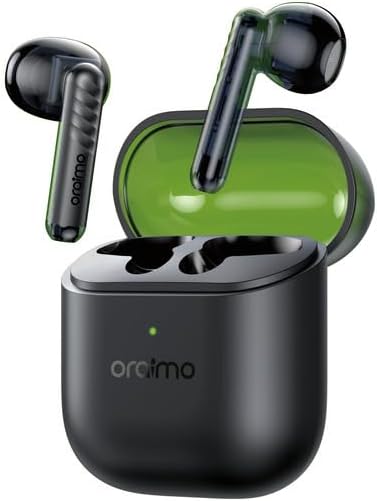
Image: The Oraimo FreePods Neo ANC Wireless Earbuds OTW-330S, showcasing both earbuds and their charging case. The earbuds are black with a sleek design, and the charging case is compact and dark-colored.
What's in the Box
Before you begin, ensure all components are present in the packaging:
- FreePods Neo Earbuds (x1 pair)
- Welcome Guide (x1)
- Type-C Charging Cable (x1)
- Oraimo x Free Fire Stickers (optional accessory)

Image: A visual representation of the product packaging and its contents, including the earbuds in their charging case, a welcome guide, a USB-C charging cable, and Oraimo x Free Fire stickers.
Setup
Initial Charging
- Open the charging case and place both earbuds inside.
- Connect the provided Type-C charging cable to the charging port on the case and a power source.
- Allow the earbuds and case to fully charge before first use. The indicator light on the case will show charging status.
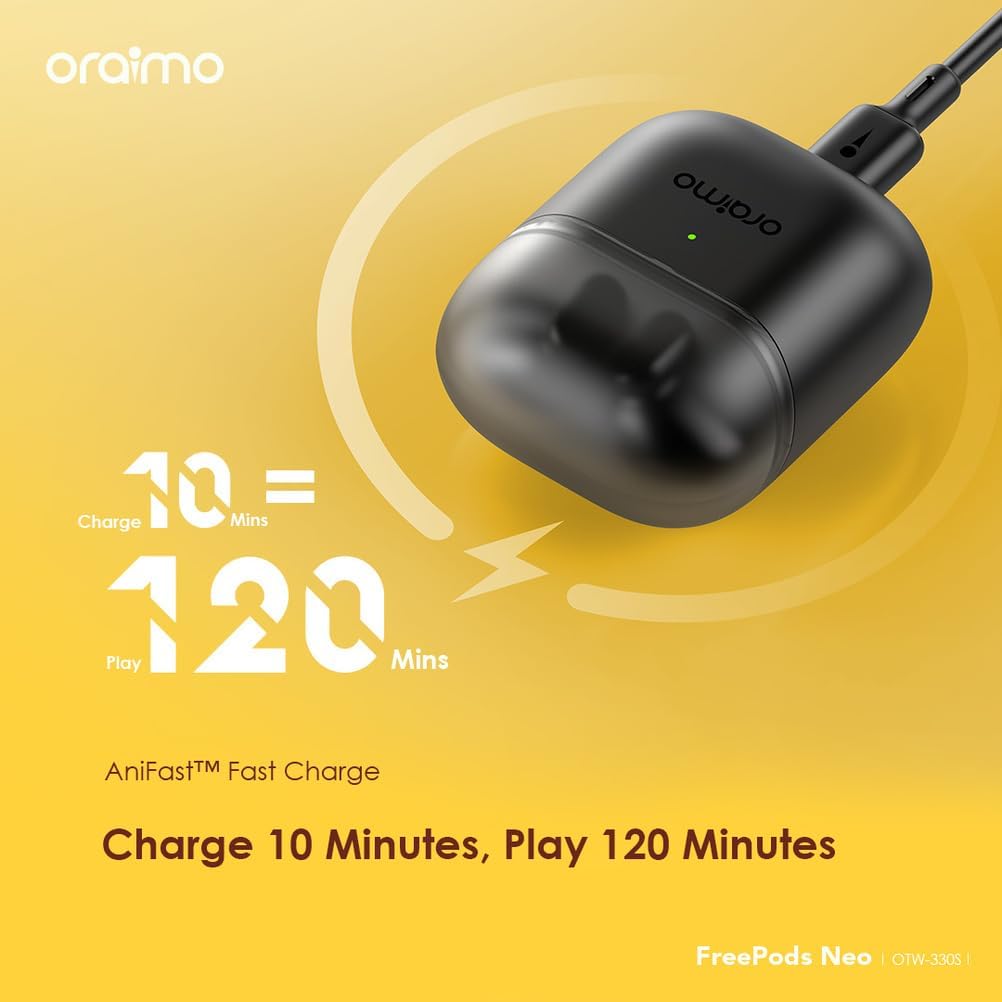
Image: The Oraimo FreePods Neo charging case connected to a charging cable, illustrating the AniFast Fast Charge feature which provides 120 minutes of playtime from a 10-minute charge.
Pairing with Your Device
- Ensure the earbuds are in the charging case and the case lid is open.
- On your device (smartphone, tablet, etc.), enable Bluetooth.
- Search for "Oraimo FreePods Neo OTW-330S" in the list of available Bluetooth devices.
- Select the earbuds to pair. A voice prompt will confirm successful connection.
Operating Instructions
Wearing the Earbuds
The FreePods Neo are designed for a comfortable half-in-ear fit. Gently insert each earbud into your ear canal until it feels secure and comfortable. Adjust as needed for optimal sound and stability.

Image: An illustration showing the Oraimo FreePods Neo earbud comfortably seated in a human ear, highlighting its half-in-ear design for soft and secure fit.
Touch Controls
| Action | Function |
|---|---|
| Single Tap (Left/Right) | Play/Pause Music, Answer/End Call |
| Double Tap (Right) | Next Track |
| Double Tap (Left) | Previous Track |
| Triple Tap (Left/Right) | Activate Voice Assistant |
| Long Press (Left/Right) | Reject Call, Switch between Normal/ANC/Transparency Mode (if applicable) |
Using the Oraimo Sound App
Enhance your experience by downloading the Oraimo Sound App. The app allows for custom equalizer settings, game mode activation, and other personalized controls.
- Download the "Oraimo Sound" app from the App Store (iOS 12.0 or above) or Google Play (Android 6.0 or above).
- Connect your FreePods Neo to the app to access advanced features.
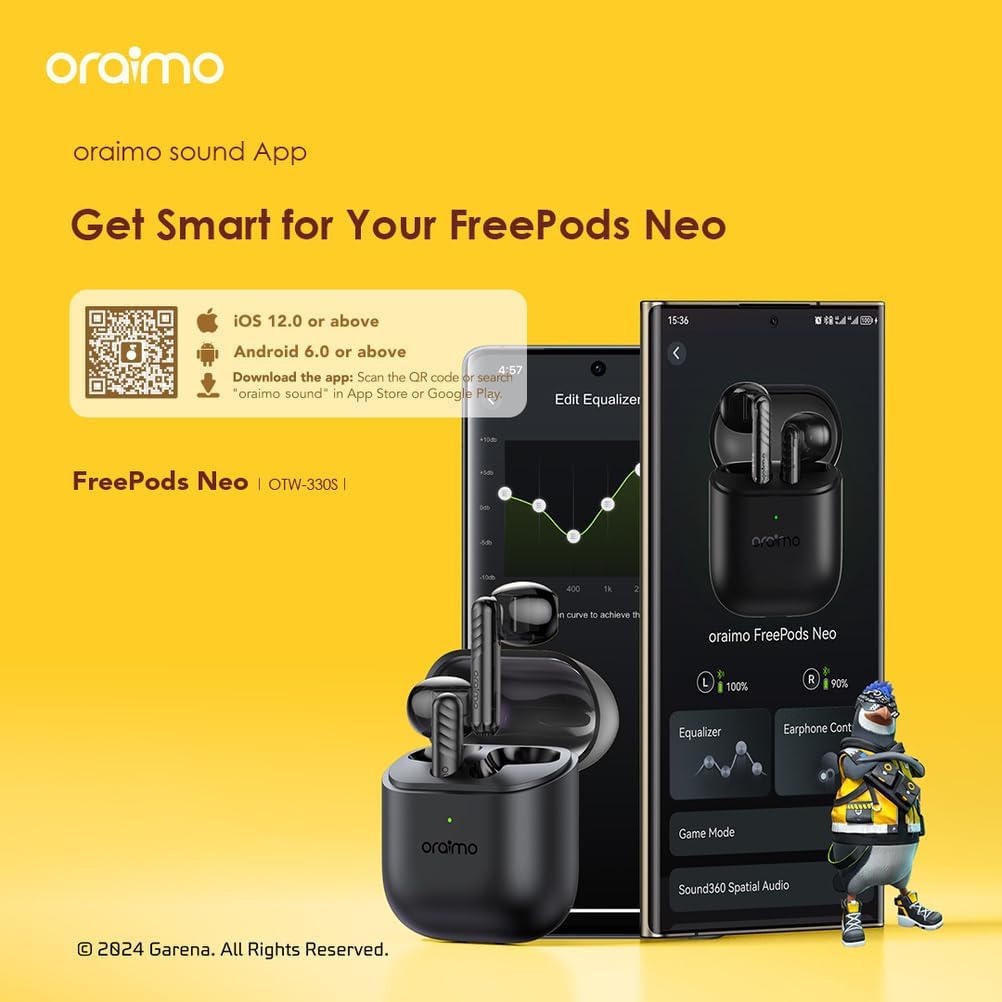
Image: A smartphone displaying the Oraimo Sound App interface, showing options for equalizer adjustments, earphone controls, and game mode activation, alongside the earbuds and charging case.
Spatial Audio and Game Mode
Experience immersive 360-degree spatial audio for a richer listening experience. Activate the low-latency Game Mode via the app for synchronized audio and video, crucial for gaming.

Image: A close-up of an Oraimo FreePods Neo earbud with visual effects representing 360 Spatial Audio, emphasizing immersive music pleasure. A QR code for downloading the Oraimo Sound app is also visible.

Image: Oraimo FreePods Neo earbuds positioned around a smartphone displaying a game, highlighting the low-latency Game Mode for instant audio and video synchronization.
Call Noise Cancellation
The earbuds feature a 2-microphone system for effective call noise cancellation, ensuring clear conversations even in noisy environments.

Image: A close-up of an Oraimo FreePods Neo earbud with sound wave graphics, illustrating the 2-Mic Call Noise Cancellation feature for clear calls in any environment.
Maintenance
Cleaning Your Earbuds
Regularly clean your earbuds to maintain optimal sound quality and hygiene. Use a soft, dry, lint-free cloth to wipe the earbuds and charging case. Do not use harsh chemicals or abrasive materials.
Water and Sweat Resistance
The earbuds are IPX4 water-resistant, meaning they are protected against splashing water from any direction. This makes them suitable for workouts and light rain. Note: The charging case is NOT water-resistant.

Image: Oraimo FreePods Neo earbuds with water droplets, illustrating their IPX4 water-resistant and sweat protection. A note clarifies that water and sweat resistance applies only to the earbuds, not the charging case.
Storage
When not in use, store the earbuds in their charging case to protect them from dust and damage, and to keep them charged.
Troubleshooting
| Problem | Possible Solution |
|---|---|
| Earbuds not pairing | Ensure earbuds are charged. Place them back in the case, close the lid, then open it again to re-enter pairing mode. Turn Bluetooth off and on on your device. |
| Only one earbud working | Ensure both earbuds are charged. Try resetting the earbuds (refer to the Welcome Guide for specific reset instructions). Re-pair with your device. |
| Low volume | Adjust volume on both your device and through the earbuds' touch controls. Clean any debris from the earbud speakers. |
| Poor call quality | Ensure earbuds are properly seated. Move closer to your device. Check for environmental noise interference. |
Specifications
| Feature | Detail |
|---|---|
| Model Name | OTW-330S |
| Brand Name | Oraimo |
| Color | Black |
| Connectivity Technology | Wireless |
| Wireless Communication Technology | Bluetooth |
| Headphones Form Factor | In-Ear |
| Headphones Placement | In Ear |
| Impedance | 120 Ohm |
| Noise Control | None (Call Noise Cancellation is a feature, not a general noise control type like ANC) |
| Included Components | Cable |
| Package Dimensions | 18.2 x 11.2 x 3.4 cm; 20 grams |
| First Available Date | October 1, 2024 |
Product Video
Video: A product summary video showcasing the Oraimo FreePods Neo OTW-330S earbuds, highlighting features such as 50-hour playtime, 360-degree spatial audio, and comfortable design. The video demonstrates the earbuds being taken out of the case and the charging port.
Warranty and Support
Oraimo products typically come with a manufacturer's warranty. Please refer to the included Welcome Guide or visit the official Oraimo website for detailed warranty information and terms and conditions.
For technical support, troubleshooting assistance, or any product-related inquiries, please contact Oraimo customer service through their official channels. Contact information can usually be found in the product packaging or on the Oraimo website.
Model Number: 4894947023668


