
SANODESK MT027
SANODESK Mobile Standing Desk User Manual
Model: MT027
Introduction
This manual provides essential information for the assembly, operation, maintenance, and troubleshooting of your SANODESK Mobile Standing Desk. Designed for versatility and comfort, this pneumatic laptop desk offers effortless height adjustment and mobility, making it suitable for various environments from home offices to healthcare settings. Please read this manual thoroughly before use to ensure safe and optimal performance.
Product Features
- Adjustable Height: Features a built-in gas spring for effortless height adjustment, accommodating both sitting and standing preferences.
- Portable and Mobile: Equipped with smooth-rolling hidden wheels for easy movement and a low-profile base that tucks under furniture as low as 1.2 inches.
- Versatile Use: Ideal as a laptop desk, side table, or for use in kitchens, patios, hospitals, and home medical settings.
- Durable Construction: Built with a sturdy carbon steel frame and durable wood top for long-lasting stability.
- Easy Assembly: Designed for straightforward assembly and disassembly.
- Integrated Cup Holder: Conveniently placed for beverages.
Safety Information
It is crucial to adhere to the following safety guidelines to prevent injury and ensure the longevity of your desk:
- Always use both hands when adjusting the desk height to maintain control and stability.
- Keep fingers and other body parts clear of moving parts during height adjustments.
- Ensure the desk is properly anchored or positioned on a stable, level surface to prevent tipping, especially when loaded.
- Be cautious of the hidden casters; keep them clean and free of debris to ensure smooth movement and prevent accidents.
- Do not overload the desk. The maximum load capacity is 15.4 lbs.
Setup and Assembly
The SANODESK Mobile Standing Desk is designed for easy assembly. All necessary tools are included. Please follow the steps below carefully.
Components Checklist:
- Desk Top (Maple)
- Main Column with Gas Spring
- Base Legs (2 pieces)
- Connecting Bar
- Cup Holder
- Assembly Hardware (screws, washers)
- Hex Key / Screwdriver (included)
Assembly Steps:
- Unpack all components and verify against the checklist. Place them on a soft, clean surface to prevent scratches.
- Attach the two base legs to the main column using the provided screws. Ensure they are securely fastened.
- Connect the two base legs with the connecting bar. This provides additional stability.
- Carefully align the main column with the pre-drilled holes on the underside of the desk top. Secure it using the appropriate screws.
- Attach the cup holder to the designated slot on the side of the desk top.
- Once assembled, gently test the height adjustment mechanism to ensure smooth operation.

Figure 1: Product Dimensions and Load Capacity. The desk adjusts from 26.0" to 41.7" in height, with a desktop measuring 27.6" W x 15.7" D. Maximum load is 15.4 lbs.

Figure 2: Enhanced Column for Stability. The robust column design ensures stability during use and height adjustments.
Operating Instructions
Height Adjustment:
The desk features a pneumatic gas spring for smooth and effortless height adjustments. To adjust the height:
- Locate the height adjustment lever, typically found on the underside of the desktop near the main column.
- To raise the desk, gently lift the lever while applying slight upward pressure to the desktop. The gas spring will assist in raising the desk.
- To lower the desk, gently lift the lever while applying downward pressure to the desktop. The desk will smoothly descend.
- Release the lever once the desired height is reached to lock the desk in position.
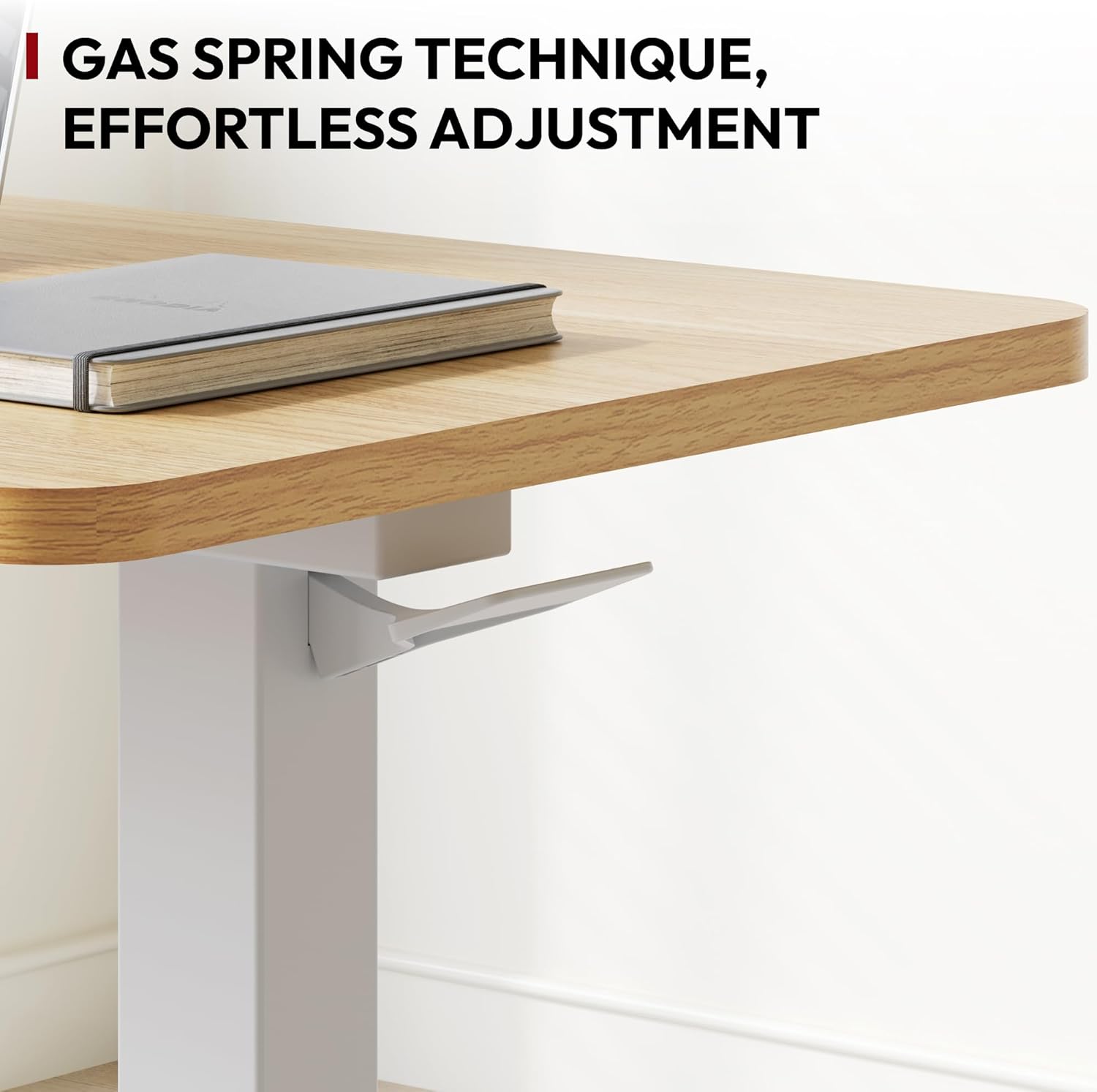
Figure 3: Gas Spring Mechanism. This mechanism allows for smooth and easy height adjustments.

Figure 4: Pneumatic Hand Control. The lever provides seamless height adjustments at your fingertips.
Mobility:
The desk is designed with hidden wheels for easy relocation. Simply lift one side slightly or push the desk to move it to your desired location. The low-profile base allows it to slide under most furniture, including beds and sofas, for convenient use and storage.

Figure 5: Desk in Use. A laptop and coffee cup are placed on the desk, demonstrating its functionality.

Figure 6: Bedside Application. The desk's design allows it to be easily positioned over a bed for comfortable use.
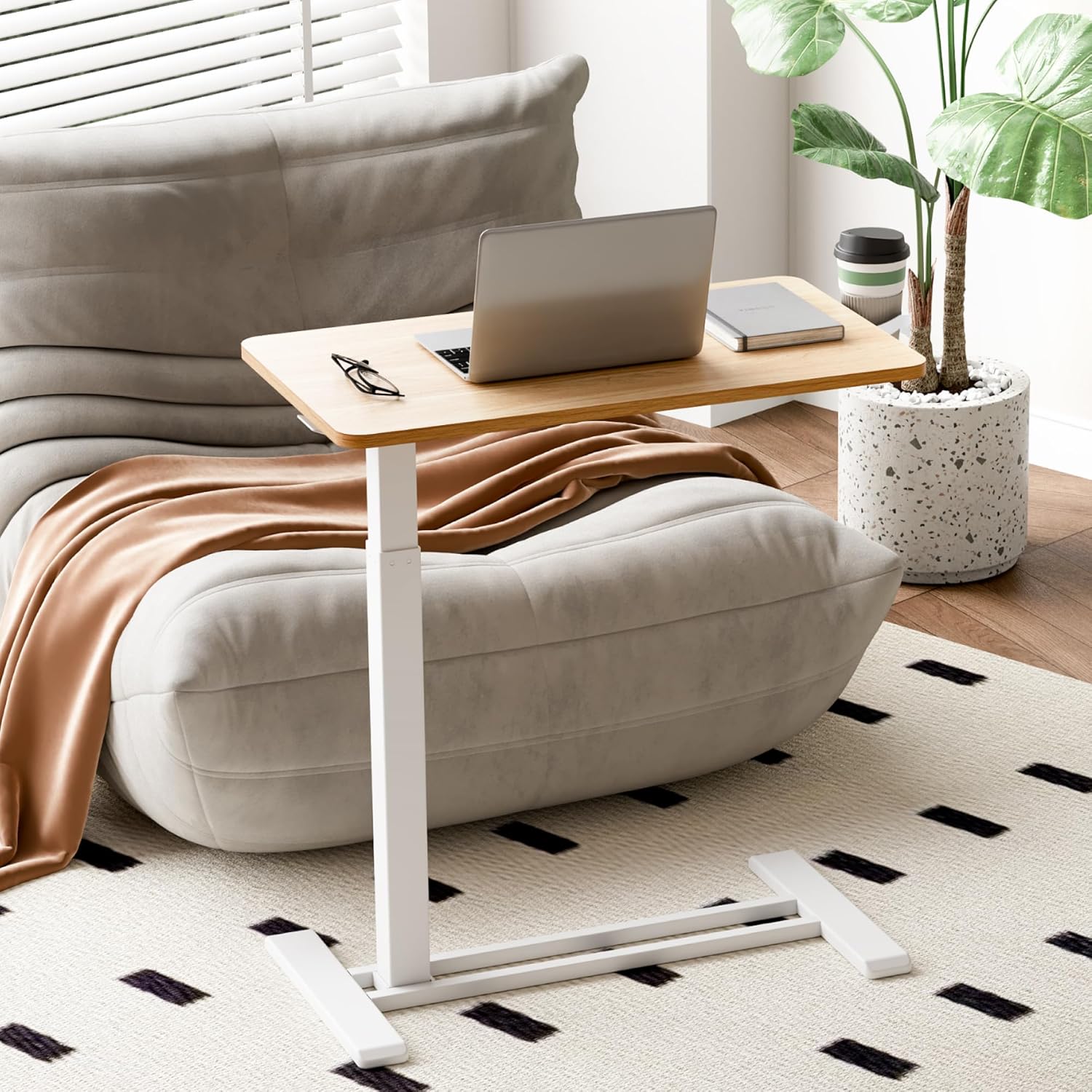
Figure 7: Living Room Use. The desk seamlessly integrates into a living room, providing a convenient surface next to a sofa.

Figure 8: Outdoor Patio Use. The desk's portability extends its utility to outdoor spaces.

Figure 9: Classroom Application. The desk can be used in educational settings, such as by a teacher in a classroom.
Video 1: Demonstrating the versatility and ease of use of the SANODESK Mobile Standing Desk in various settings, including bedside and sofa use.
Maintenance
To ensure the longevity and optimal appearance of your SANODESK Mobile Standing Desk, follow these simple maintenance guidelines:
- Cleaning the Desktop: The desktop features a melamine finish, which is water-proof and easy to clean. Use a soft, damp cloth with mild soap and water to wipe down the surface. Avoid abrasive cleaners or harsh chemicals that could damage the finish.
- Cleaning the Frame: Wipe the carbon steel frame with a dry or slightly damp cloth to remove dust and dirt.
- Caster Maintenance: Periodically check the hidden wheels for any accumulated dust, hair, or debris. Clean them as needed to ensure smooth rolling.
- Gas Spring: The gas spring mechanism is designed for maintenance-free operation. Do not attempt to lubricate or disassemble it.
- Regular Checks: Periodically check all screws and connections to ensure they remain tight. Retighten if necessary.

Figure 10: Melamine Finish. The desk top is designed for durability and easy cleaning.
Troubleshooting
If you encounter any issues with your SANODESK Mobile Standing Desk, please refer to the following common troubleshooting tips:
| Problem | Possible Cause | Solution |
|---|---|---|
| Desk does not adjust height smoothly. | Gas spring mechanism obstruction or damage; excessive weight on desk. | Ensure no objects are obstructing the mechanism. Reduce weight on the desk. If the issue persists, contact customer service. |
| Desk wobbles or is unstable. | Loose assembly screws; uneven floor surface; desk overloaded. | Check and tighten all assembly screws. Move the desk to a level surface. Ensure the desk is not overloaded (Max. 15.4 lbs). |
| Wheels do not roll smoothly. | Debris caught in wheels; damaged wheels. | Inspect wheels for hair, dust, or other debris and clean them thoroughly. If wheels are damaged, contact customer service for replacement. |
If these solutions do not resolve the issue, please contact SANODESK customer service for further assistance.
Specifications
| Feature | Detail |
|---|---|
| Brand | SANODESK |
| Model Number | MT027 |
| Product Dimensions (D x W x H) | 15.7"D x 27.6"W x 26"H |
| Color | Maple (Desktop), White (Base) |
| Style | Modern |
| Base Material | Carbon Steel |
| Top Material Type | Wood (Melamine Finish) |
| Finish Type | Powder Coated (Base) |
| Special Features | Adjustable Height, Portable, Hidden Wheels, Integrated Cup Holder |
| Recommended Uses | Drafting, Gaming, Working, Writing, Bedside Table, Sofa Side Table |
| Mounting Type | Freestanding |
| Item Weight | 22 Pounds |
| Minimum Height | 26 Inches |
| Maximum Height | 41.7 Inches |
| Lifting Mechanism | Pneumatic Gas Spring |
| Required Assembly | Yes (Tools Included) |
Warranty and Support
SANODESK products come with a limited warranty. For specific warranty details, please refer to the documentation included with your purchase or visit the official SANODESK website. If you have any questions, require technical assistance, or need to report an issue, please contact our professional customer service team.
Manufacturer: Flexispot
Contact Information: Please refer to the contact details provided on the SANODESK official website or your purchase receipt for the most up-to-date support options.
Ask a question about this manual
Ask about setup, troubleshooting, compatibility, parts, safety, or missing instructions. Manuals+ will review the question and use this page’s manual context to help answer it.