Introduction
This manual provides instructions for the assembly, operation, maintenance, and troubleshooting of your BOOMJOY Twist Mop with Self-Wringing System, Model F6-4. Please read this manual thoroughly before using the product to ensure safe and efficient operation.
Safety Information
- Keep out of reach of children and pets when not in use.
- Do not use the mop head on surfaces for which it is not intended.
- Ensure the mop handle is securely assembled before use.
- Avoid using harsh chemicals with the mop head, as this may damage the microfiber material.
- Store the mop in a dry, well-ventilated area to prevent mildew.
Package Contents
Verify that all components are present in the package:
- Mop Handle (multi-part)
- Microfiber Mop Head with Scouring Pad
- Instruction Manual (this document)
Setup and Assembly
Follow these steps to assemble your BOOMJOY Twist Mop:
- Step 1: Connect Handle Sections. Take the individual handle sections and screw them together clockwise until they are securely tightened. Ensure all connections are firm to prevent wobbling during use.

Figure 1: Quick & Easy Mop Assembly Guide. This image illustrates the process of connecting the various parts of the mop handle to form a complete unit.
- Step 2: Attach Mop Head. Align the mop head with the bottom section of the assembled handle. Twist the mop head onto the handle clockwise until it is firmly attached.

Figure 2: Mop Assembly and Hanging Storage. This image shows the mop handle components and how they connect, along with a visual of the mop assembled and stored by hanging.
Operating Instructions
Wet Mopping
- Prepare the Mop: Submerge the microfiber mop head in a bucket of water, optionally with your preferred floor cleaner.
- Activate Self-Wringing: To wring out excess water, ensure the blue handle is locked into the gear. Rotate the mop handle to activate the wringing mechanism. The mop head will twist, expelling water.
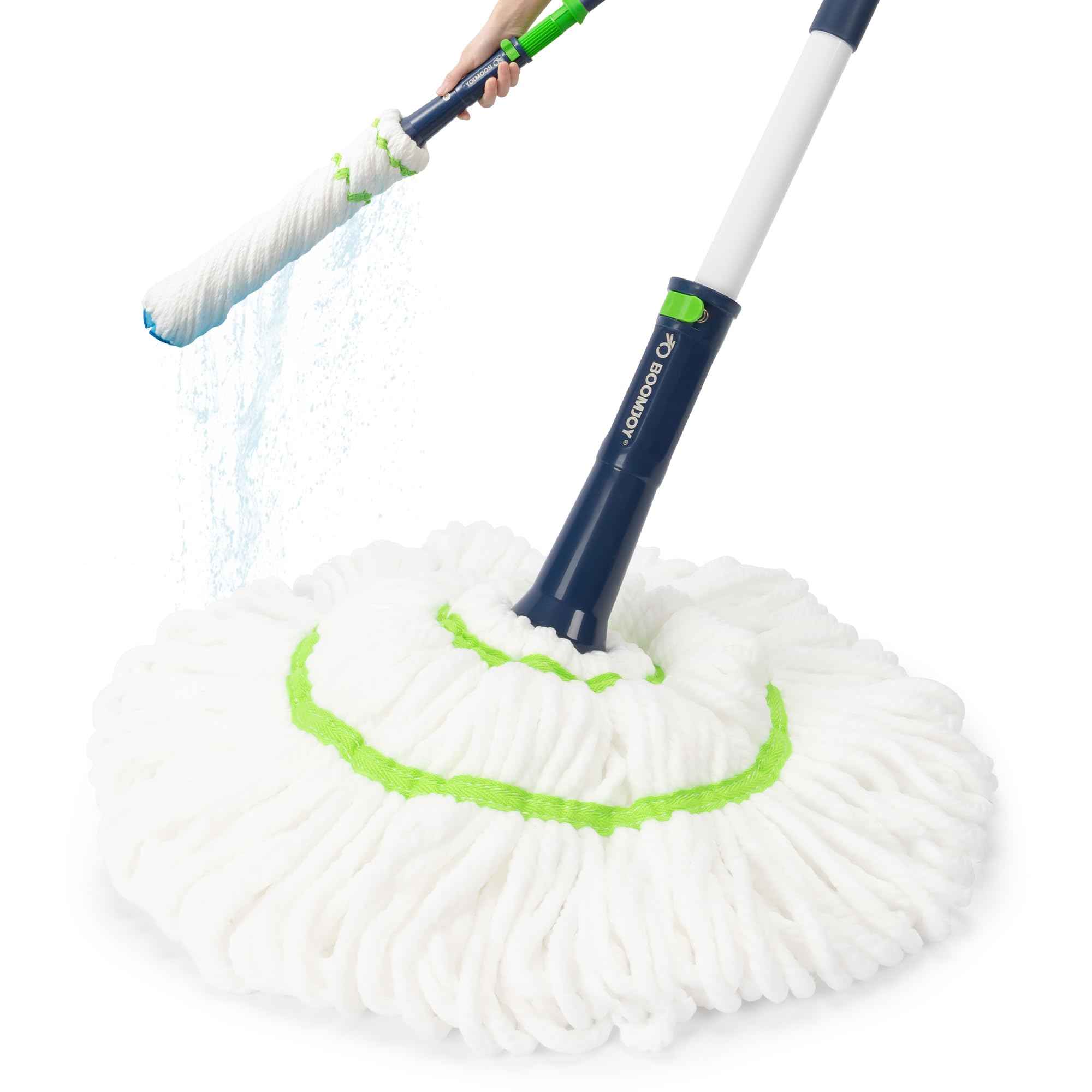
Figure 3: Upgraded Self-Wringing Design. This image demonstrates the mop's self-wringing function, showing water being twisted out of the mop head.

Figure 4: How to Dry the Mop. This image provides a visual guide on using the wringing mechanism effectively to remove water from the mop head.
- Mop the Floor: Use the mop to clean your desired floor surfaces. The 53-inch handle allows for comfortable cleaning without excessive bending.

Figure 5: Extended Reach and Comfort. This image highlights the mop's long handle, designed for efficient cleaning without bending.
- Utilize Scouring Pad: For stubborn stains, position the integrated scouring pad directly over the stain and apply gentle pressure to scrub.

Figure 6: Powerful Scrubbing Action. This image focuses on the integrated scouring pad, designed for effective stain removal.
Dry Mopping
The thick, dense microfiber mop head can also be used dry to trap dust, hair, and debris from various floor types.

Figure 7: Dual-Use Microfiber Mop Head. This image illustrates the mop head's versatility for both wet and dry cleaning.
The mop is suitable for various floor types including wood, tile, laminate, and vinyl, and its design allows it to fit into tight spaces and corners.

Figure 8: Fits Narrow Spaces & Various Floors. This image demonstrates the mop's ability to clean in confined areas and its compatibility with multiple floor surfaces.
Maintenance
- Cleaning the Mop Head: The microfiber mop head can be rinsed thoroughly with water after each use. For deeper cleaning, it can be hand-washed with mild detergent. Allow it to air dry completely.
- Storage: After cleaning, ensure the mop head is fully wrung out and allowed to air dry. The mop features a hanging loop for convenient storage, which helps keep the mop head dry and prevents odors.
Figure 9: Hanging Storage. This image illustrates the mop's design for easy hanging storage, promoting quick drying and tidiness.
Troubleshooting
| Problem | Possible Cause | Solution |
|---|---|---|
| Mop head not wringing effectively. | The blue handle might not be fully engaged with the wringing gear. | Ensure the blue handle is pushed down and locked into the gear before rotating to wring. Rotate firmly. |
| Mop handle feels loose during use. | Handle sections are not securely tightened. | Disassemble and re-tighten all handle sections clockwise until firm. |
| Mop head not cleaning effectively. | Mop head is dirty or saturated. | Rinse the mop head thoroughly. For heavy dirt, hand-wash with detergent. Ensure it's adequately damp for wet mopping or dry for dusting. |
Specifications
| Feature | Detail |
|---|---|
| Model Number | F6-4 |
| Brand | BOOMJOY |
| Head Material | Microfiber |
| Handle Material | Iron, Plastic |
| Handle Length | 53 inches (approx.) |
| Item Weight | 1.94 pounds (0.88 kg) |
| UPC | 850067936046 |
| Surface Recommendation | Floor (Wood, Tile, Laminate, Vinyl) |
Customer Support
For further assistance, questions, or concerns regarding your BOOMJOY Twist Mop, please contact the seller or BOOMJOY customer service through the platform where the product was purchased. Please have your model number (F6-4) and purchase details available.


