
1. Introduction
The GROWNEER Digital Torque Wrench, Model Nex TW1 Pro+, is designed for precise torque applications across various tasks, including bicycle, e-bike, motorcycle, and automotive maintenance. It features a digital display with high accuracy, multiple measurement units, and smart alerts to prevent over or under-tightening. Its ergonomic design ensures comfortable use in diverse environments.

Figure 1: GROWNEER Digital Torque Wrench, Model Nex TW1 Pro+
2. Safety Information
- Do not overload the wrench: Exceeding 120% of the maximum torque value may cause damage to the tool and potential injury.
- Moisture exposure: If the wrench accidentally gets wet, immediately wipe it with a dry towel. Avoid exposure to saltwater, as it can cause corrosion and damage.
- Battery handling: Ensure correct battery orientation. Remove batteries if the tool will not be used for an extended period.
- Proper storage: Store the wrench in its protective case in a dry, clean environment away from extreme temperatures.
3. Package Contents
The GROWNEER Digital Torque Wrench set includes the following items:
- Digital Torque Wrench (x1)
- Universal Socket Plugs (x4): 14mm, 16mm, 17mm, 21mm
- 6-inch Extension Bar (x1)
- 1/4-inch Adapter (x1)
- 1/2-inch Adapter (x1)
- AAA Batteries (x1 set)
- Storage Case (x1)
- Calibration Certificate (x1)

Figure 2: Included accessories with the Digital Torque Wrench
4. Product Features
- High Accuracy: Features a no-delay digital display with ±2% accuracy for precise torque measurement.
- Wide Torque Range: Operates within a range of 5-99.6 ft-lbs / 6.8-135 Nm.
- Versatile Ratchet Head: 3/8'' drive ratchet head with a rapid replacement design for various socket heads.
- Multiple Measurement Units: Supports N-m, kgf-cm, lb-ft, and lb-in.
- Preset Modes: Includes 6 preset torque modes for quick access to frequently used settings.
- Data Storage: Capable of storing up to 500 sets of historical data.
- Smart Alerts: Equipped with a buzzer and colorful LED indicator for audible and visual alerts when approaching and reaching the preset torque, preventing over or under-tightening.
- Ergonomic Design: Features a non-slip handle for reduced hand fatigue and a large backlit LCD display for easy reading in dimly lit environments.
- Bidirectional Ratchet Head: Allows for tightening in both clockwise (CW) and counter-clockwise (CCW) directions.

Figure 3: Overview of key product features
5. Setup
5.1. Battery Installation
- Locate the battery compartment at the base of the wrench handle.
- Twist and remove the battery cap.
- Insert the provided AAA batteries, ensuring correct polarity (+/-).
- Replace the battery cap and twist to secure.
5.2. Attaching Accessories
- Select the appropriate socket or adapter for your task.
- Align the accessory with the 3/8'' drive ratchet head.
- Push the accessory firmly onto the drive until it clicks into place.
- To remove, press the release button on the ratchet head and pull the accessory off.
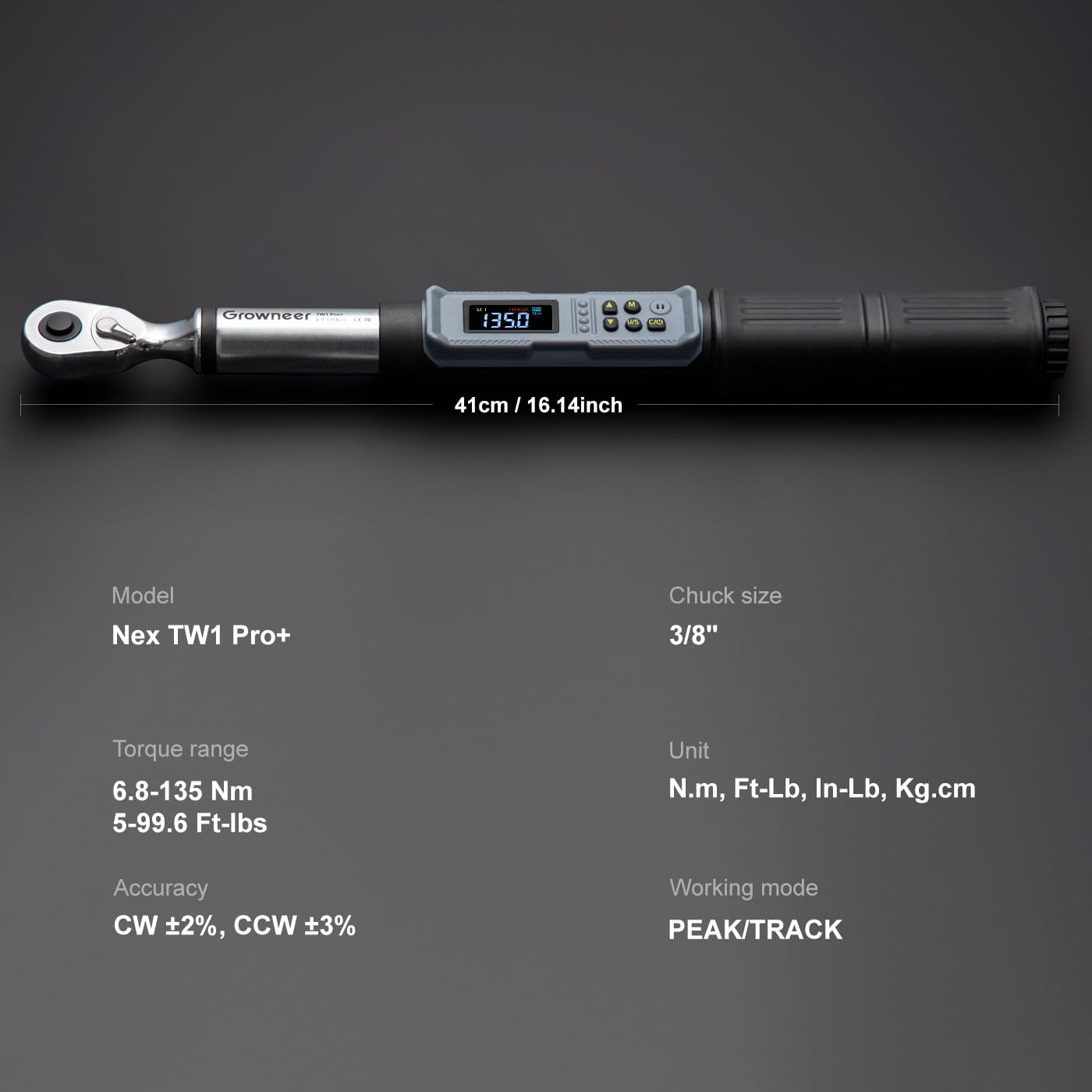
Figure 4: Wrench dimensions and specifications
6. Operating Instructions
6.1. Power On/Off
- Power On: Briefly press the 'C' (Clear/Power) button to turn on the device.
- Power Off: Long press the 'C' button to turn off the device.
6.2. Unit Selection
- Press the 'U/S' (Unit/Set) button to cycle through available measurement units: N-m, kgf-cm, lb-ft, and lb-in.
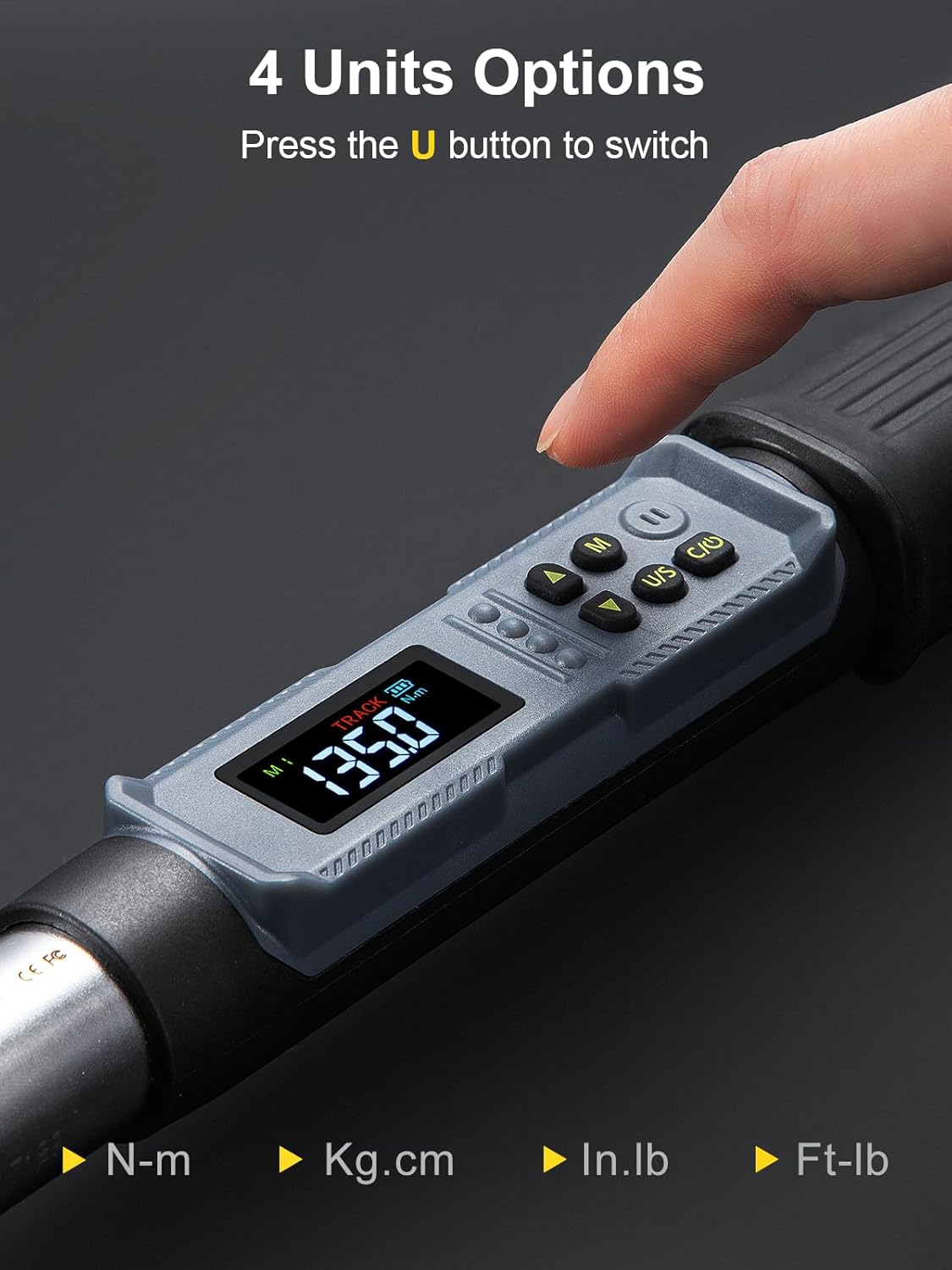
Figure 5: Unit selection on the digital display
6.3. Mode Selection (Peak/Track)
- Press the 'P/T' button to switch between Peak mode (P) and Track mode (T).
- Peak Mode: Displays the maximum torque value applied.
- Track Mode: Displays real-time torque values as they are applied.

Figure 6: Dual measurement modes: Track and Peak
6.4. Setting Torque Values
- Preset Modes (P1-P6): Press the 'M' (Memory) button to select one of the 6 preset torque modes (P1-P6). Use the Up/Down arrow buttons to navigate between presets.
- Adjusting Preset Values: In a preset mode (e.g., P1), press 'M' to confirm selection. Use the Up/Down arrow buttons to adjust the desired torque value. Long press for quick adjustment, short press for precise adjustment. Press 'C' to confirm the new value.
- The wrench can store up to 500 sets of data.
6.5. Using the Wrench
- Attach the appropriate socket or adapter to the wrench.
- Set the desired torque value or select a preset mode.
- Apply the wrench to the fastener. As you apply torque, the digital display will show the real-time value.
- Smart Alerts: The wrench will provide audible beeps and the LED indicator lights will flash as you approach and reach the preset torque value. This helps prevent over or under-tightening.

Figure 7: Torque application with accuracy indication

Figure 8: Colorful LCD display and buzzer alarm in action
6.6. Application Examples
The GROWNEER Digital Torque Wrench is suitable for a variety of applications:
- Bicycle and e-bike component tightening (e.g., crank bolts, stem bolts).
- Motorcycle maintenance.
- Automotive repair, including tire and engine components.
- General DIY projects requiring precise torque.
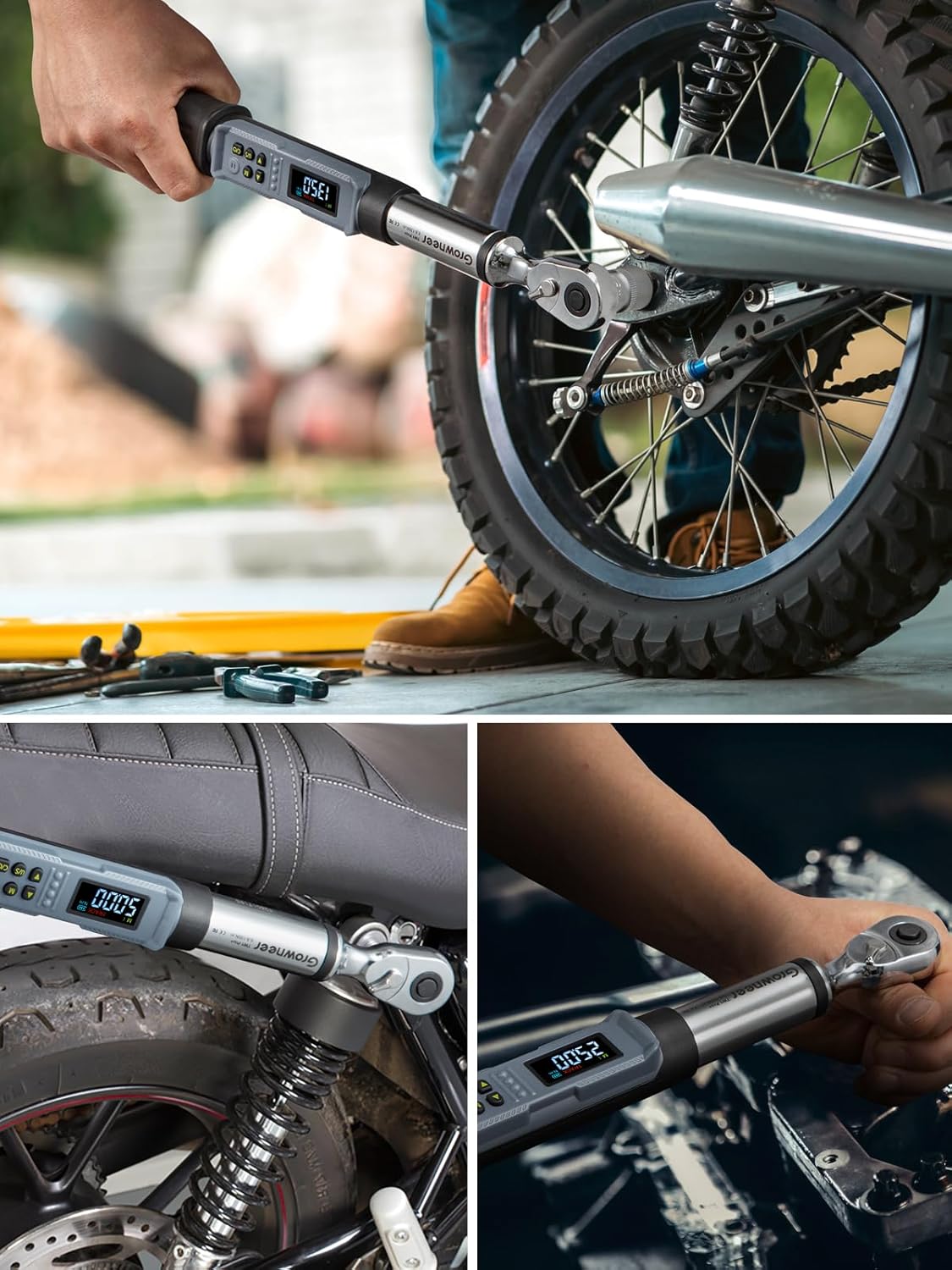
Figure 9: Various applications of the Digital Torque Wrench
Watch: GROWNEER Digital Torque Wrench in Use
Video 1: This video demonstrates the GROWNEER Digital Torque Wrench being used for various automotive applications, showcasing its features and ease of use.
7. Maintenance
- Cleaning: Wipe the wrench with a clean, dry cloth after each use. Do not use abrasive cleaners or solvents.
- Storage: Always store the wrench in its original protective case in a dry, dust-free environment.
- Battery Care: Remove batteries if the wrench will not be used for an extended period to prevent leakage and damage.
- Calibration: Regular calibration is recommended to maintain accuracy, especially after heavy use or impacts. Refer to a professional calibration service if needed.
8. Troubleshooting
- Wrench not powering on: Check battery installation and ensure batteries are not depleted. Replace if necessary.
- Inaccurate readings: Ensure the correct unit is selected. If issues persist, consider professional calibration.
- Alerts not functioning: Verify that the volume is not muted and the LED indicator is not obstructed.
- Accessories not fitting: Ensure the correct size and type of socket/adapter is being used for the 3/8'' drive.
9. Specifications
| Feature | Detail |
|---|---|
| Model Number | Nex TW1 Pro+ |
| Brand | GROWNEER |
| Drive Size | 3/8 inch |
| Torque Range | 5-99.6 Ft-lbs / 6.8-135 Nm |
| Accuracy | ±2% (CW), ±3% (CCW) |
| Measurement Units | N-m, kgf-cm, lb-ft, lb-in |
| Display | Backlit LCD |
| Alerts | Buzzer & Colorful LED Indicator |
| Preset Modes | 6 (P1-P6) |
| Data Storage | Up to 500 sets |
| Material | Alloy Steel |
| Color | Black |
| Power Source | AAA Batteries (included) |
| Item Weight | 2.17 kg |
| Item Length | 17 Inches |
10. Warranty & Support
For warranty information, technical support, or service inquiries, please refer to the contact information provided with your product packaging or visit the official GROWNEER website. Keep your purchase receipt as proof of purchase for any warranty claims.