
Introduction
Thank you for choosing the BYSAUD King Size Upholstered Bed Frame. This bed frame is designed to provide comfort and convenience with integrated LED lighting, a charging station, and multiple storage options. This manual provides detailed instructions for safe assembly, operation, and maintenance of your new bed frame. Please read all instructions carefully before beginning assembly and retain this manual for future reference.

Image: The BYSAUD King Size Upholstered Bed Frame, showcasing its integrated LED lights on the headboard and footboard, and the charging station on the headboard shelf.
Safety Information
For your safety and to prevent damage to the product, please observe the following precautions:
- Do not exceed the maximum weight limit of 1200 pounds for the bed frame.
- Exercise caution during assembly and use to avoid sharp edges and potential pinch points.
- Ensure all connections for the LED lights and charging station are securely fastened before use.
- Keep liquids away from electrical components.
- This product is intended for indoor use only.
Package Contents
Before beginning assembly, verify that all components are present and undamaged. All parts are typically packaged in one box.
- Headboard assembly with integrated LED lights, charging station, and storage shelves.
- Footboard with integrated LED lights.
- Side rails (left and right).
- Metal bed slats and support legs.
- Hardware kit (screws, bolts, washers, Allen wrench).
- Remote control for LED lights.
- Instruction manual.
If any parts are missing or damaged, please contact customer support immediately.
Setup and Assembly
Assembly of the BYSAUD King Size Upholstered Bed Frame requires careful attention to detail. It is recommended to have two people for assembly.
- Unpack and Identify Parts: Carefully unpack all components and lay them out on a clean, soft surface (e.g., a rug or blanket) to prevent scratches. Identify each part using the provided assembly diagram and labels.
- Assemble the Headboard: Attach the side panels to the main headboard section. Ensure the LED light strips and charging station components are correctly oriented and secured.
- Attach Side Rails: Connect the side rails to the headboard and footboard using the provided hardware. Do not fully tighten screws until all major components are aligned.
- Install Bed Slats: Place the metal bed slats across the frame. Secure them according to the instructions, ensuring even spacing and stability. Attach any central support legs.
- Connect Electrical Components: Connect the LED light strips and charging station to their respective power sources as indicated in the detailed diagram. Ensure all cables are neatly tucked away to prevent tripping hazards.
- Final Tightening: Once all components are in place and aligned, securely tighten all screws and bolts. Do not overtighten.
- Placement: Position the assembled bed frame in its desired location.

Image: Diagram showing the dimensions of the King Size bed frame (87"L x 78"W x 44"H) and its 1200 lbs weight capacity.
Operating Instructions
LED Lighting System
The bed frame features RGB LED light strips on both the headboard and footboard. These lights can be controlled via a remote control or a dedicated mobile application.
- Power On/Off: Use the power button on the remote or in the app to turn the lights on or off.
- Color Adjustment: Select from over 60,000 colors using the color wheel or preset options.
- Brightness Control: Adjust the light intensity to your preference.
- Mode Selection: Choose from various dynamic modes, including music sync mode, mic mode, and timing functions.
- App Control: Download the specified mobile application (refer to the quick start guide or packaging for app name) to access advanced control features and customization options.
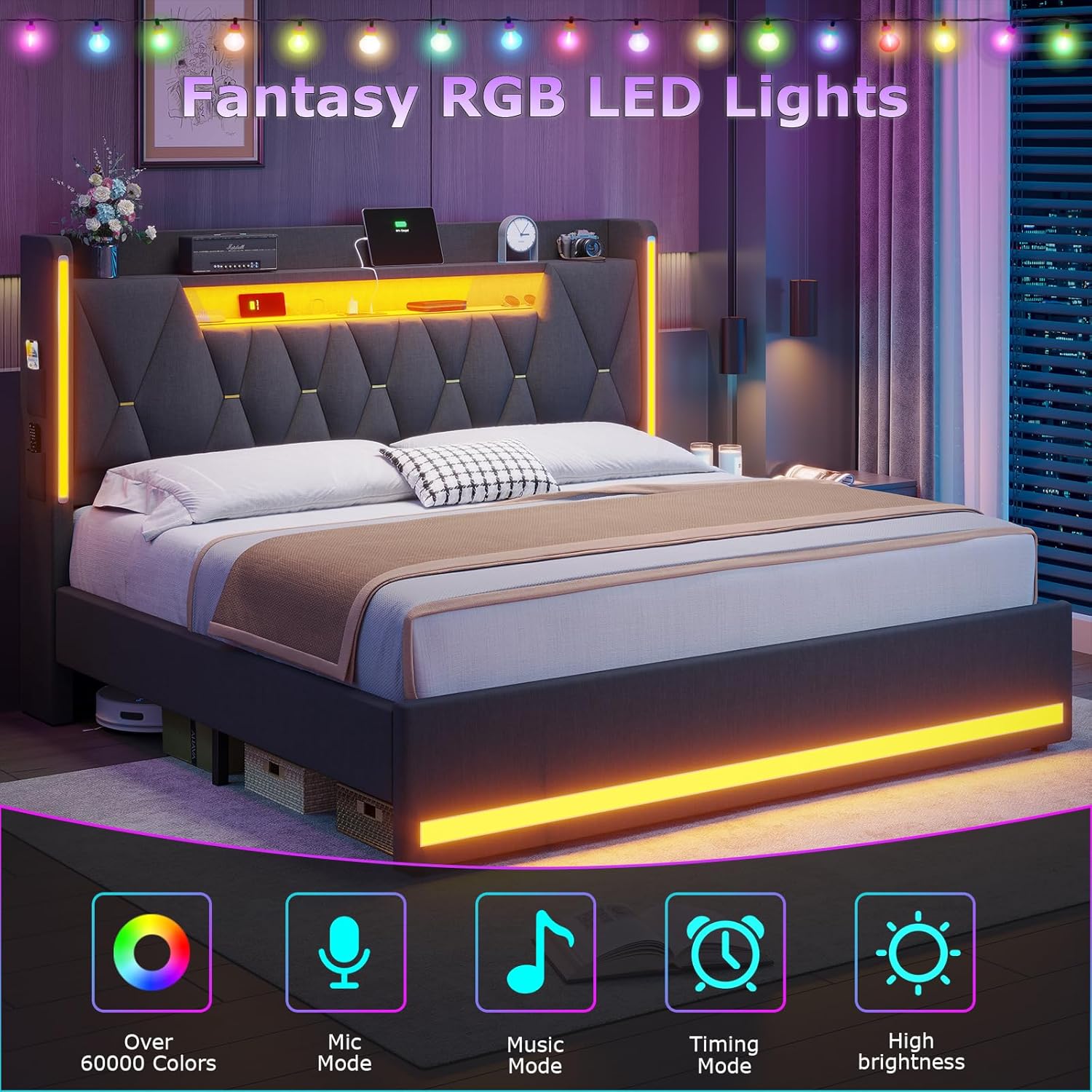
Image: Visual representation of the RGB LED lights with features like over 60,000 colors, mic mode, music mode, timing mode, and high brightness.

Image: Comparison of the bed frame's appearance with LED lights off (day) and on (night), demonstrating their ambient effect.
Charging Station
The integrated charging station in the headboard provides convenient power access for your electronic devices.
- AC Outlets: Two 125V/12A standard AC outlets are available for larger electronics.
- USB Ports: One 5V/2.1A USB port and one 5V/2.1A Type-C port are provided for charging mobile phones, tablets, and other USB-powered devices.
- Usage: Simply plug your device's charging cable into the appropriate port. Ensure the bed frame is connected to a wall power outlet for the charging station to function.

Image: Close-up view of the headboard's charging station, detailing the two AC outlets, one USB port, and one Type-C port.
Storage Features
The headboard is designed with multiple storage solutions to keep your bedroom organized.
- 2-Tier Storage Shelves: Open shelves on the headboard provide space for books, decor, or other daily essentials.
- Hidden Storage Space: A concealed compartment within the headboard offers discreet storage for personal items.
- Side Pockets: Four side pockets (two on each side) are ideal for storing mobile phones, remote controls, or small accessories.

Image: Detailed view of the multifunctional headboard, highlighting the 2-tier shelves, hidden storage compartment, and side storage pockets.
Maintenance
Regular maintenance will help prolong the life and appearance of your bed frame.
- Upholstery Cleaning: For the linen fabric, gently vacuum with an upholstery attachment to remove dust. For spills, blot immediately with a clean, damp cloth. Avoid harsh chemicals.
- Frame Cleaning: Wipe metal and other non-fabric surfaces with a soft, dry cloth.
- Electrical Components: Ensure the charging station and LED lights are kept dry. Do not attempt to disassemble or repair electrical components yourself.
- Hardware Check: Periodically check all screws and bolts to ensure they remain tight. Retighten if necessary to maintain stability.
Troubleshooting
| Problem | Possible Cause | Solution |
|---|---|---|
| LED lights not working. |
|
|
| Charging station not providing power. |
|
|
| Bed frame is wobbly or noisy. |
|
|
Specifications
| Brand | BYSAUD |
| Model Number | bed-frames |
| Size | King |
| Product Dimensions (L x W x H) | 87"L x 78"W x 44"H |
| Color | Grey |
| Material | Upholstered Linen Fabric, Metal Frame |
| Weight Capacity | 1200 pounds |
| Charging Station | 2 AC Outlets (125V/12A), 1 USB Port (5V/2.1A), 1 Type-C Port (5V/2.1A) |
| LED Lights | RGB, App/Remote Control, Multiple Modes |
| Assembly Required | Yes |
Warranty and Support
BYSAUD is committed to providing quality products and customer satisfaction. While specific warranty details are not provided in this manual, please retain your proof of purchase.
Should you encounter any problems during assembly, operation, or if you have questions regarding your bed frame, please do not hesitate to contact BYSAUD customer support. Contact information can typically be found on the product packaging or the retailer's website where the product was purchased.