Introduction
Welcome to the user manual for your KEEBMONKEY WOBKEY Crush 80 Reboot Mechanical Keyboard. This premium keyboard features a CNC aluminum frame, a 5-second quick-release design for easy modification, and versatile triple-mode connectivity. Designed for superior acoustics and a robust typing experience, this manual will guide you through its features, setup, operation, and maintenance.

The KEEBMONKEY WOBKEY Crush 80 Reboot Mechanical Keyboard, showcasing its full layout and vibrant Pro Purple color scheme.
Package Contents
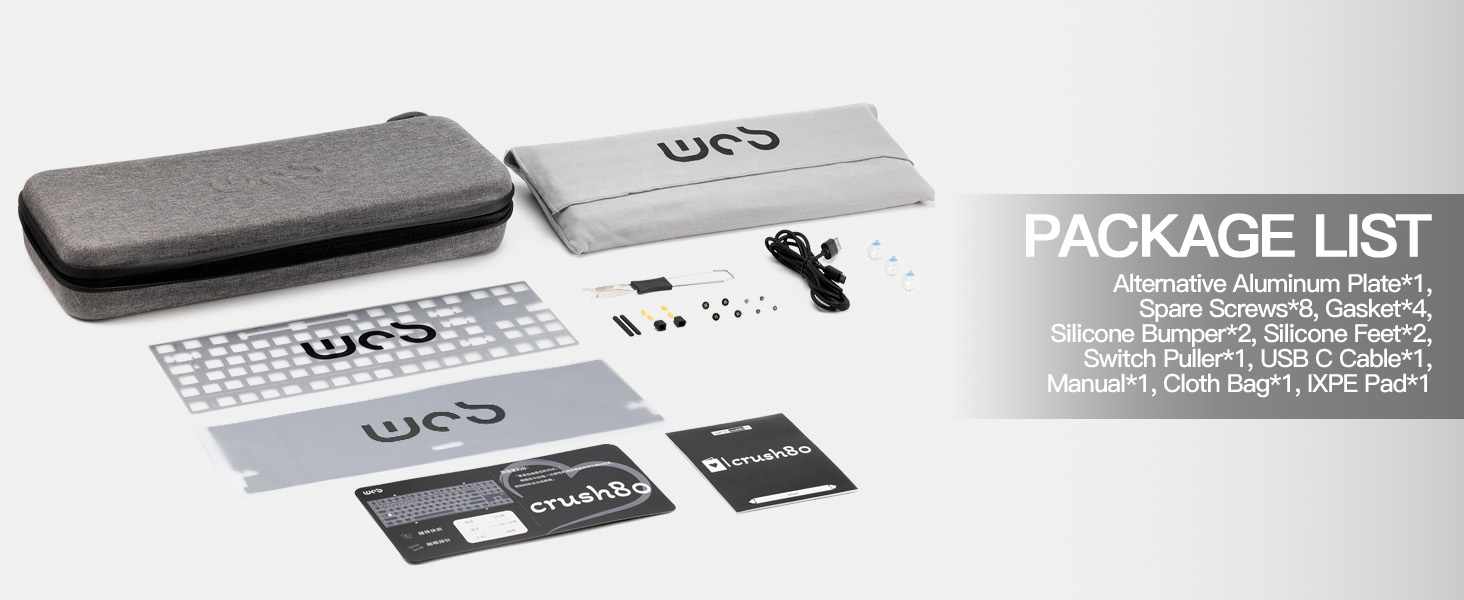
Please verify that all items listed below are included in your package:
- KEEBMONKEY WOBKEY Crush 80 Reboot Mechanical Keyboard (Pro Purple)
- Alternative Aluminum Plate
- Spare Screws (8 pieces)
- Gaskets (4 pieces)
- Silicone Bumpers (2 pieces)
- Silicone Feet (2 pieces)
- Switch Puller
- USB-C Cable
- User Manual (this document)
- Cloth Bag
- XPE Pad

An overview of all items included in the KEEBMONKEY WOBKEY Crush 80 Reboot keyboard package.
Product Overview
The KEEBMONKEY WOBKEY Crush 80 Reboot is engineered for performance and durability, integrating several advanced features.
Premium CNC Aluminum Build
The keyboard features a robust CNC 6063 aluminum frame, providing a sleek, sturdy, and precision-crafted design with a smooth, seamless finish.

Detail of the keyboard's premium CNC aluminum construction, highlighting its precise machining.
Magnetic Ball-Catch Structure
Experience tool-free, fast disassembly and reassembly with a satisfying click. Silicone corner padding prevents scratches on the frame during this process. This allows for quick access to internal components for customization or maintenance.
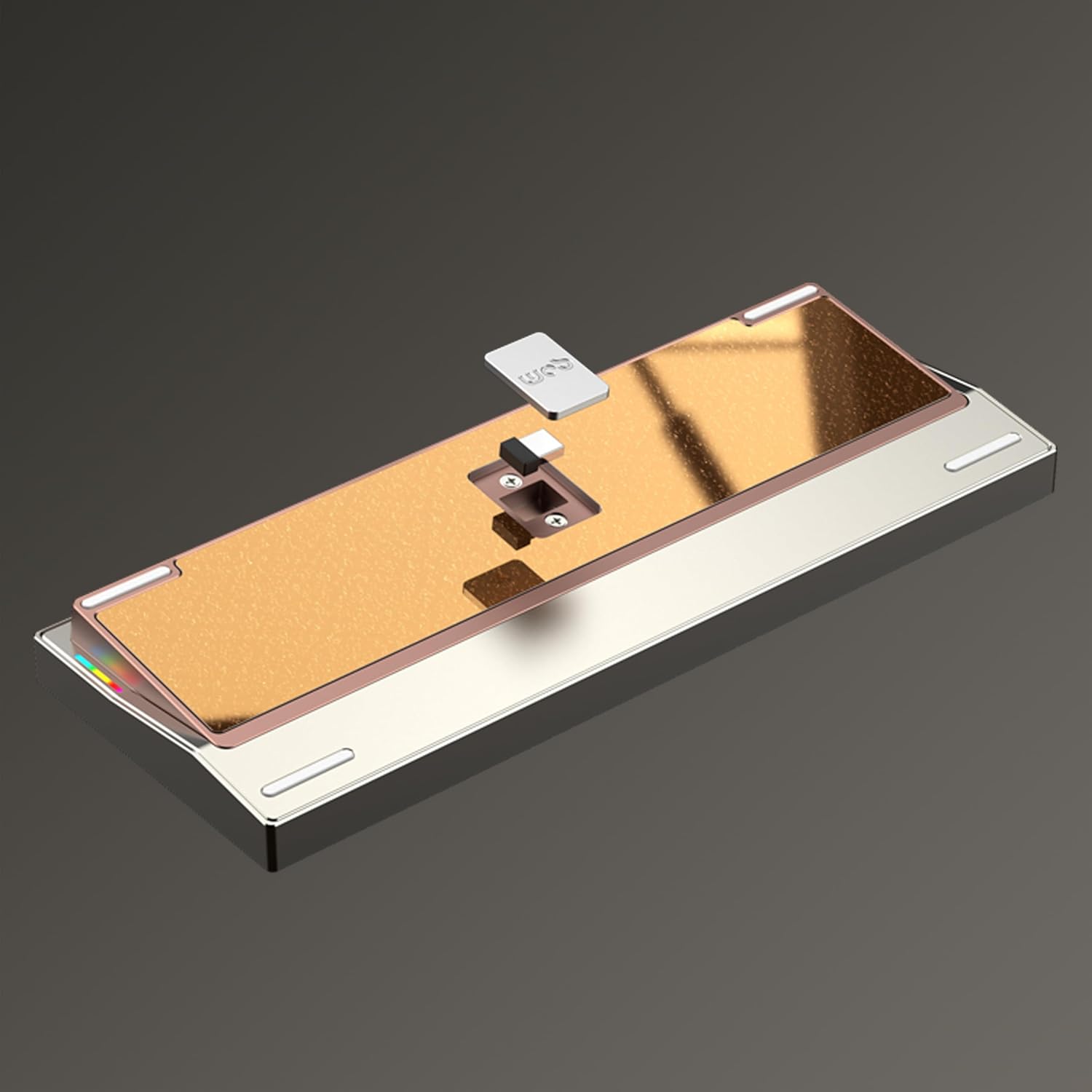
The keyboard's magnetic quick-release design, allowing for easy and tool-free access to its internal structure.

An illustration detailing the magnetic ball-catch mechanism for secure and easy keyboard assembly.
Innovative Magnetic POGO Pins
Effortlessly remove the PCB without flex cables. The Crush 80's magnetic POGO pins connect the PCB to a securely hidden battery compartment between dual backplates, simplifying internal access and reducing wear.
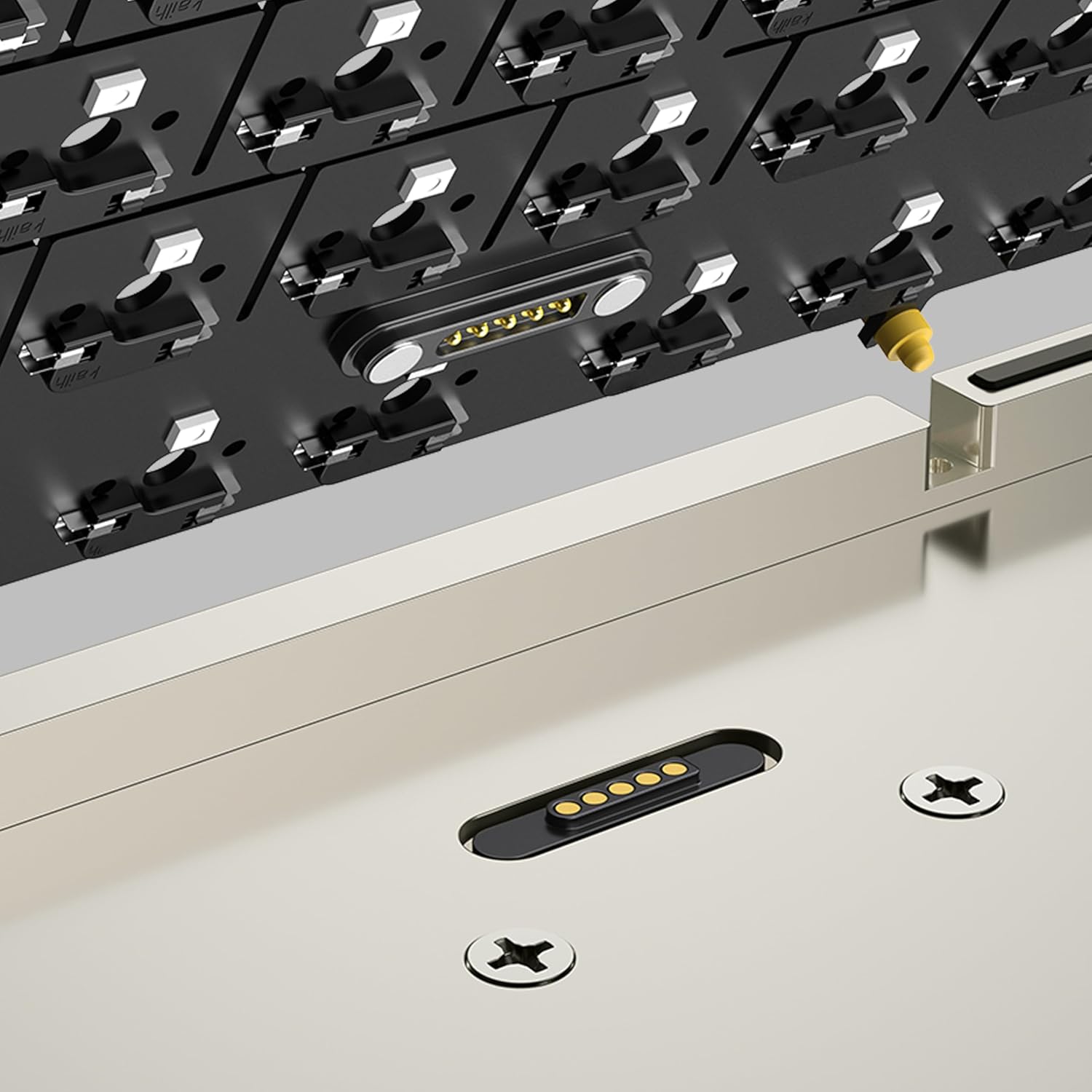
A detailed view of the magnetic POGO pins, which facilitate easy and secure connection of the PCB.

Diagram illustrating the innovative magnetic POGO pin system for effortless PCB removal and connection.
Triple-Mode Connectivity
Seamlessly switch between wired (USB-C), 2.4G wireless, and Bluetooth modes to match any work or entertainment setup, offering maximum flexibility for every occasion.
Visual representation of the keyboard's triple-mode connectivity: Bluetooth, 2.4G wireless, and USB-C wired.
Long Battery Life (Pro Version)
The Pro version of the Crush 80 Reboot is equipped with a 7500mAh battery, providing extended, uninterrupted use.
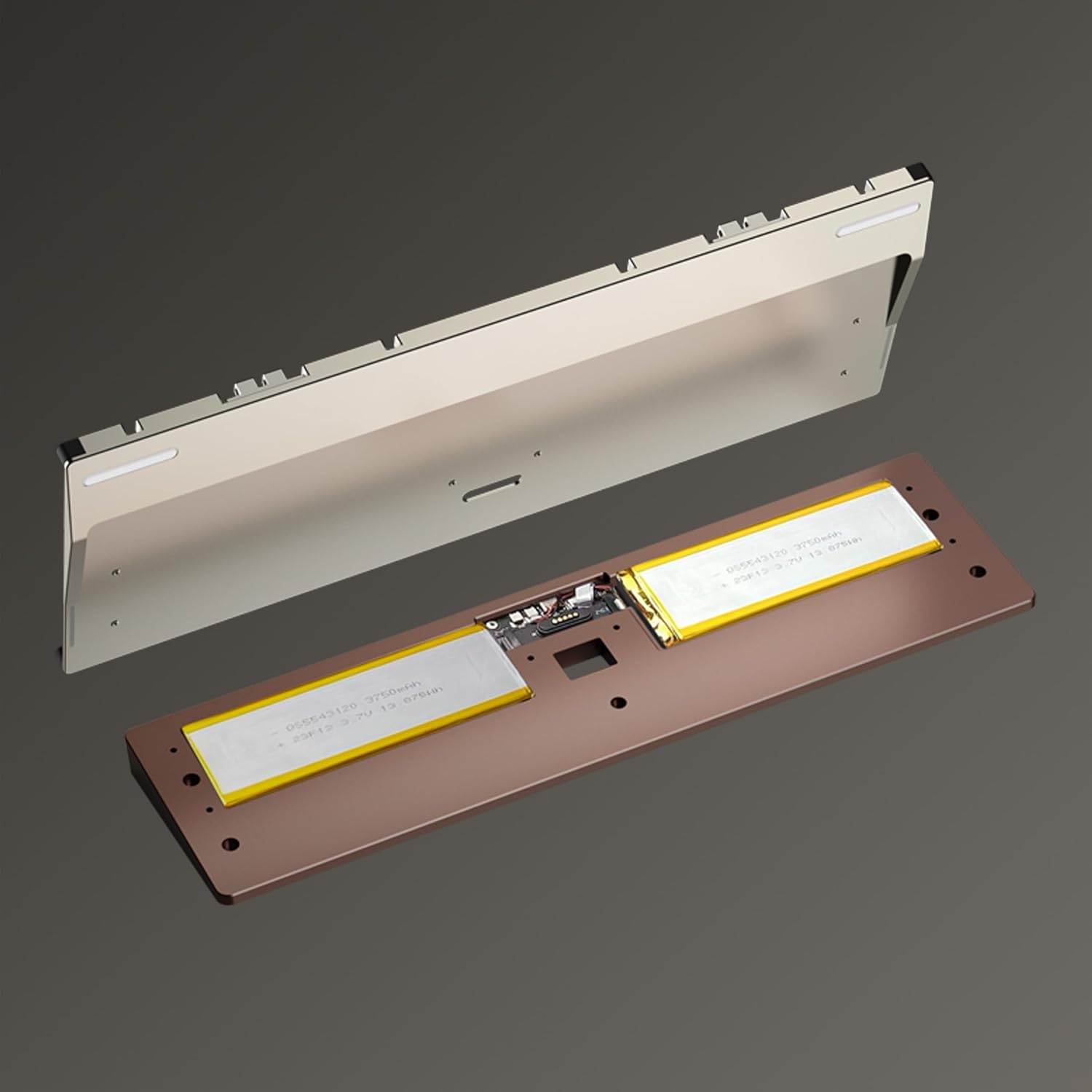
The internal layout of the keyboard, revealing the dual battery setup for extended power.
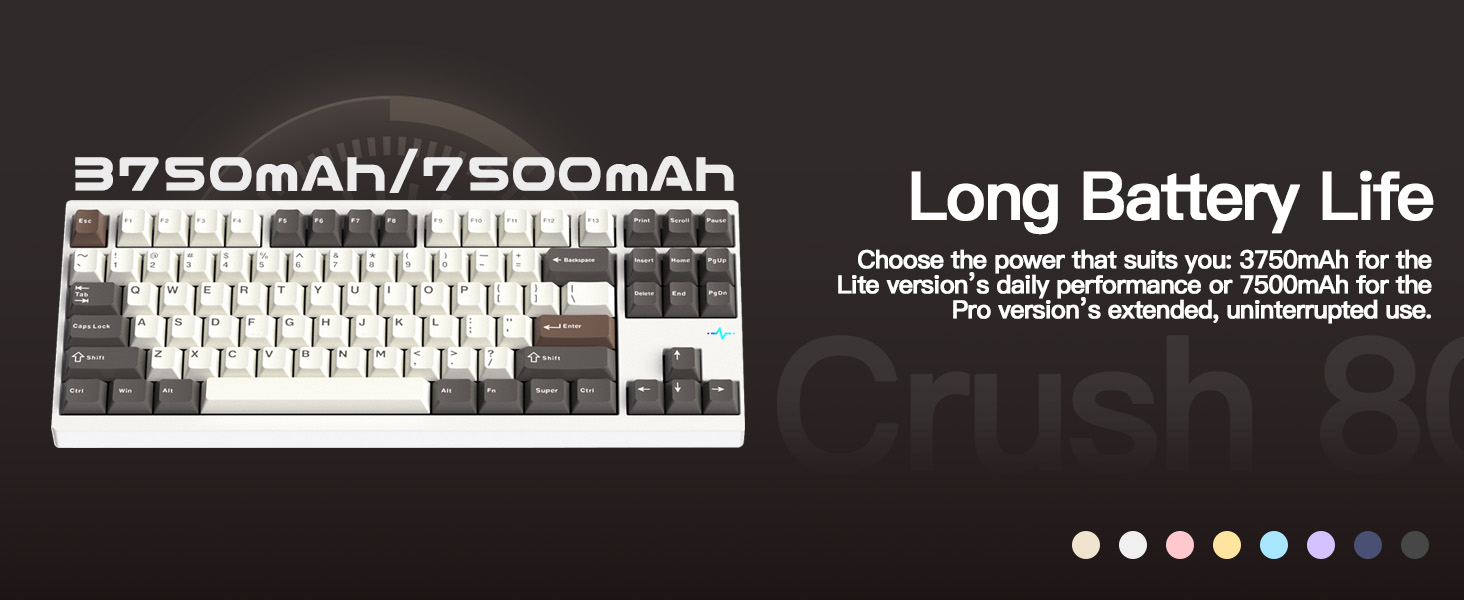
Information graphic detailing the 7500mAh battery capacity of the Pro version for long-lasting performance.
Magnetic 2.4G Receiver Storage
A precision CNC stainless steel slot with a hidden magnetic compartment securely stores your 2.4G receiver, preventing loss and keeping it ready for use anytime.

The hidden magnetic compartment designed for secure storage of the 2.4G wireless receiver.
Kailh Cocoa Switches (Pro Version)
The Pro version comes equipped with Kailh Cocoa switches, known for their smooth operation and tactile feedback, contributing to the keyboard's superior acoustics.

Detailed specifications and force-travel diagrams for Kailh Cocoa and HMX Frosted Jade switches.
Upgraded Gasket & Sound Design
Larger, softer silicone gaskets paired with re-optimized Poron and layered dampening foam create a firmer, crisper sound profile, delivering a clean and highly refined typing experience.
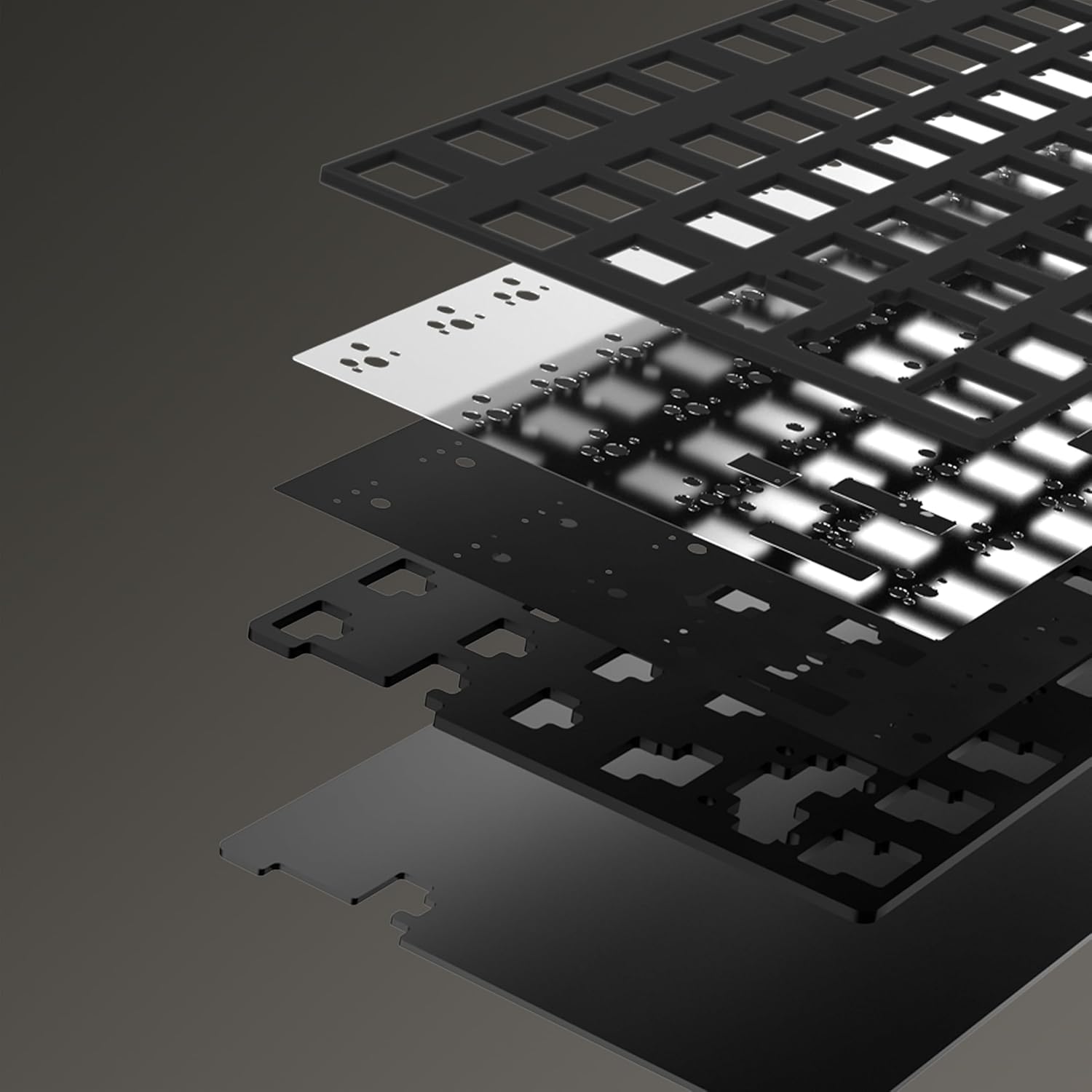
An exploded view illustrating the various internal layers, including the gasket and sound dampening foam, contributing to the keyboard's acoustics.
An illustration highlighting the upgraded gasket and sound design elements for enhanced typing feel and acoustics.
RGB Lighting
The Pro version features south-facing A-RGB lighting for vibrant illumination. It also includes an RGB heartbeat light and two downward-facing RGBs on the sides that shine light onto your desk.
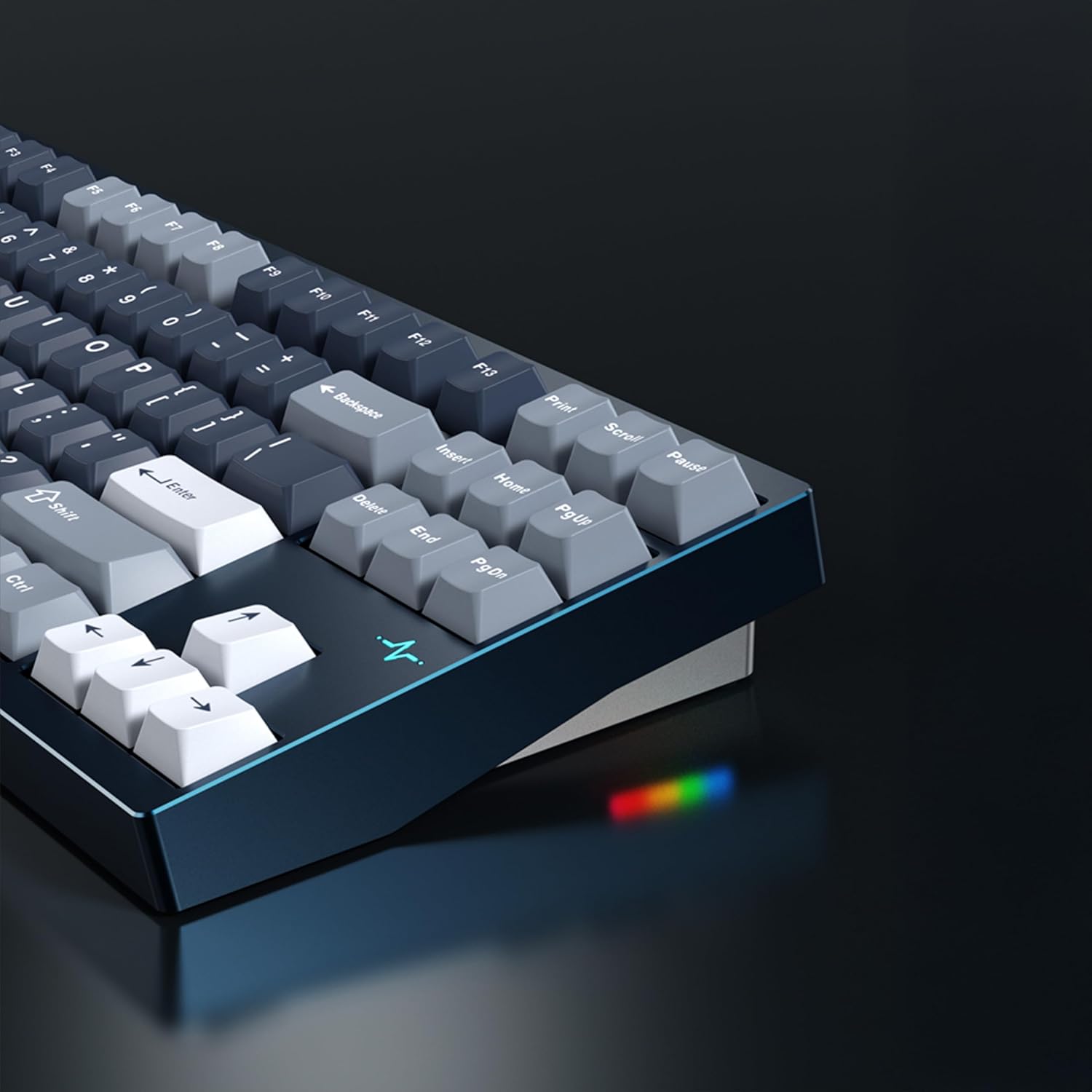
Side view of the keyboard demonstrating the vibrant RGB lighting effects.
Setup
Initial Charging
Before first use, it is recommended to fully charge the keyboard. Connect the provided USB-C cable to the keyboard's USB-C port and the other end to a power source (e.g., computer USB port or wall adapter). The charging indicator will show the charging status.
Power On/Off
The power switch for the keyboard is located under the Caps Lock key. To access it, you may need to gently remove the Caps Lock keycap using the provided keycap puller. Toggle the switch to the "ON" position to power on the keyboard.
Connecting Your Keyboard
The Crush 80 Reboot supports three connectivity modes:
- Wired Mode: Connect the USB-C cable directly to your computer. The keyboard will automatically switch to wired mode. Power can be off for wired use.
- 2.4G Wireless Mode:
- Locate the 2.4G USB receiver in its magnetic storage compartment (usually on the back of the keyboard).
- Plug the 2.4G receiver into an available USB port on your computer.
- Toggle the power switch to "ON".
- Press Fn + TAB to switch to 2.4G mode. The indicator light will flash to confirm connection.
- Bluetooth Mode:
- Ensure the keyboard is powered "ON".
- Press Fn + TAB to cycle through connectivity modes until the Bluetooth indicator light flashes.
- To pair with a device, press and hold Fn + 1, Fn + 2, or Fn + 3 for 3-5 seconds until the corresponding indicator light flashes rapidly.
- On your device (computer, tablet, phone), search for Bluetooth devices and select "KEEBMONKEY Crush 80" (or similar) to pair.
- Once paired, the indicator light will stop flashing and remain solid.
Operating Instructions
Switching Between Bluetooth Devices
Once multiple Bluetooth devices are paired, you can switch between them by pressing Fn + 1, Fn + 2, or Fn + 3 (short press) corresponding to the saved device slot.
RGB Lighting Control
The keyboard features customizable RGB lighting.
- Toggle Key Backlights: Press Fn + Backspace to turn key backlights on/off.
- Change Lighting Effects/Colors: Refer to the detailed key combination chart in the included quick-start guide for specific commands to change RGB modes, brightness, and speed.
- Accent RGB Lights: The RGB heartbeat light and side RGB lights operate independently. Consult the quick-start guide for specific key combinations to control these accent lights.
Programmable Keys and VIA Compatibility
The KEEBMONKEY WOBKEY Crush 80 Reboot supports VIA software for advanced key remapping and lighting customization. Download the VIA software from the official website and connect your keyboard in wired mode to access its full programming capabilities.
Maintenance
Cleaning
To clean your keyboard, power it off and disconnect it from your computer. Use a soft, lint-free cloth slightly dampened with water or a mild cleaning solution. For keycaps, you can use the provided keycap puller to remove them and clean them separately with mild soap and water. Ensure all components are completely dry before reassembling or powering on.
Disassembly and Customization
The magnetic ball-catch structure allows for easy disassembly. Gently pull the top and bottom cases apart to separate them. The magnetic POGO pins simplify PCB removal. This design facilitates switch replacement (hot-swappable PCB) and internal modifications such as changing foam layers or plates. Always handle internal components with care.
Troubleshooting
| Problem | Possible Cause | Solution |
|---|---|---|
| Keyboard not responding (wired) | Loose USB-C connection; faulty cable; driver issue. | Ensure USB-C cable is securely connected. Try a different USB port or cable. Restart your computer. |
| Keyboard not responding (wireless/Bluetooth) | Low battery; power switch off; incorrect mode; pairing issue; receiver not plugged in (2.4G). | Charge the keyboard. Ensure power switch is ON. Press Fn+TAB to select correct mode. Re-pair Bluetooth or re-insert 2.4G receiver. |
| RGB lighting not working or inconsistent | Lighting turned off; low battery; software glitch. | Press Fn+Backspace to toggle key backlights. Charge the keyboard. Try resetting the keyboard (refer to quick-start guide for reset procedure). Check VIA software settings. |
| Keys not registering or double-typing | Faulty switch; debris under keycap. | Remove keycap and inspect switch for debris. If hot-swappable, try replacing the switch with a spare. |
Specifications
| Feature | Detail |
|---|---|
| Brand | KEEBMONKEY |
| Model Name | Pro Purple |
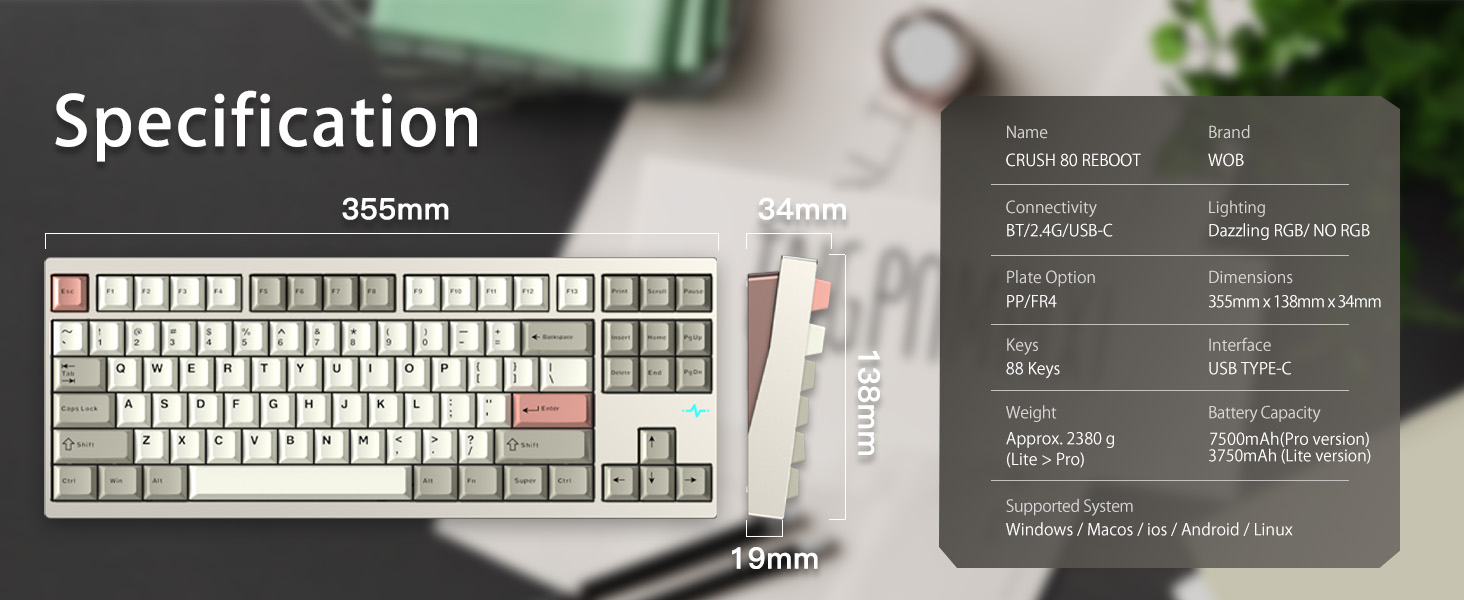
| Product Dimensions | 14"L x 5.6"W x 0.9"H (355mm x 138mm x 19mm) |
| Item Weight | Approx. 5.25 pounds (2.38 kg) |
| Material | CNC 6063 Aluminum |
| Connectivity Technology | USB-C, 2.4G Wireless, Bluetooth (Triple-Mode) |
| Keyboard Description | Mechanical |
| Number of Keys | 88 |
| Switches (Pro Version) | Kailh Cocoa switches |
| Keycaps | PBT, Double Shot |
| Battery Capacity (Pro Version) | 7500mAh (2 Lithium Ion batteries included) |
| Lighting | South-facing A-RGB, RGB heartbeat light, side RGB |
| Special Features | Hot-Swappable, Programmable Keys (VIA compatible), Magnetic Ball-Catch Structure, Magnetic POGO Pins, Magnetic 2.4G Receiver Storage |
| Compatible Devices | PC (Windows, macOS, iOS, Android, Linux) |
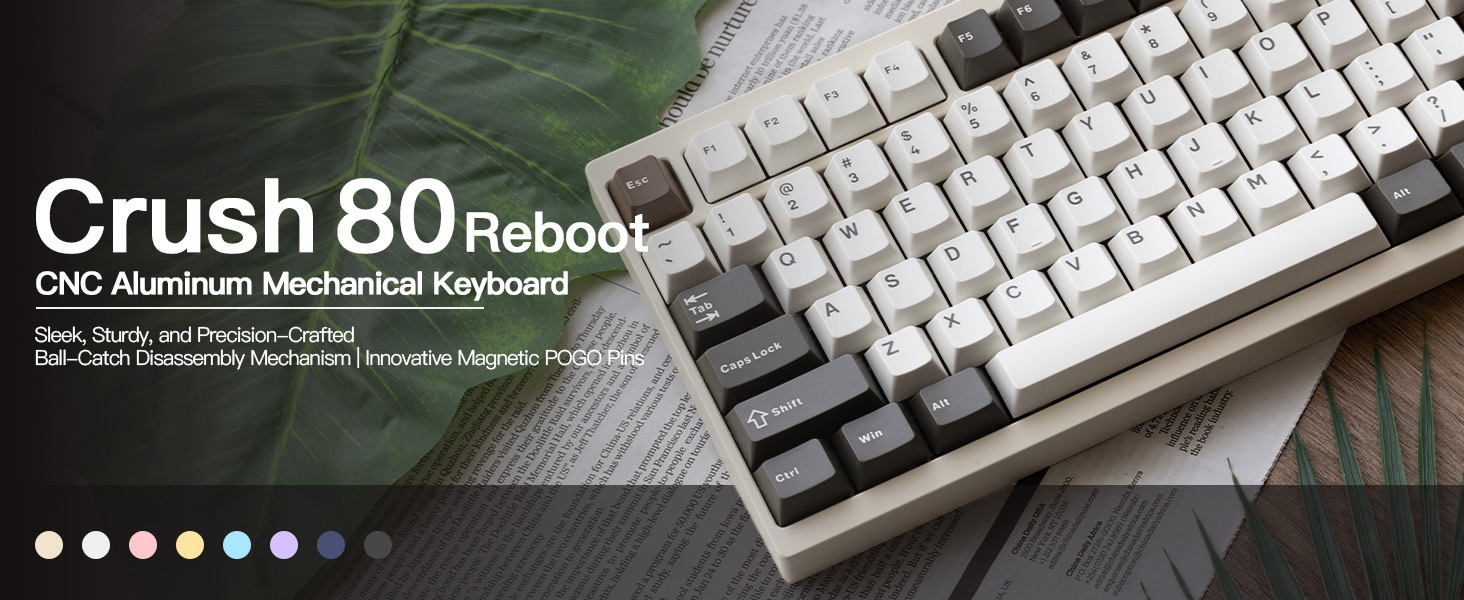
Promotional banner for the Crush 80 Reboot keyboard, highlighting its sleek design and precision craftsmanship.

A visual summary of the KEEBMONKEY Crush 80's key features, including its CNC-machined case, battery capacity, and connectivity options.

Detailed diagram showing the dimensions and key specifications of the Crush 80 Reboot keyboard.
Warranty and Support
Specific warranty details are not provided in this manual. For information regarding warranty coverage, returns, or technical support, please refer to the product packaging, the seller's website, or contact KEEBMONKEY customer service directly.
For additional support and resources, you may visit the official KEEBMONKEY store on Amazon: KEEBMONKEY Store.


