1. Introduction
Thank you for choosing the JUOVI 10000mAh 25W Fast Charging Portable Power Bank. This device is designed to provide reliable and efficient power to your electronic devices on the go. With its compact size, high capacity, and fast charging capabilities, it ensures your devices remain powered throughout the day. Please read this manual carefully before use to ensure optimal performance and safety.
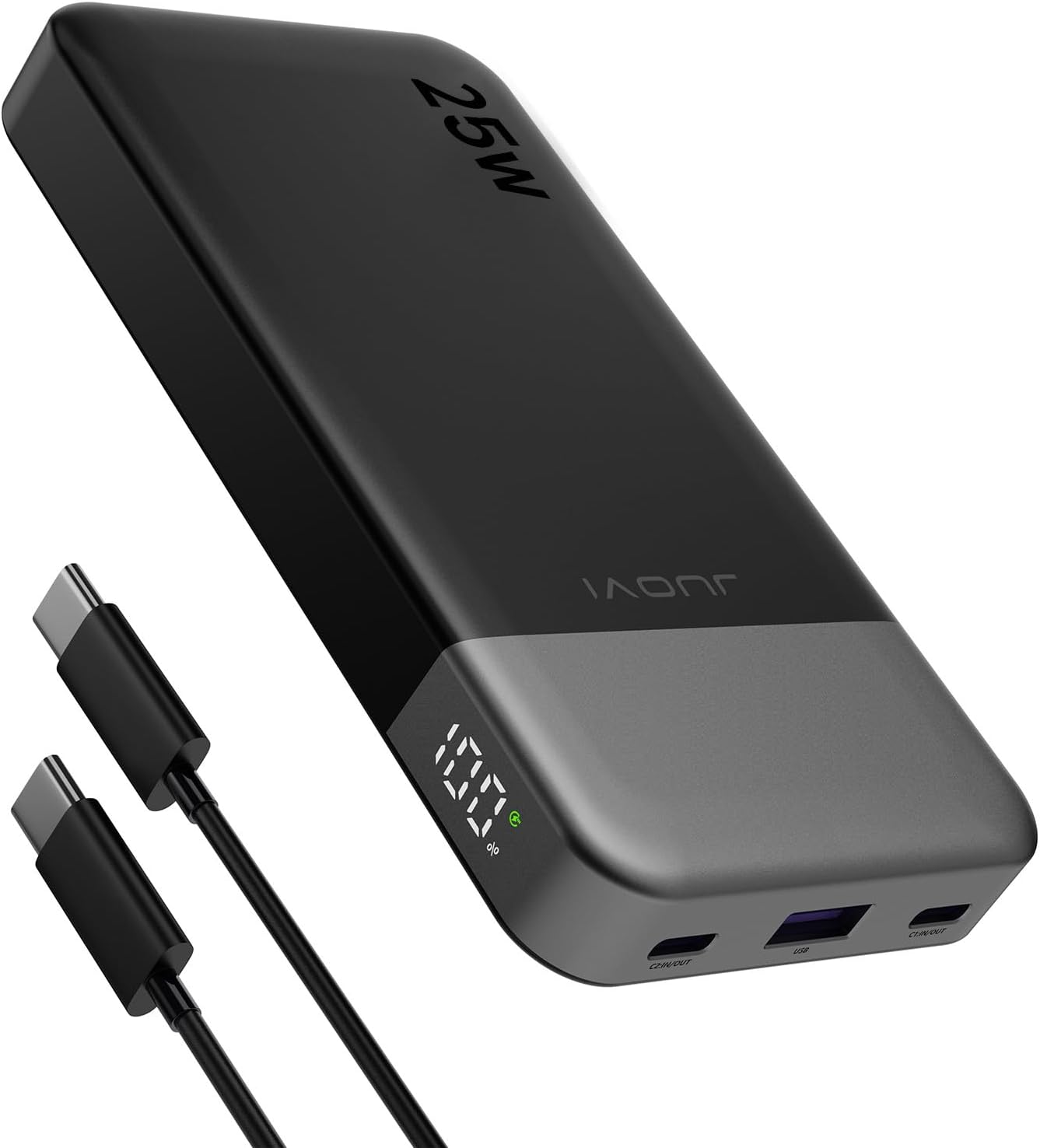
Image: The JUOVI 10000mAh 25W Portable Power Bank, showcasing its sleek black design and included USB-C cables.
2. Safety Information
To ensure safe operation and prolong the lifespan of your power bank, please observe the following safety guidelines:
- Do not expose the power bank to extreme temperatures (above 60°C/140°F or below 0°C/32°F), direct sunlight, or fire.
- Avoid dropping, hitting, or disassembling the device.
- Keep the power bank away from water, moisture, and corrosive materials.
- Do not use the power bank if it is damaged or appears to be swelling.
- Keep out of reach of children.
- Dispose of the power bank according to local regulations. Do not dispose of it with household waste.
- The power bank features built-in protections including overheat protection, overcharge protection, short circuit protection, over-current protection, over-discharge protection, and over-voltage protection.

Image: Visual representation of the power bank's multi-protection system, highlighting its safety features.
3. Package Contents
Please check the package for the following items:
- JUOVI J2311 Power Bank 10000mAh 25W
- 3A Type-C to Type-C charging cable (30cm)
- Instruction Manual
4. Product Overview
Familiarize yourself with the components of your JUOVI Power Bank:

Image: Detailed view of the power bank's ports and digital display, indicating Type-C1 (IN/OUT), USB-A (OUT), Type-C2 (IN/OUT), Remaining Power percentage, and Fast Charge Indicator.
- Type-C1 Port (IN/OUT): Supports both input for charging the power bank and output for charging devices.
- USB-A Port (OUT): Provides output for charging devices.
- Type-C2 Port (IN/OUT): Supports both input for charging the power bank and output for charging devices.
- Digital Display: Shows the remaining battery percentage of the power bank.
- Fast Charge Indicator: Illuminates when fast charging is active.
5. Setup
5.1 Initial Charging of the Power Bank
Before first use, it is recommended to fully charge your JUOVI Power Bank. Use the provided Type-C to Type-C cable and connect it to either the Type-C1 or Type-C2 port on the power bank. Connect the other end to a compatible 25W or higher power adapter (not included). The digital display will show the charging progress, and the fast charge indicator will light up if a fast charging adapter is used.

Image: The power bank recharging, illustrating its fast input capability which can fully charge the device in approximately 1.4 hours with a 25W PD charger.

Image: Illustration of the bidirectional fast charging feature, where both Type-C ports support 25W input and output.
6. Operating Instructions
6.1 Charging Your Devices
To charge your electronic devices, connect them to the power bank using an appropriate charging cable. The JUOVI Power Bank supports various charging configurations:
- Single-Port Charging: Connect your device to any available Type-C (C1 or C2) or USB-A port. Each port can deliver up to 25W maximum output when used individually.
- Two-Port Charging: When charging two devices simultaneously, the power output will be distributed. For example, using USB-C1 and USB-C2, each port can deliver up to 12.5W.
- Three-Port Charging: When charging three devices simultaneously (USB-C1, USB-C2, and USB-A), the total output will be distributed, typically around 10W + 7.5W + 7.5W Max.

Image: Chart detailing the maximum power output for single, dual, and triple port charging scenarios.
The power bank is compatible with a wide range of devices, including iPhone 15, Samsung, iPad Pro, and most USB-C devices. Its 10000mAh capacity can charge an iPhone 15 approximately 1.9 times, a Samsung S22 Ultra 1.3 times, and an iPad Pro 1 time.

Image: Visual representation of the power bank's 10000mAh capacity, demonstrating its ability to charge multiple devices multiple times.
6.2 Checking Battery Level
The digital display on the power bank will automatically show the remaining battery percentage when a device is connected or when the power bank is being charged. This allows you to monitor the power bank's charge status easily.
7. Maintenance
- Clean the power bank with a soft, dry cloth. Do not use harsh chemicals or abrasive cleaners.
- Store the power bank in a cool, dry place when not in use.
- If the power bank will not be used for an extended period, charge it to approximately 50% every three months to maintain battery health.
8. Troubleshooting
8.1 Power Bank Not Charging
- Ensure the charging cable is securely connected to both the power bank and the wall adapter.
- Verify that the wall adapter is functioning correctly and provides sufficient power (25W recommended for fast charging).
- Try a different charging cable or wall adapter.
8.2 Device Not Charging from Power Bank
- Check if the power bank has sufficient charge.
- Ensure the cable connecting your device to the power bank is working and properly connected.
- Try a different port on the power bank.
- Some devices may require specific charging protocols; ensure your device is compatible.
8.3 Slow Charging
- Ensure both the power bank and your device support fast charging protocols (PD 3.0, QC 4.0).
- Use a high-quality, fast-charging compatible cable.
- When multiple devices are connected, the power output is distributed, which may result in slower charging for individual devices.
9. Specifications

Image: Dimensions of the JUOVI Power Bank, illustrating its compact and slim profile.
| Feature | Detail |
|---|---|
| Model Number | J2311 |
| Battery Capacity | 10000 Milliamp Hours |
| Product Dimensions | 5.39 x 0.65 x 2.76 inches |
| Item Weight | 7.6 ounces |
| Connector Type | USB Type C*2, USB Type A*1 |
| Special Features | Auto Shut-Off, Digital Display, Fast Charging, Over Charging Protection, Short Circuit Protection |
| Battery Type | 1 Lithium Polymer battery (included) |
| Manufacturer | TianJin Zowda New Energy Technology Co.,Limited |
10. Warranty & Support
JUOVI products are designed and manufactured to the highest quality standards. For warranty information or technical support, please refer to the contact details provided on the product packaging or visit the official JUOVI website. Please retain your proof of purchase for warranty claims.

