
havit TW981
Contents
Havit TW981 TWS Wireless Earbuds User Manual
Model: TW981 | Brand: Havit
Introduction
Thank you for choosing the Havit TW981 TWS Wireless Earbuds. These in-ear earphones feature Bluetooth 5.3 connectivity, a 13mm dynamic driver for immersive stereo sound, and dual microphones with ENC for crystal-clear calls. Designed for comfort and extended playback, this manual will guide you through setup, operation, and maintenance to ensure the best experience with your new earbuds.

Image: The Havit TW981 TWS Wireless Earbuds in their transparent charging case, showcasing their beige color and sleek design.
Package Contents
Ensure all items are present in the package:
- Havit TW981 TWS Wireless Earbuds (Left and Right)
- Charging Case
- USB Charging Cable
- User Manual
Setup
1. Initial Charging
Before first use, fully charge the earbuds and the charging case.
- Place both earbuds into the charging case.
- Connect the USB charging cable to the charging port on the case and to a power source (e.g., USB wall adapter, computer USB port).
- The indicator light on the charging case will show charging status. Allow approximately 2 hours for a full charge of the case and 1 hour for the earbuds.
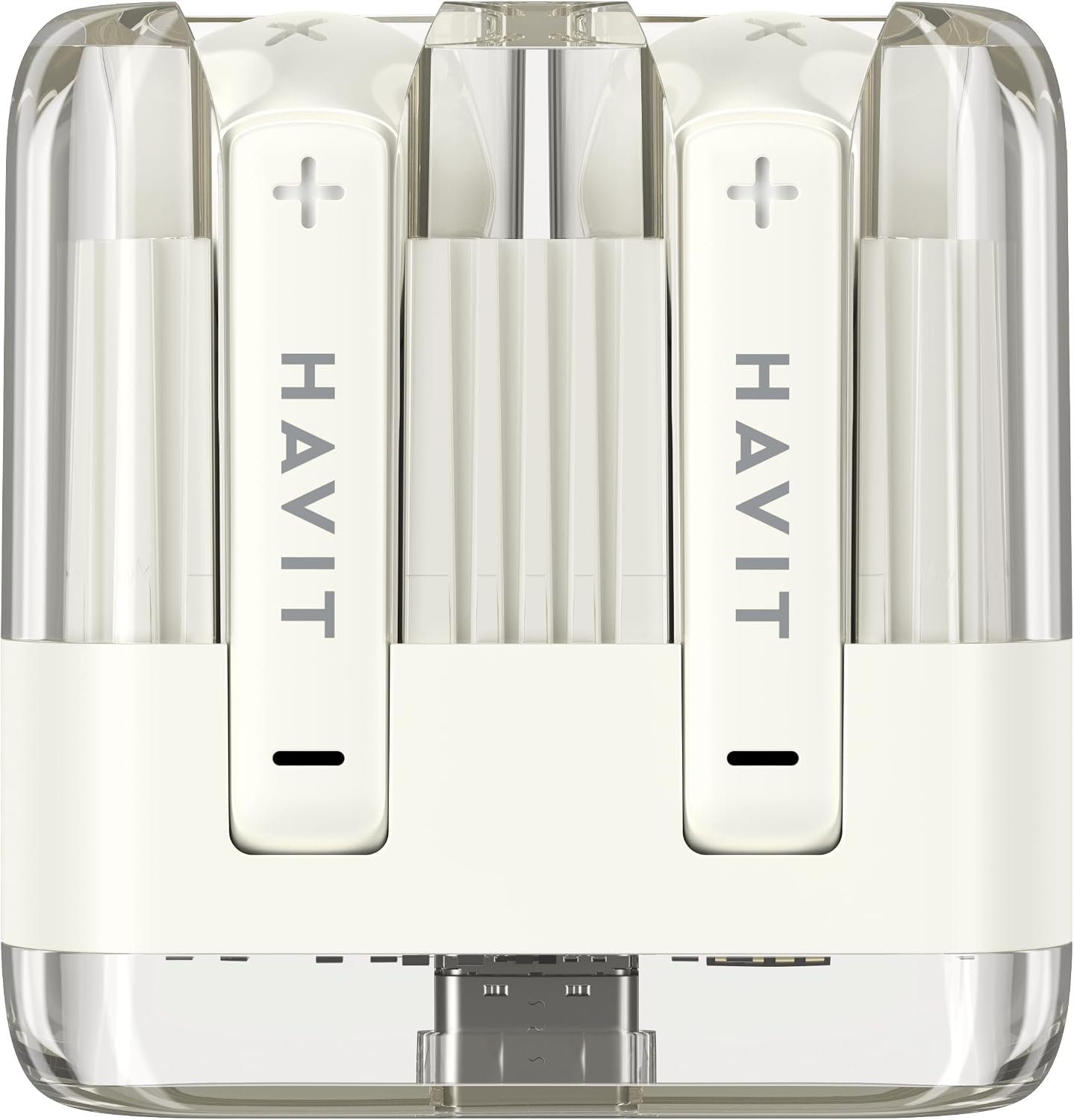
Image: Front view of the Havit TW981 earbuds securely placed within their transparent charging case, ready for charging or storage.
2. Pairing with Your Device
The earbuds will automatically enter pairing mode when taken out of the case.
- Open the charging case and remove both earbuds. They will automatically power on and connect to each other.
- On your device (smartphone, tablet, etc.), enable Bluetooth.
- Search for "Havit TW981" in the list of available Bluetooth devices.
- Select "Havit TW981" to connect. Once connected, you will hear a confirmation tone.
Note: The earbuds support Bluetooth V5.3 for a stable and efficient connection.

Image: A visual representation of the advanced Bluetooth 5.3 chip, highlighting its role in providing a more stable and efficient wireless connection for the earbuds.
Operating Instructions
Touch Controls
The Havit TW981 earbuds feature intuitive touch controls on each earbud.
| Function | Action |
|---|---|
| Play/Pause | Single tap on either earbud |
| Next Track | Double tap on the Right earbud |
| Previous Track | Double tap on the Left earbud |
| Answer/End Call | Single tap on either earbud |
| Reject Call | Press and hold either earbud for 2 seconds |
| Activate Voice Assistant | Triple tap on either earbud |
| Game Mode On/Off | Press and hold the Right earbud for 2 seconds |
Wearing the Earbuds
Gently insert the earbuds into your ears, ensuring a comfortable and secure fit. The lightweight design ensures comfort during extended use.

Image: An angled view of the Havit TW981 earbuds within their transparent charging case, highlighting their ergonomic shape and the clear casing.
Maintenance
Cleaning
- Use a soft, dry, lint-free cloth to clean the earbuds and charging case.
- Do not use abrasive cleaners, alcohol, or chemical sprays.
- Regularly clean the charging contacts on both the earbuds and the case to ensure proper charging.
Storage
- When not in use, always store the earbuds in their charging case to protect them and keep them charged.
- Store in a cool, dry place away from extreme temperatures and direct sunlight.
Troubleshooting
| Problem | Solution |
|---|---|
| Earbuds not pairing with device. |
|
| Only one earbud is working. |
|
| No sound or low volume. |
|
| Earbuds not charging. |
|
Specifications
| Feature | Detail |
|---|---|
| Model Number | TW981 |
| Bluetooth Version | V5.3 |
| Speaker Size | Ø13mm Dynamic Driver |
| Wireless Working Range | 10m (Without Obstacles) |
| Earbuds Battery | 30mAh |
| Charging Case Battery | 300mAh |
| Earbuds Charging Time | 1 Hour |
| Case Charging Time | 2 Hours |
| Play Time (60% Vol.) | 4 Hours |
| Talk Time (60% Vol.) | 3.5 Hours |
| Impedance | 32 Ohm |
| Country of Origin | China |

Image: A visual summary of the Havit TW981 earbuds' technical specifications, including Bluetooth version, battery life, and dimensions.
Warranty and Support
Havit products are designed and manufactured to the highest quality standards. For warranty information or technical support, please refer to the warranty card included in your package or visit the official Havit website.
For further assistance, you may contact Havit customer service through their official channels.
Ask a question about this manual
Ask about setup, troubleshooting, compatibility, parts, safety, or missing instructions. Manuals+ will review the question and use this page’s manual context to help answer it.