
1. Introduction
This manual provides essential information for setting up, operating, maintaining, and troubleshooting your Lenovo 15.6-inch Business Laptop. Please read this guide thoroughly to ensure proper use and to maximize the performance and longevity of your device.
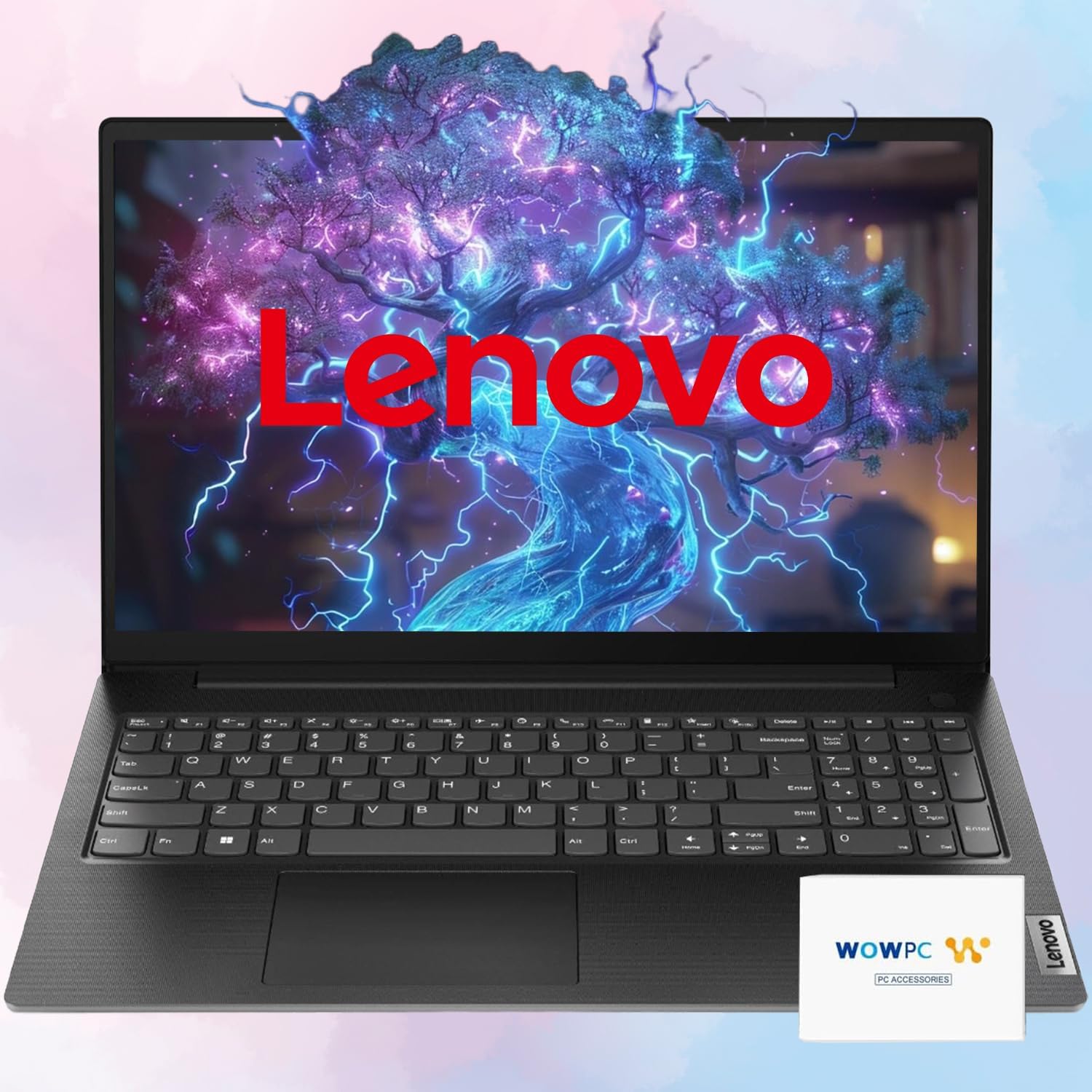
Image 1.1: The Lenovo 15.6-inch Business Laptop. This image displays the laptop with the Lenovo logo prominently featured on its screen, indicating the brand and general appearance of the device.

Image 1.2: Lenovo laptop on a wooden desk. This image shows the laptop in a typical office or home environment, displaying the Lenovo brand and its slogan, 'Smarter Technology For All'.
2. Getting Started
2.1 Package Contents
Verify that all items are present in the packaging:
- Lenovo 15.6-inch Business Laptop
- Power Adapter and Cable
- 512GB External Hard Drive
- Microfiber Cloth
- Hotkey Sticker
- Documentation (this manual, warranty information)
2.2 Initial Setup
- Connect Power: Plug the power adapter into the laptop's power connector and then into a wall outlet.
- Power On: Open the laptop lid and press the power button.
- Operating System Setup: Follow the on-screen instructions to complete the Windows 11 Pro setup process. This includes selecting your region, language, accepting terms, and creating a user account.
- Connect External Storage: If desired, connect the 512GB External Hard Drive to an available USB port on the laptop.
3. Physical Overview and Ports
Familiarize yourself with the physical layout and available ports on your laptop.

Image 3.1: Port diagram of the Lenovo Business Laptop. This image illustrates the various ports located on the sides of the laptop, with numbered labels for identification. The ports include Power in, USB-A 3.2 Gen 1, HDMI, USB-C 3.2 Gen 1, Headphone/mic combo, Ethernet (RJ45), and Kensington Nano Security Slot.
- 1. Power In: Connect the power adapter here.
- 2. USB-A 3.2 Gen 1: For connecting USB devices such as mice, keyboards, or external drives.
- 3. HDMI 1.4b: Connect to external displays or projectors.
- 4. USB-C 3.2 Gen 1: Supports data transfer, Power Delivery (20V only), and DisplayPort 1.2 for video output.
- 5. Headphone / Mic Combo Jack: For connecting headphones, external speakers, or a headset with a microphone.
- 6. USB-A 3.2 Gen 1: Additional port for USB devices.
- 7. Ethernet (RJ-45): For wired network connection.
- 8. Kensington Nano Security Slot™: For attaching a security cable to prevent theft.

Image 3.2: Side profile of the Lenovo Business Laptop. This image highlights the laptop's thin and lightweight design, emphasizing its portability with a weight of 3.64 lbs.
4. Operating the Laptop
4.1 Display
The laptop features a 15.6-inch Full HD (1920x1080) anti-glare display with 250 nits brightness. The anti-glare coating helps reduce reflections for improved viewing comfort.

Image 4.1: Laptop screen displaying a vibrant landscape. This image demonstrates the visual capabilities of the 15.6-inch Full HD screen, showcasing its clarity and color reproduction.
4.2 Processor and Performance
Your laptop is equipped with an AMD Ryzen 5 7520U 4-Core Processor, operating at 2.80GHz with a maximum turbo frequency of 4.30GHz and 6MB cache. It features 4 total cores and 8 total threads, providing efficient performance for business and daily tasks.

Image 4.2: Laptop screen displaying processor specifications. This image highlights the AMD Ryzen processor, showing key performance metrics such as 4 total cores, 8 total threads, 4.3 GHz max turbo frequency, and 6MB cache.
4.3 Memory and Storage
The laptop includes 16GB of DDR5 SDRAM for efficient multitasking. Storage is provided by a 2TB PCIe NVMe M.2 SSD for fast system response and application loading, complemented by a 512GB external hard drive for additional storage capacity.
4.4 Audio System
Experience High Definition (HD) Audio with the Realtek ALC3287 codec. The laptop features stereo speakers, 1.5W x2, enhanced with Dolby Audio for clear sound output during conferencing and multimedia playback.

Image 4.3: Laptop screen displaying audio visualization. This image represents the laptop's audio capabilities, featuring sound waves and a microphone icon, indicating its suitability for clear audio output and input.
4.5 Webcam
The integrated HD 720p webcam includes a privacy shutter for enhanced security and privacy. Slide the shutter to cover the camera lens when not in use.
4.6 Battery Life
The laptop's battery provides up to 15 hours of operation, depending on usage patterns and settings. For optimal battery health, it is recommended to occasionally allow the battery to discharge below 20% before recharging.

Image 4.4: Laptop screen displaying '15 HOUR'. This image visually represents the laptop's extended battery life, indicating up to 15 hours of usage on a single charge.
4.7 Durability and Security
The laptop is built to endure, having passed MIL-STD-810H military-grade durability tests. It also features firmware TPM 2.0 for enhanced security.

Image 4.5: Laptop screen displaying security and durability features. This image shows a shield icon on the laptop screen, accompanied by a badge indicating 'US MILITARY GRADE MIL-STD 810H', highlighting the device's robust construction and security features.
5. Connectivity
5.1 Wi-Fi and Bluetooth
The laptop supports 802.11ac 2x2 Wi-Fi for wireless internet access and Bluetooth 5.1 for connecting wireless peripherals such as headphones or mice.
5.2 Ethernet
For a stable wired network connection, use the Ethernet (RJ-45) port located on the side of the laptop.
6. Maintenance and Care
6.1 Cleaning
- Use a soft, lint-free cloth, slightly dampened with water or a screen cleaner, to clean the display.
- Wipe the keyboard and chassis with a microfiber cloth. Avoid harsh chemicals.
- Ensure the laptop is powered off and unplugged before cleaning.
6.2 Software Updates
Regularly check for and install Windows updates and Lenovo driver updates to ensure optimal performance and security.
6.3 Data Backup
Periodically back up your important data to the included 512GB external hard drive or a cloud storage service to prevent data loss.
7. Troubleshooting
This section provides solutions to common issues. For more complex problems, refer to Lenovo's official support resources.
- Laptop does not power on: Ensure the power adapter is securely connected and the battery has sufficient charge. Try a different power outlet.
- No display: Connect an external monitor to verify if the issue is with the laptop's internal display. Restart the laptop.
- Wi-Fi connection issues: Check if Wi-Fi is enabled in Windows settings. Restart your router and the laptop. Ensure drivers are up to date.
- Slow performance: Close unnecessary applications. Check for malware. Ensure sufficient free storage space on the SSD.
8. Technical Specifications
| Feature | Specification |
|---|---|
| Processor | AMD Ryzen 5 7520U (4 Cores, 8 Threads, 2.80GHz base, up to 4.30GHz turbo, 6MB Cache) |
| Graphics | Integrated AMD Radeon 610M Graphics |
| Operating System | Windows 11 Pro 64-bit |
| Memory (RAM) | 16GB DDR5 SDRAM |
| Internal Storage | 2TB PCIe NVMe M.2 SSD |
| External Storage | 512GB External Hard Drive |
| Display | 15.6-inch FHD (1920x1080) 250nits Anti-glare |
| Wireless Connectivity | Wi-Fi 802.11ac 2x2, Bluetooth 5.1 |
| Audio | High Definition (HD) Audio, Realtek ALC3287 codec, Stereo speakers (1.5W x2), Dolby Audio |
| Keyboard | US English, Non-Backlit Full Size Keyboard |
| Webcam | HD 720p with Privacy Shutter |
| Ports | 1x USB-C 3.2 Gen 1 (Data, PD 20V, DP 1.2), 2x USB 3.2 Gen 1, 1x Ethernet (RJ-45), 1x Power connector, 1x HDMI 1.4b, 1x Headphone / Mic Combo Jack |
| Battery Life | Up to 15 Hours |
| Color | Business Black |
| Dimensions (LxWxH) | 14.14 x 9.28 x 0.78 inches |
| Weight | 3.64 lbs |
| Durability | MIL-STD-810H military test passed |
| Certifications | ENERGY STAR 8.0, FSC certified package, ErP Lot 3, RoHS compliant, T&V Rheinland Low Blue Light (Software Solution) |
9. Warranty and Support Information
Your Lenovo Business Laptop comes with a standard manufacturer's warranty. For detailed warranty terms and conditions, please refer to the warranty document included with your product or visit the official Lenovo support website.
For technical assistance, driver downloads, or service requests, please contact Lenovo customer support through their official channels. Ensure you have your product's serial number available when seeking support.