
1. Introduction
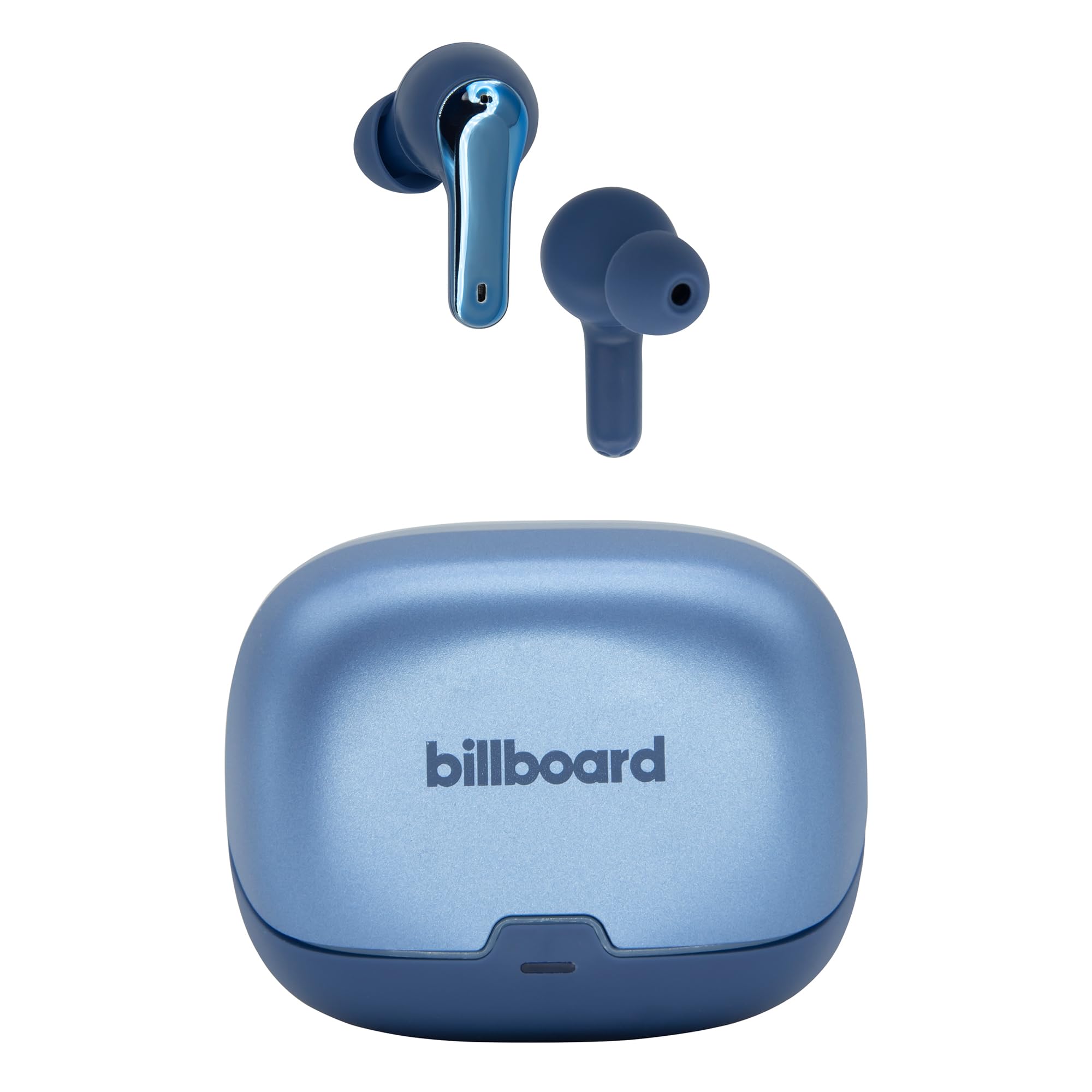
The Billboard Unite TWS Wireless Earbuds are designed for dynamic and active lifestyles, offering complete freedom for music listening and calls without distractions. Featuring a modern, ultra-wireless design, these earbuds provide comfort and high-quality sound. With IPX4 splash resistance and up to 24 hours of battery life (6 hours continuous play plus 3 additional charges from the case), they are an essential accessory for those who value style, comfort, and performance.
2. What's in the Box
Your Billboard Unite TWS Wireless Earbuds package includes the following items:
- Billboard Unite TWS Wireless Earbuds (Left and Right)
- Portable Charging Case
- USB Type-C Charging Cable
- User Manual
3. Setup
3.1. Charging the Earbuds and Case
Before first use, fully charge the earbuds and charging case. Use the provided USB Type-C cable to connect the charging case to a power source.
- Insert the USB Type-C cable into the charging port on the case.
- Connect the other end of the cable to a USB power adapter (not included) or a computer's USB port.
- The indicator light on the case will show charging status.
- Place the earbuds into the charging case. They will automatically begin charging.

3.2. Bluetooth Pairing
To connect your Billboard Unite TWS Earbuds to your device:
- Ensure the earbuds are charged and placed inside the charging case.
- Open the charging case lid. The earbuds will automatically enter pairing mode (indicator lights may flash).
- On your smartphone or other Bluetooth-enabled device, go to the Bluetooth settings.
- Search for available devices and select "Billboard Unite" from the list.
- Once connected, the earbuds will indicate successful pairing (e.g., a voice prompt or solid indicator light).
4. Operating Instructions
The Billboard Unite TWS Earbuds feature touch controls for easy management of music and calls.
4.1. Music Playback
- Play/Pause: Tap once on either earbud.
- Next Track: Double-tap the right earbud.
- Previous Track: Double-tap the left earbud.
- Volume Up: Triple-tap the right earbud.
- Volume Down: Triple-tap the left earbud.
4.2. Call Management
- Answer/End Call: Tap once on either earbud.
- Reject Call: Press and hold either earbud for 2 seconds.
4.3. Voice Assistant
- Activate Voice Assistant: Press and hold the left earbud for 2 seconds.
5. Maintenance
To ensure the longevity and optimal performance of your Billboard Unite TWS Earbuds, follow these maintenance guidelines:
- Cleaning: Regularly clean the earbuds and charging case with a soft, dry, lint-free cloth. Avoid using harsh chemicals or abrasive materials.
- Storage: When not in use, store the earbuds in their charging case to protect them from dust and damage. Keep them in a cool, dry place.
- Water Resistance: The earbuds are IPX4 splash resistant, meaning they can withstand splashes of water and sweat. Do not submerge them in water or expose them to heavy rain.
- Charging: Use only the provided USB Type-C cable for charging. Avoid using damaged cables or chargers.

6. Troubleshooting
If you encounter any issues with your Billboard Unite TWS Earbuds, refer to the following common solutions:
| Problem | Possible Cause | Solution |
|---|---|---|
| Earbuds not pairing | Earbuds are out of charge or not in pairing mode. | Ensure earbuds are charged. Place them in the case, close the lid, then open it to re-enter pairing mode. Check your device's Bluetooth settings. |
| No sound from one earbud | One earbud might not be connected or charged. | Place both earbuds back in the case, close the lid, then open it again. Re-pair with your device. Ensure both earbuds are charged. |
| Charging case not charging | Faulty cable or power source. | Try a different USB Type-C cable and a different power adapter or USB port. |
| Low volume or poor sound quality | Earbuds are dirty or improperly seated. | Clean the earbud grilles and ensure they are properly inserted into your ears. Adjust volume on your device. |
7. Specifications
- Wireless Connection: Bluetooth 5.3
- Wireless Range: 10 m
- Speaker Diameter: 15 mm
- Frequency Range: 20 Hz / 20 kHz
- Impedance: 32 ohm
- Sound Pressure (dBSPL): 105 dBPL
- Charging Input: Type C
- Power Supply: 5 Vcc 1 A
- Earbud Battery Capacity: 40 mAh
- Case Battery Capacity: 300 mAh
- Usage Time (Earbuds): 6 hours
- Total Battery Life (with case): Up to 24 hours
- Microphone: Yes
- IP Protection: IPX4 (Splash Resistant)
- Special Features: Lightweight

8. Official Product Videos
Video Title: Audífonos Billboard Native Azules
This video demonstrates the key features of Billboard Native Blue Earbuds, including their environmental noise cancellation (ENC) for clear audio, IPX4 splash resistance for active lifestyles, and low latency gaming mode for an immersive experience. It highlights the earbuds' design and functionality in various settings.
Video Title: Audífonos Billboard Soul Clear
This video presents the Billboard Soul Clear Earbuds, focusing on their environmental noise cancellation (ENC) for improved call clarity, IPX4 splash resistance for durability, and a low-latency gaming mode for enhanced audio-visual synchronization during gameplay.
9. Warranty and Support
Your Billboard Unite TWS Wireless Earbuds come with a standard manufacturer's warranty. For detailed information regarding warranty coverage, terms, and conditions, please refer to the warranty card included in your product packaging or visit the official Billboard website.
For technical support, troubleshooting assistance, or any other inquiries, please contact Billboard customer service through their official channels. You can often find contact information on the product packaging or the brand's website.