1. Introduction
This manual provides detailed instructions for the SDLOGAL Wireless Over Ear Headphones, Model SDL-718-BA. Please read this manual thoroughly before using the product to ensure proper operation and to maximize your listening experience. Keep this manual for future reference.
2. Package Contents
Verify that all items are present in your package:
- SDLOGAL Wireless Over Ear Headphones
- USB-C Charging Cable
- 3.5mm Audio Cable
- User Manual
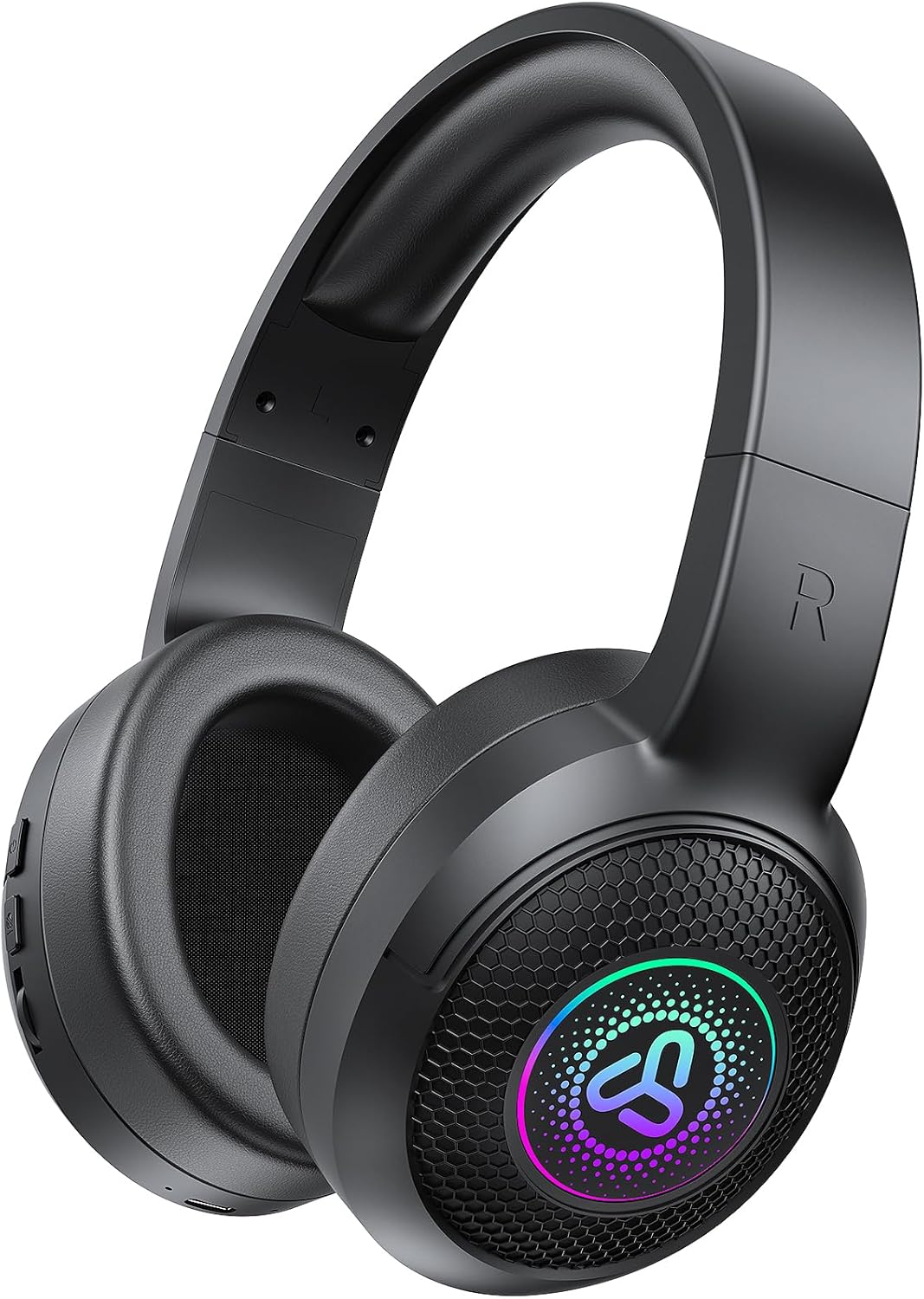
Image: SDLOGAL Wireless Over Ear Headphones, black color, showing the overall design.
3. Product Overview
3.1 Headphone Components
The SDLOGAL headphones are designed for comfort and ease of use. Key features include soft memory protein earmuffs, an adjustable headband, and a foldable design for portability.

Image: Diagram illustrating soft memory earmuffs, adjustable headband, and 90-degree rotatable earcups for comfort and folding.
3.2 Controls and Ports
The controls are located on the earcup for easy access. Refer to the diagram below for button functions.

Image: Diagram showing the control buttons on the earcup and their corresponding functions.
- Power Button:
- Long press for 3 seconds: Power On/Off
- Short press: Play/Pause audio
- Double-tap: Previous song
- Triple-tap: Next song
- "M" Button (Mode Button):
- Double-click: Switch between EQ modes (Game Mode/Music Mode)
- Triple-click: Toggle LED lighting On/Off
- Volume Controls: (Functionality typically integrated with Power button or separate buttons, refer to product for exact implementation)
- USB-C Port: For charging the headphones.
- 3.5mm Audio Jack: For wired connection.
4. Setup
4.1 Charging the Headphones
Before first use, fully charge your headphones. A full charge provides up to 40 hours of playtime.
- Connect the provided USB-C charging cable to the charging port on the headphones.
- Connect the other end of the USB-C cable to a USB power adapter (not included) or a computer's USB port.
- The LED indicator will show charging status (refer to product for specific LED behavior).
- Once fully charged, disconnect the charging cable.

Image: Illustration of the headphones with an icon indicating 40 hours of music time and 800 hours of standby time, alongside a battery charging graphic.
4.2 Bluetooth Pairing
Pair your headphones with a Bluetooth-enabled device for wireless audio.
- Ensure the headphones are charged and powered off.
- Press and hold the Power button for approximately 3-5 seconds until the LED indicator flashes, indicating pairing mode.
- On your device (smartphone, laptop, etc.), enable Bluetooth and search for available devices.
- Select "SDLOGAL SDL-718-BA" (or similar name) from the list of found devices.
- Once connected, the LED indicator will change (refer to product for specific LED behavior).
4.3 Wired Connection
For devices without Bluetooth or when the battery is depleted, use the 3.5mm audio cable.
- Connect one end of the 3.5mm audio cable to the audio jack on the headphones.
- Connect the other end to the 3.5mm audio output of your device.
- The headphones will operate in wired mode, even if powered off.
5. Operating Instructions
5.1 Power On/Off
- To power on: Press and hold the Power button for 3 seconds.
- To power off: Press and hold the Power button for 3 seconds.
5.2 Audio Playback
- Play/Pause: Short press the Power button.
- Next Song: Triple-tap the Power button.
- Previous Song: Double-tap the Power button.
- Volume Up/Down: Use the volume controls on the headphones or your connected device.
5.3 Call Management
When connected via Bluetooth, you can manage phone calls using the headphone controls.
- Answer/End Call: Short press the Power button.
- Reject Call: Press and hold the Power button for 2 seconds.
5.4 Switching Sound Modes (EQ)
The headphones feature different sound equalization modes for various audio experiences.
- To switch between Music Mode and Game Mode: Double-click the "M" button.

Image: Four panels illustrating different usage scenarios and sound modes: Music Mode, Wireless Mode, Game Mode, and Wired Mode.
5.5 LED Lighting Control
The headphones feature controllable LED lighting on the earcups.
- To toggle LED lighting On/Off: Triple-click the "M" button.
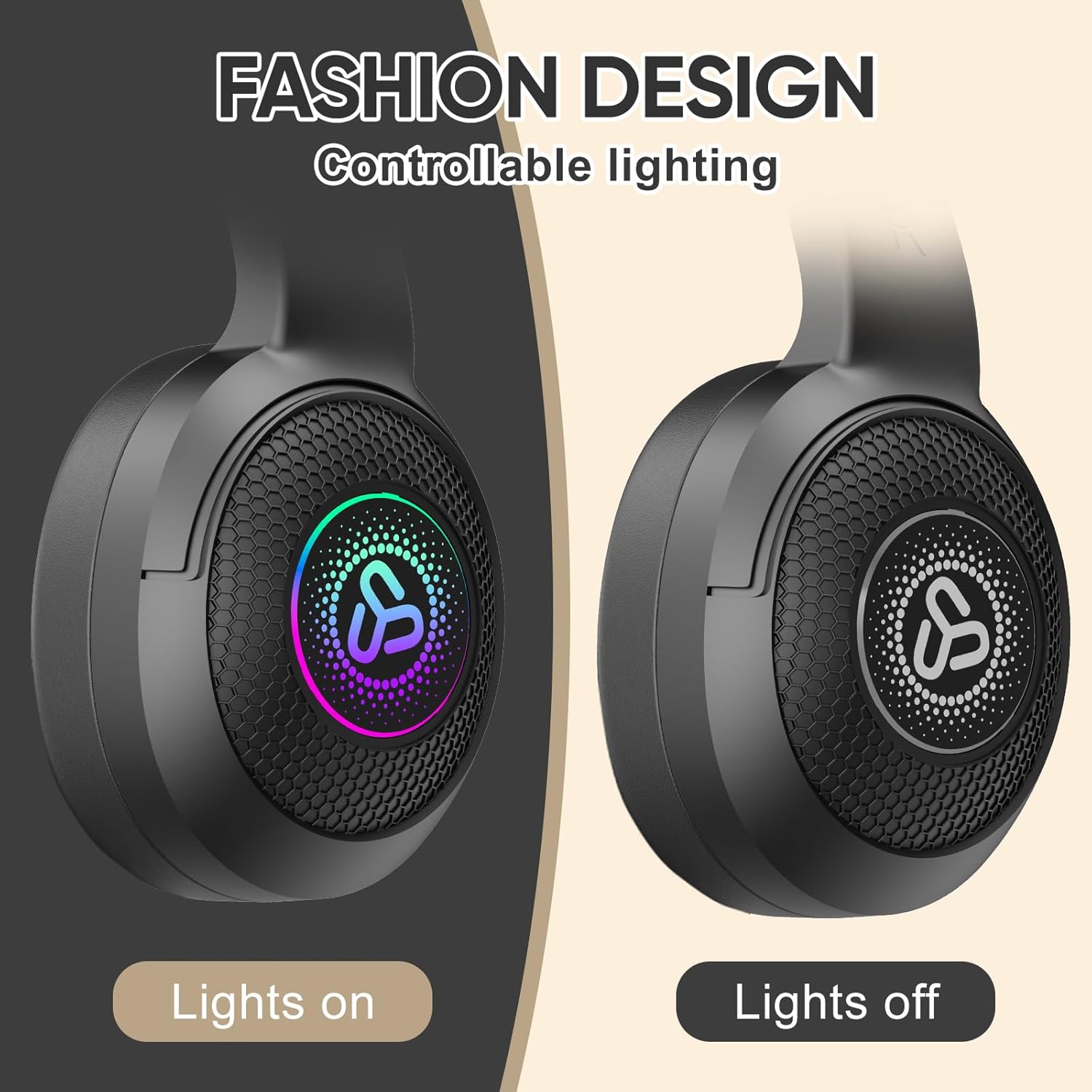
Image: Comparison showing the headphones with LED lights illuminated and with lights turned off.
6. Maintenance
Proper care ensures the longevity of your headphones.
- Cleaning: Use a soft, dry cloth to clean the headphones. Do not use abrasive cleaners or solvents.
- Storage: When not in use, store the headphones in a cool, dry place, away from direct sunlight and extreme temperatures. The foldable design allows for compact storage.
- Water Exposure: These headphones are not water-resistant. Avoid exposure to liquids.

Image: A person folding the headphones and placing them into a handbag, demonstrating their compact and lightweight design.
7. Troubleshooting
If you encounter issues, refer to the following common solutions:
| Problem | Solution |
|---|---|
| Headphones do not power on. | Ensure the headphones are fully charged. Press and hold the Power button for 3 seconds. |
| Cannot pair via Bluetooth. |
|
| No sound when connected. |
|
| Sound quality is poor or breaks up. |
|
8. Specifications
| Feature | Detail |
|---|---|
| Model Name | SDL-718-BA |
| Connectivity Technology | Wireless (Bluetooth), Wired (3.5mm Jack) |
| Wireless Communication Technology | Bluetooth 5.4 |
| Earpiece Shape | Over Ear |
| Battery Life | Up to 40 Hours |
| Frequency Range | 20 Hz - 20,000 Hz |
| Audio Driver Type | Dynamic Driver |
| Control Method | Remote (On-ear buttons) |
| Compatible Devices | Smartphones, Laptops, Desktops, Tablets, Televisions, Gaming Consoles |
| Item Weight | 11.3 ounces |
| Special Features | Fast Charging, Lightweight, Foldable Design, Personalized Music & Game Audio Modes, Controllable LED Lighting, Passive Noise Isolation (due to over-ear design) |
| Water Resistance Level | Not Water Resistant |
9. Warranty and Support
For warranty information or technical support, please refer to the documentation provided with your purchase or contact SDLOGAL customer service through their official channels. Keep your proof of purchase for warranty claims.


