
1. Introduction
The occiam AI Translation Earbuds K18 are designed to facilitate real-time language translation, offering communication across 163 languages and accents. These earbuds feature an open-ear design for comfort and situational awareness, along with a glowing earhook for enhanced visibility during nighttime activities. This manual provides instructions for setup, operation, and maintenance to ensure optimal performance of your device.

Image 1.1: The occiam AI Translation Earbuds K18 with their charging case.
2. Package Contents
Verify that all items are present in your package:
- Open Ear Headphones (1 pair)
- Charging Case (1)
- USB-C Charging Cable (1)
- Portable Lanyard (1)
- User Manual (1)
3. Setup
3.1 Charging the Earbuds and Case
- Initial Charge: Before first use, fully charge the earbuds and charging case.
- Charging Case: Connect the provided USB-C charging cable to the charging port on the case and to a power source. The LED indicators on the case will illuminate to show charging status. Each LED represents approximately 25% of the case's battery capacity.
- Charging Earbuds: Place the earbuds into the charging case. Ensure they are correctly seated. The earbuds will begin charging automatically.
3.2 Bluetooth Pairing
- Power On: Open the charging case. The earbuds will automatically power on and enter pairing mode.
- Activate Bluetooth: On your mobile device (smartphone or tablet), enable Bluetooth.
- Select Device: In your device's Bluetooth settings, search for 'K18' or 'occiam K18' and select it to pair.
- Confirmation: A voice prompt will confirm successful pairing.
3.3 App Download for Translation
To utilize the translation features, download the dedicated translation application. Scan the QR code provided in the separate AI translation manual or search for the 'occiam Translator' app in your device's app store (iOS/Android).

Image 3.1: The translation application interface demonstrating real-time communication.
4. Operating Instructions
4.1 Translation Modes
The earbuds support various translation modes through the companion application:
- Free Talk Mode: Each participant wears an earbud. The app automatically detects and translates spoken sentences in real-time, allowing for natural conversation.
- Headphone + Phone Mode: One person wears the earbuds, and the other speaks into the phone. This mode is suitable for interactions with individuals who do not have earbuds.
- Translation Machine Mode: Provides two-way online translation for 163 languages.
- Voice Note Mode: Records and translates spoken notes, useful for business or learning.
- Photo Translation: Translates text captured via your phone's camera.
- AI Dialogue Mode: Interact with an AI for language practice or information retrieval.

Image 4.1: Illustration of various translation interaction modes.

Image 4.2: Overview of the real-time translation features available in the app.
4.2 Touch Controls
The earbuds feature intuitive touch controls for managing various functions:
- Play/Pause: Single tap on either earbud.
- Next Track: Double tap on the right earbud.
- Previous Track: Double tap on the left earbud.
- Answer/End Call: Single tap on either earbud.
- Reject Call: Press and hold either earbud for 2 seconds.
- Activate Voice Assistant: Triple tap on either earbud.
- Translation Function: Specific touch gestures for translation modes are detailed within the translation app.
4.3 Glowing Earhook
The earhooks are designed to glow, providing visibility during low-light conditions, such as nighttime running. To activate or deactivate the glowing feature, tap either earbud five times.

Image 4.3: The glowing earhook feature for enhanced visibility.
5. Comfort and Fit
The K18 earbuds feature an open-ear design with soft silicone earhooks. This design allows for comfortable wear and permits awareness of ambient sounds, which is beneficial for outdoor activities. The earhooks ensure a secure fit during movement.

Image 5.1: The open-ear design of the K18 earbud.
6. Battery and Charging
The earbuds offer up to 8 hours of continuous use on a single charge. The charging case provides multiple additional charges, extending the total playback time to approximately 80 hours. A full charge of the earbuds and case typically takes 2 hours.
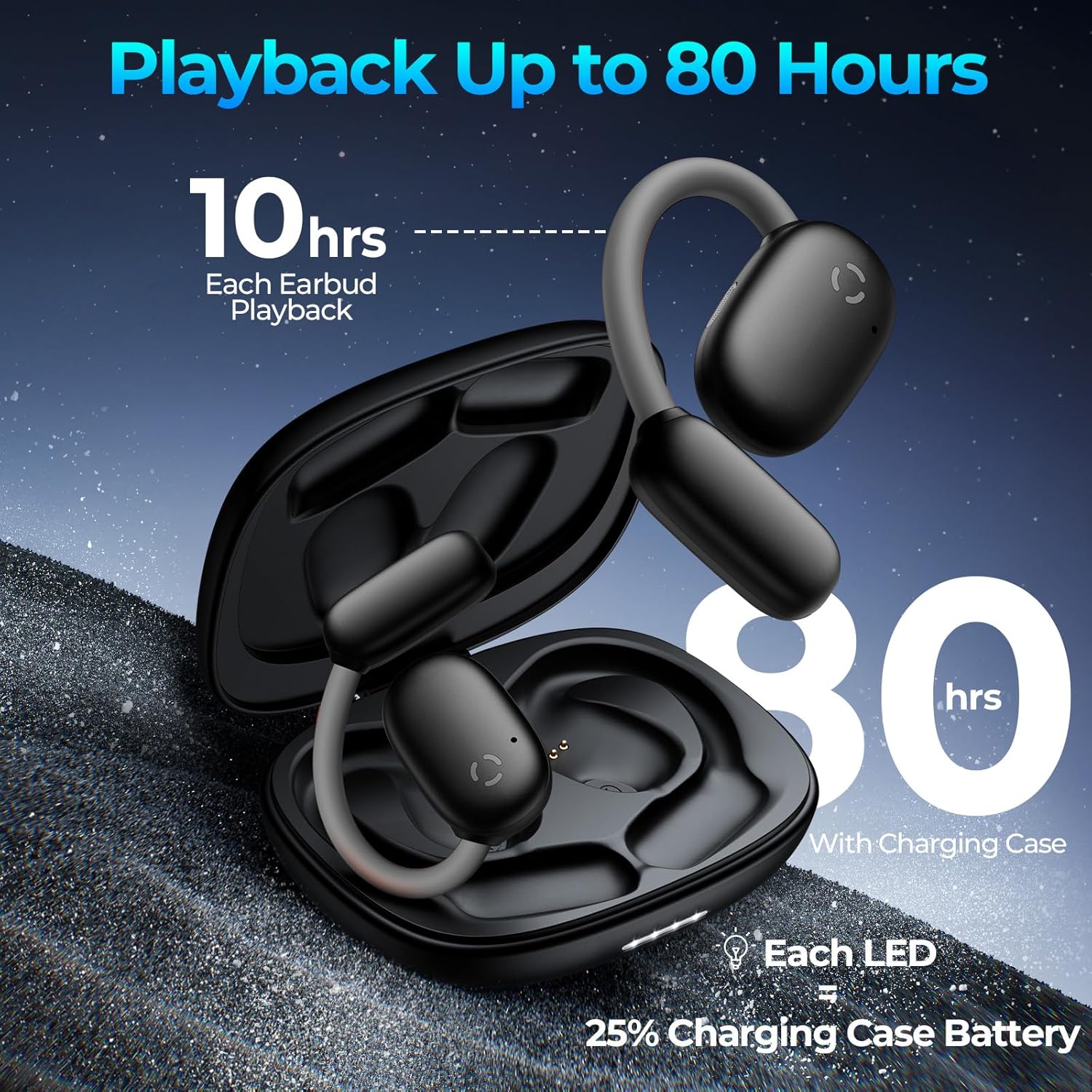
Image 6.1: Battery life and charging indication.
7. Maintenance
7.1 Water Resistance
The earbuds are designed with nano-coated waterproof material, providing water resistance against sweat and light rain. They are suitable for sports and outdoor activities. Avoid submerging the earbuds in water or exposing them to heavy rainfall.
7.2 Cleaning
To maintain optimal performance and hygiene, regularly clean your earbuds and charging case. Use a soft, dry, lint-free cloth. Do not use abrasive cleaners or solvents. Ensure the charging contacts on both the earbuds and the case are free of debris.
8. Troubleshooting
- Earbuds not pairing: Ensure earbuds are charged and in pairing mode. Turn off and on your device's Bluetooth. If issues persist, reset the earbuds by placing them in the charging case, closing the lid for 5 seconds, then reopening.
- No sound: Check volume levels on both the earbuds and your connected device. Ensure earbuds are properly paired.
- Translation not working: Verify that the translation app is installed, open, and connected to the earbuds. Check your internet connection for online translation modes.
- Glowing earhook not activating: Ensure the earbuds are powered on and try tapping five times on either earbud.
9. Specifications
| Model Name | K18 |
| Connectivity Technology | Wireless (Bluetooth 5.0) |
| Ear Placement | Open Ear |
| Noise Control | Sound Isolation |
| Frequency Response | 20 KHz |
| Sensitivity | 125 dB |
| Battery Life (Earbuds) | Up to 8 hours |
| Total Playback (with Case) | Up to 80 hours |
| Charging Time | 2 Hours |
| Water Resistance Level | Water Resistant |
| Control Method | Touch |
| Material | Acrylonitrile Butadiene Styrene (ABS) |
| Item Weight | 76 Grams (2.68 ounces) |
| Product Dimensions | 3.35 x 2.6 x 0.87 inches |
10. Warranty and Support
For warranty information or technical support, please refer to the documentation included with your purchase or contact occiam customer service through their official website. Keep your proof of purchase for warranty claims.