
1. Introduction
This manual provides essential instructions for the safe and efficient operation of your Baofeng T26 FRS Two-Way Radio. Please read this manual thoroughly before using the device to ensure proper function and to prevent damage. The Baofeng T26 is a compact, lightweight, and license-free FRS radio designed for reliable communication in various environments.

Image 1.1: Baofeng T26 FRS Two-Way Radios (6-pack) with included earpieces.
2. Safety Information
Observe the following safety precautions to reduce the risk of fire, electric shock, or personal injury:
- Do not operate the radio in explosive atmospheres (e.g., flammable gases, dust particles, metallic powders).
- Do not replace or charge batteries in an explosive atmosphere.
- Turn off your radio before entering any area with potential explosive hazards.
- Do not use unauthorized accessories.
- Do not expose the radio to direct sunlight for extended periods or place it near heating appliances.
- Keep the radio away from medical devices to avoid interference.
- This device is not water-resistant. Avoid exposure to water or moisture.
3. Product Overview
The Baofeng T26 is designed for ease of use and portability. Its ultra-thin and lightweight design makes it comfortable for all-day wear.

Image 3.1: The ultra-thin design of the Baofeng T26, measuring only 0.6 inches thick.
3.1. Radio Components

Image 3.2: Labeled components of the Baofeng T26 radio.
- Antenna: For transmitting and receiving signals.
- Power Switch/Volume Control: Rotary knob to turn the radio on/off and adjust volume.
- PTT (Push-to-Talk) Button: Press and hold to transmit, release to receive.
- +/Channel Up Button (SK1): Press to increase the channel number.
- -/Channel Down Button (SK2): Press to decrease the channel number.
- Monitor/Alarm Button (SK3): Short press for monitor function, long press for emergency alarm.
- Speaker: Outputs received audio.
- Built-in Microphone: Captures your voice during transmission.
- Accessory Port: For connecting earpieces or other compatible accessories.
- Type-C Charging Port: For charging the internal battery.
- Belt Clip: For attaching the radio to clothing or a belt.
4. Setup
4.1. Attaching the Belt Clip

Image 4.1: Instructions for installing and removing the belt clip.
- To Install: Press the bottom of the belt clip (short part) into the groove on the back of the walkie-talkie, then slide it down until it locks securely.
- To Remove: Pull up the upper lock of the belt clip outward, then push the left thumb against the bottom of the belt clip and gently push upward to remove.
4.2. Charging the Battery
The Baofeng T26 features a built-in 1400mAh Li-ion battery and supports convenient Type-C direct charging.

Image 4.2: Type-C direct charging for the Baofeng T26.
- Locate the Type-C charging port on the side of the radio.
- Connect the provided Type-C charging cable to the radio and to a compatible USB power source (e.g., wall adapter, power bank, PC, car charger).
- A red indicator light will typically illuminate during charging. The light will change or turn off when charging is complete.
- Ensure the charging port cover is securely closed after charging to protect against dust and moisture.
4.3. Connecting Earpieces
Earpieces are included for hands-free operation and private listening. Connect the earpiece plug into the accessory port on the side of the radio.
5. Operation
5.1. Power On/Off and Volume Adjustment
- To turn the radio ON, rotate the Power Switch/Volume Control knob clockwise until you hear a click and a voice prompt.
- To turn the radio OFF, rotate the Power Switch/Volume Control knob counter-clockwise until you hear a click.
- To adjust the volume, rotate the Power Switch/Volume Control knob clockwise to increase volume and counter-clockwise to decrease volume.
5.2. Channel Selection
The Baofeng T26 has 16 pre-programmed FRS channels. These frequencies are fixed and cannot be reprogrammed by the user.
- Press the +/Channel Up Button (SK1) to select the next higher channel.
- Press the -/Channel Down Button (SK2) to select the next lower channel.
- A voice prompt will announce the selected channel number.
- Ensure all radios in your group are set to the same channel for communication.
5.3. Transmitting and Receiving
- To transmit, press and hold the PTT (Push-to-Talk) Button. Speak clearly into the built-in microphone. Release the PTT button to stop transmitting.
- To receive, simply release the PTT button. The radio will automatically receive signals on the selected channel.
5.4. Privacy Codes (CTCSS/CDCSS)
The Baofeng T26 utilizes 155 privacy codes (50 CTCSS / 105 CDCSS) to minimize interference from other radios. These codes are pre-set for each channel and are not user-adjustable. To communicate, all radios must be on the same channel and have compatible privacy codes.
5.5. VOX Hands-Free Operation
The Voice Operated Exchange (VOX) function allows for hands-free transmission without pressing the PTT button. When VOX is active, the radio transmits automatically when it detects your voice.
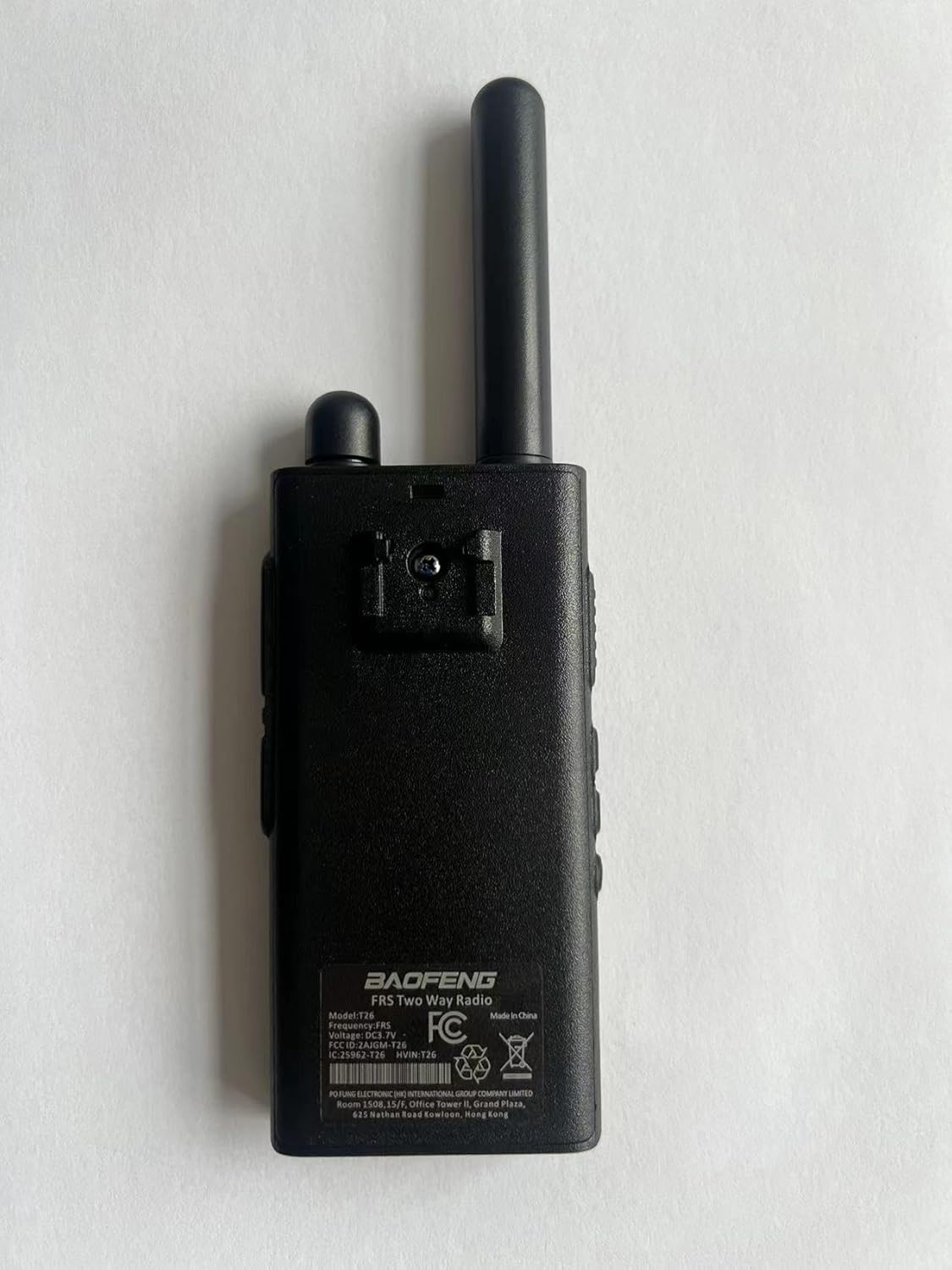
Image 5.1: VOX Hands-Free feature in use.
- To Activate/Deactivate VOX: Turn on the radio. On the 5th channel, press and hold the PTT + Monitor (SK3) buttons simultaneously to turn on or off the VOX function.
- When VOX is active, speak into the microphone to transmit. The radio will automatically switch to transmit mode.
5.6. Emergency Alarm
The emergency alarm function can be activated to alert others in urgent situations.

Image 5.2: Emergency Alarm function.
- In standby mode, long press the Monitor (SK3) button to activate the emergency alarm function.
- To deactivate the alarm, short press the Monitor (SK3) button again or turn off the radio.
6. Maintenance
- Cleaning: Use a soft, damp cloth to clean the radio's exterior. Do not use harsh chemicals or abrasive cleaners.
- Storage: Store the radio in a cool, dry place when not in use. Remove the battery if storing for extended periods.
- Battery Care: Avoid fully discharging the Li-ion battery frequently. Recharge regularly to maintain battery health.
- Antenna: Do not attempt to remove or modify the fixed antenna.
7. Troubleshooting
| Problem | Possible Cause | Solution |
|---|---|---|
| No power | Battery is depleted or not properly charged. | Charge the battery using the Type-C cable. Ensure the radio is turned on. |
| Cannot transmit or receive | Different channels or privacy codes. Out of range. | Ensure all radios are on the same channel. Move closer to the other radio. |
| Poor audio quality / Static | Weak signal, interference, or out of range. | Move to an open area. Check for sources of interference. Move closer to the other radio. |
| VOX not working | VOX function is off or sensitivity is too low. | Activate VOX (PTT + SK3 on Channel 5). Speak louder or closer to the microphone. |
| Short communication range | Obstructions (buildings, terrain), environmental factors. | Move to a higher elevation or a more open area. Range is affected by line-of-sight. |
8. Specifications
| Feature | Specification |
|---|---|
| Model Number | BF-T26 |
| Frequency Range | 462-467 MHz (FRS Channels) |
| Number of Channels | 16 FRS Channels |
| Privacy Codes | 155 (50 CTCSS / 105 CDCSS) |
| Battery Type | Li-ion (1400mAh, built-in) |
| Charging Port | Type-C |
| Item Weight | 14.8 ounces (approx. 420 grams) |
| Dimensions | 8.19 x 6.22 x 5.43 inches (Package Dimensions) |
| Talking Range (Maximum) | 3 Kilometers (under optimal conditions) |
| Water Resistance Level | Not Water Resistant |
| FCC ID | 2AJGM-T26 |
9. Warranty and Support
Your Baofeng T26 FRS Two-Way Radio comes with a 1-Year Manufacturer Warranty. For warranty claims or technical support, please contact your retailer or the manufacturer directly. Keep your purchase receipt as proof of purchase.