
oviitech LTS-DJ08
oviitech 4000J Surge Protector Power Strip User Manual
Model: LTS-DJ08
1. Introduction
Thank you for choosing the oviitech 4000J Surge Protector Power Strip. This device is designed to provide reliable power distribution and superior surge protection for your valuable electronic equipment, including gaming PCs, smartphones, and tablets. Featuring multiple AC outlets, USB charging ports, and customizable RGB lighting, it offers a versatile and safe power solution for your home or office.
2. Safety Information
Please read all safety instructions carefully before using this product. Failure to follow these instructions may result in electric shock, fire, or damage to the product and connected devices.
- Do not exceed the maximum electrical rating of 125V/15A/1875W.
- This product is for indoor use only. Do not expose to moisture or wet environments.
- Do not disassemble or modify the power strip. Refer all servicing to qualified personnel.
- Keep away from children and pets.
- Ensure the power cord is fully inserted into a grounded wall outlet.
- Do not use with aquariums or other water-related products.
- Avoid routing the power cord through doorways or under carpets.
3. Package Contents
- oviitech 4000J Surge Protector Power Strip
- User Manual
4. Product Features
The oviitech 4000J Surge Protector Power Strip is equipped with advanced features to enhance your power management experience:
- 6 AC Outlets: Provides ample space for multiple devices with wide-spaced outlets to accommodate bulky adapters.
- 3 USB Ports: Includes 1 USB-A port and 2 USB-C ports for versatile charging of mobile devices.
- PD 20W Fast Charging: USB-C ports support Power Delivery for rapid charging of compatible devices.
- 4000J Surge Protection: Safeguards connected electronics from damaging power surges and spikes.
- RGB Ambient Lighting: Customizable full-spectrum RGB lights to complement your gaming setup or workspace.
- 6FT Heavy-Duty Extension Cord: Offers flexibility in placement and durable construction for long-term use.
- Overload Protection: Built-in circuit breaker automatically cuts power to prevent damage from overload.
- High-Angle Bending & Bevel Insertion: Designed for convenient plug insertion and cable management.

Figure 4.1: Overview of the oviitech 4000J Surge Protector Power Strip.
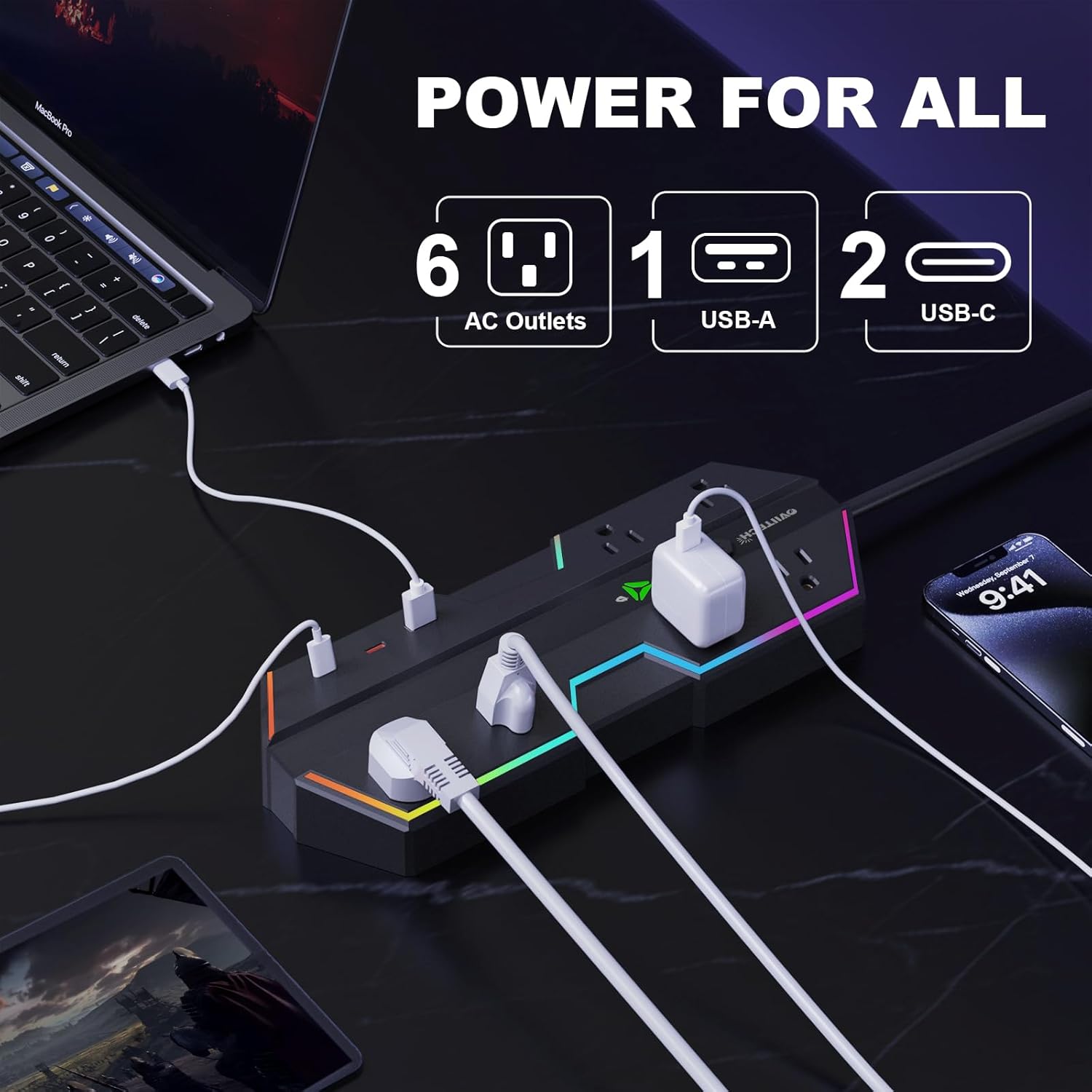
Figure 4.2: Detailed view of the 6 AC outlets, 1 USB-A, and 2 USB-C ports for comprehensive device charging.

Figure 4.3: The RGB ambient lighting feature with touch controls for switching lighting modes.

Figure 4.4: Visual representation of the 4000J surge protection safeguarding connected devices from power spikes.
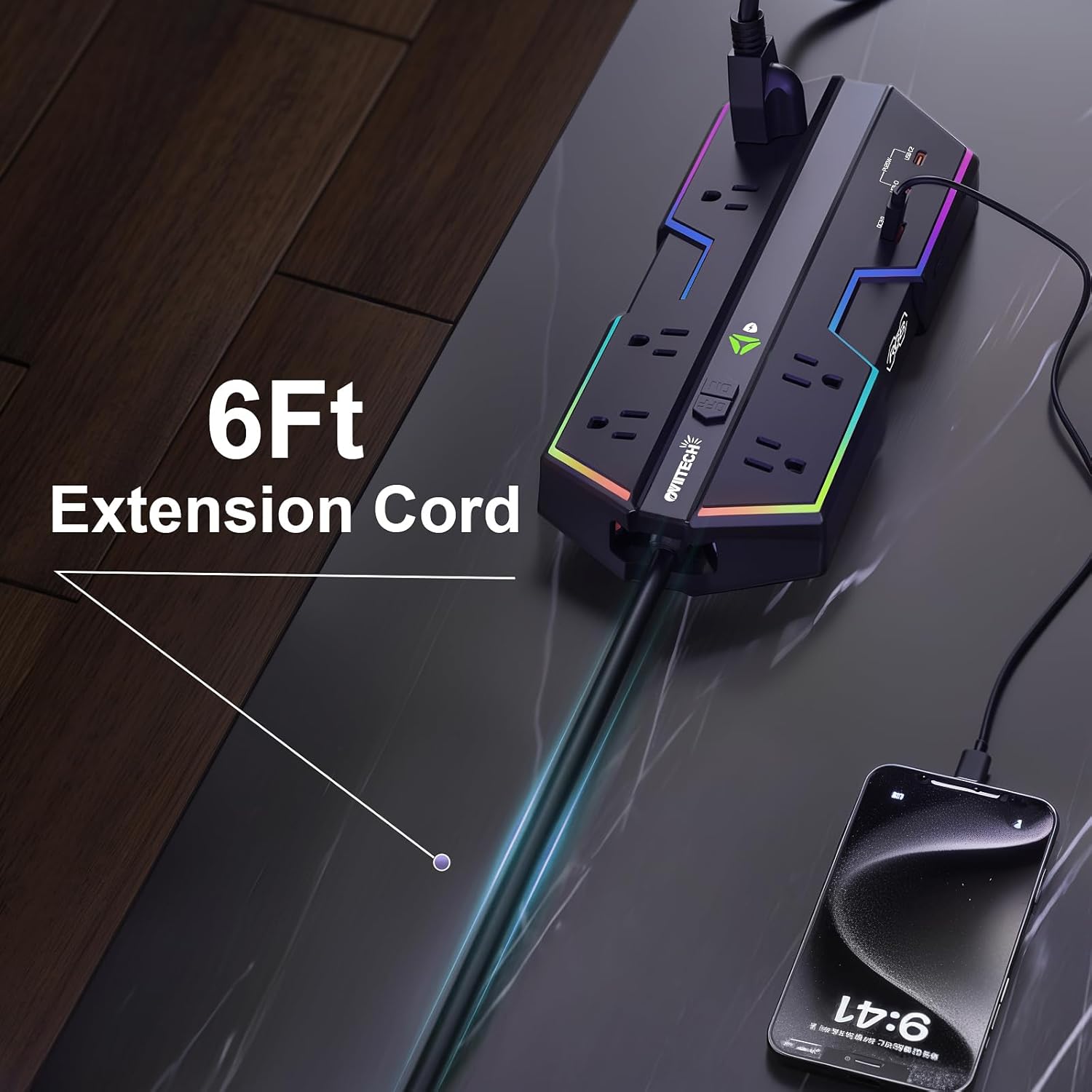
Figure 4.5: The durable 6-foot extension cord providing extended reach and flexibility.

Figure 4.6: Product dimensions for easy integration into your setup.
5. Setup
- Unpack: Carefully remove the power strip and all contents from the packaging.
- Placement: Choose a dry, indoor location away from direct sunlight, heat sources, and moisture. Ensure adequate ventilation around the unit.
- Connect to Power: Plug the power strip's 6FT heavy-duty extension cord into a standard, grounded 125V AC wall outlet.
- Power On: Locate the ON/OFF switch on the power strip and press it to the 'ON' position. The power indicator light should illuminate.
- Connect Devices: Plug your electronic devices into the AC outlets and/or USB ports. Ensure all plugs are fully inserted.
6. Operating Instructions
Using your oviitech power strip is straightforward:
- Powering Devices: Once the power strip is plugged in and turned ON, simply connect your devices to the available AC outlets or USB ports.
- USB Charging: For fast charging, use the USB-C ports with compatible devices and cables. The USB-A port provides standard charging.
- RGB Lighting Control: The RGB lighting can be controlled via the dedicated touch control button (labeled 'RGB'). Tap the button to cycle through different lighting modes (Lights off, Static, Flowing, Breathing) or to turn the lights off.
- Overload Protection: In case of an electrical overload, the power strip's circuit breaker will trip, cutting power to connected devices. To reset, unplug some devices, then press the reset button (usually integrated with the ON/OFF switch or a separate button) to restore power.

Figure 6.1: Location of the ON/OFF switch and RGB touch controls for easy operation.
7. Maintenance
To ensure optimal performance and longevity of your power strip, follow these maintenance guidelines:
- Cleaning: Disconnect the power strip from the wall outlet before cleaning. Use a soft, dry cloth to wipe the surface. Do not use liquid cleaners or aerosols.
- Inspection: Periodically inspect the power cord and the unit for any signs of damage, such as frayed wires or cracked casing. If damage is found, discontinue use and contact customer support.
- Storage: When not in use for extended periods, store the power strip in a cool, dry place, away from direct sunlight and extreme temperatures.
8. Troubleshooting
If you encounter issues with your oviitech power strip, refer to the following table for common problems and solutions:
| Problem | Possible Cause | Solution |
|---|---|---|
| No power to outlets/USB ports | Power strip is off; Circuit breaker tripped; Wall outlet has no power. | Ensure ON/OFF switch is ON; Press reset button if tripped; Test wall outlet with another device. |
| Devices not charging via USB | Incompatible cable/device; Device fully charged; USB port malfunction. | Use original or certified cables; Check device charging status; Try another USB port. |
| RGB lights not working | Lights turned off; Malfunction. | Tap the RGB touch control button to cycle modes; Ensure power strip is ON. |
| Surge protection indicator off | Surge protection has been compromised. | The power strip may no longer provide surge protection. Replace the unit. |
9. Specifications
| Feature | Detail |
|---|---|
| Model Number | LTS-DJ08 |
| Total Power Outlets | 6 AC Outlets |
| USB Ports | 1 USB-A, 2 USB-C |
| USB-C Output | PD 20W Fast Charging |
| Surge Protection Rating | 4000 Joules |
| Voltage | 125 Volts |
| Item Weight | 2.23 pounds |
| Package Dimensions | 12.36 x 7.36 x 2.13 inches |
| Cord Length | 6 Feet |
| Special Feature | Surge Protection, RGB Lighting |
10. Warranty and Support
oviitech stands by the quality of its products. This power strip comes with a standard manufacturer's warranty against defects in materials and workmanship. For specific warranty details, please refer to the product packaging or contact oviitech customer support.
If you have any questions, concerns, or require technical assistance, please contact our customer support team. Contact information can typically be found on our official website or on the product packaging.
Ask a question about this manual
Ask about setup, troubleshooting, compatibility, parts, safety, or missing instructions. Manuals+ will review the question and use this page’s manual context to help answer it.