
MYSTILUCK SZ-933A
MYSTILUCK Wireless Pro Controller User Manual
Model: SZ-933A
Introduction
This manual provides detailed instructions for the MYSTILUCK Wireless Pro Controller, designed for an enhanced gaming experience across various platforms including Switch, Switch 2, Lite, OLED, and PC. This gamepad features 7 color-changing RGB lighting, dual vibration, 6-axis gyroscope, and a turbo function, all within an ergonomically designed, precise joystick controller.

Figure 1: MYSTILUCK Wireless Pro Controller showcasing its design and RGB lighting.
Setup
1. Initial Connection and Pairing
To connect the controller for the first time, ensure your console is powered on and ready for pairing. Press and hold the "Pairing Build" button or the Y + HOME combination button on the controller to activate Bluetooth pairing mode. The indicator lights on the controller will flash, indicating it is searching for a device. Once successfully paired, the indicator lights will stabilize.
For subsequent uses, simply press the "Home" button to quickly wake up and reconnect the device to your console.
2. Charging the Controller
The controller is equipped with an 800mAh battery. To charge, connect the controller to a power source using the provided USB Type-C charging cable. A full charge supports approximately 9 hours of continuous playtime. The controller automatically enters sleep mode when the host screen is turned off or if no buttons are pressed for more than 5 minutes to conserve battery life.

Figure 2: Battery specifications including 800mAh capacity, 2.5 hours charging time, and 9 hours working hours.
3. Controller Layout
Familiarize yourself with the buttons and ports on your MYSTILUCK Wireless Pro Controller:

Figure 3: Detailed diagram showing the location of the HOME button, Pairing button, screenshot key, +/- keys, A/B/X/Y keys, Left/Right Rockers, cross arrow key, TURBO button, Mode Indicator Light, R1/R2/L1/L2 triggers, TYPE-C charging port, and Force Online button.
- HOME button: Powers on/off the controller, wakes up the console.
- Pairing button: Initiates Bluetooth pairing.
- Screenshot key: Captures in-game screenshots.
- +/- keys: Standard menu navigation.
- A/B/X/Y keys: Action buttons.
- Left/Right Rockers: Analog joysticks for movement and camera control.
- Cross arrow key (D-pad): Directional input.
- TURBO button: Activates/deactivates turbo function.
- Mode Indicator Light: Displays connection status and mode.
- R1/R2/L1/L2: Shoulder and trigger buttons.
- TYPE-C charging port: For charging the controller.
- Force Online button: Used for specific connection scenarios.
Operating Instructions
1. Compatibility
The MYSTILUCK Wireless Pro Controller is compatible with a wide range of consoles, including Nintendo Switch, Switch 2, Switch Pro, Switch Lite, and Switch OLED. It also supports PC connectivity. Please note that the controller's "HOME" button cannot wake up the Switch 2 console, and it does not have the C button for voice chat functions. All other functions, such as dual vibration, 6-axis gyroscope, screenshot, Hall effect buttons, and turbo, are fully usable.

Figure 4: Visual representation of controller compatibility with Windows PC, iOS, Android, Nintendo Switch (SW), and Switch 2 (SW2).
2. RGB Lighting Modes
The controller features 7 vibrant RGB lighting colors: red, orange, yellow, green, cyan, blue, and violet. It offers 4 distinct light modes to customize your gaming atmosphere:
- Dazzle Mode: Dynamic color transitions.
- Monochrome Mode: Static single color.
- Monochrome Breathing Mode: Single color fades in and out.
- Monochrome Breathing Cycle Mode: Cycles through single colors with a breathing effect.
Refer to the controller's specific button combinations (usually involving the light button or a combination with the Turbo button) to cycle through these modes and colors.

Figure 5: Illustration of the 7 available RGB colors and the concept of 4 LED lighting modes.
3. Dual Motor Vibration and Turbo Function
The controller is equipped with two vibration motors offering three precise vibration levels: none, weak, and strong. These provide tactile feedback to enhance your gaming immersion.
The turbo function supports both automatic TURBO and manual TURBO modes, with three adjustable speeds: 5, 10, and 15 shots per second (Hz). This feature is particularly beneficial for first-person shooter games requiring rapid button presses.

Figure 6: Visualizing the dual vibration feedback and the precise motion control capabilities of the controller.
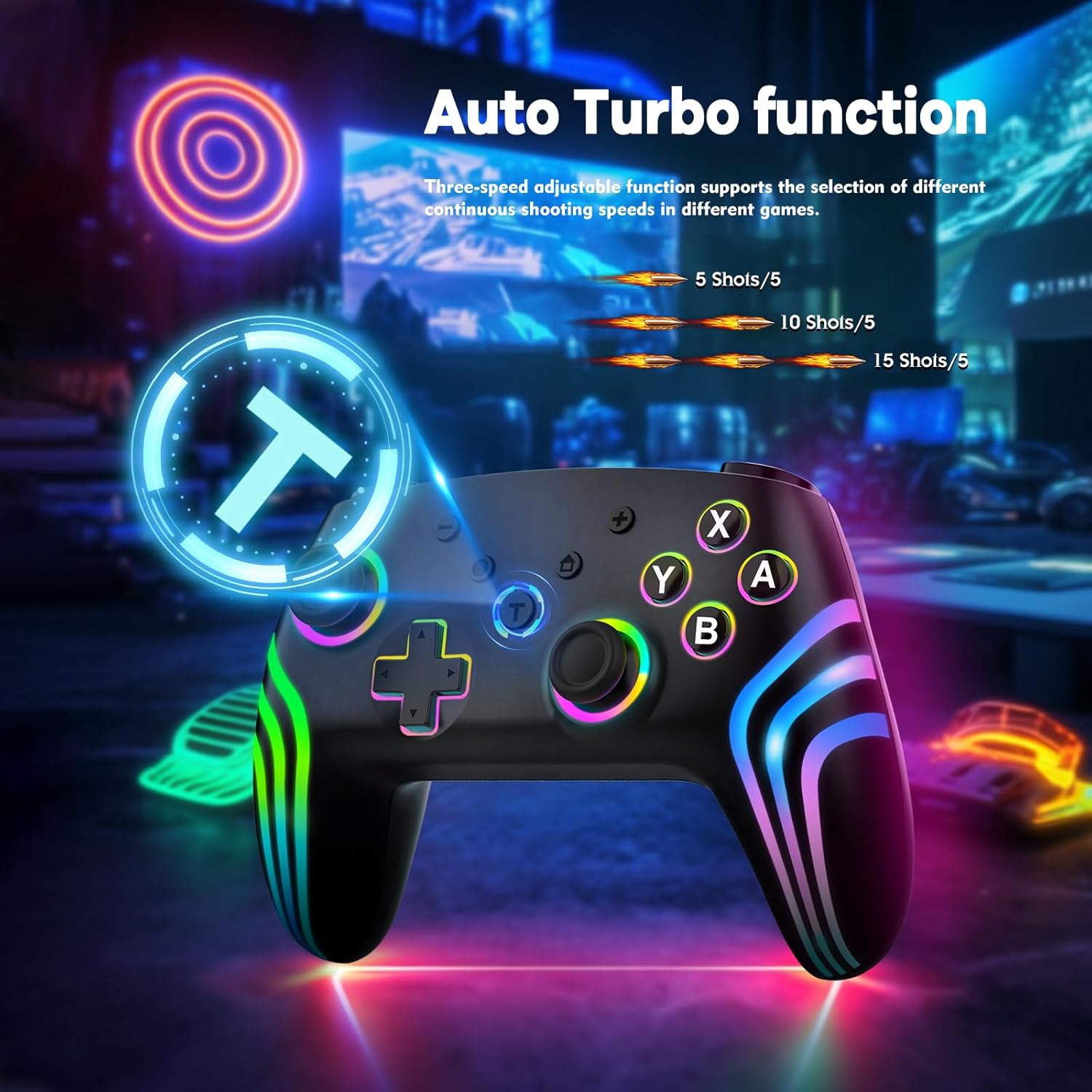
Figure 7: Depiction of the Auto Turbo function, showing adjustable speeds of 5, 10, and 15 shots per 5 seconds.
4. Precise Motion Control and Sensitive Joystick
A built-in 6-axis gyroscope chip enables precise motion control, allowing your physical movements to translate accurately into game actions for a more immersive experience. The joysticks are designed for smooth, drift-free, and lag-free operation, ensuring sensitive and responsive movements during gameplay.
Maintenance
To ensure the longevity and optimal performance of your MYSTILUCK Wireless Pro Controller, follow these maintenance guidelines:
- Cleaning: Use a soft, dry cloth to wipe the controller. Avoid using harsh chemicals or abrasive materials.
- Storage: Store the controller in a cool, dry place away from direct sunlight, extreme temperatures, and humidity.
- Battery Care: Avoid fully discharging the battery frequently. For long-term storage, charge the controller to about 50% to prevent battery degradation.
- Handling: Do not drop or subject the controller to strong impacts, as this can damage internal components.
Troubleshooting
If you encounter issues with your MYSTILUCK Wireless Pro Controller, refer to the following common solutions:
- Controller Not Pairing:
- Ensure the controller is fully charged.
- Verify your console's Bluetooth is enabled and in pairing mode.
- Try pressing the "Pairing Build" button or Y+HOME combination again.
- Restart both the controller and your console.
- Ensure no other Bluetooth devices are interfering with the connection.
- Input Lag or Unresponsiveness:
- Ensure the controller is within the effective range of your console (typically up to 10 meters in an open environment).
- Check for any physical obstructions between the controller and the console.
- Ensure the controller's battery is not critically low.
- Vibration Not Working:
- Check in-game settings to ensure vibration feedback is enabled.
- Verify the controller's vibration level settings.
- RGB Lights Not Functioning:
- Ensure the controller is powered on.
- Cycle through the lighting modes to see if they respond.
Specifications
| Brand | MYSTILUCK |
| Model | SZ-933A |
| ASIN | B0DJ2PLH9G |
| Product Dimensions | 4.33 x 1.97 x 5.91 inches |
| Item Weight | 7.94 ounces |
| Battery | 800mAh Lithium Battery (included) |
| Charging Time | Approx. 2.5 hours |
| Working Hours | Approx. 9 hours |
| Connectivity | Wireless (Bluetooth) |
| Special Features | 7-Color RGB Lighting, Dual Vibration, 6-Axis Gyroscope, Turbo Function, Hall Effect Buttons |
Warranty and Support
MYSTILUCK is committed to providing high-quality products and excellent customer service. While a specific warranty period is not detailed, we offer a replacement service for any quality issues you may encounter with your controller.
For any questions, concerns, or support needs, please contact our customer service team. We aim to respond to all inquiries within 24 hours of receiving your message.
Contact information (example):
- Email: support@mystiluck.com (example email, please refer to product packaging for official contact)
- Online Support: Visit the official MYSTILUCK store on Amazon for FAQs and further assistance.
Ask a question about this manual
Ask about setup, troubleshooting, compatibility, parts, safety, or missing instructions. Manuals+ will review the question and use this page’s manual context to help answer it.