
Introduction
This manual provides detailed instructions for the safe and efficient operation of your Retevis C2 GMRS 2-Way Radio. Please read this manual thoroughly before using the device to ensure optimal performance and longevity.
The Retevis C2 GMRS radio offers long-range communication, noise cancellation, group call functionality, and easy pairing, making it suitable for various professional and recreational uses.
Product Overview and Components
Familiarize yourself with the main components and features of your Retevis C2 GMRS radio.
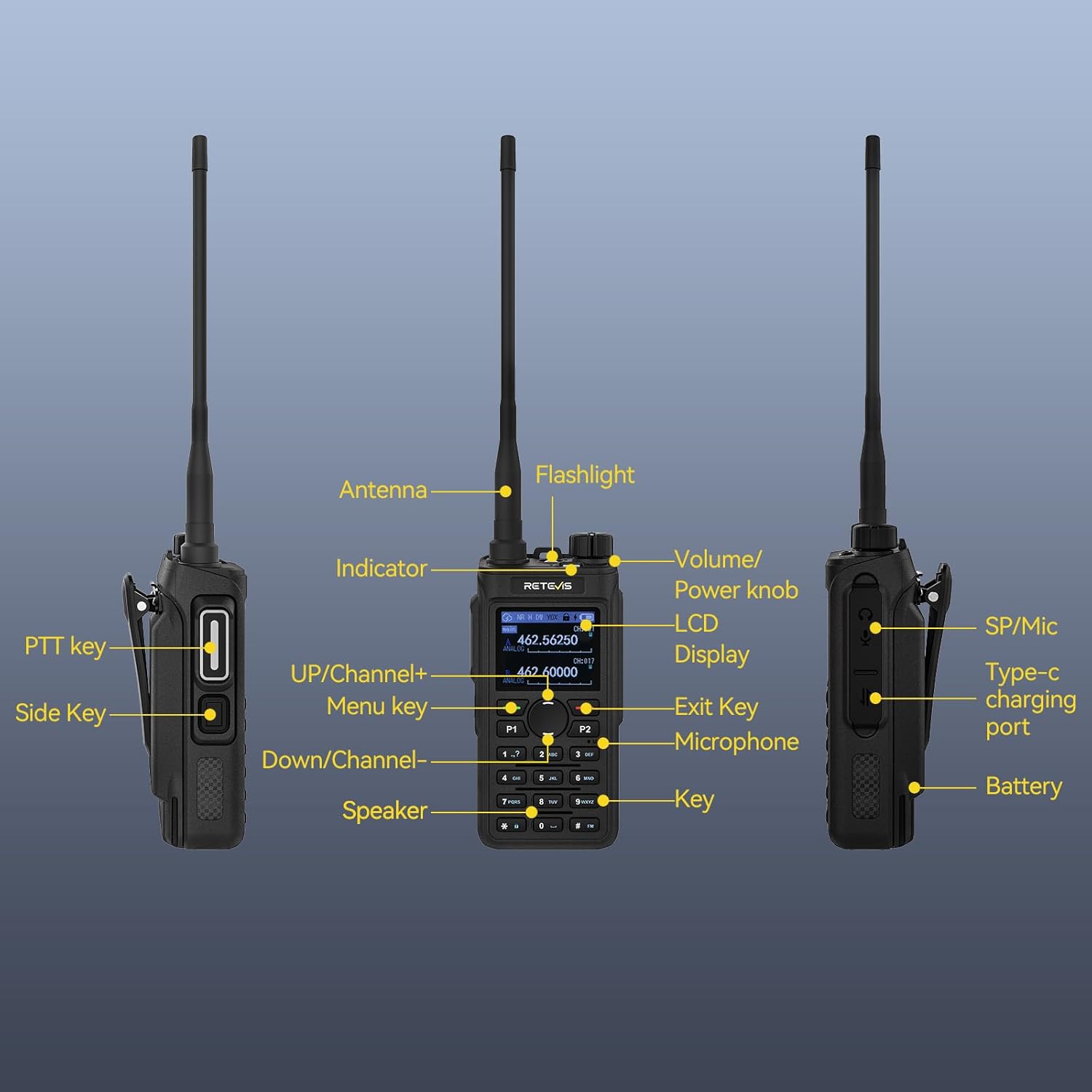
Image: Labeled diagram of the Retevis C2 GMRS radio, highlighting its antenna, flashlight, indicator, volume/power knob, LCD display, PTT key, side keys, menu key, up/channel+, down/channel-, exit key, microphone, speaker, key, SP/Mic port, Type-C charging port, and battery.
- Antenna: For transmitting and receiving signals.
- Volume/Power Knob: Turns the radio on/off and adjusts volume.
- LCD Display: Shows channel, battery, and other status information.
- PTT Key (Push-to-Talk): Press and hold to transmit your voice.
- Side Keys: Programmable for various functions like emergency alarm or flashlight.
- Menu Key: Accesses the radio's menu settings.
- Up/Down Channel Keys: Navigates channels and menu options.
- Exit Key: Exits menu or current function.
- Microphone: For speaking during transmission.
- Speaker: For receiving audio.
- Type-C Charging Port: For direct charging.
- SP/Mic Port: For connecting external audio accessories.
Setup
What's in the Box

Image: The package contents include the C2 walkie talkie, battery, belt clip, hand strap, Type-C charging cable, charging base, and user manual.
Your Retevis C2 GMRS radio package includes the following items:
- Retevis C2 Walkie Talkie
- Lithium Ion Battery (2000mAh)
- Belt Clip
- Hand Strap
- Type-C Charging Cable
- Charging Base
- User Manual
Battery Installation and Charging
The radio comes with a 2000mAh Lithium Ion battery. Ensure the battery is properly installed before first use.
- Align the battery with the back of the radio and slide it into place until it clicks securely.
- To charge, place the radio in the provided charging base or connect the Type-C charging cable directly to the radio.
- The charging indicator light on the base will typically show red while charging and turn green when fully charged.
Video: Demonstration of the Retevis C2 GMRS walkie-talkie charging method using the charging base.

Image: The radio can be charged via a Type-C cable directly or by placing it in the charging base, offering flexible power options.
Antenna Attachment
Screw the antenna clockwise into the connector on the top of the radio until it is firmly seated.
Operating Instructions
Power On/Off and Volume Control
- To power on the radio, rotate the Volume/Power knob clockwise.
- To power off, rotate the knob counter-clockwise until it clicks.
- Adjust the volume by rotating the same knob clockwise to increase and counter-clockwise to decrease.
Channel Selection
The Retevis C2 GMRS radio supports 30 channels. To change channels, use the Up/Down Channel keys or the dedicated channel selection knob if available.
Push-to-Talk (PTT)
The PTT button is located on the side of the radio. Press and hold this button to transmit your voice. Release the button to listen for incoming transmissions.
Group Call
The radio supports group call functionality, allowing all members to connect instantly.

Image: Three individuals communicating via walkie-talkies, demonstrating the one-touch group call feature where all members are connected instantly.
AI Noise Reduction
The integrated AI noise reduction chip filters out ambient noise, ensuring clear communication even in noisy environments.

Image: A split image showing the difference in sound quality before and after noise reduction, with sound waves illustrating the effect.
NOAA Weather Alerts
Stay informed about weather conditions with NOAA weather alerts. This feature is essential for outdoor activities.

Image: The radio displaying a NOAA weather alert, with a user pressing a programmable button to activate the feature.
Emergency Alarm and Flashlight
The radio includes an emergency alarm and an LED flashlight for critical situations.
- Emergency Alarm: Activate the emergency alarm via a programmable side key to alert others.
- LED Flashlight: Use the built-in LED flashlight for illumination in low-light conditions.
Key Lock
To prevent accidental changes to settings, the radio features a key lock function. Long press the designated key to activate or deactivate the key lock.
Easy Pairing
The Retevis C2 GMRS radio supports easy pairing with other GMRS walkie talkies without complex settings, enhancing operational efficiency.
Long Range Communication
High power output provides an extensive communication range of up to 350,000 sq.ft (30,000 sq.m), ensuring reliable communication across various work positions.
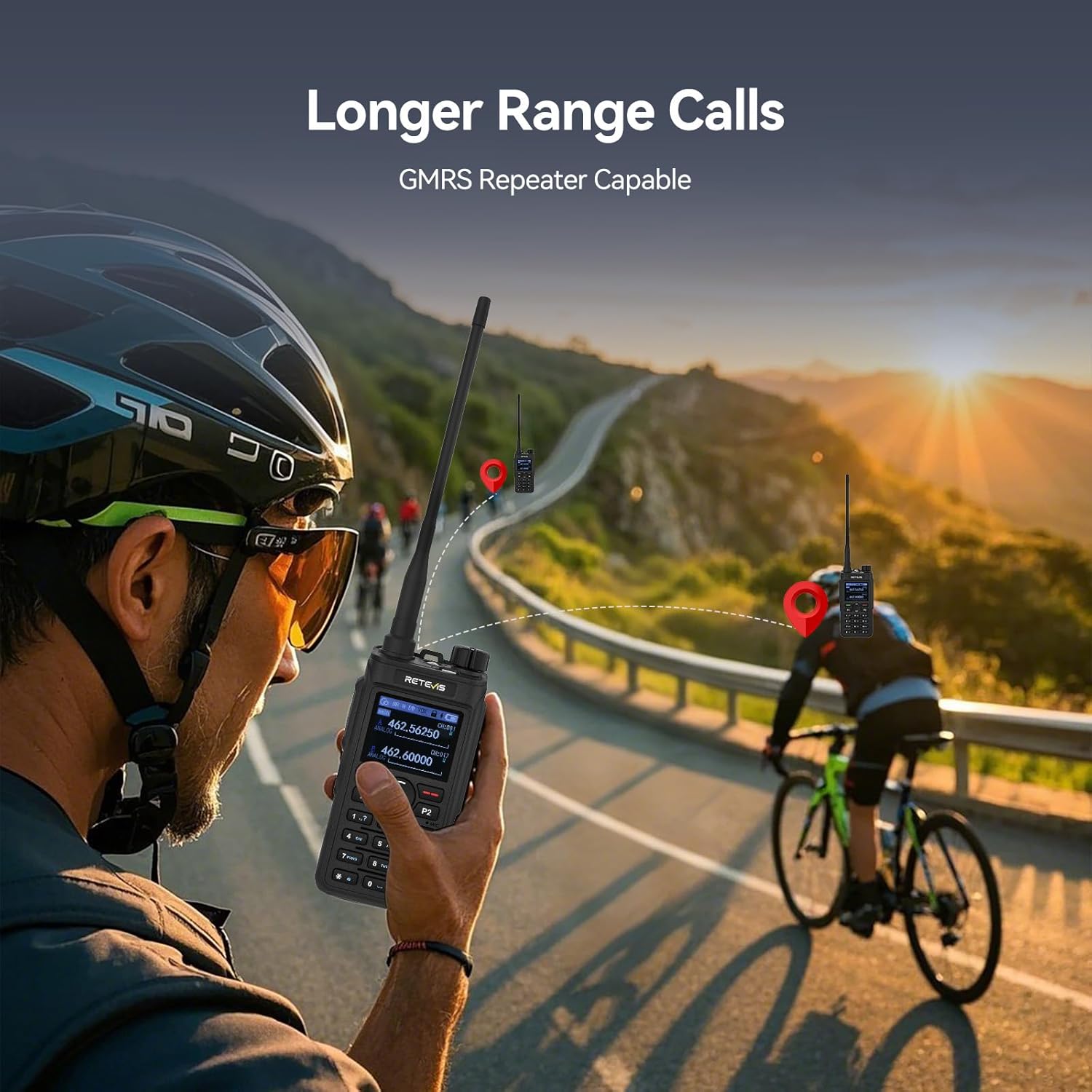
Image: A person on a bicycle communicating with another person in the distance using the Retevis C2 GMRS radio, highlighting its long-range capability.
Maintenance
Battery Care
The 2000mAh battery provides approximately 17 hours of use and 100 hours of standby time. To maximize battery life, ensure regular charging and avoid fully discharging the battery frequently.
Cleaning
Wipe the radio with a soft, damp cloth. Do not use harsh chemicals or solvents.
Water Resistance
The device is water resistant. Avoid submerging the radio in water.
Troubleshooting
If you encounter issues with your Retevis C2 GMRS radio, consider the following basic troubleshooting steps:
- No Power: Ensure the battery is fully charged and correctly installed. Check the power knob.
- Cannot Transmit/Receive: Verify that both radios are on the same channel. Check the antenna connection. Ensure the PTT button is functioning correctly.
- Poor Audio Quality: Adjust the volume. Check for obstructions between radios. Ensure the noise reduction feature is active if in a noisy environment.
- Keys Unresponsive: Check if the Key Lock feature is activated. Deactivate it by long-pressing the designated key.
For further assistance, refer to the detailed user manual included in your package or contact Retevis customer support.
Specifications
| Feature | Specification |
|---|---|
| Item Weight | 6.6 ounces (186 Grams) |
| Package Dimensions | 16 x 10 x 7 inches |
| Item Model Number | C2 GMRS |
| Batteries | 6 Lithium Ion batteries required (included) |
| Number of Channels | 30 |
| Special Feature | Longer Range, Noise Reduction, Easy pairing, Group Call, 1.77-Inch Screen, 2000mAh Battery, USB-C, Emergency Alarm, LED Flashlight, NOAA |
| Frequency Range | GMRS |
| Talking Range Maximum | 594 Feet (approx. 350,000 sq.ft / 30,000 sq.m) |
| Voltage | 7.4 Volts |
| Water Resistance Level | Water Resistant |
| Color | Black |
| Manufacturer | Retevis |
Warranty & Support
Retevis provides a 2-year warranty for the radio body and a 1-year warranty for accessories. A 30-day no-reason return policy is also offered.
Beyond the warranty period, maintenance services are available, with buyers responsible for associated costs. For any inquiries or support, please contact Retevis on Amazon; responses are typically provided within 12 hours.
Additional Resources
Explore these official videos for further insights into your Retevis C2 GMRS radio:
Retevis C2 GMRS Radio Product Introduction
Video: An introductory overview of the Retevis C2 GMRS Radio, highlighting its key features and design.
Introduction to C2 functions and usage scenarios
Video: A detailed explanation of the C2 radio's functions and various scenarios where it can be effectively used.
Retevis C2 GMRS walkie-talkie overall display
Video: A comprehensive visual tour of the Retevis C2 GMRS walkie-talkie, showcasing its design and interface.
Retevis C2 Function Demonstration Video
Video: A demonstration of various functions of the Retevis C2 radio in action.
Retevis C2 GMRS Walkie Talkie
Video: A general overview video of the Retevis C2 GMRS Walkie Talkie.


