
1. Introduction
Thank you for choosing the MasterPRO ROCKET 600 Air Fryer. This appliance is designed to provide a healthier way to cook your favorite foods with little to no oil, utilizing rapid hot air circulation. Please read this manual thoroughly before operating the appliance to ensure safe and efficient use. Keep this manual for future reference.

Image: The MasterPRO ROCKET 600 Air Fryer, a modern kitchen appliance, shown with a recipe book. It features a stainless steel finish and a prominent LED touch screen.
2. Important Safety Instructions
When using electrical appliances, basic safety precautions should always be followed, including the following:
- Read all instructions before use.
- Do not touch hot surfaces. Use handles or knobs.
- To protect against electric shock, do not immerse cord, plugs, or the appliance in water or other liquid.
- Close supervision is necessary when any appliance is used by or near children.
- Unplug from outlet when not in use and before cleaning. Allow to cool before putting on or taking off parts.
- Do not operate any appliance with a damaged cord or plug or after the appliance malfunctions or has been damaged in any manner.
- The use of accessory attachments not recommended by the appliance manufacturer may cause injuries.
- Do not use outdoors.
- Do not let cord hang over edge of table or counter, or touch hot surfaces.
- Do not place on or near a hot gas or electric burner, or in a heated oven.
- Extreme caution must be used when moving an appliance containing hot oil or other hot liquids.
- Always attach plug to appliance first, then plug cord into the wall outlet. To disconnect, turn any control to "off", then remove plug from wall outlet.
- Do not use appliance for other than intended use.
- Ensure the appliance is placed on a stable, heat-resistant surface.
- Do not block any ventilation openings.
- The appliance operates at high temperatures; keep hands and face away from steam and air outlets.
3. Product Components
Familiarize yourself with the parts of your MasterPRO ROCKET 600 Air Fryer:
- Main Unit: Houses the heating element and fan.
- LED Touch Screen Control Panel: For setting temperature, time, and selecting presets.
- Air Inlet: Located at the top of the unit.
- Air Outlet Vents: Located at the back of the unit.
- Removable Basket: Non-stick coated for cooking food.
- Basket Handle: Cool-touch handle for safe removal of the basket.
- Non-stick Crisper Plate: Sits inside the basket to allow air circulation around food.
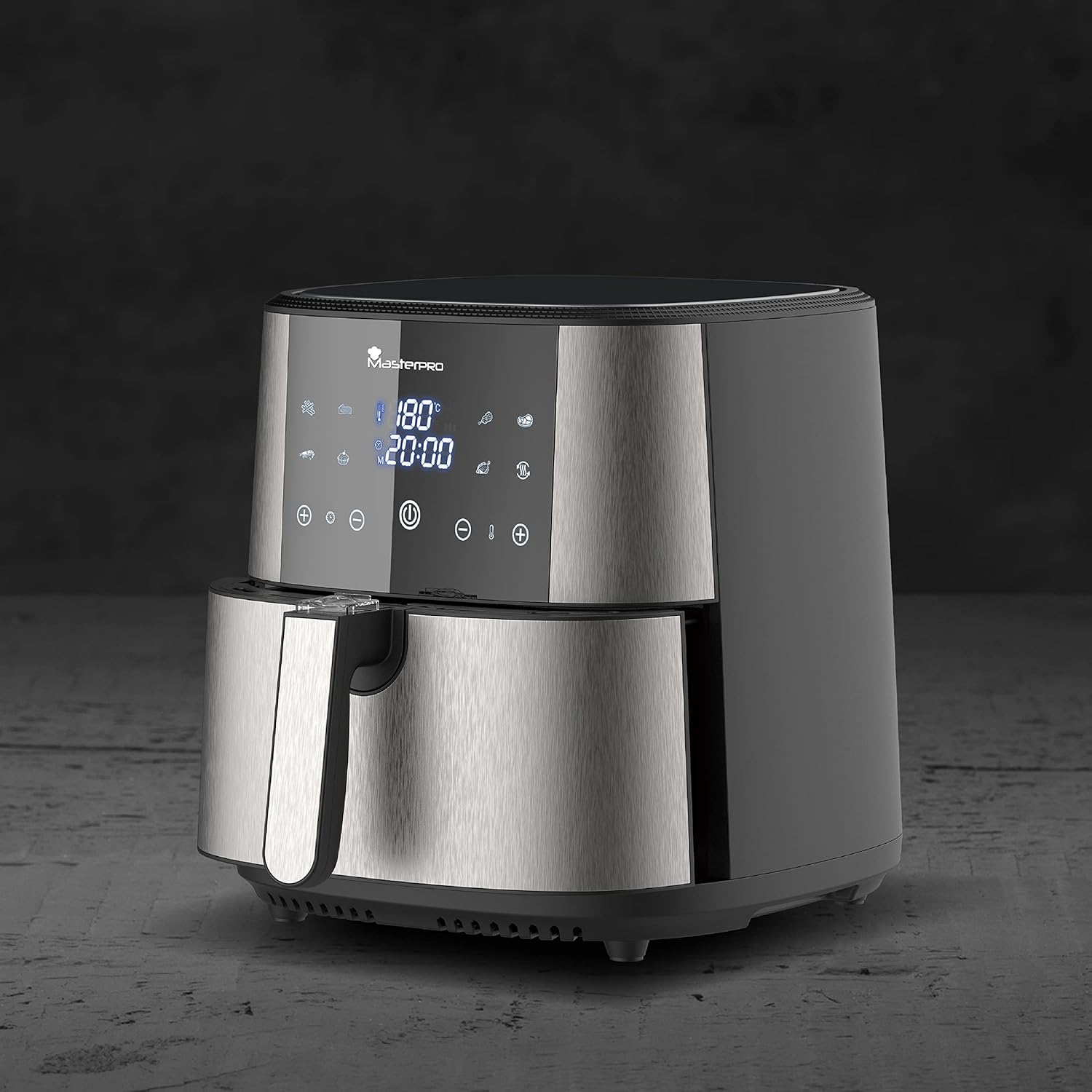
Image: A side view of the MasterPRO ROCKET 600 Air Fryer, showing its sleek, compact form factor and the brushed stainless steel exterior.
4. Setup and First Use
- Unpacking: Carefully remove all packaging materials and stickers from the appliance.
- Cleaning: Wash the removable basket and crisper plate with hot water, dish soap, and a non-abrasive sponge. Wipe the inside and outside of the appliance with a damp cloth. Do not immerse the main unit in water.
- Placement: Place the air fryer on a stable, horizontal, and heat-resistant surface. Ensure there is at least 10 cm (4 inches) of free space at the back and sides, and above the appliance, to allow for proper air circulation.
- Power Connection: Plug the power cord into a grounded wall outlet.
- Pre-heating (Optional): For the first use, it is recommended to run the air fryer for about 10 minutes at 180°C (356°F) without any food inside to burn off any manufacturing residues. A slight odor may be present, which is normal.
5. Operating Instructions
General Operation:
- Pull out the basket from the air fryer.
- Place the crisper plate inside the basket.
- Place the ingredients into the basket. Do not exceed the MAX fill line.
- Slide the basket back into the air fryer. Ensure it is fully closed.
- Press the Power button (①) to turn on the appliance. The LED display will light up.
- Manual Setting: Use the temperature (− / +) and time (− / +) buttons to adjust the desired cooking temperature (80-200°C) and time (1-60 minutes).
- Preset Programs: Alternatively, select one of the pre-programmed cooking functions by pressing the Mode button. The display will show icons for various food types (e.g., fries, chicken, fish, steak, cake, shrimp, vegetables). Each preset has a default time and temperature, which can be adjusted manually if needed.
- Press the Start/Pause button to begin cooking. The fan and heating element will activate.
- Some ingredients may require shaking halfway through the cooking time. Pull out the basket by the handle, shake the contents, and then slide the basket back in. The air fryer will automatically resume cooking.
- When the cooking time is complete, the air fryer will beep. Carefully pull out the basket and empty the food onto a plate.
- Unplug the appliance after use.

Image: The MasterPRO ROCKET 600 Air Fryer's LED touch screen showing temperature and time settings, indicating active cooking. A plate of cooked food is visible in front of the appliance.
Cooking Tips:
- For crispier results, lightly toss ingredients with a small amount of oil (e.g., 1 tablespoon for 500g of fries).
- Smaller ingredients usually require a shorter cooking time than larger ingredients.
- A larger amount of ingredients only requires a slightly longer cooking time.
- Do not prepare extremely greasy ingredients in the air fryer.
- Oven snacks can also be prepared in the air fryer.
6. Cleaning and Maintenance
Clean the appliance after every use.
- Before Cleaning: Unplug the air fryer and allow it to cool down completely.
- Basket and Crisper Plate: The removable basket and crisper plate have a non-stick coating (Ceratech) and are dishwasher safe. For manual cleaning, use hot water, dish soap, and a non-abrasive sponge. Do not use metal kitchen utensils or abrasive cleaning materials, as this may damage the non-stick coating.
- Inside of the Appliance: Wipe the inside with a hot water and non-abrasive sponge.
- Outside of the Appliance: Wipe the exterior with a damp cloth. Do not use harsh cleaners or abrasive pads.
- Heating Element: Clean the heating element with a cleaning brush to remove any food residues.
- Storage: Ensure all parts are clean and dry before storing the appliance in a cool, dry place.
7. Troubleshooting
| Problem | Possible Cause | Solution |
|---|---|---|
| Air fryer does not work. | The appliance is not plugged in. | Plug the main plug into a grounded wall socket. |
| The basket is not properly inserted. | Slide the basket into the appliance properly. | |
| Food is not cooked evenly. | Too much food in the basket. | Reduce the amount of food. Cook in smaller batches. |
| Temperature is too low or time is too short. | Increase the temperature or cooking time. | |
| White smoke comes from the appliance. | Greasy ingredients are being cooked. | This is normal for greasy foods. Ensure the basket and crisper plate are clean. |
| Residue from previous use. | Clean the basket and crisper plate thoroughly after each use. | |
| Fresh fries are not crispy. | Not enough oil used. | Lightly coat the fries with oil before air frying. |
| Type of potato used. | Use a potato variety suitable for frying. |
8. Specifications
- Model: MasterPRO ROCKET 600 (BGMP-9167-CT)
- Power: 1800 W
- Capacity: 6 Liters
- Voltage: 2.3E+2 Volts (AC)
- Temperature Range: 80°C - 200°C (175°F - 400°F)
- Timer: Up to 60 minutes
- Material: Stainless Steel, Ceratech Ceramic Coating (PFAS-Free)
- Dimensions (L x W x H): 41 x 39.5 x 35.5 cm (approx. 16.1 x 15.5 x 14 inches)
- Weight: 6.71 kg (approx. 14.79 lbs)
- Control Method: Touch
9. Warranty and Support
MasterPRO products are manufactured to the highest quality standards. This product is covered by a manufacturer's warranty against defects in materials and workmanship from the date of purchase. Please refer to your purchase documentation for specific warranty terms and duration.
For technical support, troubleshooting assistance, or warranty claims, please contact MasterPRO customer service. Contact information can typically be found on the MasterPRO official website or on your product packaging.
When contacting support, please have your product model number (BGMP-9167-CT) and proof of purchase readily available.


