
1. Introduction
This manual provides essential information for the safe and efficient operation and maintenance of your ENGWE Ease2 PRO Lightweight Electric Mobility Scooter. Please read it thoroughly before initial use and retain it for future reference.
The ENGWE Ease2 PRO is a lightweight, foldable electric mobility scooter designed for adults and seniors, offering enhanced mobility with its durable aluminum frame and dual removable lithium batteries. It features a 270W motor, constant speed system, and an easy-to-control operation panel.
2. Safety Information
Always prioritize safety when operating the mobility scooter. Failure to follow safety guidelines may result in injury or damage to the product.
- Read and understand all instructions before operation.
- Ensure all components are correctly assembled and secured before each use.
- Do not exceed the maximum weight capacity of 265 lbs (120 kg).
- Operate the scooter only on suitable terrain and within its climbing capacity (12° incline).
- Use headlights and taillights when operating in low-light conditions.
- Familiarize yourself with the braking system and emergency procedures.
- Keep hands and clothing clear of moving parts.
- Avoid operating the scooter under the influence of alcohol or medication that may impair judgment.
3. Package Contents
Upon unpacking, verify that all the following components are present and undamaged:
- Main Scooter Body (90% pre-assembled)
- Seat with Armrests
- Operating Rods (Tiller)
- Front Basket
- Wheels (if not pre-attached)
- 2 x 24V 10AH Removable Lithium Batteries
- Battery Charger
- User Manual (this document)
- Assembly Tools (if included)

Image: All components of the ENGWE Ease2 PRO scooter laid out after unboxing.
4. Setup and Assembly
The scooter is 90% pre-assembled. Follow these steps to complete the assembly:
- Unfolding the Tiller: Loosen the fixing nut on the standpipe and adjust the standpipe to the proper angle. Tighten the nut to secure the tiller in place.
- Seat Installation: Insert the seat post into the designated slot on the scooter body. Ensure it clicks securely into place. Press the seat fixed rod to lock the seat.
- Armrest Installation: Install the left and right armrests onto the seat frame. Secure them with the provided knobs, adjusting to your preferred width.
- Basket Installation: Attach the front basket to the tiller. Push and tighten the basket securely.
- Battery Installation: Ensure batteries are fully charged before first use. Insert the removable lithium batteries into their compartments.
- Anti-Tip Wheels: Attach the anti-tip wheels at the rear of the scooter for added stability.
Video: Official ENGWE Ease2 Pro Unboxing & Assembly guide. This video demonstrates the step-by-step process of assembling the scooter from its packaged state.
Video: ENGWE EASE1 Mobility Scooter Unboxing & Assembly. This video provides a general overview of the unboxing and assembly process for a similar ENGWE mobility scooter model.
5. Operating Instructions
Familiarize yourself with the operation panel and controls before riding.
- Power On/Off: Insert the key into the ignition and turn it to the 'ON' position to power on the scooter. Turn to 'OFF' to power off.
- Speed Control: The operation panel features a speed governor dial. Turn the dial clockwise to increase speed and counter-clockwise to decrease speed. The scooter has an adjustable speed range of 0-4.97 mph.
- Forward/Reverse: Use the right thumb throttle to move forward and the left thumb throttle to move backward.
- Braking: The scooter features an electromagnetic braking system. Releasing the throttle will automatically engage the brakes, bringing the scooter to a smooth stop. Additionally, ensure the brake lever is moved backward to release the brake before driving.
- Lights and Horn: The operation panel includes controls for the headlight and horn. Use these for visibility and to alert others.
- Constant Speed System: The unique constant speed system automatically adjusts to maintain a consistent speed on slopes and turns, preventing sudden acceleration.
- Folding/Unfolding: The scooter can be folded in 3 steps for transport or storage. Loosen the fixing nut on the standpipe to adjust the tiller angle, then fold the seat by simultaneously applying upward pressure to the folding handles on both sides of the seat.

Image: Close-up of the ENGWE Ease2 PRO operation panel, showing the battery indicator, speed governor, keyhole, forward/reverse levers, headlight switch, and safety horn.
Video: ENGWE Ease2 Pro Mobility Scooter - How to Fold & Unfold. This video demonstrates the quick and easy folding and unfolding mechanism of the scooter.
6. Battery and Charging
The scooter is equipped with two 24V 10AH removable lithium batteries (240WH*2), providing a travel range of up to 24 miles on a single charge. One battery serves as a backup.
- Charging: Connect the provided charger to the charging port on the scooter or directly to the removable battery. The charger indicator light will show charging status (e.g., red for charging, green for fully charged).
- Battery Care: Always charge batteries in a well-ventilated area. Avoid overcharging or completely draining the batteries to prolong their lifespan.
- Removable Batteries: The batteries are designed for easy removal, allowing for convenient charging indoors or for swapping with a backup battery for extended travel.
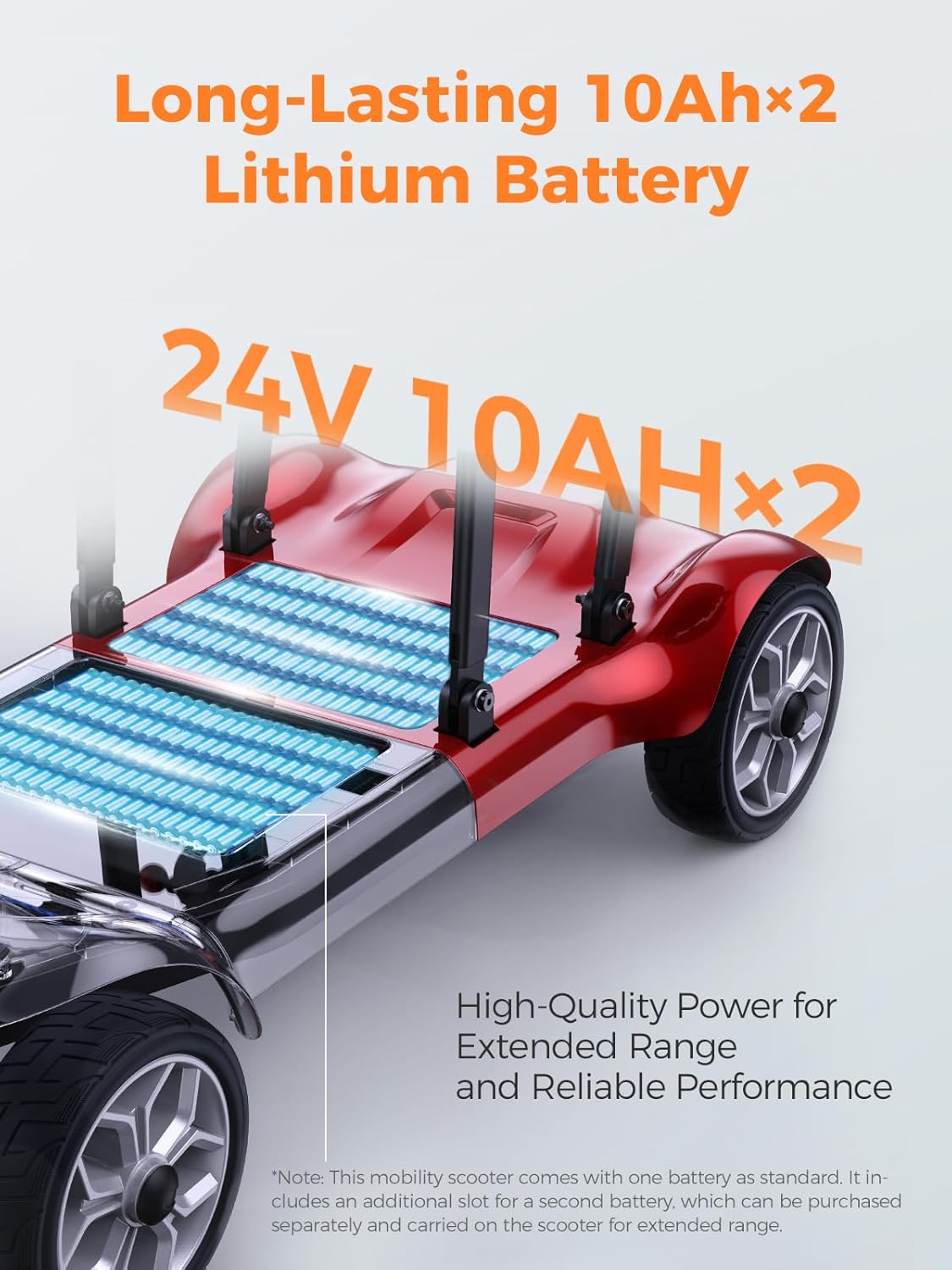
Image: Illustration of the ENGWE Ease2 PRO's dual 24V 10AH lithium batteries, highlighting their placement and capacity for extended range.
7. Maintenance
Regular maintenance ensures the longevity and safe operation of your scooter.
- Cleaning: Wipe the scooter clean with a damp cloth. Avoid using harsh chemicals or excessive water.
- Tires: Regularly check tire pressure and condition. Ensure tires are free from punctures or excessive wear. The 8-inch tires are designed for various terrains.
- Battery: Store batteries in a cool, dry place. If storing for extended periods, charge them periodically.
- General Inspection: Periodically check all nuts, bolts, and connections for tightness. Ensure all moving parts operate smoothly.
8. Troubleshooting
If you encounter issues with your scooter, refer to the following common problems and solutions:
- Scooter does not power on:
- Check if the key is fully inserted and turned to 'ON'.
- Ensure batteries are properly installed and charged.
- Verify all electrical connections are secure.
- Scooter does not move:
- Check if the brake lever is released (moved backward).
- Ensure the throttle is engaged correctly.
- Verify the speed governor is not set to zero.
- Reduced range or power:
- Batteries may not be fully charged or are nearing the end of their lifespan.
- Check tire pressure; underinflated tires can reduce efficiency.
- Ensure the scooter is not overloaded beyond its weight capacity.
For persistent issues, please contact ENGWE customer service for assistance.
9. Specifications
| Model | EASE2 PRO |
| Product Dimensions (Unfolded) | 38.78"D x 19.69"W x 35.04"H |
| Folding Size | 38.78" x 19.69" x 13.78" |
| Net Weight | 43.2 lbs (19.6 kg) |
| Weight Capacity | 265 lbs (120 kg) |
| Motor | 270W Silent Motor |
| Batteries | 2 x 24V 10AH (240WH*2) Removable Lithium Batteries |
| Max Travel Range | 24 miles (on a single charge) |
| Adjustable Speed | 0-4.97 mph |
| Tires | 8-inch |
| Climbing Capacity | 12° |
| Material | Aluminum Frame |
10. Warranty and Support
For warranty information, after-sales service, or any questions regarding your ENGWE Ease2 PRO mobility scooter, please contact ENGWE customer service directly. Refer to the product packaging or official ENGWE website for contact details.


