
Introduction
Thank you for choosing the Kuulaa KL-YD68 Magnetic Portable Charger Power Bank. This manual provides essential information for the safe and efficient use of your device. Please read it thoroughly before operation and retain it for future reference.
Product Overview
The Kuulaa KL-YD68 is a slim, magnetic 5000mAh power bank designed for convenient on-the-go charging. It features both wireless magnetic charging and 20W PD USB-C wired fast charging, along with an integrated rotatable kickstand for versatile use.
Key Features:
- Magnetic Attachment: Strong magnetic force (up to 10N) for secure attachment to compatible devices.
- Slim and Lightweight Design: Measures 0.41 inches thick and weighs 0.28 lbs for portability.
- Wireless Charging: 7.5W magnetic wireless charging for iPhone 12/13/14/15/16 series and magnetic cases.
- Wired Fast Charging: 20W Power Delivery (PD) via USB-C port for rapid charging.
- Rotatable Kickstand: Integrated stand adjustable from 0-120° for hands-free viewing or as a finger grip.
- Advanced Safety: Built-in smart chip with multiple protections against overcharge, overcurrent, overvoltage, and short-circuit.
Components:
The power bank includes a USB-C port for charging, LED indicator lights for battery status, and a rotatable kickstand.
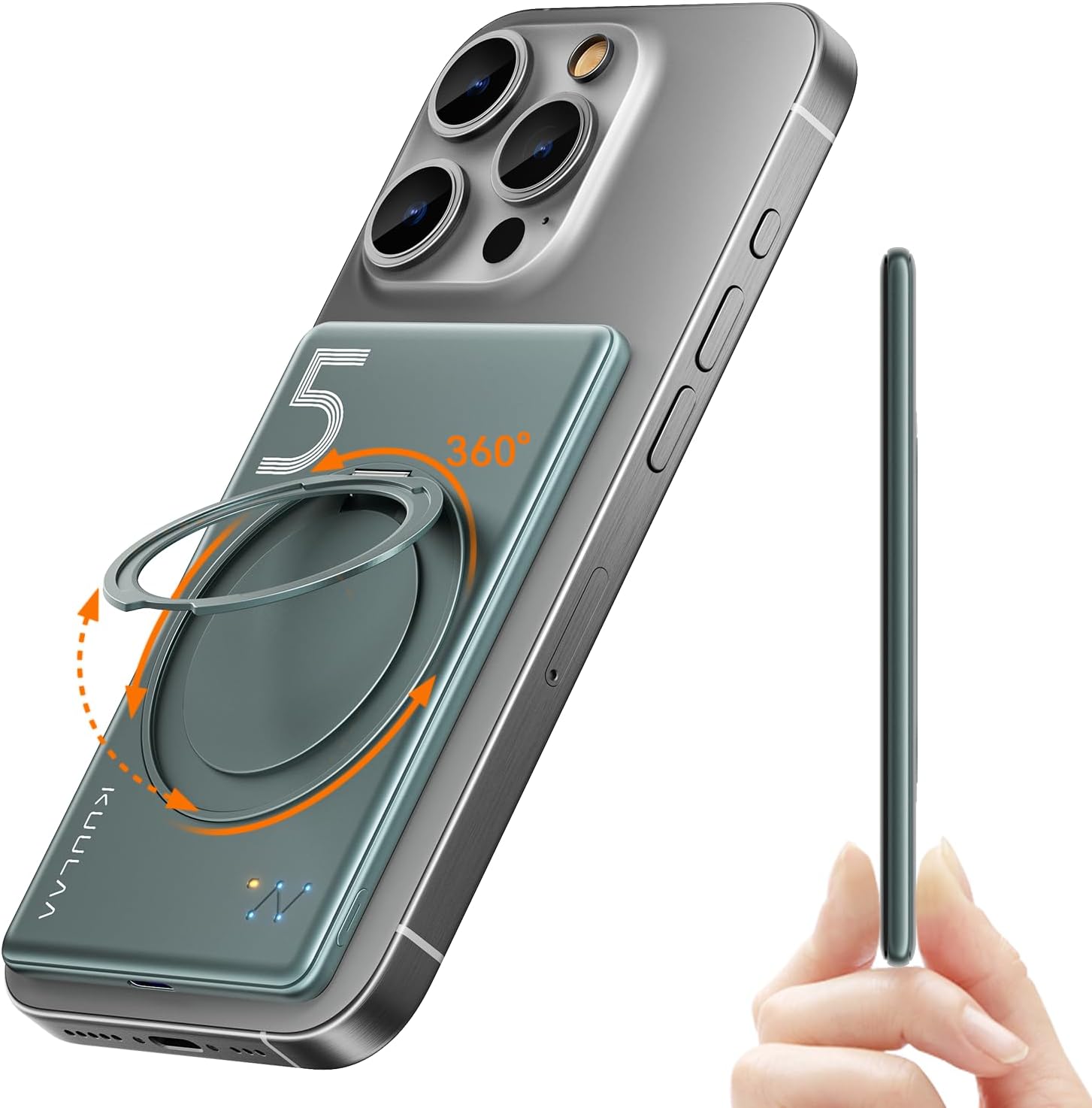
Image: Kuulaa KL-YD68 Magnetic Power Bank attached to a smartphone, highlighting its slim design and integrated rotatable stand. A side view shows the thinness of the power bank.
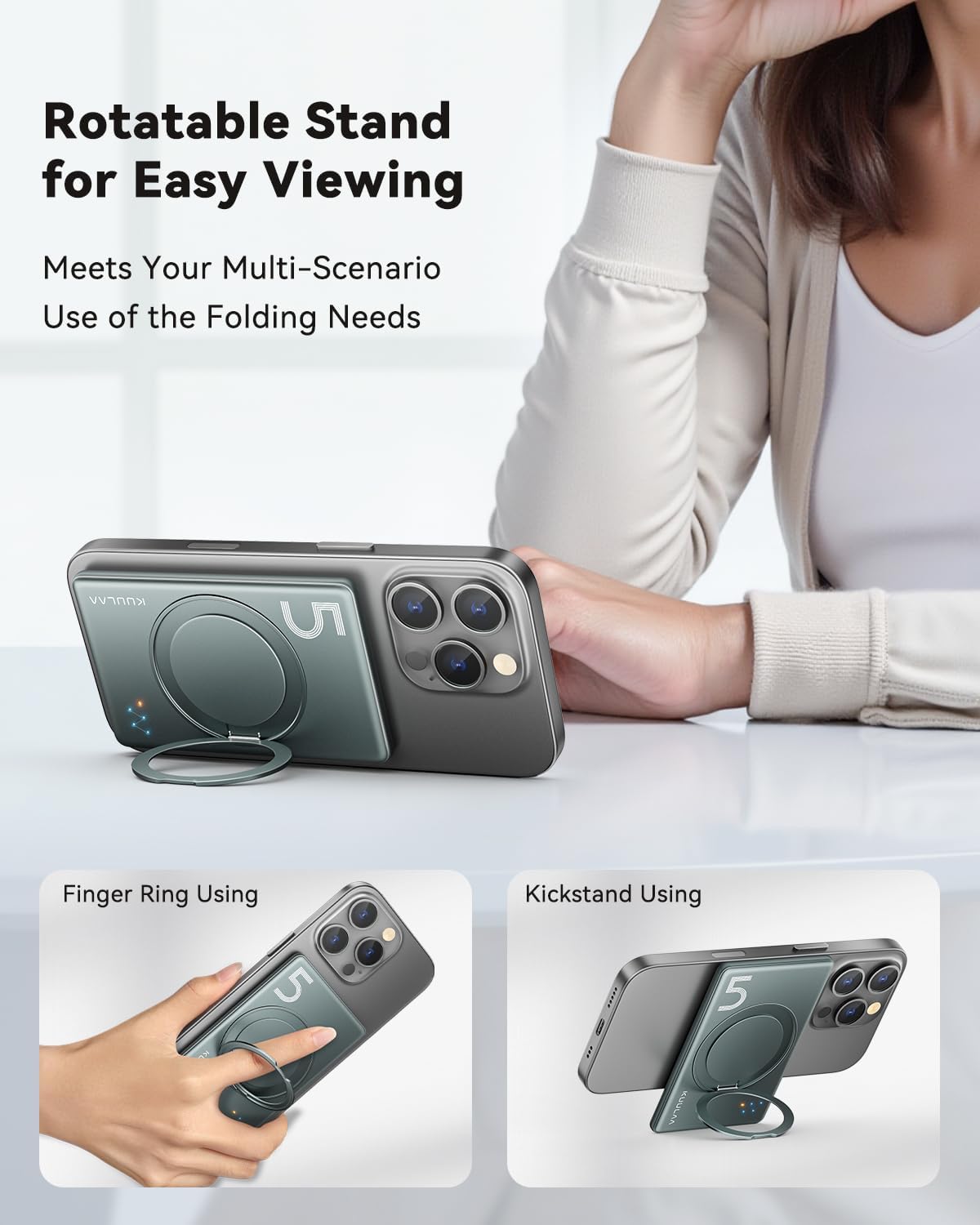
Image: The Kuulaa KL-YD68 power bank demonstrating its multi-purpose rotatable stand. One view shows it acting as a kickstand to prop up a phone, and another shows it being used as a finger ring for a secure grip.
Setup
Initial Charging of the Power Bank:
- Connect the provided USB-C charging cable to the USB-C port on the Kuulaa KL-YD68 power bank.
- Connect the other end of the cable to a compatible USB power adapter (not included).
- The LED indicator lights will illuminate to show the charging status. Allow the power bank to fully charge before first use.

Image: Illustration of the Kuulaa KL-YD68 power bank's dual charging methods. The top section shows magnetic wireless charging to a phone, and the bottom section shows wired fast charging via a USB-C cable to a phone.
Operating Instructions
Charging Devices Wirelessly (Magnetic):
- Ensure your device is compatible with MagSafe (iPhone 12/13/14/15/16 series) or has a magnetic case.
- Align the Kuulaa KL-YD68 power bank with the back of your compatible device. The magnets will automatically snap into place.
- The power bank will automatically turn on and begin wireless charging.
- To turn off the power bank, press the power button twice.
Charging Devices via USB-C Cable:
- Connect a USB-C to USB-C cable (or appropriate cable for your device) to the USB-C port on the Kuulaa KL-YD68 power bank.
- Connect the other end of the cable to your device's charging port.
- The power bank will automatically detect the connection and begin charging.
Using the Rotatable Stand:
- Gently pull out the integrated ring stand from the back of the power bank.
- Adjust the stand to your desired angle (0-120°) to prop up your phone for hands-free viewing.
- The stand can also be used as a finger ring for a more secure grip on your phone and power bank combination.
LED Indicator Lights:
The power bank features "Constellation Style" indicator lights to display its status:
- Orange Light: Indicates wireless charging status.
- Blue Lights: Indicate remaining power level.
- One blue light: 0-25% remaining power
- Two blue lights: 26-50% remaining power
- Three blue lights: 51-75% remaining power
- Four blue lights: 76-100% remaining power
Image: A diagram illustrating the "Constellation Style" indicator lights on the Kuulaa power bank. It shows orange lights for wireless charging and blue lights indicating remaining power levels (0-25%, 26-50%, 51-75%, 76-100%).
Compatibility
The Kuulaa KL-YD68 power bank offers wide compatibility for various devices:
- Magnetic Wireless Charging: Compatible with iPhone 16, 15, 14, 13, 12 series and devices using magnetic cases.
- USB-C Wired Charging: Compatible with iPhone 16, 15, 14, 13, 12 series, iPad series, Samsung S23, S22, S21, S20 series, and other mobile phones, tablets, or electronic devices that support USB-C charging.

Image: The Kuulaa power bank magnetically attached to an iPhone, with an overlay indicating compatibility with iPhone 12, 13, 14, 15, and 16 series.
Safety Information
The Kuulaa KL-YD68 is equipped with an advanced smart chip and multiple safety systems to ensure protection for your devices and the power bank itself. Adhere to the following safety guidelines:
- Do not expose the power bank to extreme temperatures, direct sunlight, or fire.
- Avoid dropping, impacting, or disassembling the device.
- Keep away from water and other liquids.
- Do not use if the power bank is damaged or swollen.
- Use only certified charging cables and adapters.
- Built-in protections include:
- Overcharge Protection
- Overcurrent Protection
- Overvoltage Protection
- Short-circuit Protection
- Overheating Protection

Image: An exploded view diagram of the Kuulaa KL-YD68 power bank, highlighting its internal components and various safety certifications (ETL, FCC, CE, ROHS) and protections such as overheating, overpower, short-circuit, and overvoltage protection.
Specifications
| Feature | Detail |
|---|---|
| Model Number | KL-YD68 |
| Battery Capacity | 5000 Milliamp Hours (mAh) |
| Product Dimensions | 4.1 x 2.7 x 0.4 inches |
| Item Weight | 5.9 ounces |
| Wireless Charging Output | 7.5W (Magnetic) |
| Wired Charging Output | 20W PD (USB Type C) |
| Connector Type | USB Type C |
| Special Features | Pocket Size, Rotatable Kickstand, Slim Design, USB C Fast Charging, Wireless Charging |
| Color | Grey |
| Manufacturer | Shenzhen Kula Technology Co., Ltd. |
Troubleshooting
- Power Bank Not Charging:
Ensure the USB-C cable is securely connected to both the power bank and the power adapter. Verify the power adapter is functioning correctly and connected to a live power source.
- Device Not Charging Wirelessly:
Confirm your device is MagSafe compatible (iPhone 12/13/14/15/16 series) or uses a magnetic case. Ensure proper alignment of the power bank with your device. Remove any non-magnetic cases that may interfere with the connection.
- Device Not Charging via USB-C:
Check if the USB-C cable is firmly connected to both the power bank and your device. Try a different USB-C cable or port if available. Ensure the power bank has sufficient charge.
- Slow Charging:
For optimal wired fast charging, ensure your device supports 20W PD and you are using a compatible USB-C cable. Wireless charging is generally slower than wired charging. Environmental factors or phone usage during charging can also affect speed.
- Magnetic Attachment is Weak:
Ensure your phone case is MagSafe compatible. Thick or non-magnetic cases can reduce magnetic strength. Clean the magnetic surfaces on both the power bank and your device/case.
- Power Bank Automatically Turns Off:
The power bank is designed to turn off automatically when not in use or when a device is fully charged. If it turns off unexpectedly during charging, ensure the connection is stable and the power bank has sufficient charge. Double-press the power button to manually turn it off.
Warranty and Support
Your Kuulaa KL-YD68 Magnetic Portable Charger Power Bank comes with a 24-month hassle-free warranty. If you encounter any issues or have questions, please contact Kuulaa customer service through the Amazon message center. Our team is available to provide friendly and responsive support.
Package Contents:
- 1 x Kuulaa 5000mAh Magnetic Power Bank
- 1 x USB-C Charging Cord
- 1 x User Manual


