
1. Introduction
Thank you for choosing the PopBloom Shannon 75 Full Spectrum LED Reef Light. This product is designed to provide optimal lighting conditions for marine fish and coral growth in saltwater aquariums ranging from 150cm to 210cm (approximately 59 to 83 inches). Featuring a fanless design for silent operation, a high-quality aluminum shell for efficient heat dissipation, and a remote control for customizable brightness and timing, this light ensures a healthy and vibrant aquatic environment.
2. Package Contents
Please verify that all items listed below are included in your package:
- 2 x 75cm LED Light Panels
- 2 x Remote Controls
- 2 x Hanging Kits
- 2 x Power Supplies with US Plugs
- 1 x User Manual

Image: Contents of the PopBloom Shannon 75 LED Reef Light package, including two light panels, two remotes, two hanging kits, two power supplies, and a user manual.
3. Safety Information
- Always disconnect power before performing any maintenance or installation.
- Do not operate the light if the power cord or plug is damaged.
- Ensure the light is securely mounted to prevent it from falling into the aquarium.
- This product is designed for indoor use only and should not be exposed to direct water spray or submersion.
- Keep out of reach of children.
- Do not attempt to disassemble or modify the light. Refer all servicing to qualified personnel.
4. Setup
4.1 Mounting Options
The PopBloom Shannon 75 LED Reef Light offers versatile mounting options to suit various aquarium setups:
- Hanging: Use the provided hanging kits to suspend the light above your aquarium. Each light comes with a hanging kit, with a total length of 80cm and a hanging height of 40cm.
- Easy Fit: The ultra-thin design allows the light to fit within tank covers or lids. It can also be nailed to a bar or bracket for a custom fit.
- Mounting Arm (Sold Separately): An optional mounting arm with a length and height of 35cm is available for rimless or rimmed tanks.

Image: Illustration of hanging, easy fit, and mounting arm options for the LED light, demonstrating its adaptability to different aquarium styles.
4.2 Physical Installation
- Choose your preferred mounting method (hanging or direct placement).
- If hanging, assemble the hanging kit and securely attach it to the light panel and a stable overhead support. Ensure the light is level and at the desired height above the water surface.
- Connect the power supply to the light panel and then plug it into a suitable electrical outlet.
- Ensure all connections are secure and dry.
5. Operating Instructions
5.1 Remote Control Overview
The included remote control allows for easy customization of light settings, including brightness, timing, and individual channel adjustments.
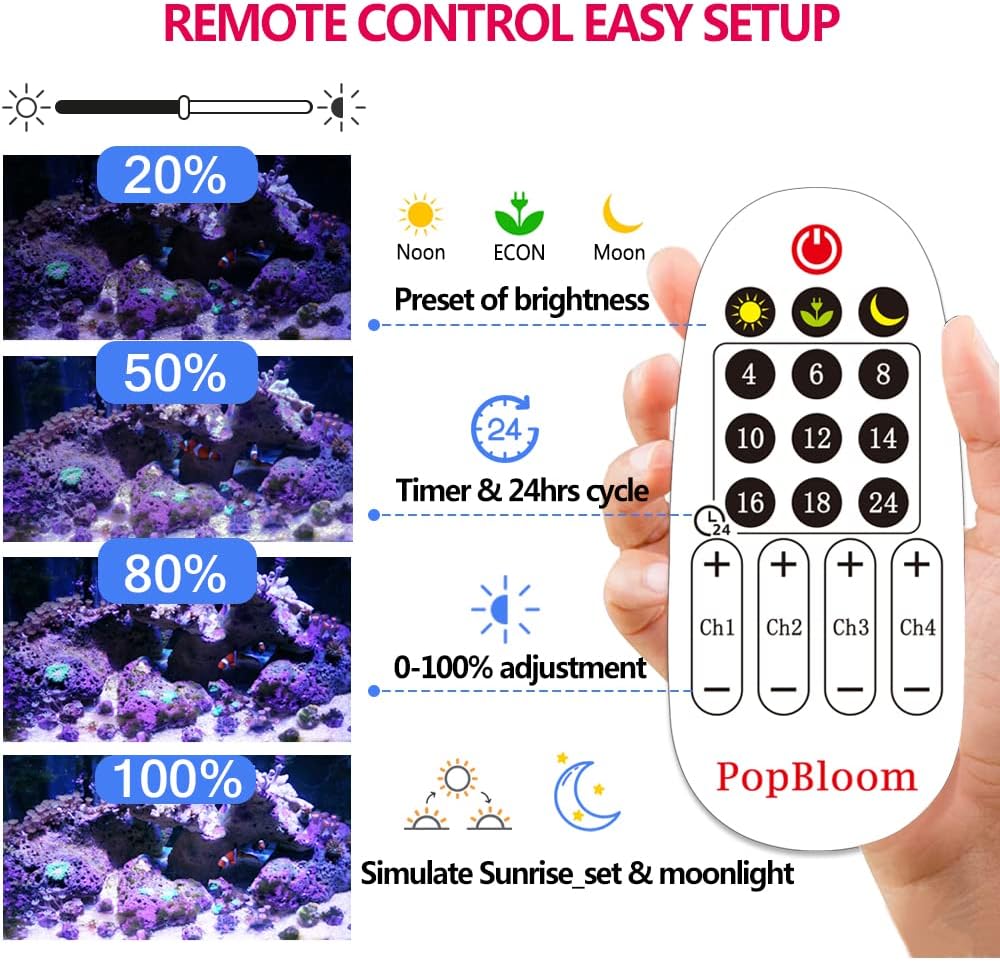
Image: The remote control for the PopBloom LED Reef Light, showing buttons for preset brightness (Noon, ECON, Moon), timer settings (2-24 hours), 0-100% adjustment, and four dimmable channels (Ch1, Ch2, Ch3, Ch4).
5.2 Channel Configuration
The light features four dimmable channels, each with specific LED types and functions to create a full spectrum for marine life:
| Channel | LEDs | Watts | Function |
|---|---|---|---|
| Channel 1 | White | 16 W | 12000K White |
| Channel 2 | Purple | 11 W | Moonlight |
| Channel 3 | Blue | 46 W | REEF GROW Blue |
| Channel 4 | Red/Green/Yellow | 18 W | Vivid Color |
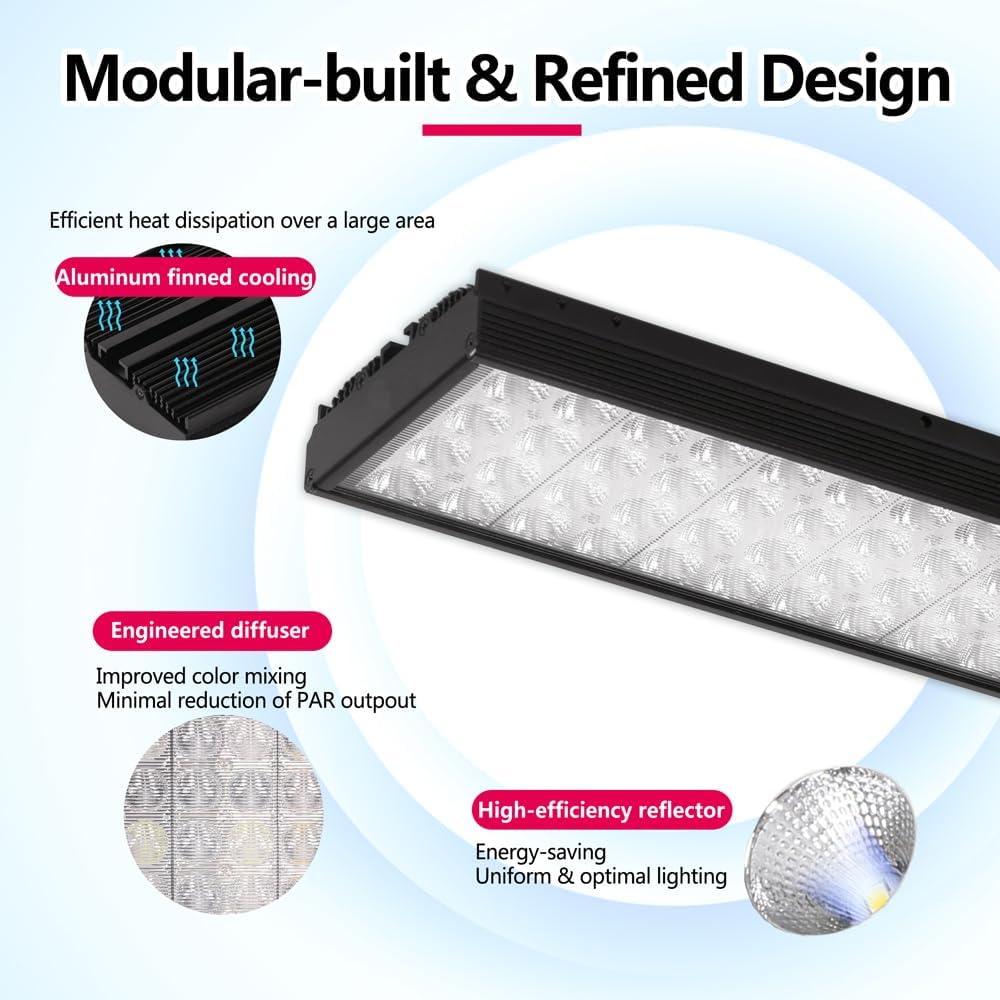
Image: Detailed breakdown of the four LED channels, their wattage, and functions, alongside a spectral graph illustrating the full spectrum output for optimal coral growth and coloration.
5.3 Setting Daylight Cycle
To set a daylight cycle, for example, from 9:00 AM for 10 hours:
- At 9:00 AM, press the "Sunlight" button on the remote or adjust channels 1-4 to your desired brightness.
- Press the timer button corresponding to "10" hours. The light will run for 10 hours, then automatically transition through a 30-minute sunset, followed by a default moon phase, and a 30-minute sunrise before the next daylight cycle.

Image: A visual guide demonstrating the steps to program a 10-hour daylight period, including automatic 30-minute sunset and sunrise transitions, and a moon phase.
5.4 Setting Night Off Cycle
To turn off the light at night, for example, from 7:00 PM:
- At 7:00 PM, press the "OFF" button on the remote or manually turn off the light by adjusting channels to 0%.
- Press the timer button corresponding to "12" hours (or your desired off duration). The light will remain off for 12 hours, then automatically transition through a 30-minute sunrise, followed by a daylight phase, and a 30-minute sunset before turning off again.
6. Maintenance
- Cleaning: Regularly wipe the light panel with a soft, dry cloth to remove dust and salt creep. Ensure the light is unplugged before cleaning. Do not use abrasive cleaners or solvents.
- Inspection: Periodically check the power cord and connections for any signs of wear or damage.
- Heat Dissipation: Ensure the aluminum shell's fins are free from obstructions to maintain optimal heat dissipation. The fanless design relies on proper airflow around the unit.
7. Troubleshooting
- Light not turning on:
- Check if the power supply is securely plugged into both the light and the wall outlet.
- Verify that the outlet is functional by plugging in another device.
- Ensure the remote control batteries are not depleted.
- Remote control not responding:
- Replace the batteries in the remote control.
- Ensure there are no obstructions between the remote and the light's receiver.
- Inconsistent light output:
- Check for any scheduled timer settings that might be altering the light intensity.
- Ensure the light panel is clean and free from debris.
8. Specifications
| Feature | Detail |
|---|---|
| Model Number | MH75BR2-H-US |
| Product Dimensions | 29.3"L x 4.7"W x 1.4"H (74.4cm L x 11.9cm W x 3.6cm H) |
| Wattage | 180 Watts (Total for 2 lights) |
| Material | Aluminum |
| Light Source Type | Light Emitting Diode (LED) |
| Bulb Features | 4 channels dimmable |
| Suitable Aquarium Size | 150-210cm (59-83 inch) Saltwater Aquarium |
| Cooling | Fanless design with aluminum heatsink |

Image: Product overview displaying the light's dimensions (29.5in x 4.7in x 1.4in), 90 watts energy efficiency per light, peak PAR values at water surface (500 µMol) and 24-inch depth (140 µMol), and key features like reef safe, optimal growth, energy saving, dimming, sunrise/sunset simulation, and 24-hour cycle.
9. Warranty & Support
For warranty information or technical support, please contact PopBloom customer service through the retailer where you purchased the product or visit the official PopBloom website. Please have your model number (MH75BR2-H-US) and purchase date available when contacting support.


