
SinKeu G120
SinKeu 120W Peak Portable Power Station G120 User Manual
Model: G120 | Brand: SinKeu
1. Introduction
This manual provides essential information for the safe and efficient operation of your SinKeu 120W Peak Portable Power Station G120. Please read this manual thoroughly before using the product and retain it for future reference. The G120 is a compact and versatile power solution designed for various applications, including outdoor camping, home backup, and emergency power needs.
2. Safety Instructions
- Do not disassemble, repair, or modify the unit. Incorrect reassembly may cause fire or electric shock.
- Do not place the unit near fire or expose it to heat. Keep out of direct sunlight.
- Do not charge, use, or store the unit in a bathroom or in an area exposed to water or humidity.
- Use only the provided charger and cables. Using unauthorized accessories may cause fire, explosion, or injury.
- Do not use the unit if it is damaged or has been dropped.
- Keep out of reach of children and pets.
- Ensure proper ventilation during use and charging to prevent overheating.
- Store the unit in a cool, dry place away from corrosive materials.
3. Package Contents
Verify that all items are present in your package:
- SinKeu G120 Charging Station
- AC Wall Charger
- Cigarette Lighter Cable
- USB-C Cable
- User Manual

Figure 3.1: The SinKeu G120 Power Station and its complete set of accessories, including the AC wall charger, cigarette lighter cable, USB-C cable, and user manual.
4. Product Overview
The SinKeu G120 is a compact and lightweight portable power station designed for ease of use and portability. It features multiple output ports and an integrated LED light.

Figure 4.1: Front view of the SinKeu G120 Portable Power Station, highlighting its compact design and various ports.
4.1. Key Features
- Compact & Portable Design: Super mini size (5.7 x 4.4 x 4.1 inches) and lightweight (2.2Lbs/1kg) with an ergonomic handle for easy carrying.
- Multiple Outputs: Equipped with 2 AC outlets (110V/120W peak), USB-A (5V/2A), USB-A QC3.0 (5V/3A, 9V/2A, 12V/1.5A), USB-C (5V/3A, 9V/2A, 12V/1.5A), and DC output (12-16.8V/6A max).
- Efficient Charging: Can be charged via Type-C input (0 to 80% within 90 minutes), AC wall charger, or compatible solar panels (not included).
- LED Bright Lights: Features three levels of brightness (Flashlight, Strobe, SOS) for various lighting needs.
- Battery Management System (BMS): Provides multiple protections including short circuit, over-current, over-voltage, overcharge, overheating, and overload protection.

Figure 4.2: Diagram illustrating the comprehensive Battery Management System (BMS) protections integrated into the SinKeu G120, ensuring safe and reliable operation.
4.2. Port Layout

Figure 4.3: Detailed view of the SinKeu G120's output ports, including AC outlets, USB-A, USB-C, and DC output, with their respective power ratings.
- AC Output: Two 110V/120W peak AC outlets for small appliances.
- USB 1 Output: 5V/2A for standard USB devices.
- USB 2 Output (QC3.0): 5V/3A, 9V/2A, 12V/1.5A for fast charging compatible devices.
- USB-C Output: 5V/3A, 9V/2A, 12V/1.5A for modern USB-C devices.
- DC Output: 12-16.8V/6A max for DC-powered devices.
- Input Port: For charging the power station via AC adapter, car charger, or solar panel.
- LED Display: Shows battery level, input/output status.
- LED Light: Integrated light with multiple modes.
5. Setup
5.1. Initial Charge
Before first use, it is recommended to fully charge your SinKeu G120. Connect the provided AC wall charger to the input port on the power station and plug it into a standard wall outlet. The LED display will indicate charging status. The unit charges from 0 to 80% within approximately 90 minutes via Type-C input.

Figure 5.1: The SinKeu G120 being fast-charged via its USB-C input, demonstrating its quick recharging capability.
6. Operating Instructions
6.1. Charging the Power Station
Your G120 can be recharged using three methods:
- AC Wall Outlet: Use the included AC wall charger.
- Solar Charging: Connect a compatible SinKeu 22W/30W/40W solar panel (not included) to the input port. This allows for green and renewable power on the go.
- Car Charging: Use the included cigarette lighter cable to charge from your vehicle's 12V outlet.

Figure 6.1: Illustration of the three versatile charging methods for the SinKeu G120: wall outlet, solar panel, and car charging.
6.2. Powering Devices
Press the main power button to turn on the unit. The LED display will illuminate. You can then activate specific output sections (AC, USB, DC) as needed by pressing their respective buttons.

Figure 6.2: The SinKeu G120 simultaneously charging a laptop, tablet, and smartphone, demonstrating its multi-device charging capability.
- AC Outlets: Plug in devices requiring 110V AC power, such as laptops or small fans. Ensure the device's power consumption does not exceed 120W peak.
- USB Ports: Connect smartphones, tablets, Bluetooth speakers, headphones, and other USB-powered devices. Utilize the QC3.0 and USB-C ports for faster charging of compatible devices.
- DC Output: Ideal for powering 12V DC devices.
6.3. LED Bright Light
The integrated LED light offers three modes:
- Flashlight: Provides steady illumination.
- Strobe: Flashing light for signaling or emergencies.
- SOS: Emits the international Morse code signal for distress.
Press the dedicated flashlight button to cycle through the modes. This feature is suitable for various situations, including car breakdowns, power outages, or tent lighting during camping.
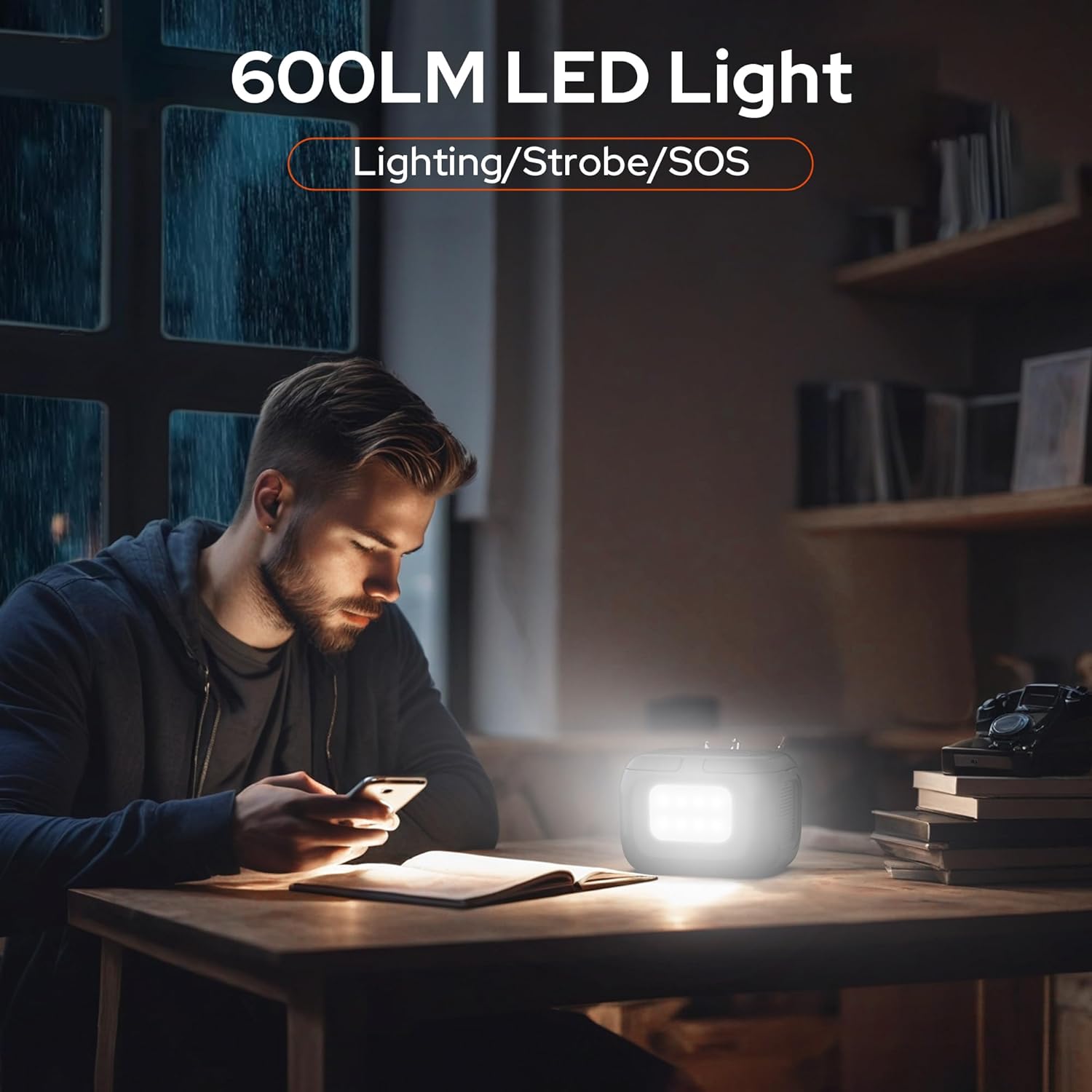
Figure 6.3: The SinKeu G120's powerful 600LM LED light illuminating a workspace, demonstrating its utility in low-light conditions.

Figure 6.4: Visual representation of the three LED flash modes (Flashlight, Strobe, SOS) available on the SinKeu G120, suitable for various emergency and lighting needs.
7. Maintenance
- Storage: Store the unit in a cool, dry place, away from direct sunlight and extreme temperatures.
- Recharge Frequency: For optimal battery life, recharge the power station every 3 months, even if not in use.
- Cleaning: Use a dry, soft cloth to clean the exterior of the unit. Do not use abrasive cleaners or solvents.
- Avoid Moisture: While designed for outdoor use, avoid exposing the unit to heavy rain or submerging it in water.
8. Troubleshooting
| Problem | Possible Cause | Solution |
|---|---|---|
| Unit not turning on | Low battery; Power button not pressed correctly. | Charge the unit; Press and hold the power button for 3 seconds. |
| Device not charging from output port | Output port not activated; Device power consumption too high; Cable issue. | Ensure the specific output button (AC/USB/DC) is pressed; Check device's wattage; Try a different cable. |
| Slow charging via solar panel | Insufficient sunlight; Panel not optimally positioned. | Ensure direct sunlight exposure; Adjust panel angle for maximum sun absorption. |
| LED light not working | Light function not activated; Unit is off. | Press the LED light button; Ensure the power station is on. |
9. Specifications
| Feature | Detail |
|---|---|
| Brand | SinKeu |
| Model Name | G120 |
| Wattage | 97 Watt-hours |
| Output Wattage | 120W (Peak) |
| Power Source | Battery Powered/Solar Powered |
| AC Output | 2 x 110V/120W peak |
| USB 1 Output | 5V/2A |
| USB 2 Output (QC3.0) | 5V/3A, 9V/2A, 12V/1.5A |
| USB-C Output | 5V/3A, 9V/2A, 12V/1.5A |
| DC Output | 12-16.8V/6A max |
| Product Dimensions | 5.7"L x 4.4"W x 4.1"H |
| Item Weight | 2.2 Lbs (1 kg) |
| Batteries | 12 Lithium Ion batteries (included) |
| Special Features | Digital Display, Lightweight, Overload Protection, Portable, USB Port, LED Light |
10. Warranty and Support
SinKeu offers 7*24 rapid customer service. If any issues arise with your G120 Charging Station, please feel free to contact us. Refer to your purchase documentation for specific warranty terms and contact information.
For further assistance, visit the official SinKeu Store: SinKeu Store on Amazon
Ask a question about this manual
Ask about setup, troubleshooting, compatibility, parts, safety, or missing instructions. Manuals+ will review the question and use this page’s manual context to help answer it.