
1. Introduction
The AsperX AX2000 is a portable car battery jump starter designed to provide a quick and safe solution for starting vehicles with dead batteries. It also functions as a portable power bank and features an integrated LED light for various situations. This manual provides essential information for the safe and effective use of your AsperX AX2000.

Figure 1: AsperX AX2000 Jump Starter highlighting 12 Volts, 2000 Amps, Lithium Powered, 8.0L Gas, and 6.5L Diesel engine compatibility.
2. What's in the Box
Please check the package contents upon receipt to ensure all items are present:
- AsperX AX2000 Car Jump Starter Unit
- Smart Jump Cable with Clamps
- USB Charging Cable
- Portable Carrying Case
- User Manual (this document)

Figure 2: Included items: Jump Starter, Smart Jump Cable, USB Charging Cable, Portable Carrying Case, and User Manual.
3. Product Features
- Powerful Jump Starting: Delivers 2000A peak current, capable of starting up to 8.0L gas or 6.5L diesel engines. Operates effectively in extreme temperatures (-4°F to 140°F).
- Multi-mode LED Light: Features three modes: Lighting (constant illumination), Flash, and SOS for emergency signaling.
- Portable Power Bank: Equipped with a quick-charge USB port to charge various electronic devices such as cell phones, tablets, and digital cameras.
- 1.4" LCD Display: Provides clear indication of usage status and remaining power.
- Comprehensive Safety Protections: Incorporates spark-proof technology, reverse polarity protection, low-temperature protection, high-temperature protection, and over-load protection.

Figure 3: Overview of the jump starter unit showing Jumper Cable ECS Output, USB Output, Type-C Input, Power Button, LED Screen, and LED Light.
4. Safety Information
Read all safety warnings and instructions before using this product.
- Do not attempt to jump start an engine that exceeds the maximum displacement supported by the jump starter.
- Do not crank the engine for more than 3 seconds at a time. Allow the jump starter to cool down for at least 1 minute between each start attempt.
- Ensure the device has at least 50% power before use.
- Always connect the red clamp to the positive (+) terminal and the black clamp to the negative (-) terminal of the vehicle battery.
- Avoid touching the red and black clamps together to prevent sparks.
- Do not expose the product to rain or wet conditions.
- Keep out of reach of children.
- Store in a cool, dry place when not in use.

Figure 4: Visual representation of comprehensive safety protections including over charge, over current, short circuit, reverse polarity, low temp, high temp, over voltage, and over load protection.
5. Setup
5.1 Initial Charge
Before first use, fully charge the AsperX AX2000 jump starter. Connect the provided USB charging cable to the Type-C input port on the jump starter and plug the other end into a 5V USB adapter (not included). The LCD display will show the charging progress.

Figure 5: Charging the AsperX AX2000 unit using a USB-C cable. A wall charger is not included.
6. Operating Instructions
6.1 Jump Starting a Vehicle
- Insert the Smart Jump Cable: Plug the blue end of the smart jump cable into the jump starter's dedicated port. Ensure a secure connection.
- Connect Clamps to Battery: Attach the red (+) clamp to the positive terminal of the vehicle battery and the black (-) clamp to the negative terminal. The smart jump cable indicator should show a green light, indicating a correct connection. If it shows red or flashes, check the connections.
- Press 'BOOST' Button (if needed): If the indicator light is not green, or if the battery is deeply discharged, press the 'BOOST' button on the smart jump cable for 3 seconds until the green light illuminates.
- Start Your Car: Return to your vehicle and start the engine within 30 seconds of the green light appearing.
- Remove Jump Cable: Once the engine starts, immediately remove the smart jump cable from the vehicle battery terminals, then disconnect it from the jump starter unit.

Figure 6: Step-by-step visual guide for jump starting: 1. Insert jump cable, 2. Connect clamps and press 'BOOST', 3. Start car engine, 4. Remove jump cable.
6.2 Using as a Portable Power Bank
The AsperX AX2000 can charge your electronic devices via its USB output port.
- Connect your device's USB charging cable to the USB output port on the jump starter.
- The jump starter will automatically begin charging your device. The LCD screen will show the remaining power.
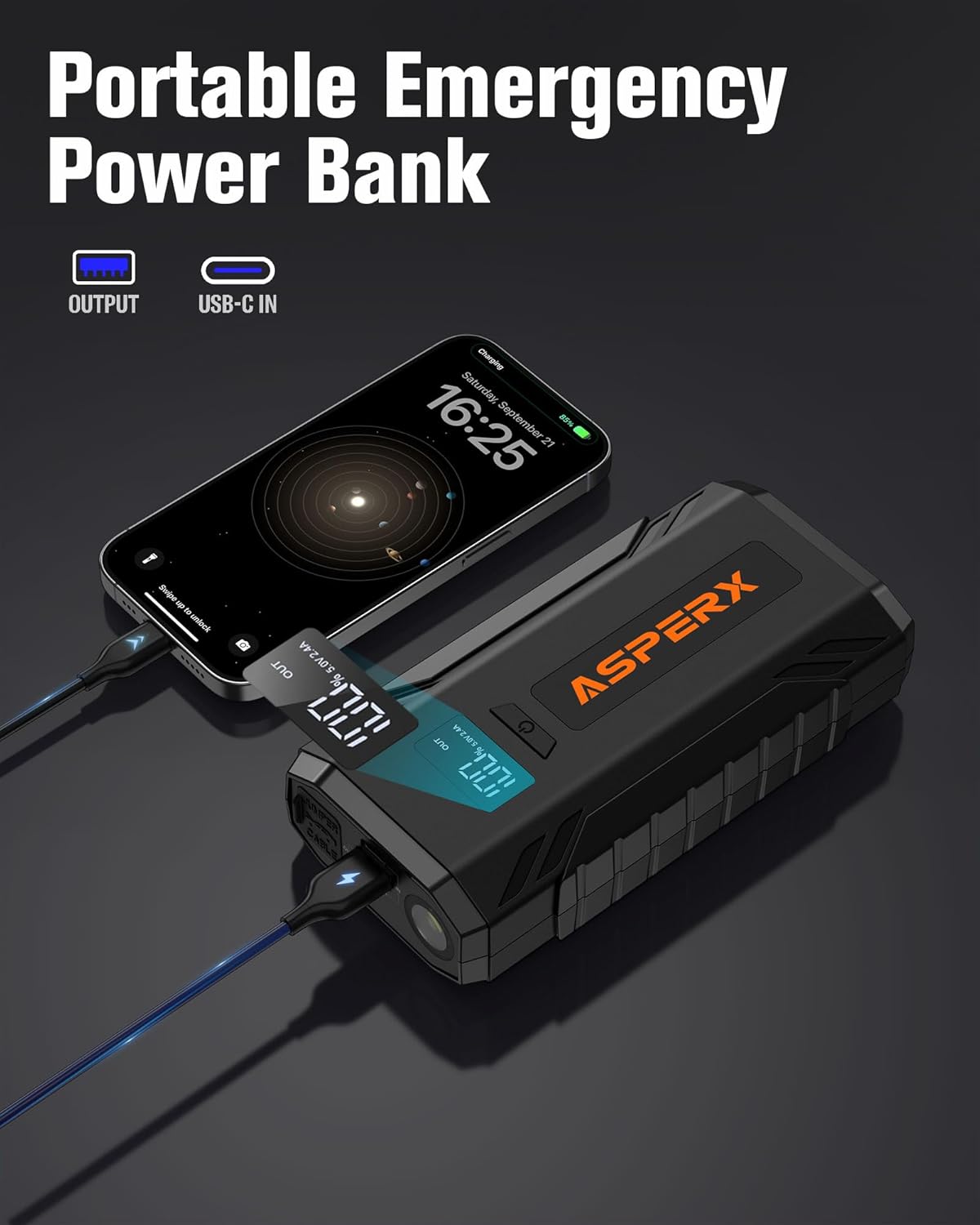
Figure 7: The AsperX AX2000 functioning as a portable emergency power bank, charging a mobile phone.
6.3 Using the LED Light
The integrated LED light has three modes: constant illumination, strobe, and SOS.
- Press and hold the power button for a few seconds to turn on the LED light (constant illumination mode).
- Press the power button again to cycle through the modes: Strobe → SOS → Off.

Figure 8: Illustration of the ultra-bright LED light with Flashlight, SOS, and Strobe modes.
6.4 Illustrative Videos (Similar Products)
The following videos demonstrate the functionality of similar jump starter products and are provided for illustrative purposes only. Actual product appearance and specific features may vary.
Video 1: Illustrative guide on how to jump start a car using a portable jump starter (NEXPOW G17).
Video 2: Illustrative overview of a portable car battery jump starter, including unboxing and usage (GREPRO GP196).
7. Maintenance
- Charging: Recharge the unit every 3-6 months, even if not used, to maintain battery health.
- Cleaning: Wipe the unit with a dry, soft cloth. Do not use harsh chemicals or abrasive materials.
- Storage: Store the jump starter in its portable carrying case in a cool, dry environment, away from direct sunlight and extreme temperatures.
8. Troubleshooting
| Problem | Possible Cause | Solution |
|---|---|---|
| Vehicle does not start | Low charge on jump starter | Ensure jump starter is at least 50% charged. |
| Vehicle does not start | Incorrect clamp connection | Check that red clamp is on positive (+) and black clamp is on negative (-). Smart cable indicator should be green. |
| Vehicle does not start | Engine cranked too long | Do not crank for more than 3 seconds. Wait 1 minute before re-attempting. |
| Smart cable indicator shows red/flashing | Reverse polarity or short circuit | Disconnect clamps and re-connect correctly. Ensure clamps do not touch. |
| Jump starter not charging devices | USB cable or device issue | Try a different USB cable or device to confirm functionality. |
9. Specifications
- Model: AX2000
- Peak Current: 2000 Amps
- Battery Capacity: 10000 Milliamp Hours (Lithium Polymer)
- Start Voltage: 12 Volts
- Engine Compatibility: Up to 8.0L Gas or 6.5L Diesel Engines
- Operating Temperature: -4°F to 140°F (-20°C to 60°C)
- Product Dimensions: 16.5 x 8.26 x 3.96 cm
- Item Weight: 500 g
- Input: USB Type-C
- Output: USB-A
- Manufacturer: AsperX
- Country of Origin: China

Figure 9: Internal view of the jump starter highlighting key components and ports, including the 2000A peak current battery.
10. Warranty & Support
The AsperX AX2000 Jump Starter comes with a 24-month manufacturer's warranty. For any product inquiries, technical support, or warranty claims, please contact AsperX customer service through your retailer or the official AsperX website.


