
1. Setup
1.1 Unboxing and Initial Charge
Carefully remove the headphones from their packaging. Before first use, fully charge the headphones. Connect the provided charging cable to the charging port on the headphones and to a USB power source. The LED indicator will show charging status.
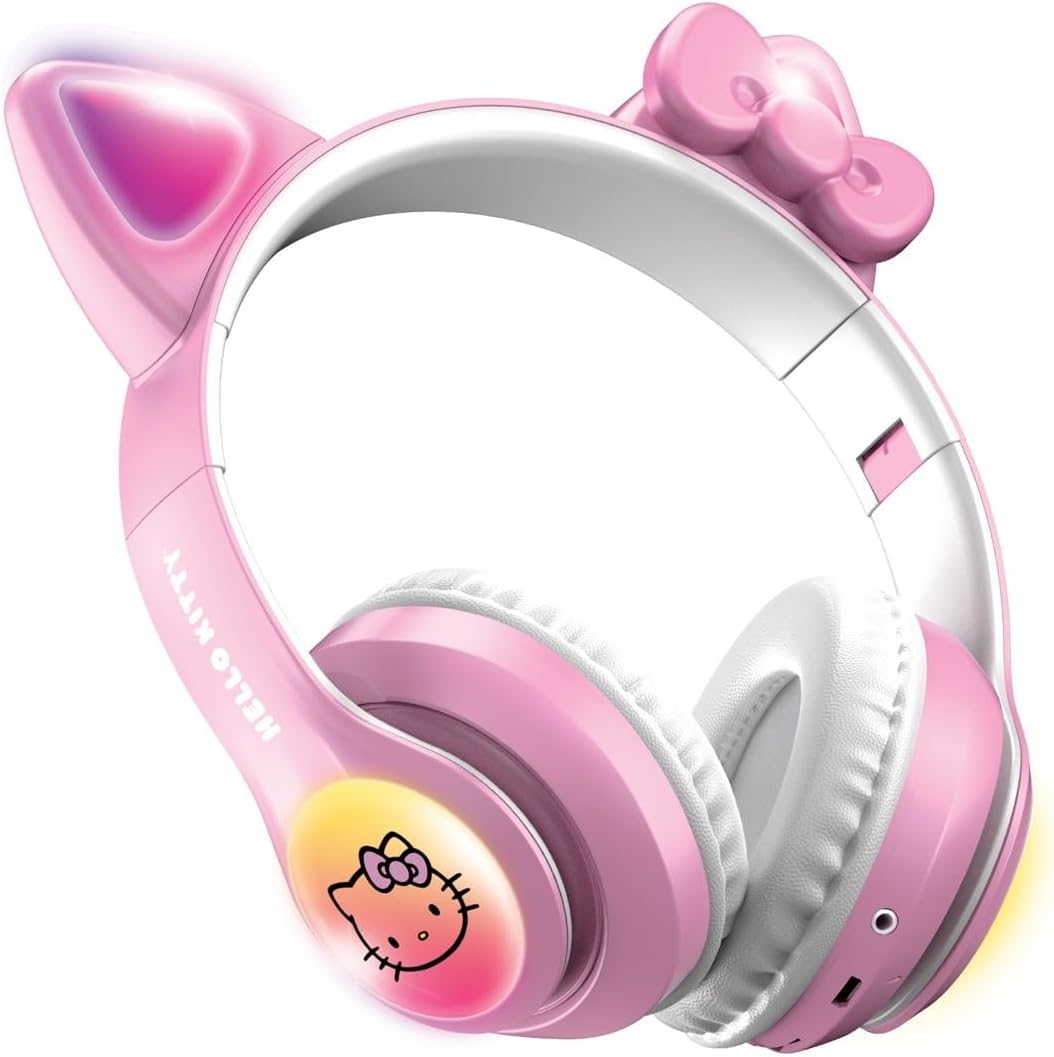
Image: Side view of the Hello Kitty headphones, highlighting the charging port and control buttons for easy identification.
1.2 Powering On/Off
- To Power On: Press and hold the Power button (usually located on one of the earcups) for 3-5 seconds until the LED indicator lights up and you hear a power-on prompt.
- To Power Off: Press and hold the Power button again for 3-5 seconds until the LED indicator turns off and you hear a power-off prompt.
1.3 Bluetooth Pairing
- Ensure the headphones are powered off.
- Press and hold the Power button for approximately 5-7 seconds until the LED indicator flashes rapidly (often blue and red), indicating pairing mode.
- On your device (smartphone, tablet, computer), enable Bluetooth and search for available devices.
- Select "Hello Kitty Headphones" from the list of found devices.
- Once connected, the LED indicator will typically show a solid blue light or flash slowly, and you will hear a connection confirmation.
2. Operating Instructions
2.1 Basic Controls
| Function | Action |
|---|---|
| Play/Pause | Press the Multi-function button (often the Power button) once. |
| Volume Up | Press the '+' button. |
| Volume Down | Press the '-' button. |
| Next Track | Press and hold the '+' button. |
| Previous Track | Press and hold the '-' button. |
| Answer/End Call | Press the Multi-function button once during an incoming call. |
| Reject Call | Press and hold the Multi-function button for 2 seconds during an incoming call. |
2.2 LED Light Control
The headphones feature light-up LED earcups and cat ears. To control the lights:
- To turn lights On/Off: Locate the dedicated light control button (refer to the product diagram in the included User Manual for exact location). Press this button once to toggle the lights on or off.
- The lights may also react to music or change patterns automatically.

Image: The Hello Kitty headphones showcasing their light-up LED earcups and cat ears.
2.3 Foldable Design
These headphones feature a foldable design for easy storage and portability. Gently fold the earcups inwards towards the headband when not in use. Ensure not to apply excessive force to avoid damage.
3. Maintenance
3.1 Cleaning
- Use a soft, dry cloth to wipe the surface of the headphones.
- For stubborn dirt, slightly dampen the cloth with water and mild soap, then wipe dry immediately.
- Do not use harsh chemicals, abrasive cleaners, or immerse the headphones in water.
3.2 Storage
When not in use, store the headphones in a cool, dry place, away from direct sunlight and extreme temperatures. Utilize the foldable design to save space and protect the earcups.
3.3 Battery Care
- Avoid fully discharging the battery frequently.
- Charge the headphones regularly, even if not used for extended periods, to maintain battery health.
- Do not attempt to replace the battery yourself. Contact customer support if battery issues arise.
4. Troubleshooting
| Problem | Possible Cause | Solution |
|---|---|---|
| Headphones do not power on. | Low battery. | Charge the headphones fully. |
| Cannot pair with device. | Headphones not in pairing mode; device Bluetooth off; too far apart. | Ensure headphones are in pairing mode (flashing LED). Turn device Bluetooth off/on. Move headphones closer to device (within 33 feet). |
| No sound or low volume. | Volume too low on headphones or device; not connected. | Increase volume on both headphones and connected device. Re-pair headphones if disconnected. |
| LED lights not working. | Lights turned off; low battery. | Press the light control button to turn them on. Charge the headphones. |
5. Specifications
- Model Name: Hello Kitty Wireless Bluetooth Light-Up Headphones with Built-in Microphone, Foldable Design, Adjustable Headband, 8 Hours Playtime, LED Kitty Earcups, for Kids & Adults (Pink)
- Connectivity Technology: Bluetooth
- Wireless Communication Technology: Bluetooth
- Age Range (Description): Kid
- Material: Plastic
- Compatible Devices: Any device with Bluetooth functionality
- Theme: Hello Kitty
- Cartoon Character: Hello Kitty
- Frequency Range: 20 Hz - 20,000 Hz
- Control Method: Touch
- Battery Life: 8 Hours
- Earpiece Shape: Over-Ear
- Color: Light Pink
- Ear Placement: Over Ear
- Form Factor: Wireless
- Noise Control: None
- Item Weight: 9.1 ounces
- Manufacturer: Southern Telecom
6. Warranty & Support
For warranty information and customer support, please refer to the contact details provided on the product packaging or visit the official Hello Kitty electronics website. Keep your proof of purchase for any warranty claims.
If you encounter any issues not covered in this manual, please contact our customer service team for assistance.