
1. Introduction
Welcome to the GTR Lighting Ultra 2.0 LED Bulb User Manual. This manual provides essential information for the installation, operation, and maintenance of your new LED bulbs. The Ultra 2 LED Bulb Upgrade represents nearly a decade of design refinement, utilizing top-grade materials and incorporating user feedback to deliver superior performance. It offers enhanced brightness, a precise beam pattern, extended lifespan, improved adjustability, and straightforward installation. Crafted with cutting-edge automotive-grade NLW753 LED chips, the Ultra 2 provides ultra-bright output and a precisely focused beam. Its advanced heat-sink design, coupled with an efficient fan, ensures low operating temperatures for unmatched reliability. The sleek die-cast housing further contributes to optimal performance and durability. The Ultra 2 is designed for universal fitment, balancing power and geometry to seamlessly integrate into various applications.
2. What's in the Box
Upon opening your GTR Lighting Ultra 2.0 LED Bulb package, you should find the following components:
- One Pair of LED Fog Light Bulbs
- LED Drivers (integrated or separate, as applicable)

Image: A pair of GTR Lighting Ultra 2.0 LED bulbs, showcasing their design and the "ULTRA LED" branding on the box.
3. Specifications
Detailed technical specifications for the GTR Lighting Ultra 2.0 LED Bulb:
| Feature | Detail |
|---|---|
| Brand | GTR Lighting |
| Model | GTR Lighting Ultra 2.0 (GTR.LED731) |
| Bulb Size | H11 |
| Brightness | 7800 Lumen |
| Wattage | 41.5 watts |
| Voltage | 12 Volts (DC) |
| Color | White |
| Item Weight | 12.8 ounces |
| Country of Origin | Taiwan |
4. Setup and Installation
The GTR Lighting Ultra 2.0 LED bulbs are designed for straightforward installation. However, proper setup is crucial for optimal performance and beam pattern.
4.1 Pre-Installation Check
- Ensure your vehicle's ignition is off and the battery is disconnected before beginning installation.
- Verify the bulb size (H11) matches your vehicle's requirements.
- Inspect the bulbs and connectors for any visible damage.
4.2 Installation Steps
- Access Bulb Housing: Locate your vehicle's headlight or fog light housing. Depending on your vehicle model, this may require removing fender liners, battery, or other components. Consult your vehicle's service manual for specific access instructions.
- Remove Old Bulb: Disconnect the electrical connector from the existing bulb. Then, unclip or twist to remove the old bulb from the housing.
- Insert New LED Bulb: Carefully insert the GTR Lighting Ultra 2.0 LED bulb into the housing. Ensure it seats firmly and correctly.
- Connect Electrical: Connect the LED bulb's electrical connector to your vehicle's wiring harness. The integrated LED driver should be securely mounted away from excessive heat or moving parts.
- Clocking for Optimal Beam Pattern: This is a critical step for LED bulbs, especially in reflector or projector housings. The Ultra 2 bulbs are designed to be "clocked" or rotated to achieve the best beam pattern.
- Park your vehicle 25 feet from a flat wall on a flat surface.
- Mark the high spots of your stock bulbs' beam pattern on the wall with masking tape (if replacing).
- Install one LED bulb and observe its beam pattern on the wall.
- Gently rotate the LED bulb within its housing until the beam pattern is sharp, horizontal, and aligns with or is slightly below your original marks. The LED chips should ideally be positioned horizontally (at 3 and 9 o'clock positions) for most applications.
- Secure the bulb in this optimal position.
- Test Functionality: Reconnect the battery and turn on your vehicle's lights to ensure both bulbs are functioning correctly. Check for any flickering or error messages.

Image: A close-up view of the GTR Lighting Ultra 2.0 LED bulb, highlighting the LED chips and the adjustable collar for beam pattern optimization.
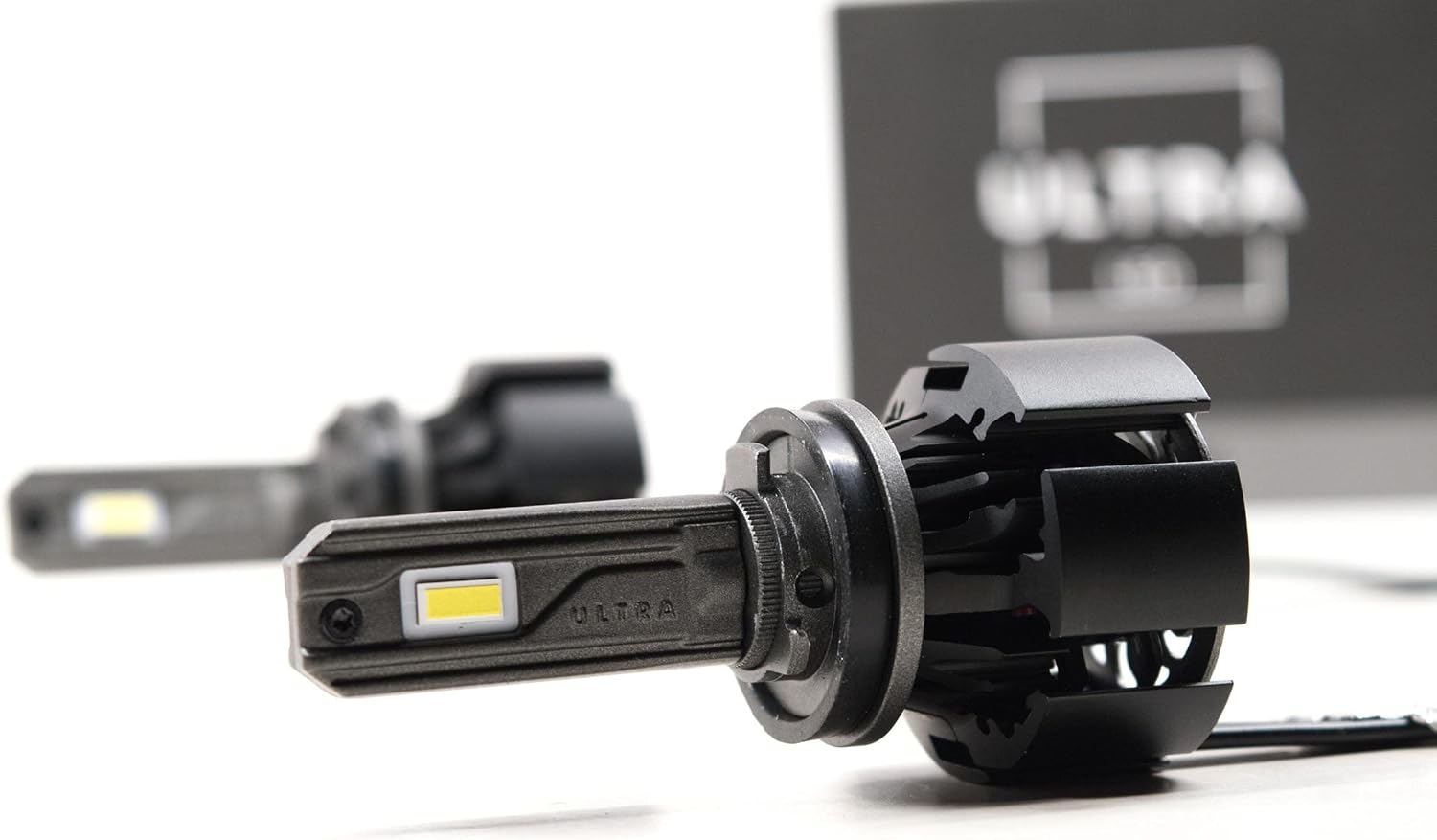
Image: The GTR Lighting Ultra 2.0 LED bulb viewed from the side, illustrating the heat sink design and integrated cooling fan.

Image: Rear view of two GTR Lighting Ultra 2.0 LED bulbs, showcasing the cooling fan and the GTR logo on the fan cover.
5. Operating Instructions
Once installed, operating your GTR Lighting Ultra 2.0 LED bulbs is as simple as using your vehicle's standard lighting controls. These bulbs provide instant-on brightness and a consistent light output.
5.1 Beam Pattern and Brightness
The Ultra 2.0 LED bulbs are designed to deliver an ultra-bright output with a precisely focused beam. The "clocking" adjustment during installation is key to achieving the optimal beam pattern, ensuring maximum visibility without causing glare to oncoming traffic. The advanced NLW753 LED chips provide superior illumination compared to traditional halogen bulbs.