
1. Product Overview
The Roadanvi X12 Car Stereo is an intelligent, high-fidelity multimedia navigation system designed to enhance your driving experience. Featuring an Android 12 operating system, a powerful Unis7862S True Octa-core processor, and a vibrant 9-inch QLED touch screen, this head unit offers seamless integration with your vehicle's existing systems and provides advanced connectivity options like Apple CarPlay and Android Auto.
2. Vehicle Compatibility
This car stereo is specifically designed for the following Subaru models:
- 2015-2018 Subaru Forester 4
- 2016-2021 Subaru WRX
Important Note: Factory Harman Kardon amplifiers are not supported by this unit.

Image: Comparison of the car dashboard before and after installation of the Roadanvi X12 Car Stereo, demonstrating the integrated appearance.

Image: Visual guide indicating which Subaru dashboard vent designs are compatible or incompatible with the Roadanvi X12 Car Stereo installation. Vents without a silver edge are not compatible.
3. What's in the Box
The Roadanvi X12 Car Stereo package includes the following components:
- 1. Audio Output Cable
- 2. Cam In Cable
- 3. SIM Slot Cable
- 4. Dual USB Cable
- 5. GPS Antenna
- 6. Microphone
- 7. 4G Antenna
- 8. User Manual
- 9. Power Cable
- 10. Canbus Decoder
- 11. WiFi Antenna
- 12. USB Adapter
- 13. Emergency Light Buckle

Image: A visual representation of all items included in the product packaging, such as the main unit, cables, antennas, and user manual.
4. Setup & Installation
Proper installation is crucial for the optimal performance of your Roadanvi X12 Car Stereo. It is recommended to have the installation performed by a qualified professional.
4.1 Important Safety Precautions
- Always turn off the car engine and disconnect the vehicle's battery power before beginning installation. Failure to do so may result in damage to the unit (e.g., burning out the Canbus box) or the vehicle's electrical system.
- Ensure all connections are secure and properly insulated to prevent short circuits.
4.2 Wiring Diagrams
Refer to the following diagrams for correct wiring connections. Note that specific wiring may vary slightly depending on your vehicle's original configuration.

Image: Wiring diagram for the DYX022 variant, applicable to vehicles without a Harman Kardon amplifier. It shows connections for audio output, camera input, SIM slot, USB, GPS, microphone, 4G antenna, and power.

Image: Wiring diagram for the DYX027 variant, applicable to vehicles without a Harman Kardon amplifier. This diagram details connections for power, speakers, AUX/camera, CVBS, radio, and USB adapter.
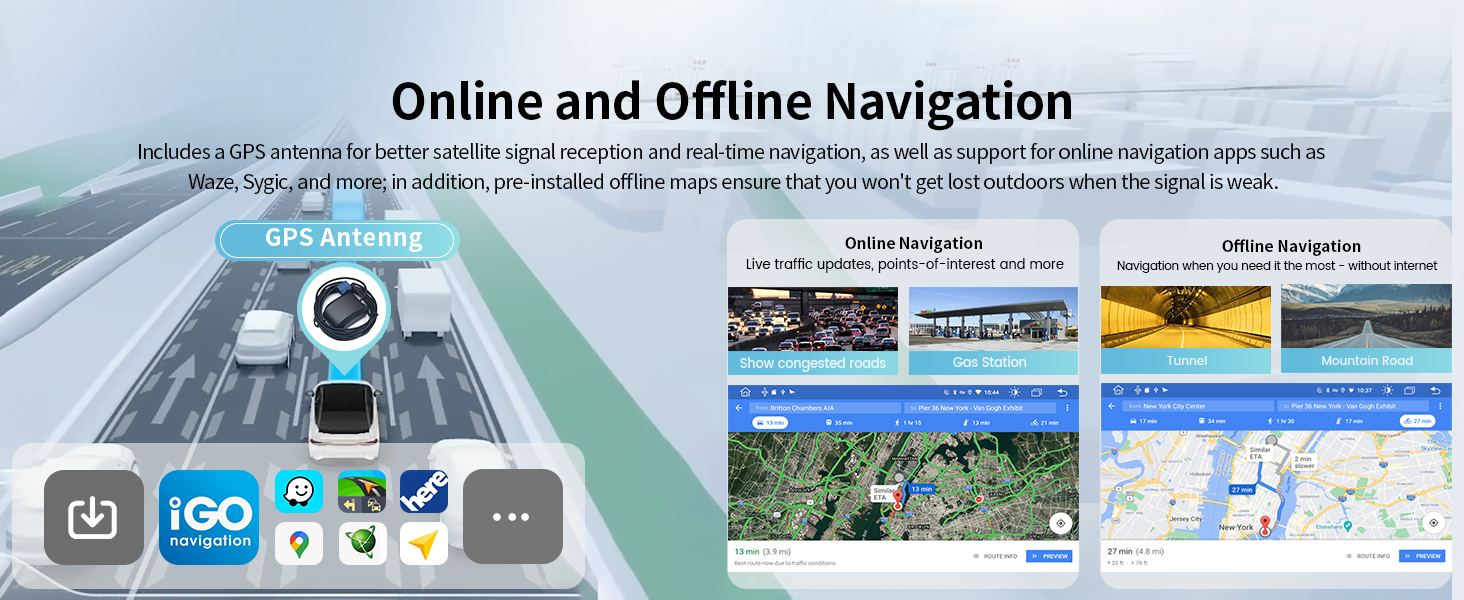
Image: A detailed stereo wiring diagram with numbered points indicating connections for GPS antenna, 4G antenna, AUX-V IN, SUB OUT, CAM IN, FL, FR, RL, RR, USB-1, CCD+12V, BRAKE, GND, FRONT-CAMERA, AUX-I IN, AUX-R IN, SIM Card Slot, USB-2, MICROPHONE, and WIFI ANT.
4.3 Retaining Factory Car Features
The Roadanvi X12 is designed to retain several of your vehicle's original features:
- Steering Wheel Controls: Maintain control over audio and other functions directly from your steering wheel.
- Rear-View Camera: Seamlessly integrate your factory rear-view camera for parking assistance.
- AUX and SUB Functions: Continue to use your existing AUX input and subwoofer.
- A/C Information: Display air conditioning information on the new head unit.
- Door Open Hint: Receive visual alerts for open doors.
Note: If your original car does not have these features, they will not be added by the head unit.
Image: Visual examples of factory features that are retained after installing the Roadanvi X12, including steering wheel controls, door open hint, factory USB/AUX port, A/C information display, and integration with the factory reverse camera.
5. Operating Instructions
5.1 System Overview
The Roadanvi X12 operates on the Android 12 OS, powered by a Unis7862S True Octa-core processor. It comes with 4GB RAM and 64GB ROM, ensuring a smooth and stable user experience for various applications and multimedia playback.

Image: An overview of the system's core specifications, highlighting the 8-core CPU, 4GB RAM, 64GB ROM, and Android 12 operating system. It also illustrates support for online/offline maps, Google Play Store access, and split-screen functionality.
5.2 Display Features
The unit features a 9-inch QLED Touch screen with a 1280x720 high-resolution display and a 178° full-viewing angle for clear visibility from various positions. The screen includes a day and night mode to optimize brightness and reduce eye strain.

Image: A detailed view of the QLED touch screen, emphasizing its high resolution (1280x720P) and responsive touch capabilities, designed for clear and delicate picture quality.

Image: A side-by-side comparison showing how the screen intelligently switches between a brighter, clearer display for daytime use and a reduced-irritation mode for night driving.
5.3 Smartphone Integration
Stay connected and entertained with seamless smartphone integration:
- Apple CarPlay (Wireless): Access calls, messages, navigation, and music from your iPhone using Siri or the touch screen.
- Android Auto (Wired/Wireless): Connect your Android phone for navigation, communication, and media playback via Google Assistant or touch control.
- Mirror Link (Wireless): Cast your phone's display directly to the car stereo screen.
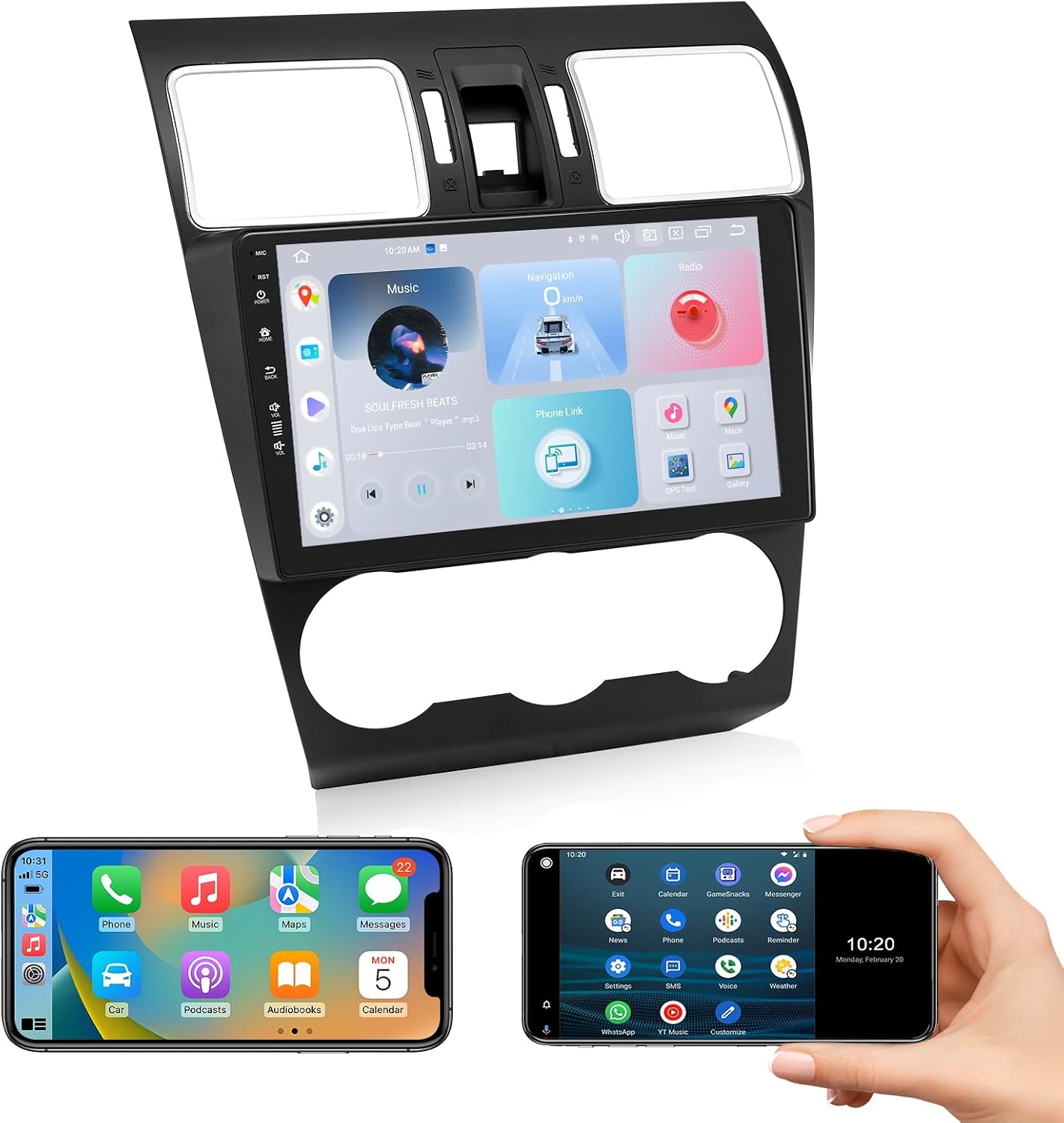
Image: The main product image showcasing the car stereo unit alongside examples of Apple CarPlay and Android Auto interfaces displayed on mobile phones, illustrating the connectivity features.
5.4 Audio Features
Experience superior sound quality with the integrated audio features:
- Built-in DTS Surround Sound: Provides high-fidelity, immersive audio with customizable modes.
- 4*50W Output: Delivers clear and powerful sound.
- Bluetooth 5.0: Offers faster transmission speed and longer effective distance for hands-free calling, music streaming, and automatic phonebook loading.
- AM/FM Radio: Listen to real-time radio, weather forecasts, and news.
- Fiber Optical Output: Connect to an external amplifier with optical fiber digital input for ultimate sound quality and lossless audio transmission.

Image: Screenshots of the new upgraded DTS sound system interface, showing various customizable modes such as sound system settings, equalizer (EQ), bass boost, and slope adjustments for enhanced audio experience.
5.5 Navigation & Connectivity
Navigate with confidence and stay connected on the go:
- Online and Offline Navigation: Utilize online navigation with real-time traffic updates or pre-installed offline maps for areas without internet access.
- 4G SIM Card Slot: Insert a 4G SIM card (not included) to access the internet directly for online navigation and other services.
- Wi-Fi Connectivity: Connect to Wi-Fi networks for internet access.
5.6 How to Insert SIM Card
Follow these steps to properly insert a 4G SIM card into the dedicated slot:
- Ensure the car engine is turned off and the unit is powered down.
- Choose the correct size of SIM card (standard 4G SIM card is required; Micro SIM and Nano SIM are not compatible without an adapter).
- Carefully insert the SIM card into the SIM slot cable.
- Press the SIM card gently until it clicks into place. To remove, press again to eject.

Image: A visual step-by-step guide demonstrating the correct procedure for inserting a 4G SIM card into the provided SIM slot cable, including a note on compatible SIM card sizes.
6. Maintenance
To ensure the longevity and optimal performance of your Roadanvi X12 Car Stereo, follow these general maintenance guidelines:
- Cleaning: Use a soft, dry cloth to clean the screen and exterior. Avoid abrasive cleaners or solvents that could damage the display or finish.
- Temperature: Avoid exposing the unit to extreme temperatures, both hot and cold, for extended periods.
- Software Updates: Periodically check for and install any available software updates to ensure the system runs efficiently and securely.
- Cable Connections: Ensure all cables remain securely connected and free from damage.
7. Troubleshooting
This section addresses common issues you might encounter and provides solutions.
7.1 Installation-Related Issues
- Unit Not Powering On After Installation: Ensure all power cables are correctly connected and the vehicle's battery is reconnected. Verify that the unit was powered off before installation to prevent damage to the Canbus box.
- Rear View Camera Not Working: Check the connection of the rear view camera cable. Ensure the reverse trigger wire (labeled 'C') is correctly connected to 'C1'. If the issue persists, try switching the connection of wire 'C' from 'C1' to 'C2'.
- Excess Wires After Installation: If all functions are working correctly with the head unit, any extra wires that are not connected may not be necessary for your specific vehicle configuration.
7.2 General Operation Issues
- Touch Screen Unresponsive: Try restarting the unit. Ensure the screen is clean and free from debris.
- Bluetooth Connectivity Problems: Ensure Bluetooth is enabled on both the head unit and your device. Try unpairing and re-pairing the devices.
- GPS Signal Weak/Lost: Ensure the GPS antenna is properly installed and has a clear line of sight to the sky. Check for any obstructions.
- No Sound: Verify speaker connections. Check volume levels on the unit and ensure mute is not activated. Confirm that the fiber optical output is correctly configured if an external amplifier is used.
8. Specifications
| Feature | Specification |
|---|---|
| Item Weight | 9.9 pounds |
| Package Dimensions | 16.9 x 12.2 x 7.9 inches |
| Display Size | 9 Inches |
| Voice Command | Touchscreen |
| Operating System | Android 12 |
| Memory Storage Capacity | 64 GB |
| Connectivity Technology | Bluetooth, Wi-Fi, 4G LTE |
| Special Feature | Bluetooth, Touchscreen, Apple CarPlay, Android Auto, Mirror Link, DTS Sound, GPS Navigation |
| Map Type | North America (Offline maps supported) |
| Mounting Type | Panel Mount |
| Manufacturer | Roadanvi |
9. Warranty Information
The Roadanvi X12 Car Stereo comes with a 1-year warranty from the date of purchase. This warranty covers manufacturing defects and malfunctions under normal use. Please retain your proof of purchase for warranty claims.
For detailed warranty terms and conditions, please refer to the official Roadanvi website or contact customer support.
10. Customer Support
For any questions, technical assistance, or support regarding your Roadanvi X12 Car Stereo, please contact our customer support team:
- Email: office@roadanvi.com
- Online Store: Visit the Roadanvi Official Store on Amazon for FAQs and additional resources.
Our team is dedicated to providing high-quality customer service and will assist you in resolving any issues.