Introduction
The Ecomxia WM300 Wireless Lavalier Microphone system is designed for high-quality audio recording with mobile devices. Featuring advanced noise reduction, a portable charging case, and broad compatibility, it is ideal for video recording, vlogging, interviews, and live streaming. This manual provides detailed instructions for setup, operation, maintenance, and troubleshooting to ensure optimal performance.
What's in the Box
- 2 x Wireless Lavalier Microphones (Transmitters)
- 1 x Receiver (Lightning & USB Type-C dual connector)
- 1 x Portable Charging Case
- 2 x Wind Muffs (pre-installed on microphones)
- 1 x Charging Cable

Image: The Ecomxia WM300 Wireless Lavalier Microphone kit, including two microphones, a receiver, and a charging cable, neatly organized within its portable charging case.
Setup Instructions
- Charge the System: Ensure both microphones and the charging case are fully charged. The charging case has indicator lights to show power levels. A full charge for the case takes approximately 2 hours, and microphones take about 1.1 hours.
- Connect the Receiver: Simply plug the receiver into your smartphone's Lightning (for iPhone/iPad) or USB Type-C (for Android) port. No Bluetooth pairing or app installation is required.
- Power On Microphones: Take the microphones out of the charging case. They should automatically power on and pair with the receiver. If not, press and hold the power button on the side of each microphone until the indicator light turns on.
- Clip On: Clip the mini microphone onto your shirt or collar. The omni-directional design ensures clear audio pickup.
- Start Recording: Open your device's camera or recording app and begin capturing audio.

Image: A visual guide demonstrating the plug-and-play setup: Step 1 shows plugging the receiver into a smartphone, and Step 2 shows clipping the microphone onto clothing.

Image: The Ecomxia wireless lavalier microphone system in action, showing the receiver plugged into a smartphone and a microphone clipped to a user's shirt, ready for recording.
Operating Instructions
Noise Reduction Modes
The WM300 features 3 noise reduction modes, powered by a built-in intelligent active noise reduction chip. This allows for clear recording even in noisy environments.
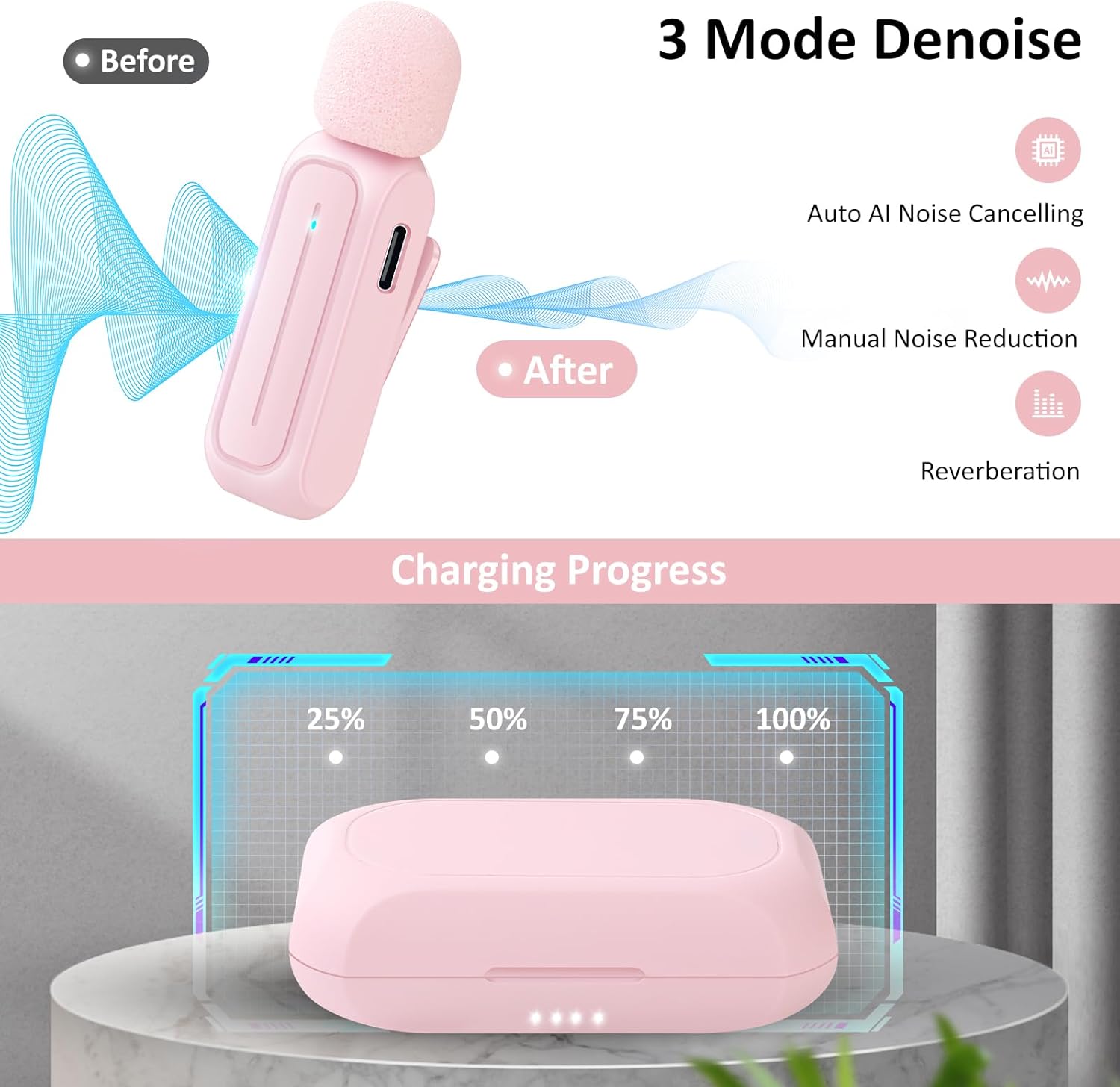
Image: A visual representation of the three noise reduction modes available on the Ecomxia WM300, showing how they enhance audio clarity by reducing background noise.
Multi-Functional Controls
- Pause/Resume Recording: Recording can be paused and resumed by turning the switch up and down on the microphone.
- Power Off: By pressing and holding the 'M' button, the microphone can be turned off to save battery.

Image: A detailed view of the microphone's multi-functional switch, indicating its use for pausing and resuming recordings.
Wireless Range and Audio Quality
The built-in optimized antenna and advanced 2.4GHz transmission technology provide stable coverage up to 70 feet indoors or outdoors. The omni-directional wireless lapel microphone delivers clear audio quality, suitable for various professional and casual recording needs.

Image: The Ecomxia microphone highlighting its capability to capture high-sensitive condenser microphone audio effectively in diverse settings, from indoor cooking to outdoor activities.
Official Product Videos (Seller Demonstrations)
Watch these videos for practical demonstrations and sound quality comparisons:
Video: A demonstration by 'Tammy Tells It True' showcasing the sound difference with the Ecomxia Wireless Lavalier Microphone.
Video: 'Bear's Reviews' provides a sound quality comparison using the Ecomxia Wireless Lavalier Microphone.
Video: 'abi reviews' offers a product demo and review, highlighting features and usage of the microphone.
Maintenance
- Cleaning: Use a soft, dry cloth to clean the microphones, receiver, and charging case. Avoid using liquids or abrasive cleaners.
- Storage: Always store the microphones and receiver in the charging case when not in use to protect them and ensure they remain charged.
- Battery Care: For optimal battery life, avoid fully discharging the devices frequently. Charge regularly, even if not completely depleted.
Troubleshooting
- No Sound/Poor Sound Quality:
- Ensure the receiver is securely plugged into your device.
- Verify microphones are powered on and paired (indicator light should be steady).
- Check microphone battery levels.
- Confirm your device's audio input settings are correctly configured to use the external microphone.
- Reduce distance between microphone and receiver if experiencing interference.
- Microphone Not Pairing:
- Ensure both the microphone and receiver are charged.
- Power cycle both the microphone and receiver.
- If automatic pairing fails, manually press and hold the power button on the microphone to initiate pairing.
- Charging Issues:
- Use the provided charging cable.
- Ensure the charging cable is properly connected to the case and a power source.
- Check the charging indicator lights on the case.
Specifications
| Feature | Detail |
|---|---|
| Brand | Ecomxia |
| Model Name | WM265 (WM300 Series) |
| Connectivity Technology | Wireless (2.4GHz) |
| Connector Type | Lightning, USB Type-C |
| Special Features | Battery Indicator Light, Mute Function, 3-Mode Noise Reduction |
| Compatible Devices | Smartphone (iPhone, iPad, Android) |
| Color | Pink |
| Polar Pattern | Omnidirectional |
| Microphone Form Factor | Lavalier |
| Power Source | Battery Powered (1 Lithium Polymer battery included per mic) |
| Battery Life | Up to 7 hours runtime per mic (on 1.1-hour charge) |
| Wireless Range | Up to 70 feet |
| Item Weight | 0.11 Ounces |
| Item Dimensions | 4.3 x 4.29 x 1.18 inches |
| Material | Plastic |
Warranty
The Ecomxia WM300 Wireless Lavalier Microphone comes with an 18-month worry-free warranty. Please retain your proof of purchase for warranty claims.
Support
For further assistance, troubleshooting, or warranty inquiries, please contact Ecomxia customer support. You can also visit the official Ecomxia store on Amazon for more product information and resources: