
Introduction
Thank you for choosing the Kuulaa Magsafe 5000 mAh Ultra-Thin Power Bank. This device is designed to provide convenient and efficient portable charging for your compatible devices, featuring both magnetic wireless charging and fast wired charging capabilities. This manual provides essential information for the safe and effective use of your power bank.
Package Contents
- 1 x Kuulaa Magsafe 5000 mAh Ultra-Thin Power Bank
- 1 x USB-C Charging Cable
- 1 x User Manual (this document)
Product Overview
The Kuulaa Magsafe Power Bank is an ultra-thin, portable charging solution with a 5000 mAh capacity. It supports magnetic wireless charging for compatible iPhone models (iPhone 12 series and newer) and fast wired charging via its USB-C port. Its compact design and integrated foldable stand enhance usability.

Image: Kuulaa Magsafe Power Bank attached to an iPhone, showcasing its slim profile and integrated stand.

Image: The Kuulaa Magsafe Power Bank attached to an iPhone, with text highlighting its slim dimensions (10.2x6.6x0.8cm) and light weight (110g).

Image: Demonstrating the versatility of the integrated O-ring stand for finger grip and kickstand viewing angles.
Setup
Charging the Power Bank
- Connect the provided USB-C cable to the USB-C port on the power bank.
- Connect the other end of the USB-C cable to a compatible USB power adapter (not included).
- The LED indicators on the power bank will illuminate to show the charging status. A full charge is indicated when all LEDs are solid.
Attaching to Your Device for Wireless Charging
Ensure your device is compatible with Magsafe or magnetic wireless charging. For optimal magnetic adhesion, use a Magsafe-compatible phone case.
- Align the Kuulaa Power Bank with the back of your compatible iPhone.
- The power bank will magnetically snap into place, and wireless charging will begin automatically.
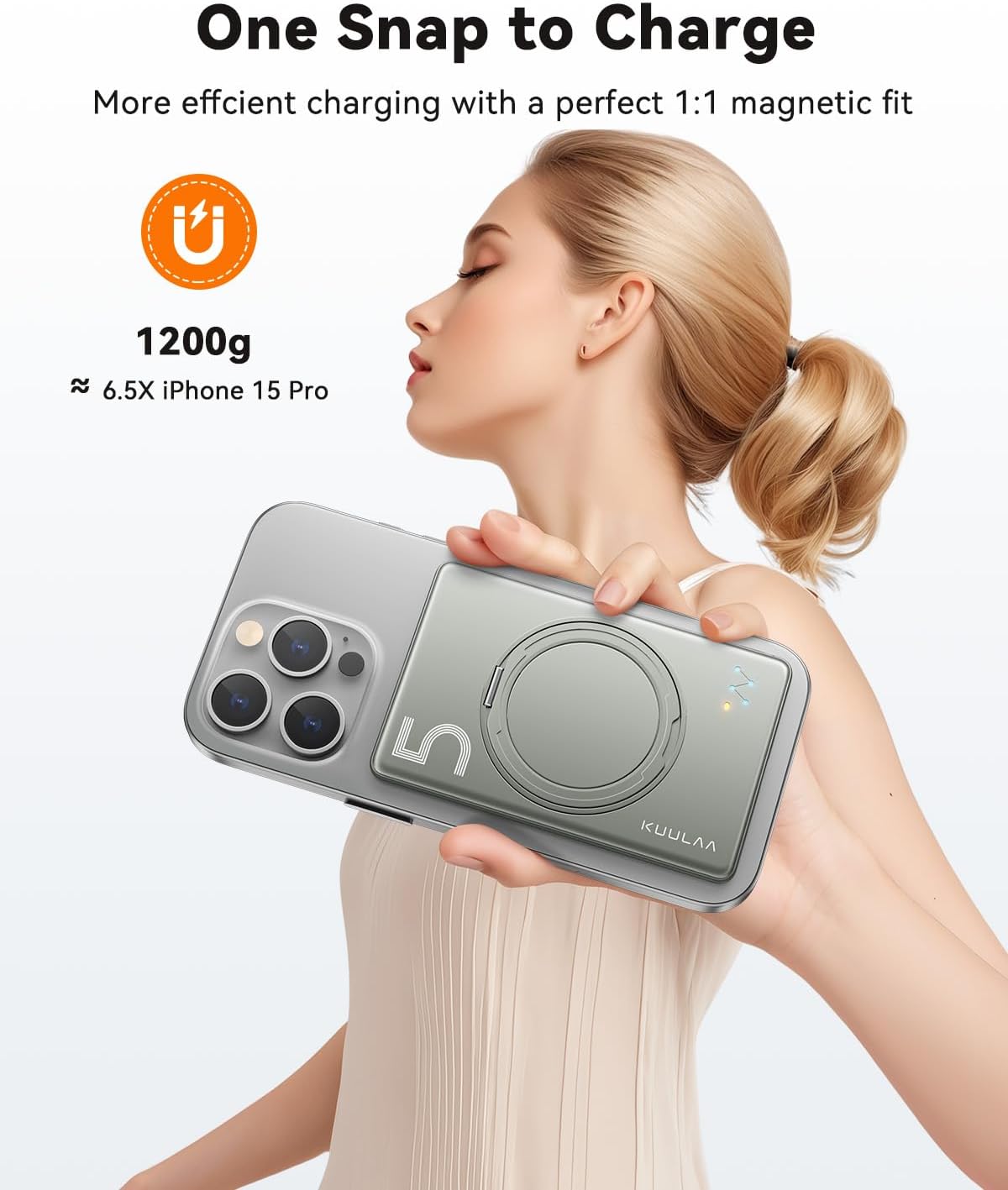
Image: A hand holding an iPhone with the Kuulaa Magsafe Power Bank magnetically attached, illustrating the 'One Snap to Charge' feature.
Operating Instructions
Wireless Charging
- Once magnetically attached to a compatible iPhone, the power bank will automatically begin wireless charging.
- The power bank provides up to 15W wireless charging (7.5W for iPhones).
- Monitor your phone's screen or the power bank's LED indicators to confirm charging status.
Wired Charging
- Connect your device to the USB-C port on the power bank using a compatible USB-C to USB-C cable (for Android devices) or USB-C to Lightning cable (for iPhones).
- The power bank supports Power Delivery (PD) fast charging up to 20W via the USB-C port.
- Charging will commence automatically.

Image: Diagram showing both wireless magnetic charging and wired USB-C charging capabilities of the Kuulaa Power Bank.
Using the Integrated Stand
- The power bank features a unique O-ring stand that rotates 360 degrees and offers a 120-degree adjustable folding angle.
- To use as a finger ring: Extend the O-ring and slide your finger through it for a secure grip on your phone.
- To use as a kickstand: Extend the O-ring and adjust it to your desired viewing angle to prop up your phone horizontally or vertically.
Safety Information
Please read and follow these safety guidelines to prevent damage to the product or injury to yourself:
- Do not expose the power bank to extreme temperatures (above 45°C or below 0°C), direct sunlight, or high humidity.
- Avoid dropping, disassembling, or attempting to repair the device yourself.
- Keep away from water and other liquids.
- Use only the provided or certified cables for charging.
- Keep out of reach of children.
- Dispose of the power bank according to local regulations; do not dispose of it in household waste.
The Kuulaa Power Bank incorporates multiple safety protections, including:
- Overheating protection
- Overpower protection
- Short-circuit protection
- Overvoltage protection

Image: Exploded view diagram highlighting internal components and safety features.
Maintenance
- Clean the power bank with a soft, dry cloth. Do not use harsh chemicals or abrasive materials.
- Store the power bank in a cool, dry place when not in use.
- For optimal battery life, fully charge the power bank at least once every three months if stored for extended periods.
Troubleshooting
| Issue | Possible Cause / Solution |
|---|---|
| Device not charging wirelessly. | Ensure your device is Magsafe compatible. Check for proper alignment of the power bank with your phone's charging coil. Remove any non-Magsafe compatible cases. |
| Slow charging. | For wired charging, ensure you are using a PD-compatible adapter and cable. For wireless charging, ensure optimal alignment. High phone usage during charging can also slow down the process. |
| Power bank not charging. | Verify the USB-C cable is securely connected to both the power bank and the power adapter. Try a different cable or power adapter. Ensure the power source is active. |
| Weak magnetic attachment. | Ensure your phone or phone case is genuinely Magsafe compatible. Some cases may interfere with magnetic strength. Clean the surfaces of both the power bank and your phone/case. |
| Power bank gets warm during use. | It is normal for power banks to generate some heat during charging or discharging. If it becomes excessively hot, discontinue use and contact customer support. |
Product Specifications
- Model: Magsafe 5000 mAh Ultra-Thin Power Bank
- Capacity: 5000 mAh
- Input (USB-C): Up to 20W Power Delivery (PD)
- Output (USB-C): Up to 20W Power Delivery (PD)
- Wireless Output: 15W Max (7.5W for iPhone)
- Dimensions: Approximately 10.2 cm x 6.6 cm x 0.8 cm (4.02 in x 2.60 in x 0.31 in)
- Weight: Approximately 127.3 grams (4.49 oz)
- Battery Type: Lithium-ion Polymer
- Special Features: Magnetic Wireless Charging, Ultra-Slim Design, Integrated Foldable Stand
- Certifications: ETL, FCC, CE, ROHS

Image: Travel-friendly design, airline approved.
Warranty and Customer Support
The Kuulaa Magsafe 5000 mAh Ultra-Thin Power Bank comes with a 24-month warranty from the date of purchase. This warranty covers manufacturing defects and ensures reliable performance under normal use.
For technical support, warranty claims, or any questions regarding your product, please contact Kuulaa customer service. Our team is available to assist you with any inquiries.
Please refer to your purchase documentation or the Kuulaa official website for specific contact details.


