
1. Introduction
The Philips OneBlade 360 is a versatile electric grooming tool designed to trim, edge, and shave hair of any length. Its unique 360-degree pivoting blade adapts to the contours of your face, providing an efficient and comfortable experience. This manual provides essential information for the safe and effective use of your OneBlade 360.
Key Features:
- Shaves, trims, and edges beards of any length effortlessly
- Designed to cut hair, not skin
- 360-degree blade to adapt to facial contours
- 5-in-1 adjustable comb
- Battery-powered with USB charger
- Waterproof for wet or dry use
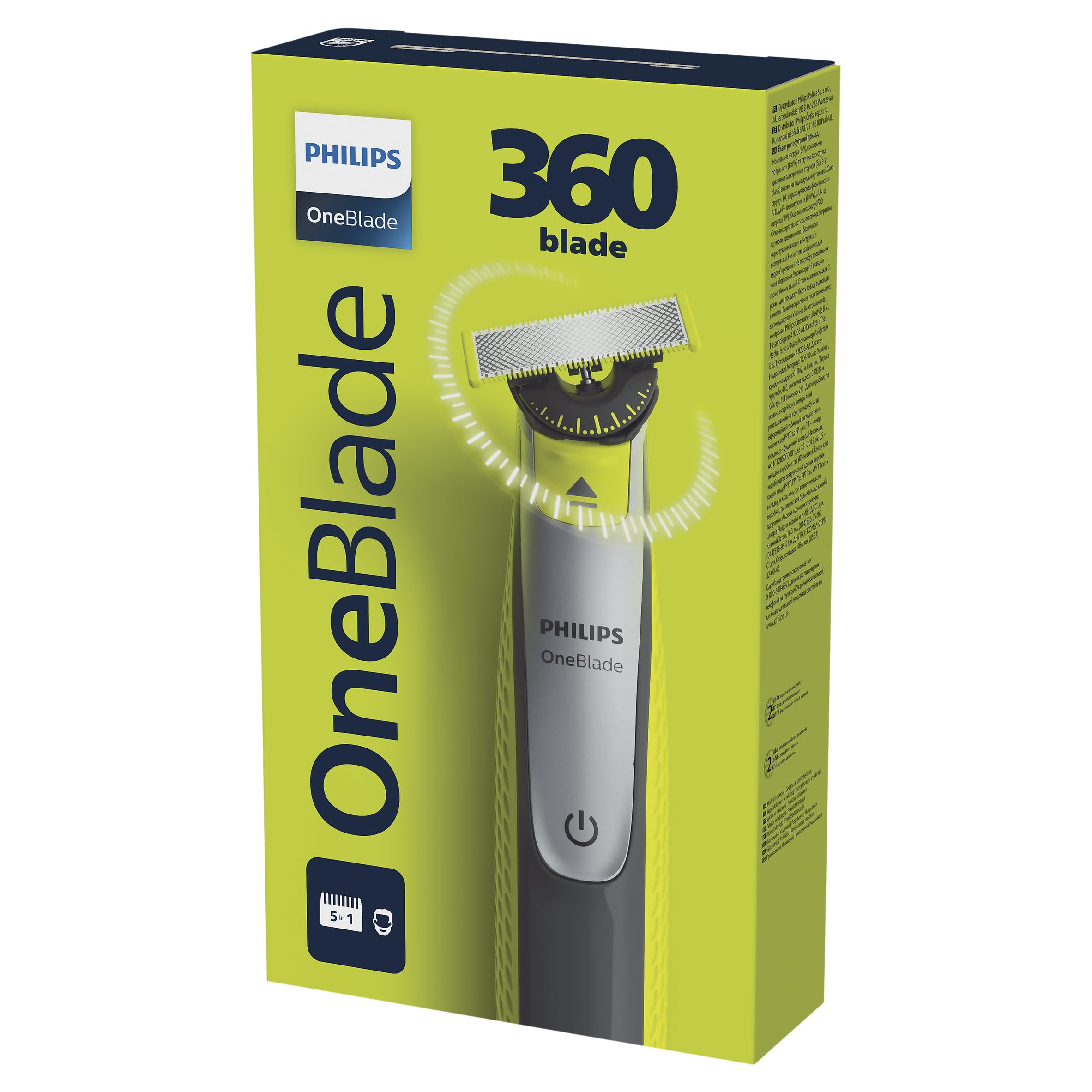
Figure 1: Philips OneBlade 360 Electric Shaver and Trimmer. This image shows the main unit with the 360 blade attached, highlighting its ergonomic design and compact size.
2. Important Safety Information
Please read all safety warnings and instructions carefully before using the appliance to prevent injury or damage.
- Use with caution near water.
- Keep the charging area dry.
- Always disconnect the appliance from the power source and allow it to cool before cleaning.
- Do not use the appliance while it is charging.
- This appliance is not intended for use by persons (including children) with reduced physical, sensory or mental capabilities, or lack of experience and knowledge, unless they have been given supervision or instruction concerning use of the appliance by a person responsible for their safety.
- Children should be supervised to ensure that they do not play with the appliance.
- Do not use the appliance if the blade is damaged, as this may cause injury.
3. What's in the Box
Verify that all components are present upon unpacking:
- Philips OneBlade 360 Handle
- OneBlade 360 Blade
- Adjustable 5-in-1 Comb
- Protective Cap
- Cleaning Brush
- USB Charging Cable
- User Manual (this document)
4. Setup
4.1 Charging the Appliance
- Ensure the appliance is switched off.
- Connect the USB charging cable to the OneBlade handle and a compatible USB power adapter (not included).
- Plug the adapter into a power outlet. The charging indicator will show the charging status.
- Allow the appliance to fully charge before first use. A full charge provides approximately 60 minutes of cordless use.
Note: Do not use the appliance while it is charging.
4.2 Attaching and Detaching the Blade
- To attach the blade: Hold the handle and align the blade with the slot. Push the blade onto the handle until you hear a click.
- To detach the blade: Press the release button on the back of the blade and pull the blade away from the handle.
4.3 Attaching the Adjustable Comb
- Ensure the blade is attached to the handle.
- Slide the adjustable comb over the blade until it clicks into place.
- Adjust the desired trimming length by sliding the comb's selector.
- To remove the comb, gently pull it off the blade.
5. Operating Instructions
The Philips OneBlade 360 can be used for trimming, edging, and shaving. It is designed for both wet and dry use.
5.1 Trimming
- Attach the adjustable comb to the blade.
- Select your desired trimming length.
- Switch on the appliance.
- Move the OneBlade against the direction of hair growth, applying light pressure. Ensure the comb remains flat against your skin.
5.2 Edging
- Remove any comb attachments.
- Switch on the appliance.
- Hold the blade flat against your skin and move it along the desired line to create sharp edges. The dual-sided blade allows for precise edging in any direction.
5.3 Shaving
- Remove any comb attachments.
- Switch on the appliance.
- Hold the blade flat against your skin and move it against the direction of hair growth. The 360-degree pivoting head will follow the contours of your face for a close shave.
- The OneBlade is designed to shave hair, not skin, providing a comfortable shave without getting too close.
Wet or Dry Use: The Philips OneBlade 360 is fully waterproof. You can use it dry, with shaving foam, or even in the shower.
6. Maintenance
6.1 Cleaning
- After each use, switch off the appliance and disconnect it from the power source if charging.
- Rinse the blade and comb attachment under warm running water.
- Use the provided cleaning brush to remove any stubborn hair particles from the blade and inside the comb.
- Shake off excess water and allow all parts to air dry completely before storing or reattaching the protective cap.
Caution: Do not use abrasive cleaning agents or harsh chemicals, as these can damage the appliance.
6.2 Blade Replacement
For optimal performance, it is recommended to replace the OneBlade blade every 4 months, or sooner if you notice reduced performance or discomfort. A green indicator on the blade will gradually fade to white, signaling that it's time for a replacement.
- Switch off the appliance.
- Press the release button on the back of the old blade and pull it off.
- Take a new Philips OneBlade replacement blade (e.g., QP210, QP220, QP230, QP610, QP620 series) and push it onto the handle until it clicks into place.
7. Troubleshooting
If you encounter issues with your Philips OneBlade 360, refer to the following common problems and solutions:
| Problem | Possible Cause | Solution |
|---|---|---|
| Appliance does not turn on. | Battery is depleted. | Charge the appliance fully. |
| Poor trimming/shaving performance. | Blade is dull or clogged with hair. | Clean the blade thoroughly or replace it if worn out. Ensure the comb is correctly attached for trimming. |
| Appliance makes unusual noise. | Hair caught in the blade mechanism. | Clean the blade and handle thoroughly. If the noise persists, the blade might be damaged and needs replacement. |
| Skin irritation after use. | Blade is worn, or technique needs adjustment. | Replace the blade. Ensure you are holding the blade flat against the skin and moving it against hair growth with light pressure. Consider using shaving foam for sensitive skin. |
If the problem persists after trying these solutions, please contact Philips customer support.
8. Specifications
| Feature | Detail |
|---|---|
| Model Number | QP2834/20 |
| Brand | PHILIPS |
| Power Source | Rechargeable Battery (1 A type) |
| Blade Material | Stainless Steel |
| Head Type | Pivoting (360-degree) |
| Waterproof | Yes |
| Included Components | Protective Cap, Cleaning Brush, Adjustable 5-in-1 Comb |
| Recommended Use | Beard trimming, edging, shaving |
9. Warranty and Support
Philips offers a manufacturer's warranty for this product. Please refer to the warranty card included in your product packaging or visit the official Philips website for detailed warranty terms and conditions specific to your region.
For technical support, product registration, or to find replacement parts and accessories, please visit www.philips.com/support or contact your local Philips customer service center. Keep your proof of purchase for warranty claims.


