
DOOGEE BLADEGTULTRA
DOOGEE Blade GT Ultra 5G Rugged Smartphone User Manual
Model: BLADEGTULTRA | Brand: DOOGEE
Introduction
The DOOGEE Blade GT Ultra 5G Rugged Smartphone is engineered for users who demand both robust durability and cutting-edge performance. This device combines a powerful MediaTek Dimensity 7300 processor with a large 36GB RAM and 512GB ROM, ensuring seamless operation for all your tasks. Its unique dynamic LED light effects provide smart notifications and a personalized aesthetic. Built to withstand challenging environments, the Blade GT Ultra is waterproof, dustproof, and drop-proof, making it an ideal companion for outdoor adventures and demanding work conditions. This manual provides comprehensive instructions to help you get the most out of your new smartphone.

Setup Guide
Package Contents
Before you begin, please ensure all items are present in the package:
- 1 x DOOGEE Blade GT Ultra Rugged Smartphone
- 1 x Type-C USB Cable and 33W Charger
- 1 x User Manual and Warranty Card
- 1 x Packing Box

Initial Power On and Charging
Your DOOGEE Blade GT Ultra comes with a powerful 5500mAh battery. For optimal performance, it is recommended to fully charge the device before first use. Use the provided 33W fast charger and Type-C USB cable.
- Connect the Type-C USB cable to the charging port at the bottom of the smartphone.
- Connect the other end of the cable to the 33W charger.
- Plug the charger into a power outlet. The charging indicator will appear on the screen.
- Press and hold the Power button on the side of the device until the DOOGEE logo appears to power on.

SIM Card and TF Card Installation
The device supports a Nano SIM + TF card in a 2-in-1 setup.
- Locate the SIM card tray on the side of the phone.
- Insert the SIM ejector tool into the small hole next to the tray and push gently until the tray pops out.
- Place your Nano SIM card(s) and/or TF card into the designated slots on the tray, ensuring correct orientation.
- Carefully push the tray back into the phone until it is flush with the device body.
Operating Instructions
Display and Navigation
The DOOGEE Blade GT Ultra features a 6.72-inch FHD+ IPS display with a 120Hz refresh rate, providing a smooth and immersive visual experience.

Smart Dynamic LED Notifications
The smartphone features dynamic LED lights that sync with music and notifications, offering a high-tech and customizable experience. You can set different light effects for calls, messages, and various applications.


Performance and Software
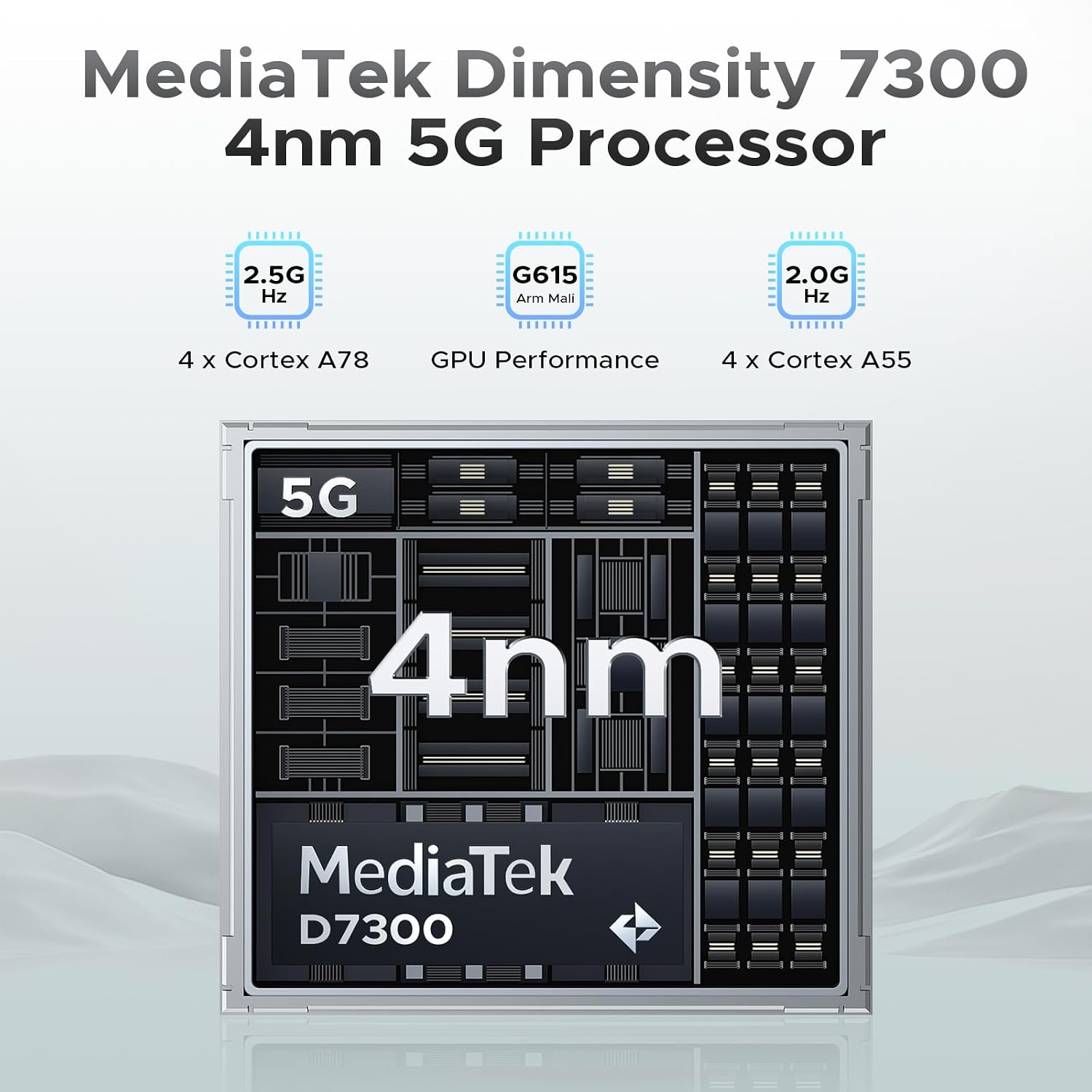
Powered by the MediaTek Dimensity 7300 octa-core processor and running Android 14, the Blade GT Ultra offers robust performance and a smooth user experience. With 36GB of RAM (16GB physical + 20GB virtual) and 512GB of ROM, expandable up to 2TB, you have ample space and speed for all your applications and data.

Camera Features
Capture stunning photos and videos with the 100MP AI main camera, 5MP wide-angle lens, and 32MP front camera. Advanced AI features like AI Erase and AI Background Replacement enhance your photography experience.


Security Features
The Blade GT Ultra offers fast and secure access with both side fingerprint ID and face unlock.
Connectivity
Stay connected with WiFi 6 for stable, high-speed internet, NFC for Google Pay and mobile identification, and reliable navigation with GPS, Glonass, Galileo, and Beidou.

Maintenance and Care
Durability and Protection
The DOOGEE Blade GT Ultra is built to last, with IP68, IP69K, and MIL-STD-810H certifications, making it waterproof, dustproof, and drop-proof. While designed for rugged use, proper care will extend its lifespan.

Battery Management
To maximize battery life, avoid extreme temperatures, and use the provided charger. The phone provides precise battery reminders to help you manage power efficiently.

Cleaning
Use a soft, lint-free cloth to clean the screen and body of the phone. Avoid using harsh chemicals or abrasive materials that could damage the device.
Troubleshooting Common Issues
General Troubleshooting
- Device not turning on: Ensure the battery is charged. Connect to the charger and wait a few minutes before attempting to power on.
- Screen unresponsive: Try restarting the device by holding the Power button for about 10-15 seconds.
- Network issues: Check your SIM card installation. Ensure mobile data is enabled in settings. If issues persist, contact your carrier.
Software Issues
The Android 14 operating system includes features to help manage software performance and privacy.

Technical Specifications
| Feature | Specification |
|---|---|
| Brand | DOOGEE |
| Model Name | BLADEGTULTRA-01 |
| Operating System | Android 14 |
| CPU Model | MediaTek Dimensity 7300 Octa-Core |
| RAM Memory Installed Size | 36 GB (16GB + 20GB expansion) |
| Memory Storage Capacity | 512 GB (Expandable up to 2TB) |
| Screen Size | 6.72 Inches FHD+ IPS |
| Refresh Rate | 120 Hz |
| Main Camera | 100MP AI Main Camera |
| Front Camera | 32MP |
| Battery Power Rating | 5500 mAh |
| Charging | 33W Fast Charging |
| Connectivity Technologies | 5G, WIFI6, NFC, Bluetooth BT5.2 |
| Navigation | GPS, Glonass, Galileo, Beidou |
| Durability | IP68/IP69K/MIL-STD-810H (Waterproof, Dustproof, Drop-proof) |
| Dimensions | 7.03 x 3.29 x 0.41 inches |
| Item Weight | 8.5 ounces (242 Grams) |
Warranty and Support
Warranty Information
Your DOOGEE Blade GT Ultra 5G Rugged Smartphone comes with a 2-Year Limited Warranty. Please refer to the included Warranty Card for detailed terms and conditions.
Customer Support
For any inquiries or technical assistance, DOOGEE offers 24/7 One-on-One Online Support. You can find contact information on the official DOOGEE website or through the support details provided in your package.

Ask a question about this manual
Ask about setup, troubleshooting, compatibility, parts, safety, or missing instructions. Manuals+ will review the question and use this page’s manual context to help answer it.