1. Introduction and Overview
This manual provides essential information for operating your Samsung Galaxy Z Fold 6 5G. Designed for enhanced productivity and immersive viewing, this device combines smartphone portability with tablet-like functionality. It features advanced AI capabilities and a robust foldable design.
Key features include:
- Large 7.6-inch Dynamic AMOLED 2X inner screen (1-120Hz) for multitasking and media.
- 6.3-inch Dynamic AMOLED 2X cover display (120Hz) for quick tasks.
- Powered by Snapdragon 8 Gen 3 "for Galaxy" chipset with 12GB RAM for efficient performance.
- Triple camera system: 50MP main, 12MP ultra-wide, 10MP 3x telephoto lens.
- Reinforced Armor Aluminum frame, IP48 water and dust resistance.
- S Pen Fold Edition support and advanced Galaxy AI features.

Figure 1.1: The Samsung Galaxy Z Fold 6 5G, showcasing its folded and unfolded states.
2. Setup
2.1 Unboxing and Initial Inspection
Carefully remove all components from the packaging. Verify that all items listed in the 'What's in the Box' section are present and inspect the device for any physical damage.
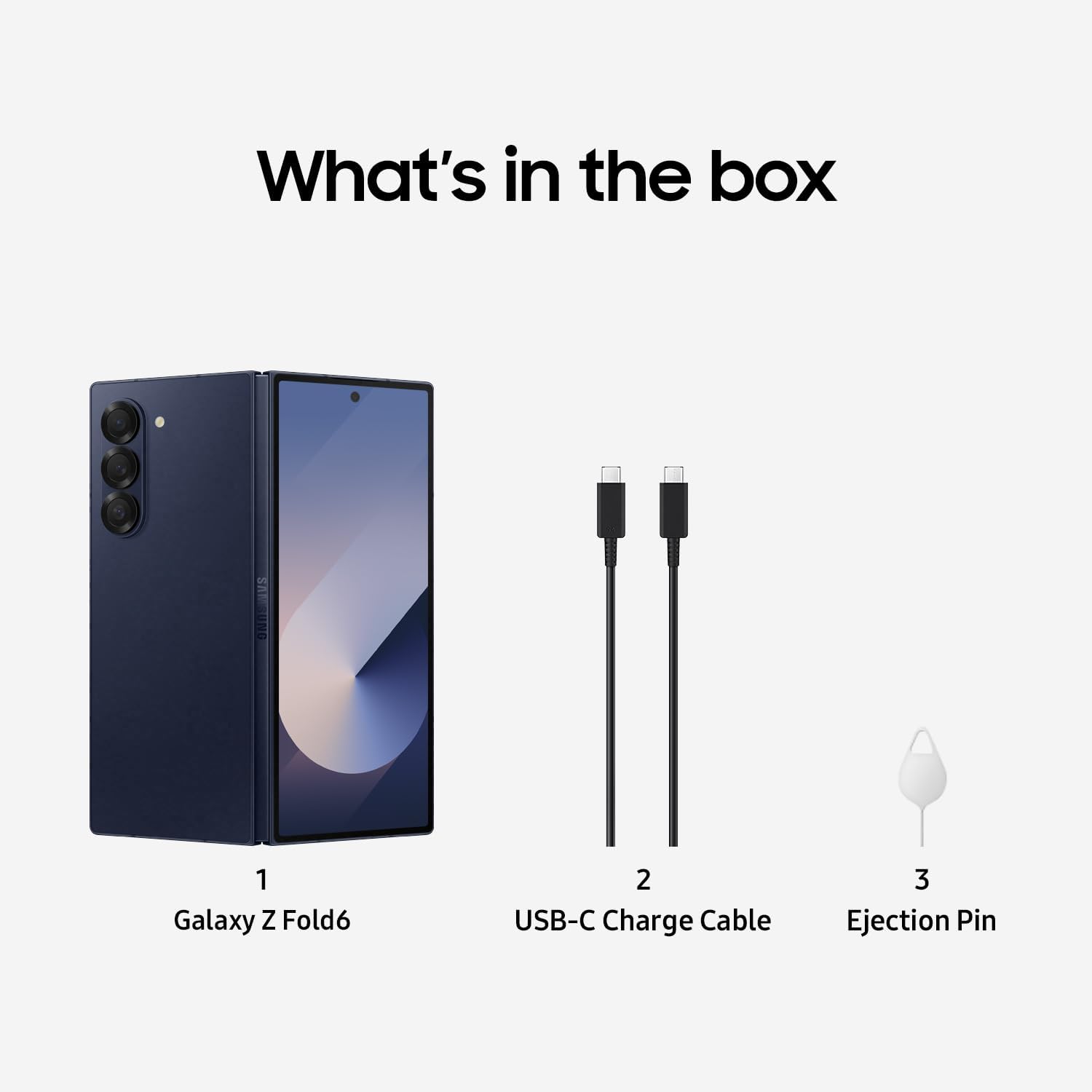
Figure 2.1: Included accessories: Galaxy Z Fold6 device, USB-C Charge Cable, and Ejection Pin.
2.2 SIM Card Installation
- Locate the SIM card tray on the side of the device.
- Insert the provided ejection pin into the small hole on the SIM card tray to open it.
- Place your Nano-SIM card(s) into the tray with the gold contacts facing down.
- Carefully reinsert the tray into the device.
2.3 Initial Power On and Setup
- Press and hold the Power/Side key until the Samsung logo appears.
- Follow the on-screen prompts to select your language, connect to a Wi-Fi network, and set up your Google account.
- Transfer data from your previous device using Samsung Smart Switch if desired.
3. Operating the Device
3.1 Folding and Unfolding
The Galaxy Z Fold 6 is designed to seamlessly transition between a compact smartphone and an expansive tablet. Gently fold or unfold the device along its central hinge. Avoid applying excessive force or placing objects between the screens when folding.
3.2 Cover Screen Usage
When folded, the 6.3-inch Dynamic AMOLED 2X cover display allows for convenient one-handed use for calls, messages, notifications, and quick app access.
3.3 Main Screen Usage and Multitasking
Unfold the device to reveal the large 7.6-inch Dynamic AMOLED 2X main screen, ideal for immersive content viewing and advanced multitasking. Utilize features like Flex Mode and Multi-Active Window to enhance productivity:
- Flex Mode: Partially fold the device to use apps on the top half of the screen while controls or content appear on the bottom half.
- Multi-Active Window: Run multiple apps simultaneously on the main screen by dragging apps from the Edge Panel or Recents screen.
Video 3.1: A review of the Samsung Galaxy Z Fold 6, demonstrating its folding mechanism and screen functionality.
This video provides a general overview of the device's design and user interface.
3.4 S Pen Compatibility
The Galaxy Z Fold 6 supports the S Pen Fold Edition (sold separately), allowing for precise writing, drawing, and navigation on the main screen. Ensure you use an S Pen specifically designed for foldable devices to prevent screen damage.
4. Camera Features
Capture stunning photos and videos with the versatile camera system:
- Main Camera: 50 MP wide-angle lens with Optical Image Stabilization (OIS).
- Ultra-Wide Camera: 12 MP lens for expansive shots.
- Telephoto Camera: 10 MP lens with 3x optical zoom.
- Front Cameras: 10 MP cover camera and 4 MP under-display camera on the main screen.
Utilize advanced features like Night Mode, Pro Mode, and AI-enhanced photography tools for optimal results.

Figure 4.1: Detailed specifications for the camera system, display, and battery capacity.
Video 4.2: A comparison of camera photos between the Galaxy Z Fold 6 and Pixel 9 Pro Fold.
This video highlights the photographic capabilities of the device.
5. Battery and Charging
The Galaxy Z Fold 6 is equipped with a 4400 Milliamp Hours battery, designed to provide ample power for a full day of use.
- Fast Charging: Supports up to 45W wired fast charging. Use a compatible charger for optimal speeds.
- Wireless Charging: Supports wireless charging.
- Wireless PowerShare: Share your device's battery power wirelessly with other compatible devices or accessories.
6. Durability and Design
The Galaxy Z Fold 6 is engineered for durability and resilience:
- Armor Aluminum Frame: Provides enhanced structural integrity.
- IP48 Water and Dust Resistance: Offers protection against splashes and dust ingress.
- Corning Gorilla Glass Victus 2: Protects the exterior displays from scratches and drops.
- FlexHinge: Designed for smooth and durable folding, tested for at least 200,000 folds.

Figure 6.1: Details on the FlexHinge, IP48 rating, and protective materials used in the device's construction.

Figure 6.2: Galaxy Z Assurance guarantees ultimate innovation and peace of mind, with durable materials and extensive fold testing.
7. Specifications
| Feature | Specification |
|---|---|
| Model Name | Galaxy Z Fold6 5G |
| ASIN | B0DHYPJW67 |
| Product Dimensions | 6 x 4 x 2 inches |
| Item Weight | 8.3 ounces |
| Operating System | Android |
| CPU Model | Snapdragon 8 Gen 3 |
| CPU Speed | 3.39 GHz |
| Main Screen Size | 7.6 Inches |
| Main Screen Resolution | 968 x 2376 |
| RAM Memory Installed Size | 12 GB |
| Memory Storage Capacity | 512 GB |
| Battery Capacity | 4400 Milliamp Hours |
| Phone Talk Time | 22 Hours |
| Wireless Carrier | Unlocked for All Carriers |
| Connectivity Technologies | 4G LTE, 5G |
| Special Features | 3G/4G/5G Data Capable, Accelerometer, Bluetooth Enabled, Internet Browser, Music Player, Speakerphone, Touchscreen |
| Audio Jack | No headphone jack |
| Manufacturer | Samsung |
| Date First Available | September 25, 2024 |
8. Maintenance
To ensure the longevity and optimal performance of your Samsung Galaxy Z Fold 6, follow these maintenance guidelines:
- Screen Care: Avoid pressing hard on the main foldable screen with sharp objects. Keep the screen free from dust and debris, especially when folding.
- Hinge Care: Do not force the hinge or place objects between the screens when closing the device.
- Water and Dust Resistance: While IP48 rated, avoid intentional submersion in water or exposure to high-pressure water jets. Dry the device thoroughly if it gets wet.
- Cleaning: Use a soft, lint-free cloth to clean the screens and body. Avoid harsh chemicals.
- Software Updates: Regularly install software updates to benefit from performance improvements, security patches, and new features.
9. Troubleshooting
If you encounter issues with your device, try the following common troubleshooting steps:
- Device Not Responding: Press and hold the Power/Side key and Volume Down button simultaneously for more than 7 seconds to restart the device.
- Charging Issues: Ensure you are using a compatible charger and cable. Check for debris in the charging port. Try a different power outlet.
- Screen Display Problems: If the screen is unresponsive or has visual anomalies, restart the device. If issues persist, contact support.
- App Malfunctions: Close and reopen the app. Clear the app's cache and data in Settings > Apps. Reinstall the app if necessary.
- Network Connectivity: Toggle Wi-Fi or mobile data off and on. Restart the device. Check your SIM card installation.
10. Warranty and Support
This Samsung Galaxy Z Fold 6 is a renewed product. Amazon Renewed products are fully functional and come with generic or original accessories and packaging. They are backed by a 90-day refund or replacement policy.

Figure 10.1: Amazon Renewed products are categorized by condition (Excellent, Good, Acceptable) based on cosmetic damage and battery life.
For further assistance, please refer to the Amazon Renewed store's support pages or contact Samsung customer service directly.


