1. Introduction
The DAXI X-900 Scientific Calculator is designed to provide quick and easy solutions for a wide range of mathematical and engineering problems. With 552 built-in functions, an easy-to-understand interface, and a natural display that shows expressions as they appear in textbooks, this calculator is an essential tool for students and professionals alike.
Key features include:
- 552 Functions: Comprehensive capabilities for various calculations.
- Natural Display: Expressions are shown as written in textbooks for clarity.
- Symbol Menu Screen: Simplifies finding and applying required functions.
- Dual Power Source: Operates on both battery and solar energy for uninterrupted use.
- Durable Design: Equipped with a sliding protective cover.
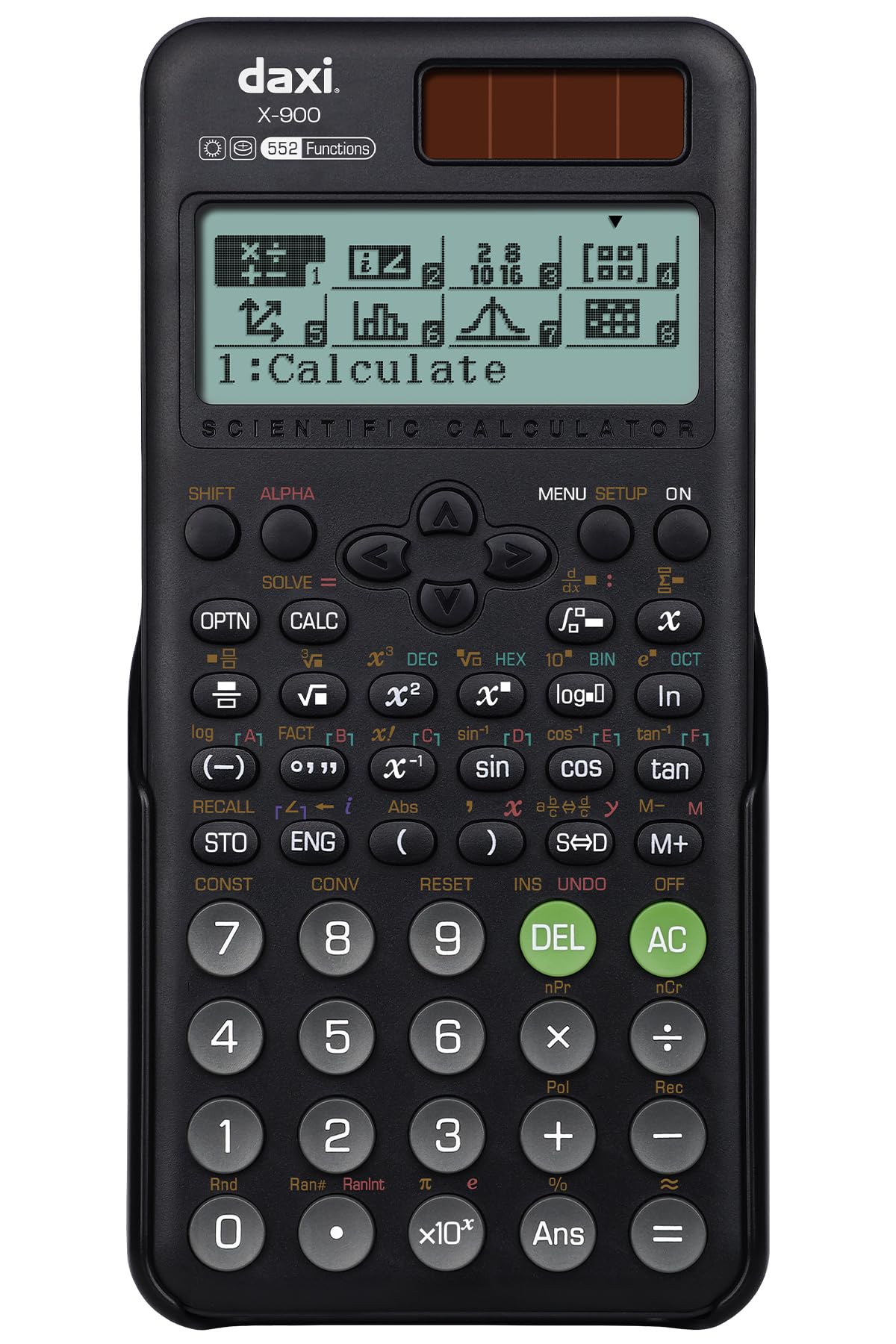
Figure 1: DAXI X-900 Scientific Calculator, front view.
2. Setup
2.1 Battery Installation
The DAXI X-900 calculator requires one LR44 battery. The calculator also features a solar panel for backup power, ensuring continuous operation even when the battery is low.
- Locate the battery compartment cover on the back of the calculator.
- Use a small screwdriver to remove the screw securing the cover.
- Remove the cover and insert one LR44 battery, ensuring the correct polarity (+/-).
- Replace the battery compartment cover and secure it with the screw.
2.2 Initial Power On
Press the ON button to turn on the calculator. The display will show "0" or the last calculated result.
2.3 Adjusting Screen Contrast
To adjust the display contrast for better visibility:
- Press the SHIFT button, then the SETUP button (often labeled MENU or MODE).
- Navigate to the "Contrast" setting using the arrow keys.
- Adjust the contrast using the left and right arrow keys.
- Press AC or = to exit the setup menu.

Figure 2: Calculator display showing screen contrast adjustment options.
3. Operating Instructions
3.1 Basic Calculations
Perform standard arithmetic operations:
- Addition: Enter first number, press +, enter second number, press =.
- Subtraction: Enter first number, press -, enter second number, press =.
- Multiplication: Enter first number, press ×, enter second number, press =.
- Division: Enter first number, press ÷, enter second number, press =.
3.2 Scientific Functions
The DAXI X-900 offers 552 functions, including trigonometric, logarithmic, exponential, and statistical calculations. Many functions are accessed by pressing the SHIFT key followed by the desired function key.
- Trigonometric Functions (sin, cos, tan): Enter the angle, then press sin, cos, or tan. For inverse functions (sin-1, cos-1, tan-1), press SHIFT first.
- Logarithmic Functions (log, ln): Enter the number, then press log (base 10) or ln (natural logarithm).
- Power and Root Functions (x², √, xy): Use the dedicated keys or SHIFT for secondary functions.
- Fractions: Use the fraction key (often a/b or d/c) to input and calculate fractions.
3.3 Using the Symbol Menu Screen
The symbol menu screen helps in easily finding and applying complex functions or symbols. Press the MENU or MODE button to access different calculation modes (e.g., COMP, STAT, TABLE) and symbol lists. Use the arrow keys to navigate and = to select.
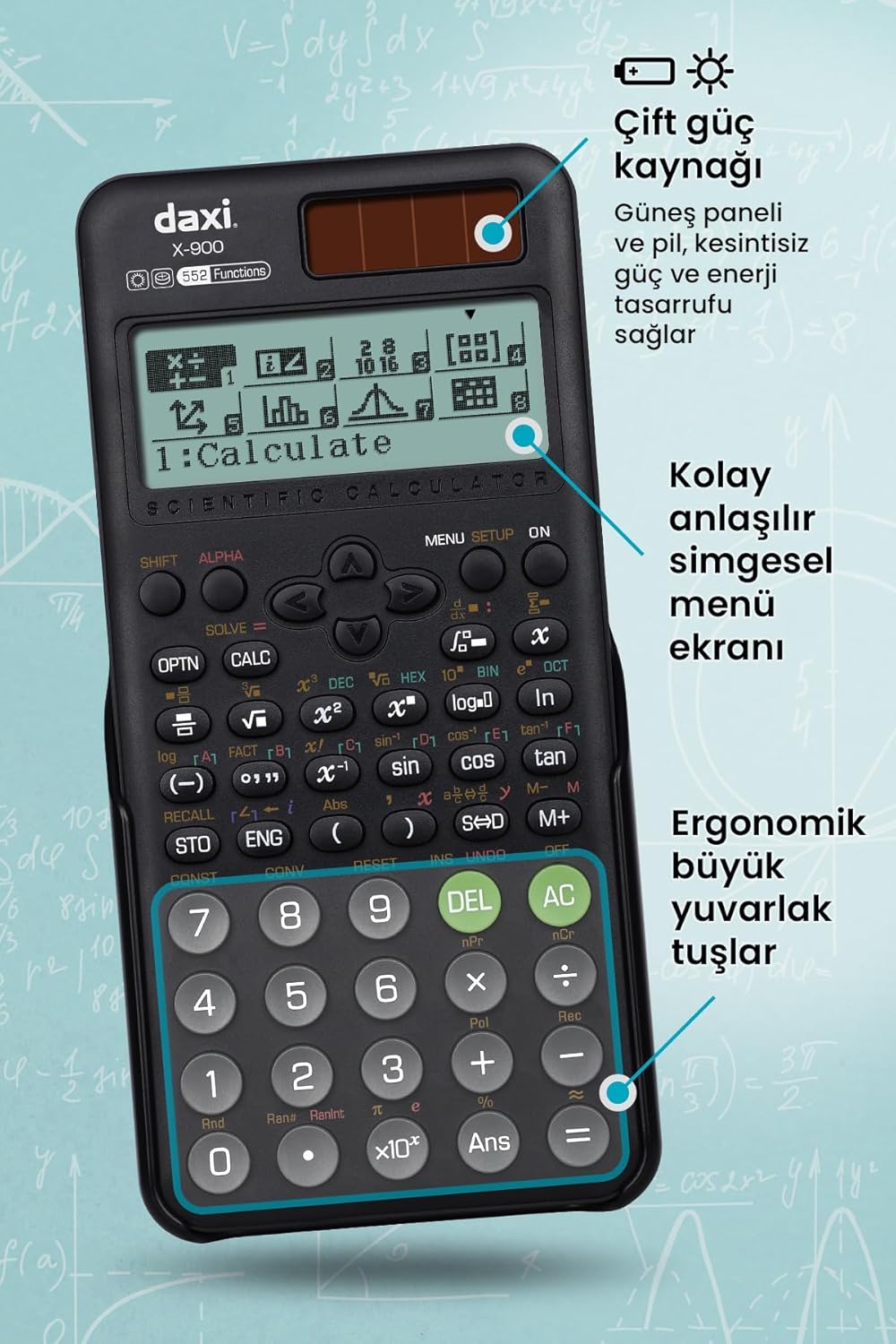
Figure 3: Calculator display illustrating the symbol menu screen and key layout.
4. Maintenance
4.1 Cleaning
To clean the calculator, wipe it gently with a soft, dry cloth. Do not use abrasive cleaners, solvents, or wet cloths, as these can damage the display or casing.
4.2 Storage
When not in use, store the calculator in a cool, dry place. Utilize the sliding protective cover to prevent dust and scratches to the keys and display.
Figure 4: The DAXI X-900 calculator with its sliding protective cover.
4.3 Battery Replacement
If the display becomes dim or the calculator functions erratically, the LR44 battery may need replacement. Refer to section 2.1 for battery installation instructions.
5. Troubleshooting
- Calculator does not turn on:
- Ensure the battery is correctly installed and not depleted.
- Check if the solar panel is exposed to sufficient light.
- Incorrect results:
- Verify the input values and the sequence of operations.
- Check the current calculation mode (e.g., DEG/RAD for angles).
- Perform a reset: Locate the RESET button (often a small hole on the back or side) and press it gently with a thin, pointed object (like a paperclip). This will clear all memory and settings.
- Display is dim or difficult to read:
- Adjust the screen contrast (refer to section 2.3).
- Replace the LR44 battery if necessary.
6. Specifications
| Feature | Detail |
|---|---|
| Brand | DAXI |
| Model | X-900 |
| Number of Functions | 552 |
| Dimensions (LxWxH) | 16.4 x 8 x 0.1 cm |
| Item Weight | 140 g |
| Power Source | Battery (1 LR44) & Solar Powered |
| Display Type | LCD |
| Screen Size | 2.55 Inches |
| Material | Plastic |
7. Warranty and Support
7.1 Warranty Information
The DAXI X-900 Scientific Calculator comes with a 2-year warranty from the date of purchase. This warranty covers manufacturing defects and ensures reliable operation under normal use. Please retain your proof of purchase for warranty claims.
7.2 Customer Support
For technical assistance, troubleshooting beyond this manual, or warranty service, please contact DAXI customer support. Refer to the product packaging or the official DAXI website for contact details.


