
Introduction
This manual provides comprehensive instructions for the Effireli replacement remote control, designed for various LG Air Conditioner models. This remote is pre-programmed and requires no additional setup; simply insert batteries and begin operation. Please read this manual thoroughly to understand all functions and ensure proper use.
Product Overview
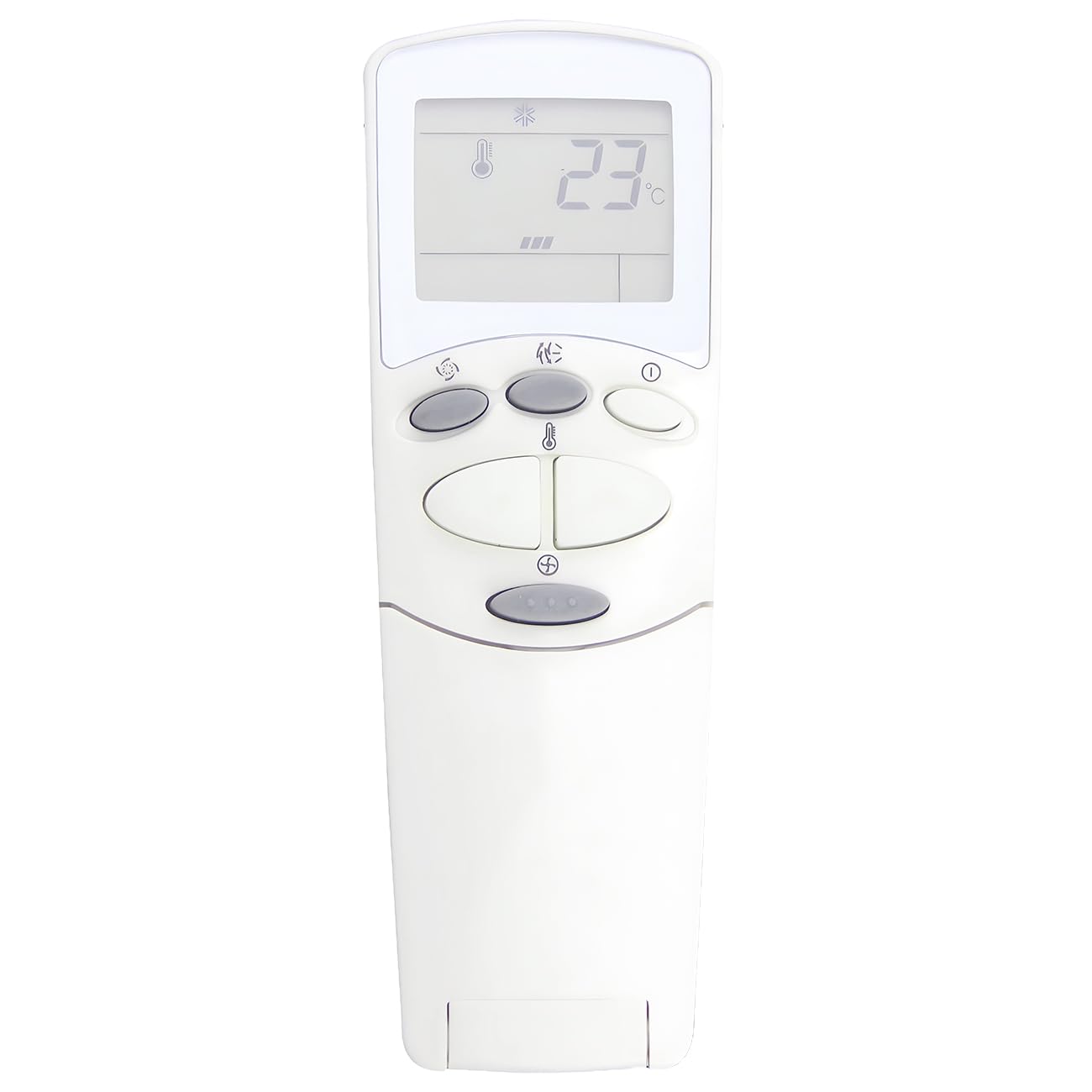
Image: Effireli Replacement Remote Control. This image displays the full remote control unit. The top section features an LCD screen showing temperature (e.g., 25°C), mode icons (snowflake for cool), and fan speed indicators. Below the screen are several gray oval buttons for various functions. The lower section, highlighted in light green, contains a grid of smaller buttons for specific controls like timer settings, auto clean, and special functions like Plasma. A hinged cover at the bottom protects additional buttons.
The Effireli replacement remote control features a clear LCD display at the top, showing current settings such as temperature, operating mode, and fan speed. Below the display, primary function buttons are intuitively arranged for easy access. The lower panel, often covered by a sliding or hinged lid, contains advanced settings and secondary functions.
Setup
Battery Installation
- Locate the battery compartment on the back of the remote control.
- Slide open the battery compartment cover.
- Insert two AAA or AA batteries (depending on the model, please check the compartment for markings) according to the polarity indicators (+ and -) inside the compartment.
- Close the battery compartment cover securely.
The remote is now ready for use. No programming is required.
Operating Instructions
Point the remote control directly at the indoor unit of your LG air conditioner.
Basic Functions
- Power Button (①): Press to turn the air conditioner ON or OFF.
- Mode Button (❄ / 💧 / ☀️ / Fan icon): Press repeatedly to cycle through operating modes: Cool (snowflake), Dry (water drop), Heat (sun), Fan Only (fan icon), and Auto. The current mode will be displayed on the LCD screen.
- Temperature Adjustment Buttons (▲ / ▼): Use these buttons to increase or decrease the desired temperature setting. The set temperature will appear on the LCD.
- Fan Speed Button (Fan icon with bars): Press to adjust the fan speed (e.g., Low, Medium, High, Auto).
Advanced Functions (Green Panel)
- ON-OFF Timer (ON-L-OFF): Use these buttons to set a timer for the air conditioner to turn on or off automatically. Refer to your air conditioner's main manual for detailed timer programming.
- SET: Used to confirm timer settings or other programmable functions.
- CANCEL: Used to cancel current timer settings or other programmable functions.
- AUTO CLEAN: Activates the auto-cleaning function of the indoor unit, which helps prevent mold and bacteria growth.
- PLASMA: Activates the Plasma filter function, if available on your air conditioner, for air purification.
- RESET: A small recessed button, typically used to reset the remote to factory defaults. May require a pointed object to press.
- 2nd F (Second Function): This button may activate secondary functions for other buttons. Consult your air conditioner's original manual for specific combinations.
Maintenance
Cleaning the Remote
Wipe the remote control with a soft, dry cloth. Do not use liquid cleaners or abrasive materials, as they may damage the remote's surface or internal components.
Battery Replacement
Replace batteries when the remote's response becomes sluggish or the display dims. Always replace both batteries at the same time with new ones of the same type (AAA or AA). Remove batteries if the remote will not be used for an extended period to prevent leakage.
Troubleshooting
- Remote not responding:
- Check if the batteries are inserted correctly with the correct polarity.
- Replace old batteries with new ones.
- Ensure there are no obstructions between the remote and the air conditioner's receiver.
- Make sure you are within the effective range of the air conditioner.
- Air conditioner not responding to remote:
- Verify the air conditioner is powered on and not in standby mode.
- Confirm the remote control model is compatible with your specific LG air conditioner model.
Specifications
| Attribute | Detail |
|---|---|
| Brand | Effireli |
| Model Number | YK-6711A90032L |
| Compatible Devices | LG Air Conditioner |
| Connectivity Technology | Infrared |
| Special Feature | No Programming Required |
| Max Number of Supported Devices | 1 |
| Battery Type | AAA or AA (2 required) |
| Item Weight | 60 g |
| Item Dimensions (L x W x H) | 4.33" x 1.77" x 0.51" |
Warranty and Support
Warranty Information
This Effireli replacement remote control comes with a 12-month warranty covering manufacturing defects from the date of purchase. Additionally, a 30-day money-back guarantee is offered. Returns and exchanges are accepted within the warranty period for eligible issues.
Customer Support
If you encounter any issues or have questions regarding the compatibility or operation of your remote control, please contact the seller or manufacturer's customer support. Provide your product model number and a detailed description of the issue for efficient assistance.