
1. Introduction
This manual provides detailed instructions for the installation, operation, and maintenance of your SOLIOM 5MP Wireless Outdoor Security Camera System. This system offers advanced features such as 5MP Ultra HD video, 3K color night vision, 360° auto human motion tracking, and local storage without subscription fees. The cameras are solar-powered and support dual-band 2.4G and 5G Wi-Fi for stable connectivity.
2. What's in the Box
- SH501 Camera (x2)
- Soliom Base Station
- Power Adapter
- Solar Panel (x2)
- Ethernet Cable
- USB Cable
- User Guide
- Fitting Bags (Mounting Hardware)
3. Setup Guide
3.1 Initial Charging
Before installation, fully charge the cameras using the provided USB cable. This ensures optimal performance from the start.
3.2 Soliom Base Station Connection
- Connect the Soliom Base Station to your router using the included Ethernet cable.
- Plug in the power adapter to the Soliom Base Station and power it on.
- The cameras are pre-paired with the base station, requiring no additional pairing steps.
3.3 Camera Installation
The cameras and solar panels are designed for easy installation. The solar panel can be screwed directly into the camera mount or mounted separately using the 10 ft cable for optimal sunlight exposure.


3.4 App Download and Configuration
Download the Soliom Home app from your device's app store. Follow the in-app instructions to complete the setup and customize your camera settings.
Video: An official Soliom video demonstrating the setup process for the 5MP Outdoor Security Cameras with the Homebase, including initial connections and app integration.
4. Operating Instructions
4.1 Video Quality and Zoom
The cameras provide 5MP Ultra HD video. Utilize the unique Magnifier Zoom feature by tapping the screen in the app to enlarge specific areas up to 6x and track magnified details.


4.2 Motion Tracking
The cameras feature 360° auto motion tracking, panning, tilting, and rotating to follow movement. With multiple cameras connected to one Soliom Base, the system can track motion seamlessly across different areas.

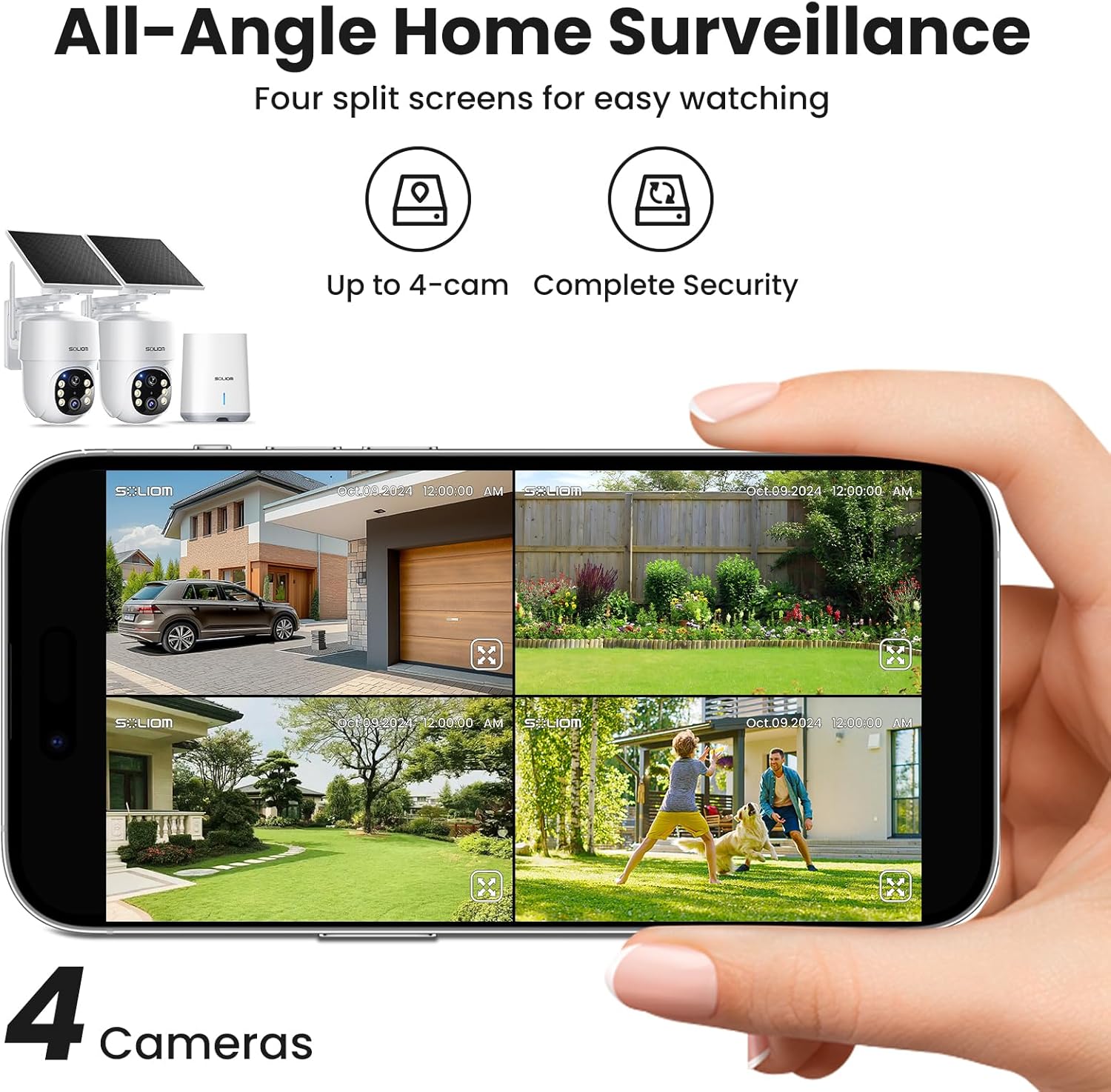

Video: An official Soliom video demonstrating the panorama view and human tracking capabilities, showing how the camera adjusts to follow subjects within a defined zone.
Video: An official Soliom video putting the 360° auto-tracking feature to the test, showcasing its ability to follow movement effectively.
4.3 Local Storage and Security
All recordings are securely encrypted and stored locally on the Soliom Base's included 32GB storage, expandable up to 128GB. This provides up to 2 months of loop recording without subscription fees.

4.4 Dual-Band Wi-Fi Connectivity
The cameras automatically connect to either 2.4G or 5G Wi-Fi bands for stable, long-range coverage, ensuring reliable data transmission.

4.5 Two-Way Talk
Engage in clear two-way communication with visitors or deter intruders using the built-in microphone and speaker, effective up to 20 feet.

4.6 Night Vision and Spotlights
Benefit from 3K color night vision and integrated 450-lumen LED spotlights for enhanced visibility and security during nighttime hours.

4.7 Smart Alerts and Siren
The system provides multiple smart alerts, including instant notifications, a 120dBA siren, and spotlights with 6 LEDs to deter potential threats.

4.8 App Management Features
- One-Tap Management: Easily switch between Home, Away, and Disarm modes for all cameras.
- Panorama View: Tap on the panoramic bar to quickly move the camera to a desired location.
- Customizable Security Zones: Define up to four detection zones to reduce unwanted alarms.
- Alarm Scheduling: Set specific alarm times to fit your daily schedule.
- Footage Preview: Review a full day's footage with a single tap and manage recordings.


Video: An official Soliom video providing an overview of the 5MP Soliom Home Camera Series SH502, highlighting its key features and functionalities.
5. Maintenance
5.1 Solar Panel Efficiency
Ensure the solar panels are placed in a location that receives direct sunlight for several hours daily. The high-efficiency charging circuit helps maintain power even on cloudy days.

5.2 Weather Resistance
The cameras are IP65 weather-resistant, designed to operate effectively in temperatures ranging from 30°F to 140°F, enduring various weather conditions like wind, rain, and snow.

5.3 Cleaning
Periodically clean the camera lens and solar panel with a soft, damp cloth to ensure clear image quality and efficient solar charging. Avoid abrasive cleaners.
6. Troubleshooting
- No Power/Charging: Ensure solar panels are clean and positioned for maximum sunlight. Verify all cable connections are secure.
- No Video Feed: Check Wi-Fi connectivity of the Soliom Base and ensure it's connected to your router. Confirm cameras are powered on and within range.
- Poor Video Quality: Clean the camera lens. Ensure there are no obstructions. Check your Wi-Fi signal strength in the camera's location.
- Motion Detection Issues: Adjust sensitivity settings in the app. Ensure detection zones are correctly configured.
- App Connectivity Problems: Ensure your smartphone has a stable internet connection. Restart the app or your phone.
- Base Station Offline: Verify the Ethernet cable is securely connected to both the base and router, and the base is powered on.
7. Specifications
| Feature | Detail |
|---|---|
| Model Name | Solar Security cameras Kit |
| Model Number | SH501-4 |
| Connectivity Technology | Wireless (2.4G & 5G Wi-Fi), Ethernet (Base Station) |
| Video Capture Resolution | 5MP Ultra HD |
| Night Vision | 3K Color Night Vision, 19 feet range, 6 IR LEDs |
| Special Features | 360° Auto Multi-Cameras Tracking, Magnifier Zoom, Built-In Light, Encrypted Local Recording, No Subscription |
| Storage | 32GB Micro Card (included), expandable up to 128GB |
| Power Source | Solar Powered (3.7V, 18.5W) |
| Weather Resistance | IP65 Waterproof |
| Operating Temperature | 30°F to 140°F |
| Dimensions | 3.9 x 4.5 x 5.3 inches |
| Control Method | App (Android compatible) |
| Alert Type | Audio and Motion (120dBA Siren, Spotlights) |
8. Warranty and Support
SOLIOM offers a 12-Month Free Replacement for your security camera system. For any technical assistance, troubleshooting, or warranty claims, please contact SOLIOM customer support through their official website or the contact information provided in the product packaging.


