
GetD GD07SRJ-PO-C9
GetD Smart Sunglasses User Manual
Model: GD07SRJ-PO-C9
Brand: GetD
1. Introduction
The GetD Smart Sunglasses (Model: GD07SRJ-PO-C9) are advanced eyewear designed to integrate audio, communication, and AI translation features into a stylish and protective sunglass frame. These glasses feature open-ear Bluetooth speakers, a built-in microphone, polarized UV400 lenses, and voice control capabilities, making them suitable for various activities including travel, driving, and daily use. The accompanying GetD Smart App unlocks additional functionalities such as AI translation and health monitoring.
2. Safety Information
Please read all safety warnings and instructions carefully before using this product to ensure safe operation and prevent damage.
- Do not expose the device to extreme temperatures (above 60°C or 140°F) or direct sunlight for extended periods.
- Avoid dropping or subjecting the glasses to strong impacts.
- Keep the charging port clean and dry. Do not attempt to charge if the port is wet.
- Do not disassemble, repair, or modify the device yourself. Contact authorized service personnel for any repairs.
- Keep out of reach of children.
- Use only the provided charging cable.
- While driving, prioritize road safety. Do not allow the use of the glasses to distract you from driving.
- The lenses provide UV400 protection; however, they are not suitable for direct sun observation.
3. What's in the Box
Verify that all items are present upon unboxing:
- GetD Smart Sunglasses (GD07SRJ-PO-C9)
- Magnetic Charging Cable
- User Manual (this document)
- Cleaning Cloth
- Protective Pouch
- Additional Temple Arms (optional, for customization)

4. Product Overview
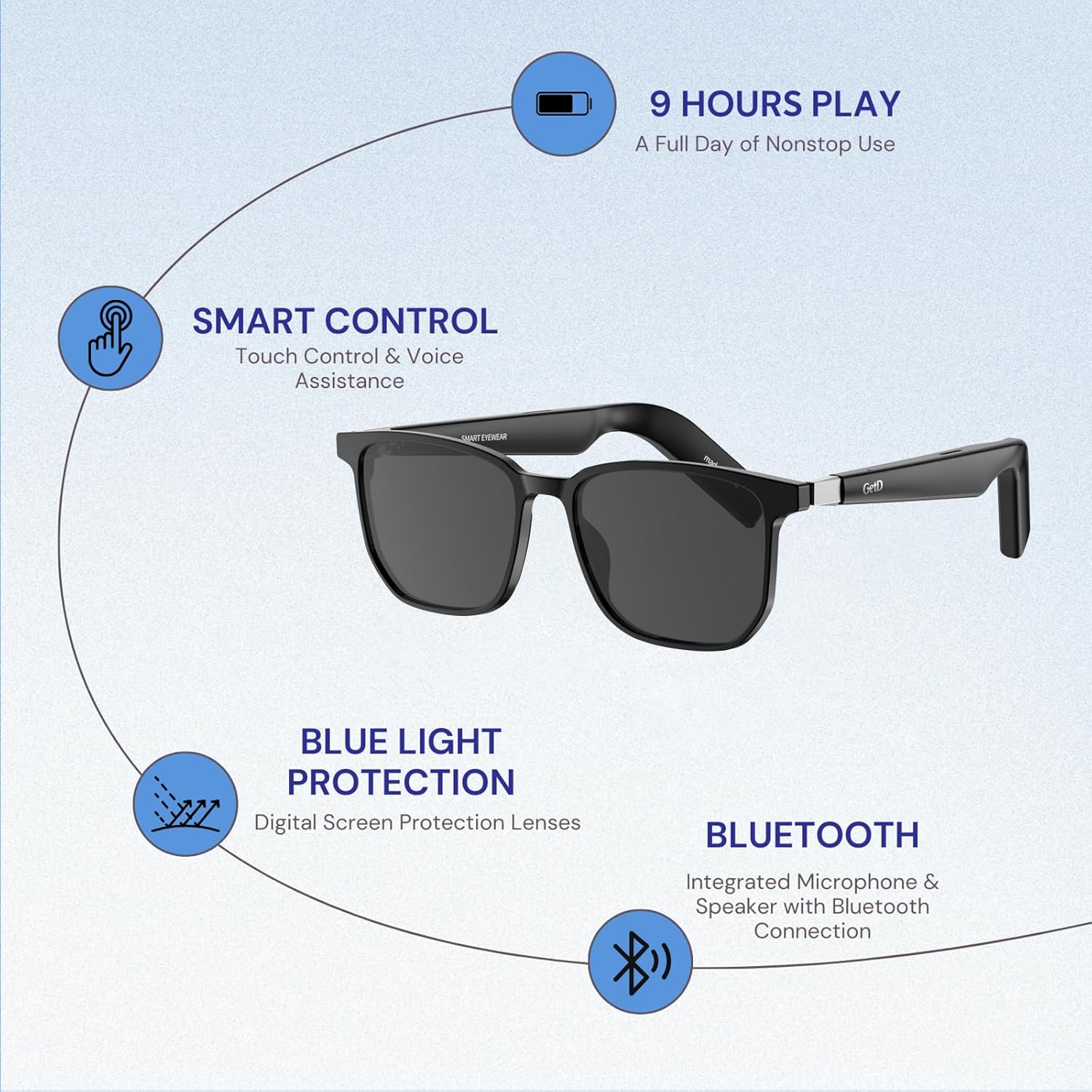
The GD07SRJ-PO-C9 Smart Sunglasses are designed for comfort and functionality. Key components include:
- Frame: Durable and lightweight, designed for all-day wear.
- Lenses: Polarized UV400 lenses for superior clarity and protection against harmful UV rays.
- Temple Arms: Equipped with open-ear Bluetooth speakers and integrated omni-directional microphones. These are detachable and can be swapped with standard temple arms (if included).
- Magnetic Charging Port: Located on the temple arm for convenient charging.
- Touch Controls: Integrated into the temple arms for easy interaction with music, calls, and voice assistance.


5. Setup
5.1 Initial Charging
Before first use, fully charge your GetD Smart Sunglasses. Connect the magnetic charging cable to the charging port on the temple arm and plug the USB end into a compatible power source (e.g., computer USB port, wall adapter). The charging indicator light will show the charging status.
- Charging Time: Approximately 2 hours for a full charge.
- Battery Life: Up to 9 hours of continuous use, or 15 days standby time.

5.2 App Download and Installation
To unlock the full potential of your GetD Smart Sunglasses, download the "GetD Smart" app.
- For iPhone users: Search for "GetD" or "GetD Smart" in the Apple App Store.
- For Android users: Due to Google Play Store restrictions, the app may not be directly searchable. Please contact GetD customer support for the latest QR code or direct download link to install the app.
5.3 Bluetooth Pairing
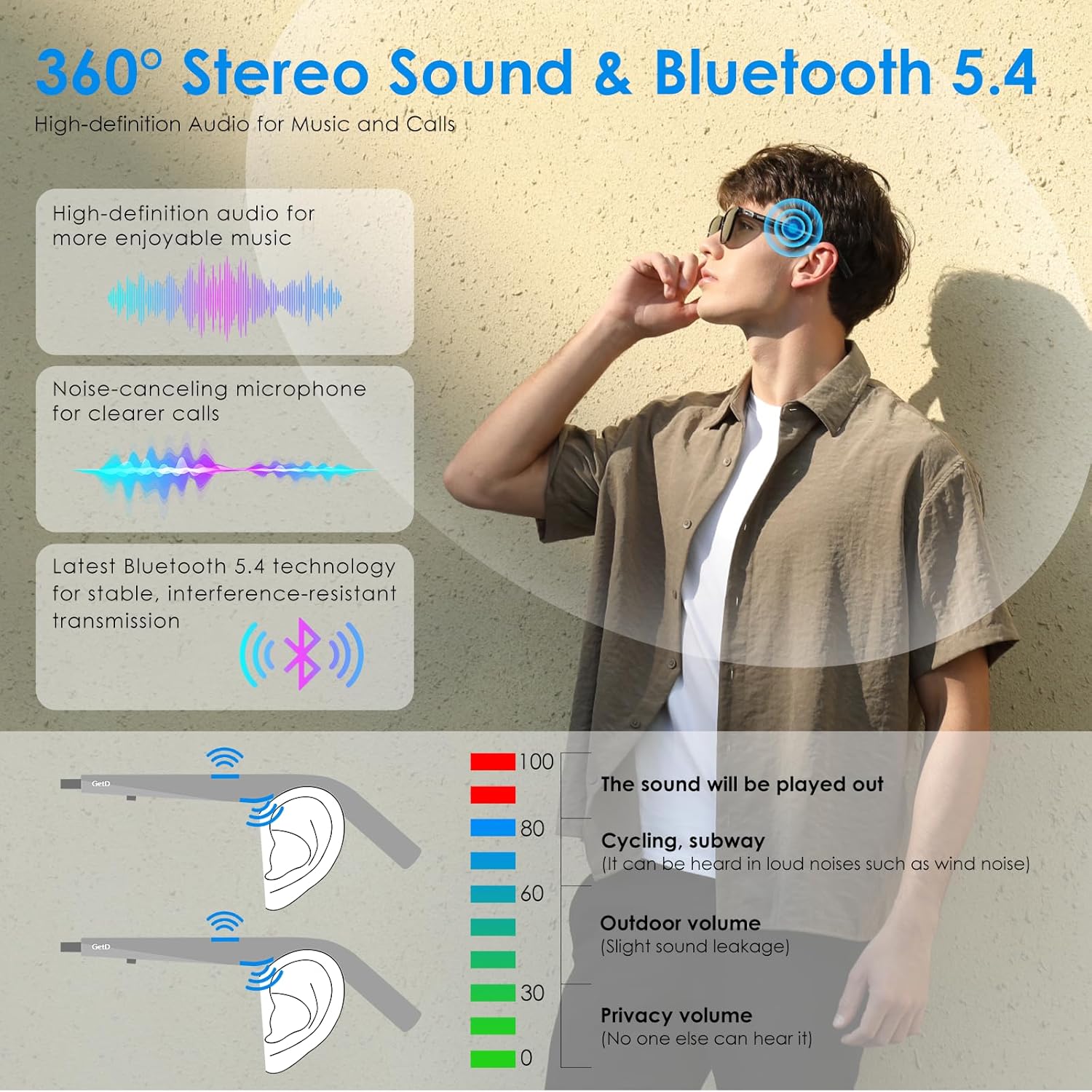
The GetD Smart Sunglasses use Bluetooth 5.4 for a stable connection.
- Ensure your sunglasses are charged and powered on.
- Enable Bluetooth on your smartphone or device.
- Open your device's Bluetooth settings and search for available devices.
- Select "GetD Eyewear" from the list to pair.
- Once paired, a confirmation sound or message will indicate a successful connection.

6. Operating Instructions
6.1 Basic Functions
- Power On/Off: Press and hold the power button (usually located on the temple arm) for a few seconds.
- Music Playback:
- Tap the touch control area once to Play/Pause.
- Double-tap for Next Track.
- Triple-tap for Previous Track.
- Call Management:
- Tap once to Answer/End Call.
- Press and hold to Reject Call.
- Voice Assistant: Press and hold the touch control area to activate your device's voice assistant (Siri, Google Assistant, etc.).

6.2 AI Translation and Smart Features (via GetD Smart App)
The GetD Smart App provides advanced AI functionalities:
- AI Dialogue: Engage in intelligent Q&A with ChatGPT integration.
- AI Translation: Multi-language intelligent translation for real-time communication.
- Voice to Text: Record and transcribe spoken words in real-time.
- Face-to-Face Translation: Facilitate real-time translation during direct conversations.


6.3 Audio Experience
The open-ear design allows you to enjoy audio while remaining aware of your surroundings. The glasses feature HI-FI stereo sound with advanced chip technology and high-quality speakers for clear audio during music playback and calls.

7. Maintenance
- Cleaning: Use the provided cleaning cloth to gently wipe the lenses and frame. For stubborn smudges, use a lens cleaning solution specifically designed for eyewear. Avoid harsh chemicals or abrasive materials.
- Storage: When not in use, store the sunglasses in their protective pouch or case to prevent scratches and damage.
- Water Resistance: The glasses have an IPX4 rating, meaning they are sweat-proof and resistant to splashing water. Do not submerge them in water or expose them to heavy rain.

8. Troubleshooting
| Problem | Possible Cause | Solution |
|---|---|---|
| Cannot power on | Low battery | Charge the glasses fully using the provided magnetic cable. |
| Cannot pair via Bluetooth | Bluetooth is off on device; glasses not in pairing mode; interference. | Ensure Bluetooth is enabled on your device. Restart both the glasses and your device. Move closer to the device. Clear previous pairing records if necessary. |
| No sound or poor audio quality | Volume too low; glasses not properly connected; interference. | Increase volume on both glasses and connected device. Re-pair the glasses. Ensure no obstructions are blocking the speakers. |
| AI translation not working | App not connected; internet connection issue; incorrect language settings. | Ensure the GetD Smart App is open and connected. Check your internet connection. Verify language settings in the app. |
| Glasses shut off unexpectedly | Low battery; inactivity auto-off. | Recharge the glasses. Note that some models may have an auto-off feature after a period of inactivity to conserve battery. |
9. Specifications
- Model Number: GD07SRJ-PO-C9
- Connectivity: Bluetooth 5.4
- Battery Capacity: Dual 260mAh Lithium Ion batteries (included)
- Battery Life: Up to 9 hours (continuous use), 15 days (standby)
- Charging Time: Approximately 2 hours
- Water Resistance: IPX4 (Sweat-proof)
- Lenses: Polarized UV400 Protection
- Audio: Open-ear stereo speakers, built-in omni-directional microphone
- AI Features: AI Translation, AI Dialogue, Voice to Text, Face-to-Face Translation (via GetD Smart App)
- Operating System Compatibility: iOS & Android
- Item Weight: 12.3 ounces
- Package Dimensions: 7.36 x 3.35 x 3.11 inches
- Manufacturer: GetD
- Country of Origin: China
10. Warranty and Support
GetD products are backed by a manufacturer's warranty. For specific warranty details, please refer to the warranty card included in your product packaging or visit the official GetD website.
For technical support, troubleshooting assistance, or any inquiries regarding your GetD Smart Sunglasses, please contact GetD customer support. Contact information can typically be found on the GetD website or within the GetD Smart App.
You may also find helpful resources and FAQs on the GetD Store on Amazon.
Ask a question about this manual
Ask about setup, troubleshooting, compatibility, parts, safety, or missing instructions. Manuals+ will review the question and use this page’s manual context to help answer it.