
1. Introduction
This manual provides essential instructions for the proper setup, operation, and maintenance of your RayNeo HDMI-C to AR Glasses Charging Adapter (Model HC 2.0). This adapter allows for simultaneous video transmission to your AR glasses and charging of your source device, ensuring an uninterrupted experience.
2. Package Contents
Please verify that all items listed below are included in your package:
- 1 x RayNeo HDMI-C to AR Glasses Charging Adapter
- 1 x USB-A to USB-C Charging Cable
- 1 x HDMI Cable
- 1 x Quick Start Guide

Image: All components included in the product package.
3. Key Features
- Simultaneous Operation: Connect your AR glasses and charge your source device concurrently.
- High-Speed Charging: Delivers up to 50W of power to your AR glasses. Actual charging speed depends on the connected device's specifications.
- Wide Device Compatibility: Compatible with devices adhering to the USB-C standard protocol, including Steam Deck, ROG Ally, and Legion Go.
- High Resolution Support: Supports resolutions up to 8K for crisp, lossless image quality. Features are dependent on source device and display capabilities.
- Durable Construction: Made from aluminum alloy for enhanced durability.
- Smart Hardware Protection: Safeguards against overvoltage damage.
- User-Friendly: Supports hot-swapping, plug-and-play functionality, and requires no software installation.
4. Setup Instructions
Follow these steps to connect your RayNeo HDMI-C to AR Glasses Charging Adapter:
- Connect AR Glasses: Plug your AR glasses into the USB-C output port on the adapter.
- Connect Source Device: Use the provided HDMI cable to connect your source device (e.g., gaming console, PC, laptop) to the HDMI-IN port on the adapter.
- Connect Power: Connect the USB-A to USB-C charging cable to a power adapter (not included) and then to the DC 5V or Type-C charging input port on the adapter. This will provide power to both your AR glasses and charge your source device.

Image: Connection diagram for the adapter with AR glasses, a gaming console, and a power source.
5. Operating Instructions
Once connected, the adapter operates on a plug-and-play basis. Your AR glasses should automatically display content from your source device, and your source device will begin charging.
- Gaming/Streaming: Enjoy uninterrupted gaming or streaming sessions as the adapter ensures continuous power supply to your AR glasses while simultaneously charging your connected device.
- Resolution: The adapter will automatically adapt to the highest supported resolution up to 8K, based on the capabilities of your source device and AR glasses.

Image: Adapter connected to a laptop, AR glasses, and power for simultaneous use and charging.
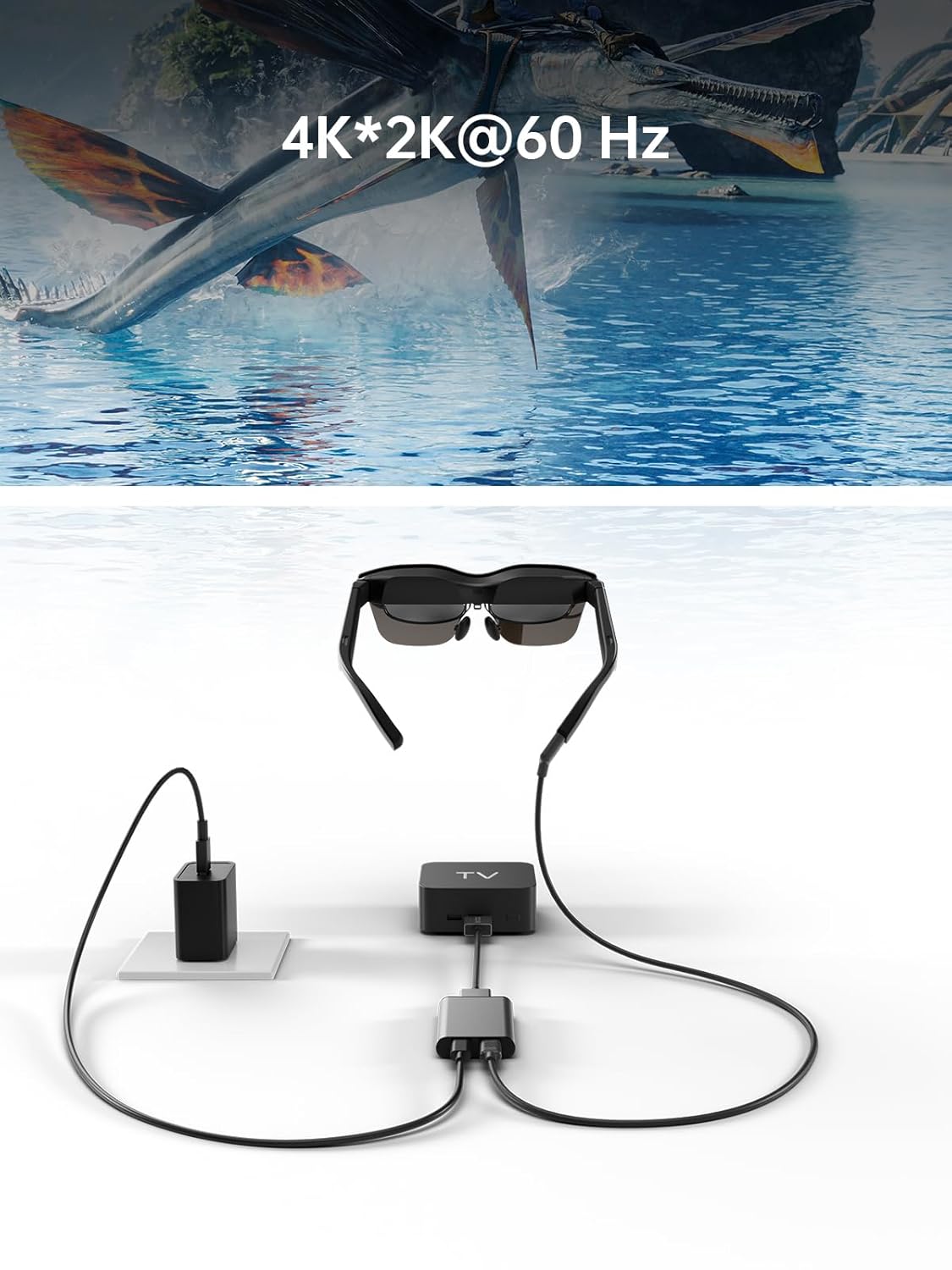
Image: Adapter facilitating 4K*2K@60Hz video output from a TV box to AR glasses.
6. Compatibility
The RayNeo HDMI-C to AR Glasses Charging Adapter is designed for broad compatibility. Ensure your devices meet the following criteria:
6.1. Source Devices (HDMI-IN)
Compatible with any device that outputs video via HDMI, including but not limited to:
- Gaming Consoles (e.g., PlayStation 5/4, Xbox Series X/S, Nintendo Switch, Steam Deck, ROG Ally, Legion Go)
- Personal Computers (PC)
- Laptops
- Streaming Devices (e.g., Apple TV)
6.2. AR Glasses (USB-C OUT)
Compatible with AR glasses that accept video input via USB-C, such as:
- RayNeo Air 2s
- RayNeo Air 2
- TCL NXTWEAR S
Note: Your source device must adhere to the USB-C standard protocol for charging and data transmission to function correctly with this adapter.

Image: Visual representation of the adapter's wide compatibility with various input devices and AR glasses.
7. Troubleshooting
If you encounter issues, please refer to the following common solutions:
- No Display on AR Glasses:
- Ensure all cables (HDMI, USB-C to AR glasses) are securely connected.
- Verify that your source device is powered on and outputting video.
- Check if your AR glasses are powered on and functioning correctly.
- Test with different HDMI or USB-C cables if available.
- Source Device Not Charging:
- Confirm the power adapter is connected to the adapter's charging port and to a working power outlet.
- Ensure the power adapter provides sufficient wattage (up to 50W supported).
- Verify that your source device supports charging via its USB-C port when connected to an external adapter.
- Low Resolution or Poor Image Quality:
- Check the resolution settings on your source device.
- Ensure your HDMI and USB-C cables are high-quality and support the desired resolution.
- The maximum resolution is dependent on both the source device and the AR glasses.
- Adapter Not Recognized:
- Disconnect and reconnect all cables.
- Restart your source device.
8. Maintenance
To ensure the longevity and optimal performance of your adapter, follow these maintenance guidelines:
- Cleaning: Use a soft, dry cloth to clean the adapter. Avoid liquid cleaners or abrasive materials.
- Storage: Store the adapter in a cool, dry place away from direct sunlight and extreme temperatures.
- Handling: Avoid dropping the adapter or subjecting it to strong impacts. Do not attempt to disassemble the device.
- Cable Care: Do not bend cables excessively or pull them forcefully from the ports.
9. Specifications
| Feature | Specification |
|---|---|
| Model Number | HC 2.0 |
| Brand | RayNeo |
| Connector Type | USB Type C (Output), HDMI (Input) |
| Charging Input | DC 5V / USB Type C |
| Max Power Delivery | Up to 50W |
| Max Resolution Support | 8K |
| Material | Aluminum Alloy |
| Color | Silver |
| Item Weight | 2.89 ounces |
| Package Dimensions | 5.39 x 2.64 x 0.94 inches |

Image: Dimensional drawing of the adapter.
10. Warranty and Support
For warranty information and customer support, please refer to the documentation included with your product or visit the official RayNeo website. Keep your purchase receipt for warranty claims.


