1. Introduction
This manual provides comprehensive instructions for the installation, operation, and maintenance of your RFID Standalone Access Control Card Reader Digital Keypad. Please read this manual carefully before installation and use to ensure proper functionality and safety.
2. Product Features
- Working with DC12V system. Equipped with rainproof cover, can be installed outdoor.
- Supports 2000 user capacity.
- Three ways to open the door: RFID card, password, or RFID card + password.
- Full programming from the keypad.
- Ability to set a management card.
- Backlight for convenient use in dark conditions.
- Sensitive and quick response.
- Has WG26/34 Wiegand signal input/output, allowing connection to an extra card reader.
- Suitable for garage, hotel, shops, warehouses, laboratories, school campus access, identification, parking lot entry, and other private spaces.
3. Package Contents
Upon opening the package, please verify that all the following items are included:
- 1 x RFID Standalone Access Control Keypad
- 1 x Rainproof Cover
- 10 x EM4100 RFID Tags (Keyfobs)
- Mounting Screws and Wall Plugs
- User Manual (this document)
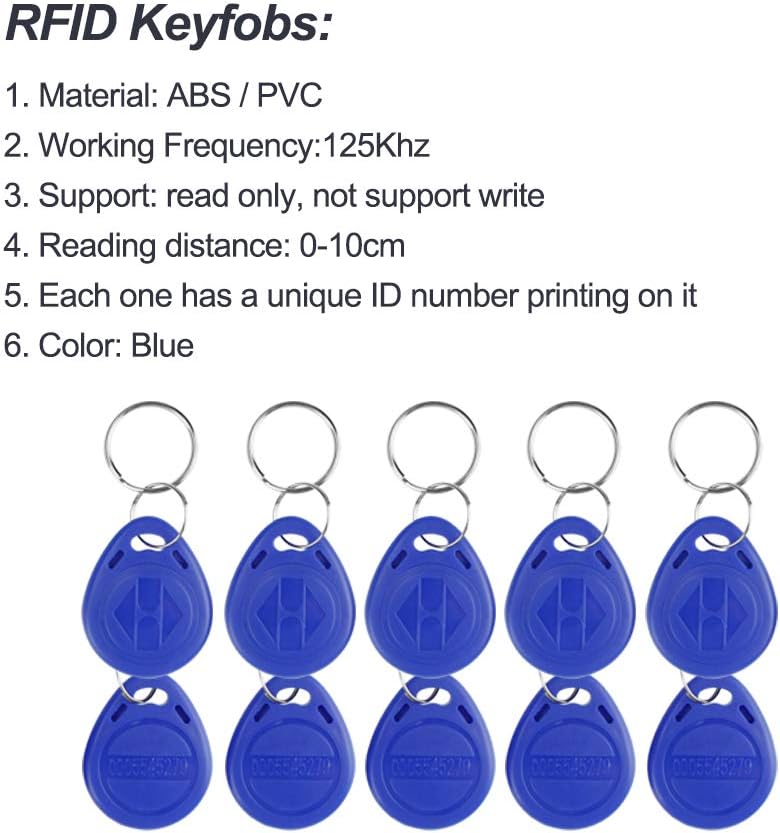
Image: Contents of the product package, showing the access control keypad with its rain cover, ten blue RFID keyfobs, mounting screws, and the instruction manual.
4. Specifications
| Attribute | Value |
|---|---|
| Brand | OBO HANDS |
| Model Number | K12EM |
| Color | Black |
| Power Source | Corded Electric (DC12V) |
| Item Dimensions (L x W x H) | 3.07 x 4.72 x 0.87 inches |
| Connectivity Technology | Wired (WG26/34 Wiegand) |
| Installation Type | Professional Hard-wired |
| User Capacity | 2000 Users |
| RFID Keyfob Material | ABS / PVC |
| RFID Keyfob Frequency | 125KHz |
| RFID Reading Distance | 0-10cm |
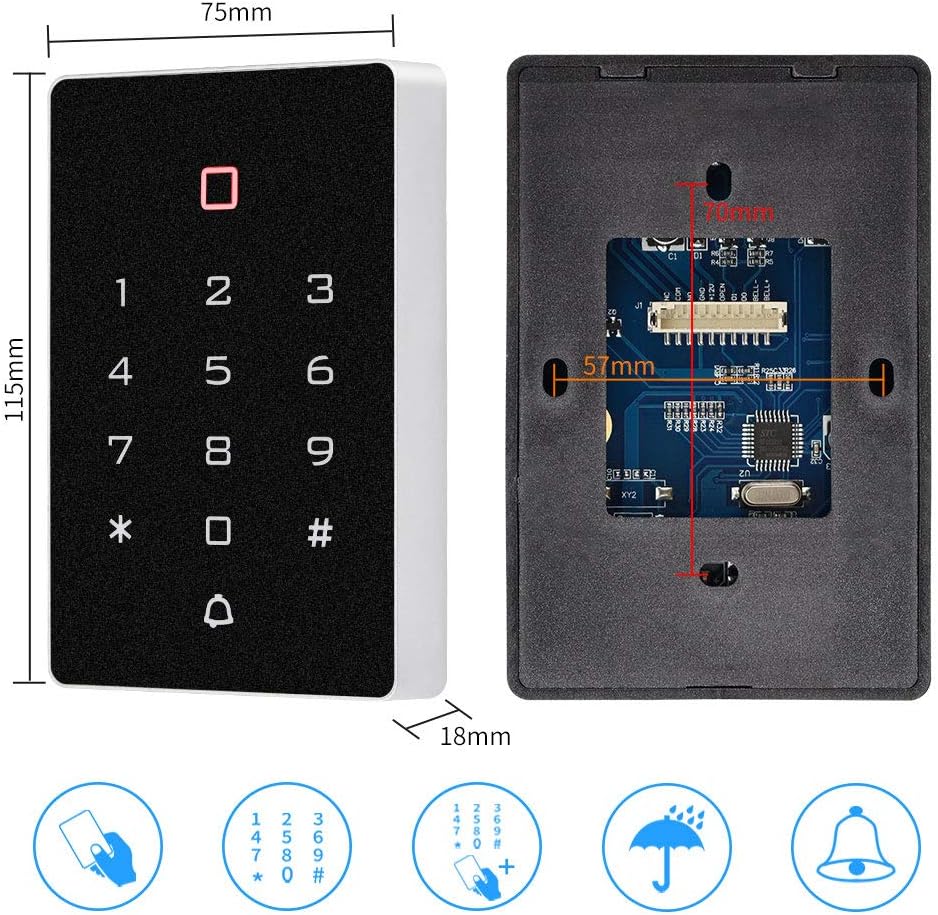
Image: Detailed dimensions of the access control keypad, showing front and back views with measurements in millimeters.
5. Setup and Installation
This access control system requires professional hard-wired installation. Ensure power is disconnected before beginning installation.
5.1 Wiring Diagram
The following diagram illustrates the typical wiring connections for the access controller with a power supply, electric lock, door bell, and exit button. Note that the power supply, lock, and exit button are not included in the package and need to be acquired separately.

Image: A detailed wiring diagram showing connections for the access controller, power supply, electric lock, door bell, and exit button.
5.2 Outdoor Installation with Raincover
The included rainproof cover allows for outdoor installation. Ensure the cover is properly secured to protect the keypad from environmental elements.

Image: The access control keypad with its rain cover, illustrating its resistance to rain, dust, sun, snow, and impact.
6. Operating Instructions
The access control system supports multiple methods for door access and user management.
6.1 Door Opening Methods
The system supports three primary methods for opening the door:
- RFID Card: Present a programmed RFID card to the reader.
- Password: Enter a valid password on the digital keypad.
- RFID Card + Password: Present a programmed RFID card, then enter a valid password.

Image: Visual representation of the three door opening methods: RFID card, numeric password, and a combination of RFID card and password.
6.2 User Management
The keypad allows for full programming directly from the device, including adding and deleting users, and setting a management card. Refer to the specific programming instructions provided in the separate "Keypad Access Control" manual (if included) for detailed steps on user enrollment and system configuration.
The system supports up to 2000 users.
6.3 RFID Keyfobs
The included RFID keyfobs are read-only and operate at 125KHz. Each keyfob has a unique ID number printed on it.
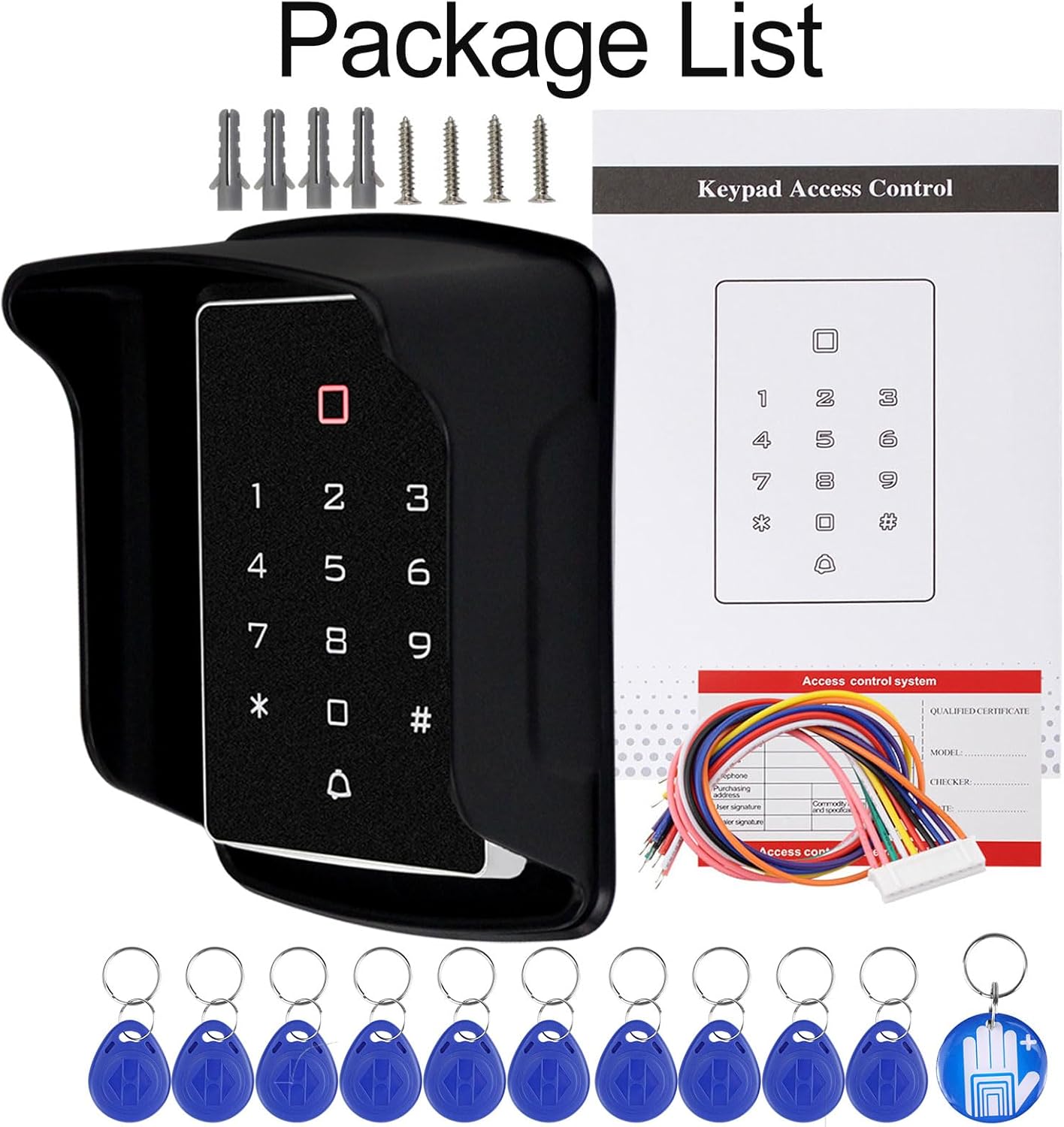
Image: A close-up view of the blue RFID keyfobs, detailing their material (ABS/PVC), working frequency (125KHz), read-only support, reading distance (0-10cm), unique ID printing, and color (Blue).
7. Maintenance
To ensure the longevity and optimal performance of your access control system, follow these maintenance guidelines:
- Cleaning: Wipe the keypad and rain cover with a soft, damp cloth. Avoid abrasive cleaners or solvents that could damage the surface.
- Inspection: Periodically check all wiring connections for signs of wear, corrosion, or looseness. Ensure the rain cover is securely attached.
- Environmental Protection: While designed for outdoor use with the rain cover, avoid direct, prolonged exposure to extreme weather conditions if possible.
- Software/Firmware: There are no user-upgradable software or firmware components for this standalone unit.
8. Troubleshooting
If you encounter issues with your access control system, refer to the following common problems and solutions:
| Problem | Possible Cause | Solution |
|---|---|---|
| Keypad not responding / No power | No power supply; loose wiring; faulty power adapter. | Check power connections and ensure DC12V supply. Verify all wiring is secure. Test power adapter. |
| Door does not open with valid card/password | Incorrect programming; card/password not enrolled; faulty lock connection. | Verify user enrollment. Re-program card/password. Check wiring to the electric lock. Ensure lock is functioning correctly. |
| RFID card not read | Card is not EM4100 compatible; card is damaged; reading distance too far. | Ensure card is EM4100 type. Try another card. Hold card closer to the reader (within 10cm). |
| Keypad backlight not working | Internal fault. | Contact customer support if all other functions are working but backlight is not. |
9. Warranty Information
Please refer to the warranty card included with your product or contact OBO HANDS customer support for detailed warranty terms and conditions. Typically, products are covered against manufacturing defects for a specified period from the date of purchase.
10. Customer Support
For technical assistance, troubleshooting not covered in this manual, or warranty inquiries, please contact OBO HANDS customer support:
- WhatsApp: +86 177 2255 8183 (Mon-Sun 24/7)
- Online Store: OBO HANDS Amazon Store
When contacting support, please have your product model number (K12EM) and purchase details ready.


