
1. Product Overview
The Cable Matters USB C to 2.5Gb Ethernet Adapter provides a high-speed wired network connection for USB-C and Thunderbolt-enabled devices. This adapter allows for network speeds up to 2.5 Gigabit Ethernet, enhancing performance for activities such as UHD/8K/4K streaming, online gaming, and large file transfers. It features a durable design with an aluminum housing and a braided pigtail cable, ensuring reliable and long-lasting use. The adapter is designed for plug-and-play functionality, requiring no driver installation on most supported operating systems.

Image 1.1: The Cable Matters USB C to 2.5Gb Ethernet Adapter, showcasing its compact design with a USB-C connector and an RJ45 Ethernet port. The adapter features a gray aluminum casing and a black braided cable.
2. Features
- Blazing-Fast 2.5Gbps Network Speed: Supports up to 2500 Mbps Ethernet speed for ultra-fast internet performance.
- Stable Performance with Advanced Chipset: Ensures consistent performance, minimizes power consumption, and reduces heat generation.
- Premium & Durable Design: Features aluminum housing for durability and heat dissipation, and a braided pigtail cable for strength and flexibility.
- Plug & Play – No Drivers Needed: Easy setup without the need for driver installation on compatible operating systems.
- Wide Compatibility Across Devices: Compatible with MacBook, iMac, Dell XPS, iPad Pro, Surface, and supports Windows, macOS, Linux, Chrome OS, and iOS. Works with USB-C and Thunderbolt 3/4/5 devices. Note: Does not support Android devices.
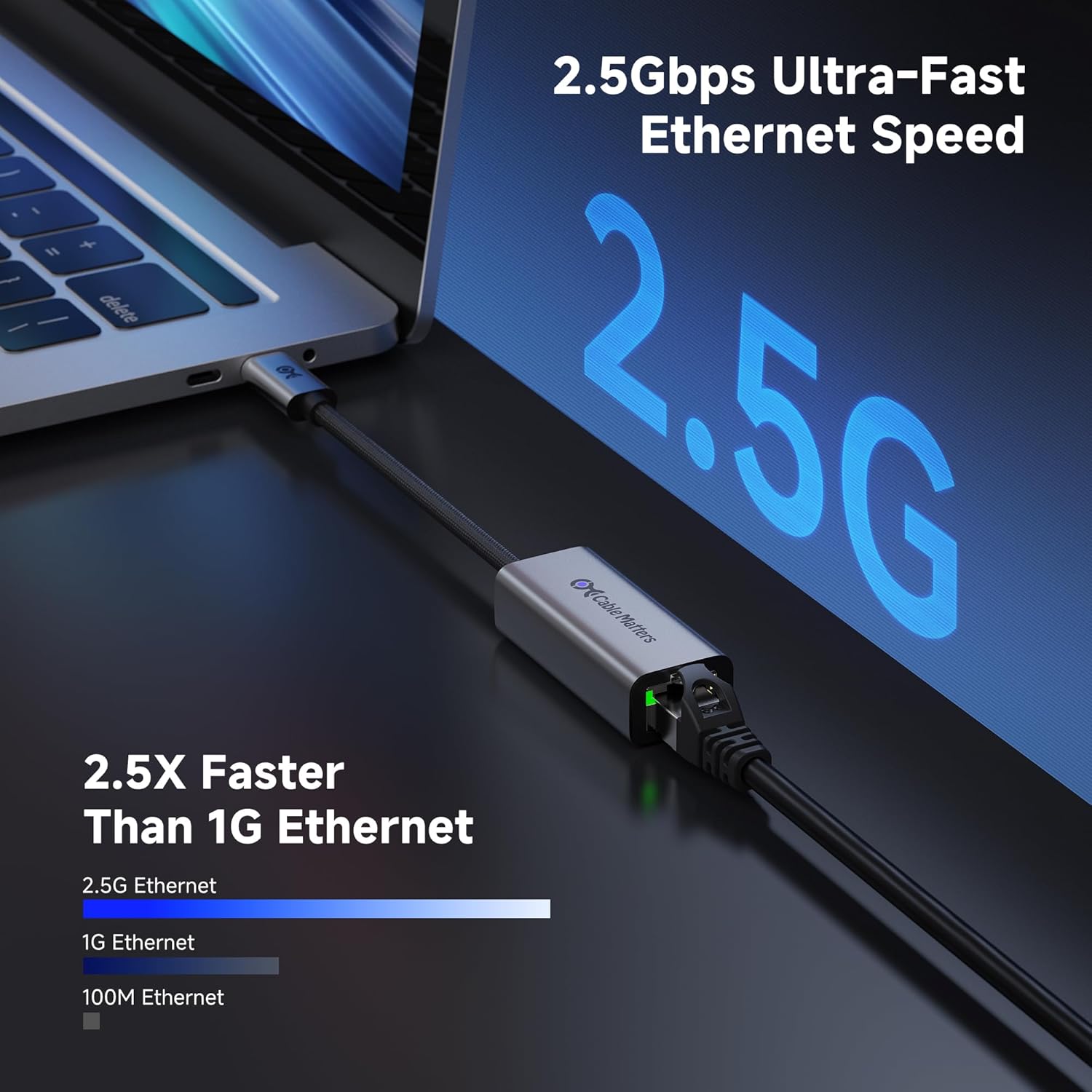
Image 2.1: A laptop connected to the 2.5Gbps Ethernet adapter, illustrating the significant speed increase compared to 1G and 100M Ethernet. The screen displays "2.5G" prominently, emphasizing the ultra-fast speed capability.

Image 2.2: Detailed view of the adapter's construction, highlighting its aluminum metal housing, braided pigtail cable, and the blue LED indicator for power, demonstrating its durable and functional design.

Image 2.3: An illustration showing the wide compatibility of the adapter with various USB-C devices and operating systems, including MacBook, Windows laptops, phones, tablets, Windows, macOS, Linux, ChromeOS, and iOS. Android is explicitly marked as not supported.
3. Package Contents
The package typically includes:
- 1x Cable Matters USB C to 2.5Gb Ethernet Adapter (Model: 201485)
4. Setup Instructions
The Cable Matters USB C to 2.5Gb Ethernet Adapter is designed for plug-and-play operation, requiring minimal setup.
- Connect to Device: Insert the USB-C connector of the adapter into an available USB-C or Thunderbolt port on your computer, laptop, tablet, or other compatible device.
- Connect Ethernet Cable: Connect a standard RJ45 Ethernet cable from your router, modem, or network switch to the RJ45 port on the adapter.
- Verify Connection: The adapter's LED indicator should illuminate, indicating a successful connection. Your operating system should automatically detect the new network adapter and establish a connection.
No additional drivers are typically required for Windows, macOS, Linux, Chrome OS, or iOS. If prompted, allow your operating system to install any necessary built-in drivers.

Image 4.1: A tablet connected to the 2.5Gbps Ethernet adapter, demonstrating the simple plug-and-play setup. The adapter is connected to the tablet's USB-C port and an Ethernet cable, ready for use without complex installation.
5. Operating Instructions
Once connected, the adapter functions as a standard wired network interface. You can verify its operation and network speed through your device's network settings.
5.1 Verifying Network Connection
- Windows: Go to "Network & Internet settings" > "Ethernet" > "Change adapter options". Locate the new Ethernet adapter, right-click, and select "Status" to view connection speed and activity.
- macOS: Go to "System Settings" (or "System Preferences") > "Network". Select the USB 2.5GbE LAN adapter to see its status and IP address.
- Linux: Use network management tools or command-line utilities like
ip aorifconfigto check the status of the new Ethernet interface.
5.2 Achieving Optimal Speed
To achieve the full 2.5Gbps speed, ensure the following:
- Your router or network switch supports 2.5Gbps or higher Ethernet speeds.
- You are using a Cat5e or Cat6 Ethernet cable (Cat6 is recommended for optimal performance over longer distances).
- Your internet service provider (ISP) plan supports speeds of 2.5Gbps or higher.
- The USB-C or Thunderbolt port on your device supports USB 3.0 (or higher) for sufficient bandwidth.
6. Maintenance
The Cable Matters USB C to 2.5Gb Ethernet Adapter requires minimal maintenance to ensure longevity and optimal performance.
- Cleaning: Use a soft, dry cloth to wipe the adapter's exterior. Avoid using liquid cleaners or solvents.
- Storage: Store the adapter in a cool, dry place when not in use. Avoid extreme temperatures and direct sunlight.
- Handling: Do not bend or twist the cable excessively. Avoid pulling the adapter by its cable; always grasp the connector when plugging or unplugging.
7. Troubleshooting
7.1 No Network Connection
- Check Connections: Ensure both the USB-C connector and the Ethernet cable are securely plugged into their respective ports.
- Verify LED Indicator: Check if the LED indicator on the adapter is illuminated. If not, try a different USB-C port or device.
- Test Ethernet Cable: Try a different Ethernet cable to rule out a faulty cable.
- Restart Devices: Restart your computer/device and your network router/modem.
- Driver Check: Although plug-and-play, ensure your operating system's network drivers are up to date.
7.2 Slow Network Speed
- Check Network Infrastructure: Confirm your router/switch and Ethernet cables (Cat5e/Cat6) support 2.5Gbps speeds.
- ISP Speed: Verify your internet service plan supports the desired speeds.
- USB Port Speed: Ensure the USB-C port on your device is a USB 3.0 (or higher) port, as older USB 2.0 ports have insufficient bandwidth for 2.5Gbps.
- Interference: Minimize other network traffic or applications consuming bandwidth.
7.3 Adapter Not Recognized
- Try Another Port/Device: Test the adapter on a different USB-C port or another compatible device to determine if the issue is with the adapter or the original port/device.
- Operating System Compatibility: Confirm your operating system is listed as compatible (Windows, macOS, Linux, Chrome OS, iOS). Note that Android devices are not supported.
8. Specifications
| Brand | Cable Matters |
| Model Number | 201485 |
| Hardware Interface | Ethernet, USB-C |
| Data Link Protocol | Ethernet |
| Data Transfer Rate | 2500 Megabits Per Second (2.5Gbps) |
| Compatible Devices | Desktop, Game Console, Headphone, Laptop, Smart TV (with USB-C/Thunderbolt port) |
| Operating System Compatibility | Windows, macOS, Linux, Chrome OS, iOS (Android not supported) |
| Connector Type | USB-C (Male), RJ45 (Female) |
| Item Weight | 1.06 ounces (0.03 Kilograms) |
| Package Dimensions | 4.13 x 2.76 x 0.75 inches |
| UPC | 810115187073 |
9. Warranty and Support
Cable Matters products are backed by a limited warranty. For specific warranty details, product support, or technical assistance, please visit the official Cable Matters website or contact their customer service directly.
Online Support: www.cablematters.com/support
Please have your product model number (201485) and purchase information ready when contacting support.


