
NAVFS 1
NAVFS Smart Bird Feeder with Camera Instruction Manual
Model: 1 | Brand: NAVFS
Introduction
This manual provides detailed instructions for the setup, operation, and maintenance of your NAVFS Smart Bird Feeder with Camera. This device allows you to observe and identify various bird species in your backyard through its integrated camera and AI technology, powered by both battery and solar energy.
What's Included
The package includes the following components:
- Smart Bird Feeder Unit with integrated camera
- Solar Panel (5W)
- Rechargeable Battery (5200mAh, pre-installed)
- Mounting accessories (straps, screws, L-shaped bracket for various mounting options)
- Wi-Fi Antenna
- USB-C Charging Cable
- User Manual
- Fruit Holder and Jelly Feeder attachments

Image: The NAVFS Smart Bird Feeder with Camera, showcasing its main components including the feeder unit, solar panel, and bird perches. The feeder is shown in a winter setting with a cardinal.
Key Features
- AI Bird Identification: Identifies over 10,000 bird species using AI recognition technology.
- Dual Power Source: Equipped with a 5200mAh rechargeable battery and a 5W solar panel for continuous operation, lasting up to 6 months on a full charge.
- Full HD Live Video: Features a 1080P high-definition lens for clear live video streaming and night vision capabilities.
- Enhanced Connectivity: Utilizes a 2.4Ghz Wi-Fi connection (5Ghz not supported) with an enhanced antenna for stable signal.
- Instant Notifications & Two-Way Audio: Receive app notifications upon bird detection and use the built-in speaker and light to deter unwanted visitors like squirrels.
- Large Capacity & Bird-Friendly Design: 1.8L seed capacity, IP65 waterproof rating, 160° ultra-wide angle view, and includes fruit holder and jelly feeder attachments.
- Storage Options: Supports cloud storage (subscription required) and local storage via a MicroSD card (up to 128GB, not included).
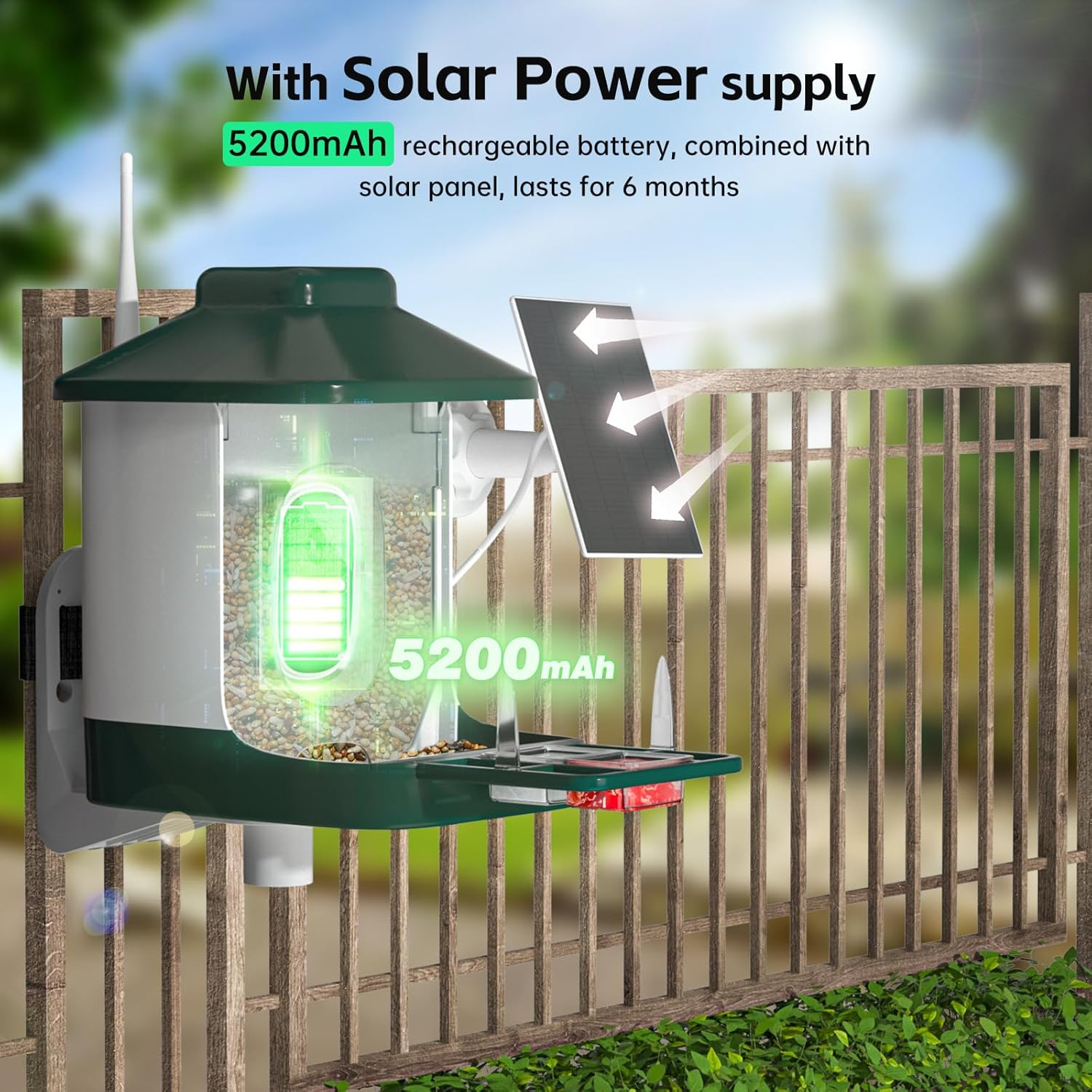
Image: A visual representation of the feeder's 160-degree wide-angle lens and 1080P Full HD video capabilities, showing a bird on the perch and a smartphone displaying the live feed.
Setup Instructions
1. Initial Charging
Before first use, fully charge the camera battery using the provided USB-C cable. The solar panel will maintain the charge once installed.
2. App Installation and Pairing
- Download the companion app (refer to the user manual for specific app name and QR code).
- Create an account and log in.
- Follow the in-app instructions to add your new device. This typically involves powering on the camera and scanning a QR code displayed in the app.
- Ensure your device is connected to a 2.4Ghz Wi-Fi network. 5Ghz networks are not supported.
3. Assembly and Mounting
The feeder offers multiple mounting options:
- Tree Mount: Use the provided straps to secure the feeder to a tree trunk.
- Wall Mount: Use the L-shaped bracket and screws to attach the feeder to a wall.
- Pole Mount: The base of the feeder is designed to fit onto a pole (pole not included), secured with a set screw.
Ensure the solar panel is positioned to receive maximum sunlight for optimal charging. Attach the Wi-Fi antenna to the designated port on the back of the feeder.

Image: The smart bird feeder demonstrating its versatility with wall, tree, and pole mounting options, ensuring the camera has a good signal before installation.
Video: An official product video from NAVFS Store demonstrating the packaging and installation process of the bird feeder camera.
Operating Instructions
1. Live View and Recording
Access the live video feed through the app at any time. The camera automatically records short clips when motion is detected. These clips are saved to your chosen storage option (cloud or MicroSD card).
2. Bird Identification
The AI technology identifies bird species in recorded videos. You will receive notifications with the identified species. The app may also provide additional information about the identified birds.

Image: The smart bird feeder's AI identification feature in action, showing a cardinal being identified and a smartphone displaying a Wikipedia page for the bird.
3. Notifications and Two-Way Audio
Enable push notifications in the app to receive instant alerts when birds visit or when other motion is detected. Use the two-way audio feature to speak through the feeder's speaker, which can be useful for deterring squirrels or other pests.
4. Night Vision
The 1080P camera includes night vision, allowing you to observe nocturnal bird activity or capture clear images in low-light conditions.

Image: A comparison of the feeder's camera view during the day and at night, demonstrating its 2MP infrared night vision capabilities.
Maintenance
1. Refilling Bird Seed
The feeder has a 1.8L capacity. Regularly check the seed level and refill as needed by opening the top cover. Use high-quality bird seed to attract a variety of birds.

Image: The smart bird feeder illustrating its easy top-fill mechanism and drainage design, along with optional DIY add-ons like fruit holders.
2. Cleaning
Periodically clean the feeder to prevent mold and bacterial growth. The IP65 waterproof rating allows for easy cleaning with water. Ensure the camera unit is securely sealed before cleaning.
3. Battery and Solar Panel
The solar panel is designed to keep the battery charged. Ensure the solar panel is free from debris, snow, or anything that might obstruct sunlight. If the battery level drops significantly, manually charge it using the USB-C cable.
Troubleshooting
- No Wi-Fi Connection: Ensure your router is broadcasting a 2.4Ghz signal. The device does not support 5Ghz Wi-Fi. Check the signal strength in the app.
- Camera Not Recording: Verify that motion detection is enabled in the app settings. Check if the MicroSD card is inserted correctly and has sufficient space, or if your cloud storage subscription is active.
- Low Battery: Ensure the solar panel is clean and receiving direct sunlight. If necessary, manually charge the camera using the USB-C cable.
- Poor Video Quality: Check for any obstructions on the camera lens. Ensure the Wi-Fi signal is strong for optimal streaming.
Specifications
| Feature | Detail |
|---|---|
| Brand | NAVFS |
| Model Number | 1 |
| Target Species | Birds |
| Recommended Uses | Bird watching |
| Material | Metal, Plastic |
| Special Feature | Bird Watching, Easy-Refill Top |
| Mounting Type | Hanging Mount |
| Product Dimensions | 9.25"L x 8.14"W x 7.48"H |
| Power Source | Battery Powered (5200mAh Lithium Ion battery included), Solar Powered (5W solar panel included) |
| Included Components | Tray |
| Capacity | 1.8 Liters |
| Color | Dark Green |
| Item Weight | 2.35 Pounds |
| Wi-Fi Connectivity | 2.4Ghz (5Ghz not supported) |
| Video Resolution | 1080P Full HD |
| AI Identification | Identifies over 10,000 bird species |
Important Safety Information
Safety instructions or precautions may be included with the product. Always refer to the physical user manual for complete safety guidelines before installation and operation.
Warranty and Support
For warranty information, technical support, or further assistance, please refer to the contact details provided in your product packaging or visit the official NAVFS website.
Ask a question about this manual
Ask about setup, troubleshooting, compatibility, parts, safety, or missing instructions. Manuals+ will review the question and use this page’s manual context to help answer it.